# Zernio API Documentation
This document contains the complete API documentation for the Zernio API.
---
# Changelog
Stay up to date with the latest API changes and improvements
import { Changelog } from '@/components/changelog';
Track all updates to the Zernio API. We announce significant changes here and on our [Telegram channel](https://t.me/zernio_dev) and [X (Twitter)](https://x.com/zernionews).
---
# Quickstart
Get started with the Zernio API - authenticate, connect accounts, and schedule your first post in minutes.
import { Tab, Tabs } from 'fumadocs-ui/components/tabs';
Zernio is a social media scheduling platform that lets you manage and publish content across all major platforms from a single API. Whether you're building a social media tool, automating your content workflow, or managing multiple brands, Zernio's API gives you complete control.
**Base URL:** `https://zernio.com/api/v1`
---
## Install the SDK
```bash
npm install @zernio/node
```
```bash
pip install zernio-sdk
```
```bash
go get github.com/zernio-dev/zernio-go
```
```bash
gem install zernio-sdk
```
```xml
com.zernio
zernio-sdk
1.0.1
```
```bash
composer require zernio-dev/zernio-php
```
```bash
dotnet add package Zernio
```
```bash
cargo add zernio
```
## Authentication
All API requests require an API key. The SDKs read from the `ZERNIO_API_KEY` environment variable by default.
### Getting Your API Key
1. Log in to your Zernio account at [zernio.com](https://zernio.com)
2. Go to **Settings → API Keys**
3. Click **Create API Key**
4. Copy the key immediately - you won't be able to see it again
### Set Up the Client
```typescript
import Zernio from '@zernio/node';
const zernio = new Zernio(); // uses ZERNIO_API_KEY env var
```
```python
from zernio import Zernio
client = Zernio() # uses ZERNIO_API_KEY env var
```
```bash
# Set your API key as an environment variable
export ZERNIO_API_KEY="sk_..."
# All requests use the Authorization header
curl https://zernio.com/api/v1/posts \
-H "Authorization: Bearer $ZERNIO_API_KEY"
```
**Key format:** `sk_` prefix + 64 hex characters (67 total). Keys are stored as SHA-256 hashes - they're only shown once at creation.
**Security tips:** Use environment variables, create separate keys per app, and rotate periodically. You can also [manage keys via the API](/api-keys/list-api-keys).
---
## Key Concepts
- **Profiles** - Containers that group social accounts together (think "brands" or "projects")
- **Accounts** - Your connected social media accounts, belonging to profiles
- **Posts** - Content to publish, schedulable to multiple accounts across platforms simultaneously
- **Queue** - Optional recurring time slots for auto-scheduling posts
---
## Step 1: Create a Profile
Profiles group your social accounts together. For example, you might have a "Personal Brand" profile with your Twitter and LinkedIn, and a "Company" profile with your business accounts.
```typescript
const { profile } = await zernio.profiles.createProfile({
name: 'My First Profile',
description: 'Testing the Zernio API'
});
console.log('Profile created:', profile._id);
```
```python
result = client.profiles.create(
name="My First Profile",
description="Testing the Zernio API"
)
print(f"Profile created: {result.profile['_id']}")
```
```bash
curl -X POST https://zernio.com/api/v1/profiles \
-H "Authorization: Bearer $ZERNIO_API_KEY" \
-H "Content-Type: application/json" \
-d '{
"name": "My First Profile",
"description": "Testing the Zernio API"
}'
```
Save the `_id` value - you'll need it for the next steps.
## Step 2: Connect a Social Account
Now connect a social media account to your profile. This uses OAuth, so it will redirect to the platform for authorization.
```typescript
const { authUrl } = await zernio.connect.getConnectUrl({
platform: 'twitter',
profileId: 'prof_abc123'
});
// Redirect user to this URL to authorize
console.log('Open this URL:', authUrl);
```
```python
result = client.connect.get_connect_url(
platform="twitter",
profile_id="prof_abc123"
)
print(f"Open this URL: {result.auth_url}")
```
```bash
curl "https://zernio.com/api/v1/connect/twitter?profileId=prof_abc123" \
-H "Authorization: Bearer $ZERNIO_API_KEY"
```
Open the URL in a browser to authorize Zernio to access your Twitter account. After authorization, you'll be redirected back and the account will be connected.
### Available Platforms
Replace `twitter` with any of these:
| Platform | API Value | Guide |
|----------|-----------|-------|
| Twitter/X | `twitter` | [Twitter Guide](/platforms/twitter) |
| Instagram | `instagram` | [Instagram Guide](/platforms/instagram) |
| Facebook Pages | `facebook` | [Facebook Guide](/platforms/facebook) |
| LinkedIn | `linkedin` | [LinkedIn Guide](/platforms/linkedin) |
| TikTok | `tiktok` | [TikTok Guide](/platforms/tiktok) |
| YouTube | `youtube` | [YouTube Guide](/platforms/youtube) |
| Pinterest | `pinterest` | [Pinterest Guide](/platforms/pinterest) |
| Reddit | `reddit` | [Reddit Guide](/platforms/reddit) |
| Bluesky | `bluesky` | [Bluesky Guide](/platforms/bluesky) |
| Threads | `threads` | [Threads Guide](/platforms/threads) |
| Google Business | `googlebusiness` | [Google Business Guide](/platforms/google-business) |
| Telegram | `telegram` | [Telegram Guide](/platforms/telegram) |
| Snapchat | `snapchat` | [Snapchat Guide](/platforms/snapchat) |
## Step 3: Get Your Connected Accounts
After connecting, list your accounts to get the account ID:
```typescript
const { accounts } = await zernio.accounts.listAccounts();
for (const account of accounts) {
console.log(`${account.platform}: ${account._id}`);
}
```
```python
result = client.accounts.list()
for account in result.accounts:
print(f"{account['platform']}: {account['_id']}")
```
```bash
curl "https://zernio.com/api/v1/accounts" \
-H "Authorization: Bearer $ZERNIO_API_KEY"
```
Save the account `_id` - you need it to create posts.
## Step 4: Schedule Your First Post
Now you can schedule a post! Here's how to schedule a tweet for tomorrow at noon:
```typescript
const { post } = await zernio.posts.createPost({
content: 'Hello world! This is my first post from the Zernio API',
scheduledFor: '2024-01-16T12:00:00',
timezone: 'America/New_York',
platforms: [
{ platform: 'twitter', accountId: 'acc_xyz789' }
]
});
console.log('Post scheduled:', post._id);
```
```python
result = client.posts.create(
content="Hello world! This is my first post from the Zernio API",
scheduled_for="2024-01-16T12:00:00",
timezone="America/New_York",
platforms=[
{"platform": "twitter", "accountId": "acc_xyz789"}
]
)
print(f"Post scheduled: {result.post['_id']}")
```
```bash
curl -X POST https://zernio.com/api/v1/posts \
-H "Authorization: Bearer $ZERNIO_API_KEY" \
-H "Content-Type: application/json" \
-d '{
"content": "Hello world! This is my first post from the Zernio API",
"scheduledFor": "2024-01-16T12:00:00",
"timezone": "America/New_York",
"platforms": [
{"platform": "twitter", "accountId": "acc_xyz789"}
]
}'
```
Your post is now scheduled and will publish automatically at the specified time.
## Posting to Multiple Platforms
You can post to multiple platforms at once. Just add more entries to the `platforms` array:
```typescript
const { post } = await zernio.posts.createPost({
content: 'Cross-posting to all my accounts!',
scheduledFor: '2024-01-16T12:00:00',
timezone: 'America/New_York',
platforms: [
{ platform: 'twitter', accountId: 'acc_twitter123' },
{ platform: 'linkedin', accountId: 'acc_linkedin456' },
{ platform: 'bluesky', accountId: 'acc_bluesky789' }
]
});
```
```python
result = client.posts.create(
content="Cross-posting to all my accounts!",
scheduled_for="2024-01-16T12:00:00",
timezone="America/New_York",
platforms=[
{"platform": "twitter", "accountId": "acc_twitter123"},
{"platform": "linkedin", "accountId": "acc_linkedin456"},
{"platform": "bluesky", "accountId": "acc_bluesky789"}
]
)
```
```bash
curl -X POST https://zernio.com/api/v1/posts \
-H "Authorization: Bearer $ZERNIO_API_KEY" \
-H "Content-Type: application/json" \
-d '{
"content": "Cross-posting to all my accounts!",
"scheduledFor": "2024-01-16T12:00:00",
"timezone": "America/New_York",
"platforms": [
{"platform": "twitter", "accountId": "acc_twitter123"},
{"platform": "linkedin", "accountId": "acc_linkedin456"},
{"platform": "bluesky", "accountId": "acc_bluesky789"}
]
}'
```
## Publishing Immediately
To publish right now instead of scheduling, use `publishNow: true`:
```typescript
const { post } = await zernio.posts.createPost({
content: 'This posts immediately!',
publishNow: true,
platforms: [
{ platform: 'twitter', accountId: 'acc_xyz789' }
]
});
```
```python
result = client.posts.create(
content="This posts immediately!",
publish_now=True,
platforms=[
{"platform": "twitter", "accountId": "acc_xyz789"}
]
)
```
```bash
curl -X POST https://zernio.com/api/v1/posts \
-H "Authorization: Bearer $ZERNIO_API_KEY" \
-H "Content-Type: application/json" \
-d '{
"content": "This posts immediately!",
"publishNow": true,
"platforms": [
{"platform": "twitter", "accountId": "acc_xyz789"}
]
}'
```
## Creating a Draft
To save a post without publishing or scheduling, omit both `scheduledFor` and `publishNow`:
```typescript
const { post } = await zernio.posts.createPost({
content: 'I will finish this later...',
platforms: [
{ platform: 'twitter', accountId: 'acc_xyz789' }
]
});
```
```python
result = client.posts.create(
content="I will finish this later...",
platforms=[
{"platform": "twitter", "accountId": "acc_xyz789"}
]
)
```
```bash
curl -X POST https://zernio.com/api/v1/posts \
-H "Authorization: Bearer $ZERNIO_API_KEY" \
-H "Content-Type: application/json" \
-d '{
"content": "I will finish this later...",
"platforms": [
{"platform": "twitter", "accountId": "acc_xyz789"}
]
}'
```
## What's Next?
- **[Platform Guides](/platforms)** - Learn platform-specific features and requirements
- **[Upload media](/guides/media-uploads)** - Add images and videos to your posts
- **[Set up a queue](/queue/list-queue-slots)** - Create recurring posting schedules
- **[View analytics](/analytics/get-analytics)** - Track how your posts perform
- **[Invite team members](/invites/create-invite-token)** - Collaborate with your team
- **[CLI](/resources/cli)** - Manage posts from the terminal
---
# Pricing
Choose the plan that fits your needs - from free tier to unlimited enterprise
All plans include full API access, queue management, and support for all 14 platforms.
## Free
**$0/month**
Perfect for individuals and small brands.
---
## Build
**$19/month** or **$16/month** billed annually ($192/year)
For small teams and growing businesses.
---
## Accelerate
**$49/month** or **$41/month** billed annually ($492/year) - Most popular
For agencies and content creators.
Need more profiles? Add +50 profiles for **$49/month**.
---
## Unlimited
**$999/month** or **$833/month** billed annually ($9,996/year)
For large teams and enterprises.
---
## All Plans Include
| Feature | |
|---------|---|
| Full API access | ✓ |
| Queue management | ✓ |
| Calendar integration | ✓ |
| Post scheduling | ✓ |
| All 14 platforms | ✓ |
---
## Add-ons
### Analytics
Track post performance with detailed analytics across all platforms. View engagement metrics, reach, and insights. Available on any paid plan.
| Build | Accelerate | Unlimited |
|:---:|:---:|:---:|
| +$10/mo | +$50/unit | +$1,000/mo |
### Inbox (Comments + DMs)
Unified inbox API for managing conversations, comments, and reviews across all connected accounts. Respond to DMs (Facebook, Instagram, Twitter/X, WhatsApp, Bluesky, Reddit, Telegram), moderate comments (Facebook, Instagram, Twitter/X, Bluesky, Threads, YouTube, LinkedIn, Reddit, TikTok), and manage reviews (Facebook, Google Business). Available on any paid plan.
| Build | Accelerate | Unlimited |
|:---:|:---:|:---:|
| +$10/mo | +$50/unit | +$1,000/mo |
---
## Quick Comparison
| | Free | Build | Accelerate | Unlimited |
|---|:---:|:---:|:---:|:---:|
| **Monthly** | $0 | $19 | $49 | $999 |
| **Annual** | $0 | $16/mo | $41/mo | $833/mo |
| **Profiles** | 2 | 10 | 50 | ∞ |
| **Posts** | 20/mo | 120/mo | ∞ | ∞ |
| **Rate limit** | 60/min | 120/min | 600/min | 1,200/min |
---
## Get Started
For full pricing details and to sign up, visit [zernio.com/pricing](https://zernio.com/pricing).
---
# Connecting Accounts
How to connect social media accounts using OAuth flows, headless mode, and non-OAuth platforms
import { Callout } from 'fumadocs-ui/components/callout';
import { Tab, Tabs } from 'fumadocs-ui/components/tabs';
Before you can post to a platform, you need to connect a social media account to a profile. Zernio supports 14 platforms, each with its own connection method.
## OAuth Flow (Most Platforms)
Most platforms use OAuth. The basic flow is:
1. Call `GET /v1/connect/{platform}` with your `profileId`
2. The API returns an `authUrl`
3. Redirect the user to that URL to authorize
4. After authorization, the user is redirected back to your `redirect_url`
5. The account is connected
```typescript
const { authUrl } = await zernio.connect.getConnectUrl({
platform: 'twitter',
profileId: 'prof_abc123',
redirectUrl: 'https://myapp.com/callback'
});
// Redirect user to authUrl
```
```python
result = client.connect.get_connect_url(
platform="twitter",
profile_id="prof_abc123",
redirect_url="https://myapp.com/callback"
)
# Redirect user to result.auth_url
```
```bash
curl "https://zernio.com/api/v1/connect/twitter?profileId=prof_abc123&redirect_url=https://myapp.com/callback" \
-H "Authorization: Bearer YOUR_API_KEY"
```
See the [Start OAuth endpoint](/connect/get-connect-url) for full parameter details.
## Platforms Requiring Secondary Selection
Some platforms require an extra step after OAuth - the user needs to select which page, organization, or board to connect:
| Platform | What to Select | Endpoints |
|----------|---------------|-----------|
| Facebook | Page | [List Pages](/connect/list-facebook-pages) → [Select Page](/connect/select-facebook-page) |
| LinkedIn | Organization or Personal | [List Orgs](/connect/list-linkedin-organizations) → [Select Org](/connect/select-linkedin-organization) |
| Pinterest | Board | [List Boards](/connect/list-pinterest-boards-for-selection) → [Select Board](/connect/select-pinterest-board) |
| Google Business | Location | [List Locations](/connect/list-google-business-locations) → [Select Location](/connect/select-google-business-location) |
| Snapchat | Public Profile | [List Profiles](/connect/list-snapchat-profiles) → [Select Profile](/connect/select-snapchat-profile) |
### Standard vs Headless Mode
**Standard mode** (default): Zernio hosts the selection UI. The user picks their page/org in Zernio's hosted interface, then gets redirected to your `redirect_url`.
**Headless mode**: You build your own branded selection UI. Pass `headless=true` when starting the OAuth flow. After OAuth completes, you'll receive a `connect_token` (valid 15 minutes) that you use to call the list/select endpoints yourself.
```typescript
// Start headless OAuth
const { authUrl } = await zernio.connect.getConnectUrl({
platform: 'facebook',
profileId: 'prof_abc123',
headless: true
});
// After OAuth, list pages using the connect token
const { pages } = await zernio.connect.listFacebookPages({
connectToken: 'YOUR_CONNECT_TOKEN'
});
// Select a page
await zernio.connect.selectFacebookPage({
connectToken: 'YOUR_CONNECT_TOKEN',
pageId: '123456789'
});
```
```python
# Start headless OAuth
result = client.connect.get_connect_url(
platform="facebook",
profile_id="prof_abc123",
headless=True
)
# After OAuth, list pages using the connect token
pages = client.connect.list_facebook_pages(
connect_token="YOUR_CONNECT_TOKEN"
)
# Select a page
client.connect.select_facebook_page(
connect_token="YOUR_CONNECT_TOKEN",
page_id="123456789"
)
```
```bash
# Start headless OAuth
curl "https://zernio.com/api/v1/connect/facebook?profileId=prof_abc123&headless=true" \
-H "Authorization: Bearer YOUR_API_KEY"
# After OAuth, list pages using the connect token
curl "https://zernio.com/api/v1/connect/facebook/select-page" \
-H "X-Connect-Token: YOUR_CONNECT_TOKEN"
# Select a page
curl -X POST "https://zernio.com/api/v1/connect/facebook/select-page" \
-H "X-Connect-Token: YOUR_CONNECT_TOKEN" \
-H "Content-Type: application/json" \
-d '{"pageId": "123456789"}'
```
## Non-OAuth Platforms
### Bluesky
Bluesky uses app passwords instead of OAuth:
```typescript
const account = await zernio.connect.connectBlueskyCredentials({
profileId: 'prof_abc123',
identifier: 'yourhandle.bsky.social',
password: 'your-app-password'
});
console.log('Connected:', account._id);
```
```python
account = client.connect.connect_bluesky_credentials(
profile_id="prof_abc123",
identifier="yourhandle.bsky.social",
password="your-app-password"
)
print(f"Connected: {account['_id']}")
```
```bash
curl -X POST "https://zernio.com/api/v1/connect/bluesky/credentials" \
-H "Authorization: Bearer YOUR_API_KEY" \
-H "Content-Type: application/json" \
-d '{
"profileId": "prof_abc123",
"identifier": "yourhandle.bsky.social",
"password": "your-app-password"
}'
```
See [Connect Bluesky](/connect/connect-bluesky-credentials) for details.
### Telegram
Telegram uses an access code flow:
1. Call `POST /v1/connect/telegram` to [initiate the connection](/connect/initiate-telegram-connect) and get an access code
2. The user sends this code to the Zernio Telegram bot
3. Poll `GET /v1/connect/telegram` to [check the status](/connect/get-telegram-connect-status) until connected
## Managing Connected Accounts
After connecting, you can:
- [List all accounts](/accounts/list-accounts) - see all connected accounts
- [Update an account](/accounts/update-account) - change settings like default pages or boards
- [Check account health](/accounts/get-all-accounts-health) - verify tokens and permissions are valid
- [Disconnect an account](/accounts/delete-account) - remove a connection
## Updating Selections After Connection
You can change the selected page, organization, or board on an existing connection without re-authenticating:
- [Update Facebook Page](/connect/update-facebook-page)
- [Update LinkedIn Organization](/connect/update-linkedin-organization)
- [Update Pinterest Board](/connect/update-pinterest-boards)
- [Update GMB Location](/connect/update-gmb-location)
- [Update Reddit Subreddit](/connect/update-reddit-subreddits)
---
# Error Handling
Understanding API error responses, HTTP status codes, and how to handle failures
import { Tab, Tabs } from 'fumadocs-ui/components/tabs';
## Error Response Format
All API errors return a consistent JSON structure:
```json
{
"error": "Human-readable error message",
"details": {}
}
```
The `details` object is optional and contains additional context when available (e.g., validation errors, platform-specific information).
## HTTP Status Codes
| Status | Meaning | When It Happens |
|--------|---------|-----------------|
| `400` | Bad Request | Invalid parameters, missing required fields, validation errors |
| `401` | Unauthorized | Missing or invalid API key |
| `403` | Forbidden | Valid API key but insufficient permissions, feature requires upgrade |
| `404` | Not Found | Resource doesn't exist or doesn't belong to your account |
| `409` | Conflict | Resource already exists or is in an incompatible state |
| `429` | Too Many Requests | [Rate limit](/guides/rate-limits) exceeded |
| `500` | Internal Server Error | Unexpected server error - safe to retry |
## Post Publishing Failures
When a post fails to publish to one or more platforms, the post status reflects the outcome:
| Post Status | Meaning |
|-------------|---------|
| `published` | All platforms published successfully |
| `partial` | Some platforms published, others failed |
| `failed` | All platforms failed to publish |
Each platform entry in the post has its own `status` and `error` fields:
```json
{
"post": {
"status": "partial",
"platforms": [
{
"platform": "twitter",
"status": "published",
"platformPostUrl": "https://twitter.com/..."
},
{
"platform": "instagram",
"status": "failed",
"error": "Media processing failed: video too short for Reels"
}
]
}
}
```
### Common Publishing Errors
| Error | Cause | Fix |
|-------|-------|-----|
| Token expired | OAuth token needs refresh | [Check account health](/accounts/get-all-accounts-health) and reconnect |
| Rate limited by platform | Too many posts to this platform | Wait and retry, or space out posts |
| Media processing failed | File format/size not supported by platform | Check [platform requirements](/platforms) |
| Duplicate content | Platform rejected identical content | Modify the content slightly |
| Permissions missing | Account lacks required permissions | Reconnect with proper scopes |
### Retrying Failed Posts
For `failed` or `partial` posts, use the [retry endpoint](/posts/retry-post):
```typescript
const { post } = await zernio.posts.retryPost('post_123');
```
```python
result = client.posts.retry("post_123")
```
```bash
curl -X POST "https://zernio.com/api/v1/posts/post_123/retry" \
-H "Authorization: Bearer YOUR_API_KEY"
```
This retries only the failed platforms - already-published platforms are skipped.
## Account Health
Proactively check if your connected accounts are healthy before publishing:
```typescript
const health = await zernio.accounts.getAccountHealth();
```
```python
health = client.accounts.get_health()
```
```bash
curl "https://zernio.com/api/v1/accounts/health" \
-H "Authorization: Bearer YOUR_API_KEY"
```
The [health check endpoint](/accounts/get-all-accounts-health) returns token validity, permissions status, and recommendations for each account.
## Webhook Reliability
If you use [webhooks](/webhooks/get-webhook-settings) to track post status, note that:
- Webhooks are delivered at least once (you may receive duplicates)
- Failed deliveries are retried with exponential backoff
- You can view delivery logs via the [webhook logs endpoint](/webhooks/get-webhook-logs)
## Best Practices
- **Always check the response status code** before parsing the body
- **Handle `429` responses** by respecting the `Retry-After` header
- **Monitor account health** periodically to catch token expirations early
- **Use webhooks** instead of polling for post status updates
- **Log errors with context** - include the request body and response for debugging
---
# Media Uploads
How to upload images, videos, and documents for use in posts
import { Tab, Tabs } from 'fumadocs-ui/components/tabs';
Posts with media perform better on every platform. Zernio uses presigned URLs for fast, direct uploads up to 5GB.
## Upload Flow
1. Request a presigned URL from `POST /v1/media/presign`
2. Upload the file directly to the returned `uploadUrl` using a PUT request
3. Use the `publicUrl` in your post's `mediaItems` array
### Step 1: Get a Presigned URL
```typescript
const { uploadUrl, publicUrl } = await zernio.media.getMediaPresignedUrl({
fileName: 'photo.jpg',
fileType: 'image/jpeg'
});
```
```python
result = client.media.get_presigned_url(
file_name="photo.jpg",
file_type="image/jpeg"
)
upload_url = result.upload_url
public_url = result.public_url
```
```bash
curl -X POST "https://zernio.com/api/v1/media/presign" \
-H "Authorization: Bearer YOUR_API_KEY" \
-H "Content-Type: application/json" \
-d '{
"fileName": "photo.jpg",
"fileType": "image/jpeg"
}'
```
**Response:**
```json
{
"uploadUrl": "https://storage.googleapis.com/...",
"publicUrl": "https://storage.googleapis.com/...",
"expires": "2024-01-15T11:00:00.000Z"
}
```
### Step 2: Upload the File
Upload directly to the presigned URL (no auth header needed):
```typescript
// Upload directly to the presigned URL (no auth needed)
await fetch(uploadUrl, {
method: 'PUT',
headers: { 'Content-Type': 'image/jpeg' },
body: fileBuffer
});
```
```python
import httpx
# Upload directly to the presigned URL (no auth needed)
with open("photo.jpg", "rb") as f:
httpx.put(upload_url, content=f.read(), headers={"Content-Type": "image/jpeg"})
```
```bash
curl -X PUT "UPLOAD_URL_FROM_STEP_1" \
-H "Content-Type: image/jpeg" \
--data-binary @photo.jpg
```
### Step 3: Use in a Post
Include the `publicUrl` in your post:
```typescript
const { post } = await zernio.posts.createPost({
content: 'Check out this photo!',
mediaItems: [
{ url: publicUrl, type: 'image' }
],
platforms: [
{ platform: 'twitter', accountId: 'acc_xyz789' }
]
});
```
```python
result = client.posts.create(
content="Check out this photo!",
media_items=[
{"url": public_url, "type": "image"}
],
platforms=[
{"platform": "twitter", "accountId": "acc_xyz789"}
]
)
```
```bash
curl -X POST "https://zernio.com/api/v1/posts" \
-H "Authorization: Bearer YOUR_API_KEY" \
-H "Content-Type: application/json" \
-d '{
"content": "Check out this photo!",
"mediaItems": [
{ "url": "PUBLIC_URL_FROM_STEP_1", "type": "image" }
],
"platforms": [
{ "platform": "twitter", "accountId": "acc_xyz789" }
]
}'
```
See the [Presigned Upload endpoint](/media/get-media-presigned-url) for full parameter details.
## Supported Formats
| Type | Formats | Max Size |
|------|---------|----------|
| Images | JPG, PNG, GIF, WebP | 5 GB |
| Videos | MP4, MOV, AVI, WebM | 5 GB |
| Documents | PDF (LinkedIn only) | 100 MB |
## Platform-Specific Media Rules
Each platform has its own requirements for media. Here's a quick reference:
| Platform | Max Images | Max Videos | Notes |
|----------|-----------|-----------|-------|
| Twitter | 4 | 1 | No mixing images and videos |
| Instagram | 10 (carousel) | 1 (Reel) | Stories: single image/video |
| Facebook | Multiple | 1 | Stories: single image/video |
| LinkedIn | 20 images | 1 | Single PDF supported (max 300 pages) |
| TikTok | 35 photos | 1 | No mixing photos and videos |
| YouTube | - | 1 (required) | Optional custom thumbnail |
| Pinterest | 1 | 1 | One image or one video per Pin |
| Bluesky | 4 | 1 | Images auto-compressed to ~1MB |
| Threads | 10 images | 1 | No video carousels |
| Snapchat | 1 | 1 | Required for all post types |
For detailed platform requirements, see the [Platforms](/platforms) section or the [Create Post endpoint](/posts/create-post).
## Auto-Compression
Some platforms have strict file size limits. Zernio handles this automatically:
- **Bluesky**: Images are automatically recompressed to stay under Bluesky's ~1MB blob limit
- **YouTube Thumbnails**: Custom thumbnails via `MediaItem.thumbnail` are processed to meet YouTube's requirements
## Custom Media Per Platform
You can use different media for different platforms in the same post using `customMedia` in the platform entry:
```json
{
"content": "Same text, different media per platform",
"mediaItems": [{ "url": "default-image.jpg", "type": "image" }],
"platforms": [
{ "platform": "twitter", "accountId": "acc_1" },
{
"platform": "instagram",
"accountId": "acc_2",
"customMedia": [{ "url": "square-image.jpg", "type": "image" }]
}
]
}
```
---
# Platform Settings
Configure Twitter threads, Instagram Stories, TikTok privacy, YouTube visibility, and LinkedIn settings when posting via the Zernio API.
When creating posts, you can provide platform-specific settings in the `platformSpecificData` field of each `PlatformTarget`. This allows you to customize how your content appears and behaves on each social network.
---
## Twitter/X
Create multi-tweet threads with Twitter's `threadItems` array.
| Property | Type | Description |
|----------|------|-------------|
| `threadItems` | array | Sequence of tweets in a thread. First item is the root tweet. |
| `threadItems[].content` | string | Tweet text content |
| `threadItems[].mediaItems` | array | Media attachments for this tweet |
```json
{
"threadItems": [
{ "content": "🧵 Here's everything you need to know about our API..." },
{ "content": "1/ First, authentication is simple..." },
{ "content": "2/ Next, create your first post..." }
]
}
```
---
## Threads (by Meta)
Similar to Twitter, create multi-post threads on Threads.
| Property | Type | Description |
|----------|------|-------------|
| `threadItems` | array | Sequence of posts (root then replies in order) |
| `threadItems[].content` | string | Post text content |
| `threadItems[].mediaItems` | array | Media attachments for this post |
---
## Facebook
| Property | Type | Description |
|----------|------|-------------|
| `contentType` | `"story"` | Publish as a Facebook Page Story (24-hour ephemeral) |
| `firstComment` | string | Auto-post a first comment (feed posts only, not stories) |
| `pageId` | string | Target Page ID for multi-page posting. Use `GET /v1/accounts/{id}/facebook-page` to list available pages. Uses default page if omitted. |
**Constraints:**
- ❌ Cannot mix videos and images in the same post
- ✅ Up to 10 images for feed posts
- ✅ Stories require media (single image or video)
- ⚠️ Story text captions are not displayed
- ⏱️ Stories disappear after 24 hours
- 📄 Use `pageId` to post to multiple Facebook Pages from the same account connection
```json
{
"contentType": "story",
"pageId": "123456789"
}
```
---
## Instagram
| Property | Type | Description |
|----------|------|-------------|
| `contentType` | `"story"` | Publish as an Instagram Story |
| `shareToFeed` | boolean | For Reels only. When `true` (default), the Reel appears on both the Reels tab and profile feed. Set to `false` for Reels tab only. |
| `collaborators` | string[] | Up to 3 usernames to invite as collaborators (feed/Reels only) |
| `firstComment` | string | Auto-post a first comment (not applied to Stories) |
| `trialParams` | object | Trial Reels configuration (Reels only). Trial Reels are initially shared only with non-followers. |
| `trialParams.graduationStrategy` | `"MANUAL"` \| `"SS_PERFORMANCE"` | `MANUAL`: graduate via Instagram app. `SS_PERFORMANCE`: auto-graduate based on performance. |
| `userTags` | array | Tag Instagram users in photos by username and position coordinates (not supported for stories or videos). For carousels, use `mediaIndex` to tag specific slides (defaults to 0). |
| `userTags[].username` | string | Instagram username (@ symbol optional, auto-removed) |
| `userTags[].x` | number | X coordinate from left edge (0.0–1.0) |
| `userTags[].y` | number | Y coordinate from top edge (0.0–1.0) |
| `userTags[].mediaIndex` | integer | Zero-based carousel slide index to tag (defaults to 0). Tags targeting video items or out-of-range indices are ignored. |
| `audioName` | string | Custom name for the original audio in Reels. Replaces the default "Original Audio" label. Only applies to Reels (video posts). Can only be set once - either during creation or later from the Instagram audio page in the app. |
| `thumbOffset` | integer | Millisecond offset from the start of the video to use as the Reel thumbnail. Only applies to Reels. If a custom thumbnail URL (`instagramThumbnail` in mediaItems) is provided, it takes priority. Defaults to 0 (first frame). |
**Constraints:**
- 📐 Feed posts require aspect ratio between **0.8** (4:5) and **1.91** (1.91:1)
- 📱 9:16 images must use `contentType: "story"`
- 🎠 Carousels support up to 10 media items
- 🗜️ Images > 8MB auto-compressed
- 📹 Story videos > 100MB auto-compressed
- 🎬 Reel videos > 300MB auto-compressed
- 🏷️ User tags: supported on images only (not stories/videos); for carousels, use `userTags[].mediaIndex` to tag specific slides (defaults to 0)
```json
{
"firstComment": "Link in bio! 🔗",
"collaborators": ["brandpartner", "creator123"],
"userTags": [
{ "username": "friend_username", "x": 0.5, "y": 0.5 }
]
}
```
---
## LinkedIn
| Property | Type | Description |
|----------|------|-------------|
| `organizationUrn` | string | Target LinkedIn Organization URN for multi-organization posting. Format: `urn:li:organization:123456789`. Use `GET /v1/accounts/{id}/linkedin-organizations` to list available organizations. Uses default organization if omitted. |
| `firstComment` | string | Auto-post a first comment |
| `disableLinkPreview` | boolean | Set `true` to disable URL previews (default: `false`) |
**Constraints:**
- ✅ Up to 20 images per post
- ❌ Multi-video posts not supported
- 📄 Single PDF document posts supported
- 🔗 Link previews auto-generated when no media attached
- 🏢 Use `organizationUrn` to post to multiple organizations from the same account connection
```json
{
"firstComment": "What do you think? Drop a comment below! 👇",
"disableLinkPreview": false
}
```
---
## Reddit
| Property | Type | Description |
|----------|------|-------------|
| `subreddit` | string | Target subreddit name (without "r/" prefix). Overrides the default subreddit configured on the account connection. |
| `title` | string | Post title (max 300 chars). Defaults to the first line of content, truncated to 300 characters. |
| `url` | string (URI) | URL for link posts. If provided (and forceSelf is not true), creates a link post instead of a text post. |
| `forceSelf` | boolean | When true, creates a text/self post even when a URL or media is provided. |
| `flairId` | string | Flair ID for the post (required by some subreddits). Use `GET /v1/accounts/{id}/reddit-flairs?subreddit=name` to list available flairs. |
---
## Pinterest
| Property | Type | Description |
|----------|------|-------------|
| `title` | string | Pin title (max 100 chars, defaults to first line of content) |
| `boardId` | string | Target board ID (uses first available if omitted) |
| `link` | string (URI) | Destination link for the pin |
| `coverImageUrl` | string (URI) | Cover image for video pins |
| `coverImageKeyFrameTime` | integer | Key frame time in seconds for video cover |
```json
{
"title": "10 Tips for Better Photography",
"boardId": "board-123",
"link": "https://example.com/photography-tips"
}
```
---
## YouTube
| Property | Type | Description |
|----------|------|-------------|
| `title` | string | Video title (max 100 chars, defaults to first line of content) |
| `visibility` | `"public"` \| `"private"` \| `"unlisted"` | Video visibility (default: `public`) |
| `madeForKids` | boolean | COPPA compliance: Set to `true` if video is made for kids (child-directed content). Defaults to `false`. Videos marked as made for kids have restricted features (no comments, no notifications, limited ad targeting). |
| `firstComment` | string | Auto-post a first comment (max 10,000 chars) |
| `tags` | string[] | Tags/keywords for the video (see constraints below) |
| `containsSyntheticMedia` | boolean | AI-generated content disclosure flag. Set to true if your video contains AI-generated or synthetic content that could be mistaken for real people, places, or events. This helps viewers understand when realistic content has been created or altered using AI. YouTube may add a label to videos when this is set. Added to YouTube Data API in October 2024.
| `categoryId` | string | YouTube video category ID. Defaults to `"22"` (People & Blogs). Common categories: `"1"` (Film & Animation), `"2"` (Autos & Vehicles), `"10"` (Music), `"15"` (Pets & Animals), `"17"` (Sports), `"20"` (Gaming), `"22"` (People & Blogs), `"23"` (Comedy), `"24"` (Entertainment), `"25"` (News & Politics), `"26"` (Howto & Style), `"27"` (Education), `"28"` (Science & Technology). |
**Tag Constraints:**
- ✅ No count limit; duplicates are automatically removed
- 📏 Each tag must be ≤ 100 characters
- 📊 Combined total across all tags ≤ 500 characters (YouTube's limit)
**Automatic Detection:**
- ⏱️ Videos ≤ 3 minutes → **YouTube Shorts**
- 🎬 Videos > 3 minutes → **Regular videos**
- 🖼️ Custom thumbnails supported for regular videos only
- ❌ Custom thumbnails NOT supported for Shorts via API
- 👶 `madeForKids` defaults to `false` (not child-directed)
```json
{
"title": "How to Use Our API in 5 Minutes",
"visibility": "public",
"madeForKids": false,
"firstComment": "Thanks for watching! 🙏 Subscribe for more tutorials!"
}
```
---
## TikTok
> ⚠️ **Required Consent**: TikTok posts will fail without `content_preview_confirmed: true` and `express_consent_given: true`.
TikTok settings are nested inside `platformSpecificData.tiktokSettings`:
| Property | Type | Description |
|----------|------|-------------|
| `privacy_level` | string | **Required.** Must be one from your account's available options |
| `allow_comment` | boolean | **Required.** Allow comments on the post |
| `allow_duet` | boolean | Required for video posts |
| `allow_stitch` | boolean | Required for video posts |
| `content_preview_confirmed` | boolean | **Required.** Must be `true` |
| `express_consent_given` | boolean | **Required.** Must be `true` |
| `draft` | boolean | Send to Creator Inbox as draft instead of publishing |
| `description` | string | Long-form description for photo posts (max 4000 chars) |
| `video_cover_timestamp_ms` | integer | Thumbnail frame timestamp in ms (default: 1000) |
| `photo_cover_index` | integer | Cover image index for carousels (0-based, default: 0) |
| `auto_add_music` | boolean | Let TikTok add recommended music (photos only) |
| `video_made_with_ai` | boolean | Disclose AI-generated content |
| `commercial_content_type` | `"none"` \| `"brand_organic"` \| `"brand_content"` | Commercial disclosure |
| `brand_partner_promote` | boolean | Brand partner promotion flag |
| `is_brand_organic_post` | boolean | Brand organic post flag |
| `media_type` | `"video"` \| `"photo"` | Optional override (defaults based on media items) |
**Constraints:**
- 📸 Photo carousels support up to 35 images
- 📝 Video titles: up to 2200 characters
- 📝 Photo titles: auto-truncated to 90 chars (use `description` for longer text)
- 🔒 `privacy_level` must match your account's available options (no defaults)
```json
{
"accountId": "tiktok-012",
"platformSpecificData": {
"tiktokSettings": {
"privacy_level": "PUBLIC_TO_EVERYONE",
"allow_comment": true,
"allow_duet": true,
"allow_stitch": true,
"content_preview_confirmed": true,
"express_consent_given": true,
"description": "Full description here since photo titles are limited to 90 chars..."
}
}
}
```
---
## Google Business Profile
| Property | Type | Description |
|----------|------|-------------|
| `locationId` | string | Target Google Business location ID for multi-location posting. Format: `locations/123456789`. Use `GET /v1/accounts/{id}/gmb-locations` to list available locations. Uses default location if omitted. |
| `languageCode` | string | BCP 47 language code for the post content (e.g., `en`, `de`, `es`, `fr`). If omitted, language is auto-detected from the post text. |
| `callToAction.type` | enum | `LEARN_MORE`, `BOOK`, `ORDER`, `SHOP`, `SIGN_UP`, `CALL` |
| `callToAction.url` | string (URI) | Destination URL for the CTA button |
**Constraints:**
- ✅ Text content + single image only
- ❌ Videos not supported
- 🔗 CTA button drives user engagement
- 📍 Posts appear on Google Search/Maps
- 🗺️ Use `locationId` to post to multiple locations from the same account connection
```json
{
"callToAction": {
"type": "SHOP",
"url": "https://example.com/store"
}
}
```
---
## Telegram
| Property | Type | Description |
|----------|------|-------------|
| `parseMode` | `"HTML"` \| `"Markdown"` \| `"MarkdownV2"` | Text formatting mode (default: `HTML`) |
| `disableWebPagePreview` | boolean | Set `true` to disable link previews |
| `disableNotification` | boolean | Send message silently (no notification sound) |
| `protectContent` | boolean | Prevent forwarding and saving of the message |
**Constraints:**
- 📸 Up to 10 images per post (media album)
- 🎬 Up to 10 videos per post (media album)
- 📝 Text-only posts: up to 4096 characters
- 🖼️ Media captions: up to 1024 characters
- 👤 Channel posts show channel name/logo as author
- 🤖 Group posts show "Zernio" as the bot author
- 📊 Analytics not available via API (Telegram limitation)
```json
{
"parseMode": "HTML",
"disableWebPagePreview": false,
"disableNotification": false,
"protectContent": true
}
```
---
## Snapchat
| Property | Type | Description |
|----------|------|-------------|
| `contentType` | `"story"` \| `"saved_story"` \| `"spotlight"` | Type of Snapchat content (default: `story`) |
**Content Types:**
- **Story** (default): Ephemeral snap visible for 24 hours. No caption/text supported.
- **Saved Story**: Permanent story saved to your Public Profile. Uses post content as title (max 45 chars).
- **Spotlight**: Video for Snapchat's entertainment feed. Supports description (max 160 chars) with hashtags.
**Constraints:**
- 👤 Requires a Snapchat Public Profile
- 🖼️ Media required for all content types (no text-only posts)
- 1️⃣ Only one media item per post
- 📸 Images: max 20 MB, JPEG/PNG format
- 🎬 Videos: max 500 MB, MP4 format, 5-60 seconds, min 540x960px
- 📐 Aspect ratio: 9:16 recommended
- 🔒 Media is automatically encrypted (AES-256-CBC) before upload
```json
{
"contentType": "saved_story"
}
```
---
## Bluesky
Bluesky doesn't require `platformSpecificData` but has important constraints:
**Constraints:**
- 🖼️ Up to 4 images per post
- 🗜️ Images > ~1MB are automatically recompressed to meet Bluesky's blob size limit
- 🔗 Link previews auto-generated when no media is attached
```json
{
"content": "Just posted this via the Zernio API! 🦋",
"platforms": [
{
"platform": "bluesky",
"accountId": "bluesky-123"
}
]
}
```
---
## Complete Example
Here's a real-world example posting to multiple platforms with platform-specific settings:
```json
{
"content": "Excited to announce our new product! 🎉",
"mediaItems": [
{ "url": "https://example.com/product.jpg", "type": "image" }
],
"platforms": [
{
"platform": "twitter",
"accountId": "twitter-123",
"platformSpecificData": {
"threadItems": [
{ "content": "Excited to announce our new product! 🎉" },
{ "content": "Here's what makes it special... 🧵" }
]
}
},
{
"platform": "instagram",
"accountId": "instagram-456",
"platformSpecificData": {
"firstComment": "Link in bio! 🔗",
"collaborators": ["brandpartner"]
}
},
{
"platform": "linkedin",
"accountId": "linkedin-789",
"platformSpecificData": {
"firstComment": "What features would you like to see next? 👇"
}
},
{
"platform": "tiktok",
"accountId": "tiktok-012",
"platformSpecificData": {
"tiktokSettings": {
"privacy_level": "PUBLIC_TO_EVERYONE",
"allow_comment": true,
"allow_duet": false,
"allow_stitch": false,
"content_preview_confirmed": true,
"express_consent_given": true
}
}
},
{
"platform": "youtube",
"accountId": "youtube-345",
"platformSpecificData": {
"title": "New Product Announcement",
"visibility": "public",
"firstComment": "Thanks for watching! Subscribe for updates! 🔔"
}
},
{
"platform": "googlebusiness",
"accountId": "gbp-678",
"platformSpecificData": {
"callToAction": {
"type": "SHOP",
"url": "https://example.com/product"
}
}
},
{
"platform": "telegram",
"accountId": "telegram-901",
"platformSpecificData": {
"parseMode": "HTML",
"disableNotification": false,
"protectContent": false
}
},
{
"platform": "snapchat",
"accountId": "snapchat-234",
"platformSpecificData": {
"contentType": "saved_story"
}
}
]
}
```
---
# Rate Limits
API rate limits by plan, posting velocity limits, and how to handle throttling
## API Request Limits
Rate limits are applied per API key based on your plan:
| Plan | Requests per Minute |
|------|---------------------|
| Free | 60 |
| Build | 120 |
| Accelerate | 600 |
| Unlimited | 1,200 |
### Rate Limit Headers
Every API response includes these headers:
| Header | Description |
|--------|-------------|
| `X-RateLimit-Limit` | Your plan's requests-per-minute limit |
| `X-RateLimit-Remaining` | Requests remaining in the current window |
| `X-RateLimit-Reset` | Unix timestamp when the window resets |
### Handling Rate Limits
When you exceed the limit, the API returns `429 Too Many Requests`:
```json
{
"error": "Rate limit exceeded. Please try again later."
}
```
Best approach: check `X-RateLimit-Remaining` before making requests, and back off when it's low. If you receive a `429`, wait until `X-RateLimit-Reset` before retrying.
## Posting Velocity Limits
Independent of API rate limits, there are limits on how fast you can publish posts to prevent platform-level throttling:
| Scenario | Limit |
|----------|-------|
| Posts per account | Platform-dependent cooldown between posts |
| Immediate publishes | Subject to platform rate limits |
| Bulk uploads | Validated and queued, published according to schedule |
These limits protect your accounts from being flagged by social platforms. If a post is rejected due to velocity limiting, you'll receive an error explaining the cooldown period.
## Tools Endpoints
The [Tools](/tools/download-youtube-video) endpoints (downloads, transcripts, hashtag checker) have their own daily limits:
| Plan | Daily Tool Requests |
|------|---------------------|
| Free | 0 (blocked) |
| Build | 50 |
| Accelerate | 500 |
| Unlimited | Unlimited |
Track your tool usage via the [Usage Stats endpoint](/usage/get-usage-stats).
## Analytics Data Freshness
Analytics endpoints have their own caching and refresh behavior rather than strict rate limits:
- **Post analytics** - Cached for 60 minutes. Requests trigger a background refresh if cache is stale. No rate limit on API requests.
- **Follower stats** - Refreshed once per day automatically.
- **YouTube daily views** - Data has a 2-3 day delay from YouTube's Analytics API.
See the [Analytics endpoints](/analytics/get-analytics) for details.
## Tips for Staying Within Limits
- **Use pagination** - Don't fetch all resources at once. Use `limit` and `offset` parameters.
- **Cache responses** - Store data locally instead of re-fetching frequently.
- **Use webhooks** - Subscribe to [webhooks](/webhooks/get-webhook-settings) instead of polling for post status changes.
- **Batch operations** - Use [bulk upload](/posts/bulk-upload-posts) instead of creating posts one at a time.
---
# Bluesky API
Schedule and automate Bluesky posts with Zernio API - Text posts, images, videos, threads, and App Password authentication
import { Tab, Tabs } from 'fumadocs-ui/components/tabs';
import { Callout } from 'fumadocs-ui/components/callout';
## Quick Reference
| Property | Value |
|----------|-------|
| Character limit | 300 (HARD LIMIT) |
| Images per post | 4 |
| Videos per post | 1 |
| Image formats | JPEG, PNG, WebP, GIF |
| Image max size | 1 MB (auto-compressed, strict) |
| Video format | MP4 only |
| Video max size | 50 MB |
| Video max duration | 60 seconds |
| Post types | Text, Image, Video, Thread |
| Scheduling | Yes |
| Inbox (DMs) | Yes (add-on, text only) |
| Inbox (Comments) | Yes (add-on) |
| Analytics | No |
## Before You Start
Bluesky has a **HARD 300 character limit**. This is the **#1 cause of failed posts** -- 95% of all Bluesky failures are character limit exceeded. If you're cross-posting from ANY other platform (Twitter 280 is close but others are 500-63,000 chars), you **MUST** use `customContent` to provide a Bluesky-specific shorter version or your post **WILL** fail.
Bluesky's image limit is **1 MB per image** -- much stricter than any other platform. Most phone photos are 3-5 MB. Zernio auto-compresses, but quality may degrade.
Additional requirements:
- Uses App Passwords, not OAuth (handle + app password from Bluesky Settings)
- 300 char limit includes everything (text, URLs, mentions)
- Each thread item is also limited to 300 characters
- Images are strictly 1 MB per image
## Quick Start
Post to Bluesky in under 60 seconds:
```typescript
const { post } = await zernio.posts.createPost({
content: 'Hello from Zernio API!',
platforms: [
{ platform: 'bluesky', accountId: 'YOUR_ACCOUNT_ID' }
],
publishNow: true
});
console.log('Posted to Bluesky!', post._id);
```
```python
result = client.posts.create(
content="Hello from Zernio API!",
platforms=[
{"platform": "bluesky", "accountId": "YOUR_ACCOUNT_ID"}
],
publish_now=True
)
post = result.post
print(f"Posted to Bluesky! {post['_id']}")
```
```bash
curl -X POST https://zernio.com/api/v1/posts \
-H "Authorization: Bearer YOUR_API_KEY" \
-H "Content-Type: application/json" \
-d '{
"content": "Hello from Zernio API!",
"platforms": [
{"platform": "bluesky", "accountId": "YOUR_ACCOUNT_ID"}
],
"publishNow": true
}'
```
## Content Types
### Text Post
A simple text-only post. Keep it under 300 characters.
```typescript
const { post } = await zernio.posts.createPost({
content: 'Just shipped a new feature!',
platforms: [
{ platform: 'bluesky', accountId: 'YOUR_ACCOUNT_ID' }
],
publishNow: true
});
console.log('Posted to Bluesky!', post._id);
```
```python
result = client.posts.create(
content="Just shipped a new feature!",
platforms=[
{"platform": "bluesky", "accountId": "YOUR_ACCOUNT_ID"}
],
publish_now=True
)
post = result.post
print(f"Posted to Bluesky! {post['_id']}")
```
```bash
curl -X POST https://zernio.com/api/v1/posts \
-H "Authorization: Bearer YOUR_API_KEY" \
-H "Content-Type: application/json" \
-d '{
"content": "Just shipped a new feature!",
"platforms": [
{"platform": "bluesky", "accountId": "YOUR_ACCOUNT_ID"}
],
"publishNow": true
}'
```
### Image Post
Attach up to 4 images per post. JPEG, PNG, WebP, and GIF formats are supported. Each image must be under 1 MB.
```typescript
const { post } = await zernio.posts.createPost({
content: 'Check out this photo!',
mediaItems: [
{ type: 'image', url: 'https://cdn.example.com/photo.jpg' }
],
platforms: [
{ platform: 'bluesky', accountId: 'YOUR_ACCOUNT_ID' }
],
publishNow: true
});
console.log('Posted with image!', post._id);
```
```python
result = client.posts.create(
content="Check out this photo!",
media_items=[
{"type": "image", "url": "https://cdn.example.com/photo.jpg"}
],
platforms=[
{"platform": "bluesky", "accountId": "YOUR_ACCOUNT_ID"}
],
publish_now=True
)
post = result.post
print(f"Posted with image! {post['_id']}")
```
```bash
curl -X POST https://zernio.com/api/v1/posts \
-H "Authorization: Bearer YOUR_API_KEY" \
-H "Content-Type: application/json" \
-d '{
"content": "Check out this photo!",
"mediaItems": [
{"type": "image", "url": "https://cdn.example.com/photo.jpg"}
],
"platforms": [
{"platform": "bluesky", "accountId": "YOUR_ACCOUNT_ID"}
],
"publishNow": true
}'
```
#### Multi-Image Post
Attach up to 4 images. Remember: each image must be under 1 MB.
```typescript
const { post } = await zernio.posts.createPost({
content: 'Product launch gallery',
mediaItems: [
{ type: 'image', url: 'https://cdn.example.com/photo1.jpg' },
{ type: 'image', url: 'https://cdn.example.com/photo2.jpg' },
{ type: 'image', url: 'https://cdn.example.com/photo3.jpg' },
{ type: 'image', url: 'https://cdn.example.com/photo4.jpg' }
],
platforms: [
{ platform: 'bluesky', accountId: 'YOUR_ACCOUNT_ID' }
],
publishNow: true
});
console.log('Multi-image post created!', post._id);
```
```python
result = client.posts.create(
content="Product launch gallery",
media_items=[
{"type": "image", "url": "https://cdn.example.com/photo1.jpg"},
{"type": "image", "url": "https://cdn.example.com/photo2.jpg"},
{"type": "image", "url": "https://cdn.example.com/photo3.jpg"},
{"type": "image", "url": "https://cdn.example.com/photo4.jpg"}
],
platforms=[
{"platform": "bluesky", "accountId": "YOUR_ACCOUNT_ID"}
],
publish_now=True
)
post = result.post
print(f"Multi-image post created! {post['_id']}")
```
```bash
curl -X POST https://zernio.com/api/v1/posts \
-H "Authorization: Bearer YOUR_API_KEY" \
-H "Content-Type: application/json" \
-d '{
"content": "Product launch gallery",
"mediaItems": [
{"type": "image", "url": "https://cdn.example.com/photo1.jpg"},
{"type": "image", "url": "https://cdn.example.com/photo2.jpg"},
{"type": "image", "url": "https://cdn.example.com/photo3.jpg"},
{"type": "image", "url": "https://cdn.example.com/photo4.jpg"}
],
"platforms": [
{"platform": "bluesky", "accountId": "YOUR_ACCOUNT_ID"}
],
"publishNow": true
}'
```
### Video Post
Attach a single video per post. MP4 format only, up to 50 MB, max 60 seconds.
```typescript
const { post } = await zernio.posts.createPost({
content: 'New product demo',
mediaItems: [
{ type: 'video', url: 'https://cdn.example.com/demo.mp4' }
],
platforms: [
{ platform: 'bluesky', accountId: 'YOUR_ACCOUNT_ID' }
],
publishNow: true
});
console.log('Video post created!', post._id);
```
```python
result = client.posts.create(
content="New product demo",
media_items=[
{"type": "video", "url": "https://cdn.example.com/demo.mp4"}
],
platforms=[
{"platform": "bluesky", "accountId": "YOUR_ACCOUNT_ID"}
],
publish_now=True
)
post = result.post
print(f"Video post created! {post['_id']}")
```
```bash
curl -X POST https://zernio.com/api/v1/posts \
-H "Authorization: Bearer YOUR_API_KEY" \
-H "Content-Type: application/json" \
-d '{
"content": "New product demo",
"mediaItems": [
{"type": "video", "url": "https://cdn.example.com/demo.mp4"}
],
"platforms": [
{"platform": "bluesky", "accountId": "YOUR_ACCOUNT_ID"}
],
"publishNow": true
}'
```
### Thread
Create Bluesky threads with multiple connected posts using `platformSpecificData.threadItems`. Each item becomes a reply to the previous post and can have its own content and media. Each thread item is limited to 300 characters.
```typescript
const { post } = await zernio.posts.createPost({
platforms: [{
platform: 'bluesky',
accountId: 'YOUR_ACCOUNT_ID',
platformSpecificData: {
threadItems: [
{
content: 'A thread about building APIs',
mediaItems: [{ type: 'image', url: 'https://cdn.example.com/api.jpg' }]
},
{ content: 'First, design your endpoints around resources, not actions.' },
{ content: 'Second, always version your API from day one.' },
{ content: 'Finally, document everything! Your future self will thank you.' }
]
}
}],
publishNow: true
});
console.log('Thread posted!', post._id);
```
```python
result = client.posts.create(
platforms=[{
"platform": "bluesky",
"accountId": "YOUR_ACCOUNT_ID",
"platformSpecificData": {
"threadItems": [
{
"content": "A thread about building APIs",
"mediaItems": [{"type": "image", "url": "https://cdn.example.com/api.jpg"}]
},
{"content": "First, design your endpoints around resources, not actions."},
{"content": "Second, always version your API from day one."},
{"content": "Finally, document everything! Your future self will thank you."}
]
}
}],
publish_now=True
)
post = result.post
print(f"Thread posted! {post['_id']}")
```
```bash
curl -X POST https://zernio.com/api/v1/posts \
-H "Authorization: Bearer YOUR_API_KEY" \
-H "Content-Type: application/json" \
-d '{
"platforms": [{
"platform": "bluesky",
"accountId": "YOUR_ACCOUNT_ID",
"platformSpecificData": {
"threadItems": [
{
"content": "A thread about building APIs",
"mediaItems": [{"type": "image", "url": "https://cdn.example.com/api.jpg"}]
},
{
"content": "First, design your endpoints around resources, not actions."
},
{
"content": "Second, always version your API from day one."
},
{
"content": "Finally, document everything! Your future self will thank you."
}
]
}
}],
"publishNow": true
}'
```
## Media Requirements
### Images
| Property | Requirement |
|----------|-------------|
| **Max images** | 4 per post |
| **Formats** | JPEG, PNG, WebP, GIF |
| **Max file size** | 1 MB per image (strict) |
| **Max dimensions** | 2000 x 2000 px |
| **Recommended** | 1200 x 675 px (16:9) |
#### Aspect Ratios
| Type | Ratio | Dimensions |
|------|-------|------------|
| Landscape | 16:9 | 1200 x 675 px |
| Square | 1:1 | 1000 x 1000 px |
| Portrait | 4:5 | 800 x 1000 px |
### Videos
| Property | Requirement |
|----------|-------------|
| **Max videos** | 1 per post |
| **Format** | MP4 only |
| **Max file size** | 50 MB |
| **Max duration** | 60 seconds |
| **Max dimensions** | 1920 x 1080 px |
| **Frame rate** | 30 fps recommended |
#### Recommended Video Specs
| Property | Recommended |
|----------|-------------|
| Resolution | 1280 x 720 px (720p) |
| Aspect ratio | 16:9 (landscape) or 1:1 (square) |
| Frame rate | 30 fps |
| Codec | H.264 |
| Audio | AAC |
## Platform-Specific Fields
All fields go inside `platformSpecificData` on the Bluesky platform entry.
| Field | Type | Description |
|-------|------|-------------|
| `threadItems` | Array\<\{content, mediaItems?\}\> | Create thread chains. Each item becomes a reply to the previous post. Each item is limited to 300 characters and can have optional media. |
## Connection
Bluesky uses **App Passwords** instead of OAuth. To connect a Bluesky account:
1. Go to your Bluesky Settings > App Passwords
2. Create a new App Password (formatted as `xxxx-xxxx-xxxx-xxxx`)
3. Use the connect endpoint with your handle and app password
4. Custom domain handles are supported (e.g., `brand.com` instead of `brand.bsky.social`)
```typescript
const account = await zernio.connect.connectBlueskyCredentials({
profileId: 'YOUR_PROFILE_ID',
handle: 'yourhandle.bsky.social',
appPassword: 'xxxx-xxxx-xxxx-xxxx'
});
console.log('Connected:', account._id);
```
```python
account = client.connect.connect_bluesky_credentials(
profile_id="YOUR_PROFILE_ID",
handle="yourhandle.bsky.social",
app_password="xxxx-xxxx-xxxx-xxxx"
)
print(f"Connected: {account['_id']}")
```
```bash
curl -X POST https://zernio.com/api/v1/connect/bluesky \
-H "Authorization: Bearer YOUR_API_KEY" \
-H "Content-Type: application/json" \
-d '{
"profileId": "YOUR_PROFILE_ID",
"handle": "yourhandle.bsky.social",
"appPassword": "xxxx-xxxx-xxxx-xxxx"
}'
```
## Rich Text
Zernio auto-detects and converts text to AT Protocol facets. No special formatting is needed from developers:
- `@handle.bsky.social` -- rendered as a clickable profile link
- `#hashtag` -- rendered as a clickable hashtag
- URLs -- rendered as clickable links with preview cards
When your post contains a URL, Bluesky automatically generates a link card preview. For best results, place the URL at the end of your post and ensure the target page has proper Open Graph meta tags.
## Media URL Requirements
**These do not work as media URLs:**
- **Google Drive** -- returns an HTML download page, not the file
- **Dropbox** -- returns an HTML preview page
- **OneDrive / SharePoint** -- returns HTML
- **iCloud** -- returns HTML
Test your URL in an incognito browser window. If you see a webpage instead of the raw image or video, it will not work.
Media URLs must be:
- Publicly accessible (no authentication required)
- Returning actual media bytes with the correct `Content-Type` header
- Not behind redirects that resolve to HTML pages
- Hosted on a fast, reliable CDN
**Supabase URLs:** Zernio auto-proxies Supabase storage URLs, so they work without additional configuration.
## Analytics
> **Requires [Analytics add-on](/pricing)**
Available metrics via the [Analytics API](/analytics/get-analytics):
| Metric | Available |
|--------|-----------|
| Likes | ✅ |
| Comments | ✅ |
| Shares (reposts) | ✅ |
Bluesky does not provide impressions, reach, clicks, or view counts through its API.
```typescript
const analytics = await zernio.analytics.getAnalytics({
platform: 'bluesky',
fromDate: '2024-01-01',
toDate: '2024-01-31'
});
console.log(analytics.posts);
```
```python
analytics = client.analytics.get(
platform="bluesky",
from_date="2024-01-01",
to_date="2024-01-31"
)
print(analytics["posts"])
```
```bash
curl "https://zernio.com/api/v1/analytics?platform=bluesky&fromDate=2024-01-01&toDate=2024-01-31" \
-H "Authorization: Bearer YOUR_API_KEY"
```
## What You Can't Do
These features are not available through Bluesky's API:
- Create lists or starter packs
- Create custom feeds
- Pin posts to profile
- Add content warnings or labels
- Send DM attachments (Bluesky's Chat API does not support media)
- See follower counts or profile analytics
## Common Errors
Bluesky has a **19.3% failure rate** across Zernio's platform (3,633 failures out of 18,857 attempts). Here are the most frequent errors and how to fix them:
| Error | What it means | How to fix |
|-------|---------------|------------|
| "Bluesky posts cannot exceed 300 characters" | Content exceeds the 300 char hard limit | Shorten to 300 chars. Use `customContent` for cross-platform posts. |
| "Thread item N exceeds 300 characters" | A specific thread item is too long | Each thread item has its own 300 char limit. Split into more items. |
| "Publishing failed due to max retries reached" | All retries failed | Usually temporary. Retry manually. |
| App Password invalid | Wrong password type or expired credentials | Ensure you're using an App Password (`xxxx-xxxx-xxxx-xxxx`), not your main account password. Create a new one if needed. |
| Image too large | Image exceeds 1 MB limit | Compress images before upload. Zernio auto-compresses, but may degrade quality. |
## Inbox
> **Requires [Inbox add-on](/pricing)** — Build: +$10/mo · Accelerate: +$50/unit · Unlimited: +$1,000/mo
Bluesky supports DMs and comments.
### Direct Messages
| Feature | Supported |
|---------|-----------|
| List conversations | ✅ |
| Fetch messages | ✅ |
| Send text messages | ✅ |
| Send attachments | ❌ (API limitation) |
| Archive/unarchive | ✅ |
### Comments
| Feature | Supported |
|---------|-----------|
| List comments on posts | ✅ |
| Reply to comments | ✅ |
| Delete comments | ✅ |
| Like comments | ✅ (requires CID) |
| Unlike comments | ✅ (requires likeUri) |
### Limitations
- **No DM attachments** - Bluesky's Chat API does not support media
- **Like requires CID** - You must provide the content identifier (`cid`) when liking a comment
- **Unlike requires likeUri** - Store the `likeUri` returned when liking to unlike later
See [Messages](/messages/list-inbox-conversations) and [Comments](/comments/list-inbox-comments) API Reference for endpoint details.
## Related Endpoints
- [Connect Bluesky Account](/guides/connecting-accounts) - App Password authentication
- [Create Post](/posts/create-post) - Post creation and scheduling
- [Upload Media](/guides/media-uploads) - Image and video uploads
- [Bluesky Media Download](/tools/download-bluesky-media) - Download Bluesky media
- [Messages](/messages/list-inbox-conversations) and [Comments](/comments/list-inbox-comments)
---
# Facebook API
Schedule and automate Facebook Page posts with Zernio API - Feed posts, Stories, multi-image, GIFs, and first comments
import { Tab, Tabs } from 'fumadocs-ui/components/tabs';
import { Callout } from 'fumadocs-ui/components/callout';
## Quick Reference
| Property | Value |
|----------|-------|
| Character limit | 63,206 (truncated at ~480 with "See more") |
| Images per post | 10 |
| Videos per post | 1 |
| Image formats | JPEG, PNG, GIF (WebP auto-converted to JPEG) |
| Image max size | 4 MB (Facebook rejects larger in practice) |
| Video formats | MP4, MOV |
| Video max size | 4 GB |
| Video max duration | 240 min (feed), 120 sec (stories) |
| Post types | Feed (text/image/video/multi-image), Story |
| Scheduling | Yes |
| Inbox (DMs) | Yes (add-on) |
| Inbox (Comments) | Yes (add-on) |
| Inbox (Reviews) | Yes (add-on) |
| Analytics | Yes |
## Before You Start
Facebook API only posts to Pages, not personal profiles. You must have a Facebook Page and admin access to it. Also: Facebook often rejects photos larger than 4 MB even though the stated limit is higher. Keep images under 4 MB and use JPEG or PNG format. WebP images are auto-converted to JPEG by Zernio.
- API posts to **Pages only** (not personal profiles)
- User must be Page **Admin** or **Editor**
- Facebook tokens expire frequently -- subscribe to the `account.disconnected` webhook
- Multiple Pages can be managed from one connected account
## Quick Start
Post to a Facebook Page in under 60 seconds:
```typescript
const { post } = await zernio.posts.createPost({
content: 'Hello from Zernio API!',
platforms: [
{ platform: 'facebook', accountId: 'YOUR_ACCOUNT_ID' }
],
publishNow: true
});
console.log('Posted to Facebook!', post._id);
```
```python
result = client.posts.create(
content="Hello from Zernio API!",
platforms=[
{"platform": "facebook", "accountId": "YOUR_ACCOUNT_ID"}
],
publish_now=True
)
post = result.post
print(f"Posted to Facebook! {post['_id']}")
```
```bash
curl -X POST https://zernio.com/api/v1/posts \
-H "Authorization: Bearer YOUR_API_KEY" \
-H "Content-Type: application/json" \
-d '{
"content": "Hello from Zernio API!",
"platforms": [
{"platform": "facebook", "accountId": "YOUR_ACCOUNT_ID"}
],
"publishNow": true
}'
```
## Content Types
### Text-Only Post
No media required. Facebook is one of the few platforms that supports text-only posts.
```typescript
const { post } = await zernio.posts.createPost({
content: 'Just a text update for our followers.',
platforms: [
{ platform: 'facebook', accountId: 'YOUR_ACCOUNT_ID' }
],
publishNow: true
});
```
```python
result = client.posts.create(
content="Just a text update for our followers.",
platforms=[
{"platform": "facebook", "accountId": "YOUR_ACCOUNT_ID"}
],
publish_now=True
)
```
```bash
curl -X POST https://zernio.com/api/v1/posts \
-H "Authorization: Bearer YOUR_API_KEY" \
-H "Content-Type: application/json" \
-d '{
"content": "Just a text update for our followers.",
"platforms": [
{"platform": "facebook", "accountId": "YOUR_ACCOUNT_ID"}
],
"publishNow": true
}'
```
### Single Image Post
```typescript
const { post } = await zernio.posts.createPost({
content: 'Check out this photo!',
mediaItems: [
{ type: 'image', url: 'https://example.com/photo.jpg' }
],
platforms: [
{ platform: 'facebook', accountId: 'YOUR_ACCOUNT_ID' }
],
publishNow: true
});
```
```python
result = client.posts.create(
content="Check out this photo!",
media_items=[
{"type": "image", "url": "https://example.com/photo.jpg"}
],
platforms=[
{"platform": "facebook", "accountId": "YOUR_ACCOUNT_ID"}
],
publish_now=True
)
```
```bash
curl -X POST https://zernio.com/api/v1/posts \
-H "Authorization: Bearer YOUR_API_KEY" \
-H "Content-Type: application/json" \
-d '{
"content": "Check out this photo!",
"mediaItems": [
{"type": "image", "url": "https://example.com/photo.jpg"}
],
"platforms": [
{"platform": "facebook", "accountId": "YOUR_ACCOUNT_ID"}
],
"publishNow": true
}'
```
### Multi-Image Post
Facebook supports up to **10 images** in a single post. You cannot mix images and videos in the same post.
```typescript
const { post } = await zernio.posts.createPost({
content: 'Photo dump from the weekend!',
mediaItems: [
{ type: 'image', url: 'https://example.com/photo1.jpg' },
{ type: 'image', url: 'https://example.com/photo2.jpg' },
{ type: 'image', url: 'https://example.com/photo3.jpg' }
],
platforms: [
{ platform: 'facebook', accountId: 'YOUR_ACCOUNT_ID' }
],
publishNow: true
});
```
```python
result = client.posts.create(
content="Photo dump from the weekend!",
media_items=[
{"type": "image", "url": "https://example.com/photo1.jpg"},
{"type": "image", "url": "https://example.com/photo2.jpg"},
{"type": "image", "url": "https://example.com/photo3.jpg"}
],
platforms=[
{"platform": "facebook", "accountId": "YOUR_ACCOUNT_ID"}
],
publish_now=True
)
```
```bash
curl -X POST https://zernio.com/api/v1/posts \
-H "Authorization: Bearer YOUR_API_KEY" \
-H "Content-Type: application/json" \
-d '{
"content": "Photo dump from the weekend!",
"mediaItems": [
{"type": "image", "url": "https://example.com/photo1.jpg"},
{"type": "image", "url": "https://example.com/photo2.jpg"},
{"type": "image", "url": "https://example.com/photo3.jpg"}
],
"platforms": [
{"platform": "facebook", "accountId": "YOUR_ACCOUNT_ID"}
],
"publishNow": true
}'
```
### Video Post
A single video per post. For GIFs, use `type: 'video'` -- they are treated as videos internally, auto-play, and loop.
```typescript
const { post } = await zernio.posts.createPost({
content: 'Watch our latest video!',
mediaItems: [
{ type: 'video', url: 'https://example.com/video.mp4' }
],
platforms: [
{ platform: 'facebook', accountId: 'YOUR_ACCOUNT_ID' }
],
publishNow: true
});
```
```python
result = client.posts.create(
content="Watch our latest video!",
media_items=[
{"type": "video", "url": "https://example.com/video.mp4"}
],
platforms=[
{"platform": "facebook", "accountId": "YOUR_ACCOUNT_ID"}
],
publish_now=True
)
```
```bash
curl -X POST https://zernio.com/api/v1/posts \
-H "Authorization: Bearer YOUR_API_KEY" \
-H "Content-Type: application/json" \
-d '{
"content": "Watch our latest video!",
"mediaItems": [
{"type": "video", "url": "https://example.com/video.mp4"}
],
"platforms": [
{"platform": "facebook", "accountId": "YOUR_ACCOUNT_ID"}
],
"publishNow": true
}'
```
### Story (Image or Video)
Stories are 24-hour ephemeral content. Media is required. Text captions are **not** displayed on Stories, and interactive stickers are not supported via the API.
```typescript
const { post } = await zernio.posts.createPost({
mediaItems: [
{ type: 'image', url: 'https://example.com/story.jpg' }
],
platforms: [{
platform: 'facebook',
accountId: 'YOUR_ACCOUNT_ID',
platformSpecificData: {
contentType: 'story'
}
}],
publishNow: true
});
```
```python
result = client.posts.create(
media_items=[
{"type": "image", "url": "https://example.com/story.jpg"}
],
platforms=[{
"platform": "facebook",
"accountId": "YOUR_ACCOUNT_ID",
"platformSpecificData": {
"contentType": "story"
}
}],
publish_now=True
)
```
```bash
curl -X POST https://zernio.com/api/v1/posts \
-H "Authorization: Bearer YOUR_API_KEY" \
-H "Content-Type: application/json" \
-d '{
"mediaItems": [
{"type": "image", "url": "https://example.com/story.jpg"}
],
"platforms": [{
"platform": "facebook",
"accountId": "YOUR_ACCOUNT_ID",
"platformSpecificData": {
"contentType": "story"
}
}],
"publishNow": true
}'
```
### Reel (Video)
Publish a Facebook Reel (short vertical video). Reels require a **single vertical video**.
> **Note:** `content` is used as the Reel caption. Use `platformSpecificData.title` to set a separate Reel title.
```bash
curl -X POST https://zernio.com/api/v1/posts \
-H "Authorization: Bearer YOUR_API_KEY" \
-H "Content-Type: application/json" \
-d '{
"content": "Behind the scenes 🎬",
"mediaItems": [
{"type": "video", "url": "https://example.com/reel.mp4"}
],
"platforms": [{
"platform": "facebook",
"accountId": "YOUR_ACCOUNT_ID",
"platformSpecificData": {
"contentType": "reel",
"title": "Studio day"
}
}],
"publishNow": true
}'
```
```typescript
const { post } = await zernio.posts.createPost({
content: 'Behind the scenes 🎬',
mediaItems: [
{ type: 'video', url: 'https://example.com/reel.mp4' }
],
platforms: [{
platform: 'facebook',
accountId: 'YOUR_ACCOUNT_ID',
platformSpecificData: {
contentType: 'reel',
title: 'Studio day'
}
}],
publishNow: true
});
console.log('Posted Reel to Facebook!', post._id);
```
```python
result = client.posts.create(
content="Behind the scenes 🎬",
media_items=[
{"type": "video", "url": "https://example.com/reel.mp4"}
],
platforms=[{
"platform": "facebook",
"accountId": "YOUR_ACCOUNT_ID",
"platformSpecificData": {
"contentType": "reel",
"title": "Studio day"
}
}],
publish_now=True
)
post = result.post
print(f"Posted Reel to Facebook! {post['_id']}")
```
**Reel requirements**
- Single video only (no images)
- Vertical video recommended (9:16)
- Duration: 3–60 seconds
### First Comment
Auto-post a first comment immediately after your post is published. Does **not** work with Stories or Reels.
```typescript
const { post } = await zernio.posts.createPost({
content: 'New product launch!',
mediaItems: [
{ type: 'image', url: 'https://example.com/product.jpg' }
],
platforms: [{
platform: 'facebook',
accountId: 'YOUR_ACCOUNT_ID',
platformSpecificData: {
firstComment: 'Link to purchase: https://shop.example.com'
}
}],
publishNow: true
});
```
```python
result = client.posts.create(
content="New product launch!",
media_items=[
{"type": "image", "url": "https://example.com/product.jpg"}
],
platforms=[{
"platform": "facebook",
"accountId": "YOUR_ACCOUNT_ID",
"platformSpecificData": {
"firstComment": "Link to purchase: https://shop.example.com"
}
}],
publish_now=True
)
```
```bash
curl -X POST https://zernio.com/api/v1/posts \
-H "Authorization: Bearer YOUR_API_KEY" \
-H "Content-Type: application/json" \
-d '{
"content": "New product launch!",
"mediaItems": [
{"type": "image", "url": "https://example.com/product.jpg"}
],
"platforms": [{
"platform": "facebook",
"accountId": "YOUR_ACCOUNT_ID",
"platformSpecificData": {
"firstComment": "Link to purchase: https://shop.example.com"
}
}],
"publishNow": true
}'
```
## Media Requirements
### Images
| Property | Feed Post | Story |
|----------|-----------|-------|
| **Max images** | 10 | 1 |
| **Formats** | JPEG, PNG, GIF (WebP auto-converted) | JPEG, PNG |
| **Max file size** | 4 MB | 4 MB |
| **Recommended** | 1200 x 630 px | 1080 x 1920 px |
### Videos
| Property | Feed Video | Story |
|----------|------------|-------|
| **Max videos** | 1 | 1 |
| **Formats** | MP4, MOV | MP4, MOV |
| **Max file size** | 4 GB | 4 GB |
| **Max duration** | 240 minutes | 120 seconds |
| **Min duration** | 1 second | 1 second |
| **Recommended resolution** | 1280 x 720 px min | 1080 x 1920 px |
| **Frame rate** | 30 fps recommended | 30 fps |
| **Codec** | H.264 | H.264 |
## Platform-Specific Fields
All fields below go inside `platformSpecificData` for the Facebook platform entry.
| Field | Type | Description |
|-------|------|-------------|
| `contentType` | `"story"` \| `"reel"` | Set to `"story"` for Page Stories (24h ephemeral) or `"reel"` for Reels (short vertical video). Defaults to feed post if omitted. |
| `title` | string | Reel title (only for `contentType="reel"`). Separate from the `content` caption. |
| `firstComment` | string | Auto-posted as the first comment after publish. Feed posts only (not Stories or Reels). |
| `pageId` | string | Post to a specific Page when the connected account manages multiple Pages. Get available pages with `GET /v1/accounts/{accountId}/facebook-page`. |
## Multi-Page Posting
If your connected Facebook account manages multiple Pages, you can list them, set a default, or override per post.
### List Available Pages
```typescript
const pages = await zernio.accounts.getFacebookPage('YOUR_ACCOUNT_ID');
console.log('Available pages:', pages);
```
```python
pages = client.accounts.get_facebook_page("YOUR_ACCOUNT_ID")
print("Available pages:", pages)
```
```bash
curl -X GET https://zernio.com/api/v1/accounts/YOUR_ACCOUNT_ID/facebook-page \
-H "Authorization: Bearer YOUR_API_KEY"
```
### Post to Multiple Pages
Use the same `accountId` multiple times with different `pageId` values:
```typescript
const { post } = await zernio.posts.createPost({
content: 'Exciting news from all our brands!',
platforms: [
{
platform: 'facebook',
accountId: 'YOUR_ACCOUNT_ID',
platformSpecificData: { pageId: '111111111' }
},
{
platform: 'facebook',
accountId: 'YOUR_ACCOUNT_ID',
platformSpecificData: { pageId: '222222222' }
}
],
publishNow: true
});
console.log('Posted to Facebook!', post._id);
```
```python
result = client.posts.create(
content="Exciting news from all our brands!",
platforms=[
{
"platform": "facebook",
"accountId": "YOUR_ACCOUNT_ID",
"platformSpecificData": {"pageId": "111111111"}
},
{
"platform": "facebook",
"accountId": "YOUR_ACCOUNT_ID",
"platformSpecificData": {"pageId": "222222222"}
}
],
publish_now=True
)
post = result.post
print(f"Posted to Facebook! {post['_id']}")
```
```bash
curl -X POST https://zernio.com/api/v1/posts \
-H "Authorization: Bearer YOUR_API_KEY" \
-H "Content-Type: application/json" \
-d '{
"content": "Exciting news from all our brands!",
"platforms": [
{
"platform": "facebook",
"accountId": "YOUR_ACCOUNT_ID",
"platformSpecificData": {
"pageId": "111111111"
}
},
{
"platform": "facebook",
"accountId": "YOUR_ACCOUNT_ID",
"platformSpecificData": {
"pageId": "222222222"
}
}
],
"publishNow": true
}'
```
You can also set a default page with `POST /v1/accounts/{accountId}/facebook-page` so you don't need to pass `pageId` on every request.
## Media URL Requirements
- URLs must be **publicly accessible** via HTTPS
- No redirects, no authentication
- Cloud storage sharing links (Google Drive, Dropbox) may not work -- use direct download URLs
- WebP images are auto-converted to JPEG before upload
## Analytics
> **Requires [Analytics add-on](/pricing)**
Available metrics via the [Analytics API](/analytics/get-analytics):
| Metric | Available |
|--------|-----------|
| Impressions | ✅ |
| Likes | ✅ |
| Comments | ✅ |
| Shares | ✅ |
| Clicks | ✅ |
| Views | ✅ |
```typescript
const analytics = await zernio.analytics.getAnalytics({
platform: 'facebook',
fromDate: '2024-01-01',
toDate: '2024-01-31'
});
console.log(analytics.posts);
```
```python
analytics = client.analytics.get(
platform="facebook",
from_date="2024-01-01",
to_date="2024-01-31"
)
print(analytics["posts"])
```
```bash
curl "https://zernio.com/api/v1/analytics?platform=facebook&fromDate=2024-01-01&toDate=2024-01-31" \
-H "Authorization: Bearer YOUR_API_KEY"
```
## What You Can't Do
- Post to **personal profiles** (Pages only)
- Create Events
- Post to Groups (deprecated by Facebook)
- Go Live (requires the separate Facebook Live API)
- Add interactive story stickers
- Target specific audiences for organic posts
## Common Errors
| Error | Meaning | Fix |
|-------|---------|-----|
| "Photos should be smaller than 4MB and saved as JPG or PNG." | Image exceeds actual size limit or unsupported format | Reduce to under 4 MB. Use JPEG or PNG. |
| "Missing or invalid image file" | Facebook couldn't process image -- corrupt, wrong format, or inaccessible URL | Verify URL in an incognito browser. Ensure JPEG/PNG under 4 MB. |
| "Unable to fetch video file from URL." | Facebook's servers couldn't download the video | Use a direct, publicly accessible URL. Avoid cloud storage sharing links. |
| "Facebook tokens expired. Please reconnect." | OAuth token expired | Reconnect the account. Facebook tokens have shorter lifespans. Subscribe to the `account.disconnected` webhook. |
| "Confirm your identity before you can publish as this Page." | Facebook security check triggered | Log into Facebook, go to the Page, and complete identity verification. |
| "Publishing failed due to max retries reached" | All 3 retry attempts failed | Usually temporary. Retry manually or wait and try again. |
## Inbox
> **Requires [Inbox add-on](/pricing)** — Build: +$10/mo · Accelerate: +$50/unit · Unlimited: +$1,000/mo
Facebook has the most complete inbox support across DMs, comments, and reviews.
### Direct Messages
| Feature | Supported |
|---------|-----------|
| List conversations | ✅ |
| Fetch messages | ✅ |
| Send text messages | ✅ |
| Send attachments | ✅ (images, videos, audio, files) |
| Quick replies | ✅ (up to 13, Meta quick_replies) |
| Buttons | ✅ (up to 3, generic template) |
| Carousels | ✅ (generic template, up to 10 elements) |
| Message tags | ✅ (4 types) |
| Archive/unarchive | ✅ |
**Message tags:** Use `messagingType: "MESSAGE_TAG"` with one of: `CONFIRMED_EVENT_UPDATE`, `POST_PURCHASE_UPDATE`, `ACCOUNT_UPDATE`, or `HUMAN_AGENT` to send messages outside the 24-hour messaging window.
### Persistent Menu
Manage the persistent menu shown in Facebook Messenger conversations. Max 3 top-level items, max 5 nested items.
See [Account Settings](/account-settings/get-messenger-menu) for the `GET/PUT/DELETE /v1/accounts/{accountId}/messenger-menu` endpoints.
### Comments
| Feature | Supported |
|---------|-----------|
| List comments on posts | ✅ |
| Reply to comments | ✅ |
| Delete comments | ✅ |
| Like comments | ✅ |
| Hide/unhide comments | ✅ |
### Reviews (Pages)
| Feature | Supported |
|---------|-----------|
| List reviews | ✅ |
| Reply to reviews | ✅ |
## Related Endpoints
- [Connect Facebook Account](/guides/connecting-accounts) - OAuth flow
- [Create Post](/posts/create-post) - Post creation and scheduling
- [Upload Media](/guides/media-uploads) - Image and video uploads
- [Analytics](/analytics/get-analytics) - Post performance metrics
- [Messages](/messages/list-inbox-conversations), [Comments](/comments/list-inbox-comments), and [Reviews](/reviews/list-inbox-reviews)
- [Account Settings](/account-settings/get-messenger-menu) - Persistent menu configuration
---
# Google Business API
Schedule and automate Google Business Profile posts with Zernio API - Updates, CTAs, location management, reviews, and local SEO
import { Tab, Tabs } from 'fumadocs-ui/components/tabs';
import { Callout } from 'fumadocs-ui/components/callout';
## Quick Reference
| Property | Value |
|----------|-------|
| Character limit | 1,500 |
| Images per post | 1 |
| Videos per post | Not supported |
| Image formats | JPEG, PNG only (WebP auto-converted) |
| Image max size | 5 MB |
| Image min dimensions | 400 x 300 px |
| Post types | Text, Text+Image, Text+CTA |
| Scheduling | Yes |
| Inbox (Reviews) | Yes (add-on) |
| Inbox (DMs/Comments) | No |
| Analytics | Yes |
## Before You Start
Google Business Profile is **not social media** -- it's local SEO. Posts appear on Google Search, Google Maps, and Google Knowledge Panel. They contribute to local search ranking. Posts are visible for about 7 days before being archived. Post weekly minimum.
- Requires a **verified** Google Business Profile
- Posts appear in Google Search + Maps (not a social feed)
- Videos are **not supported**
- No text-only posts via API (media or CTA recommended for visibility)
## Quick Start
Create a Google Business Profile post with an image:
```typescript
const { post } = await zernio.posts.createPost({
content: 'We are open this holiday weekend! Stop by for our special seasonal menu.',
mediaItems: [
{ type: 'image', url: 'https://example.com/holiday-special.jpg' }
],
platforms: [
{ platform: 'googlebusiness', accountId: 'YOUR_ACCOUNT_ID' }
],
publishNow: true
});
console.log('Posted to Google Business!', post._id);
```
```python
result = client.posts.create(
content="We are open this holiday weekend! Stop by for our special seasonal menu.",
media_items=[
{"type": "image", "url": "https://example.com/holiday-special.jpg"}
],
platforms=[
{"platform": "googlebusiness", "accountId": "YOUR_ACCOUNT_ID"}
],
publish_now=True
)
post = result.post
print(f"Posted to Google Business! {post['_id']}")
```
```bash
curl -X POST https://zernio.com/api/v1/posts \
-H "Authorization: Bearer YOUR_API_KEY" \
-H "Content-Type: application/json" \
-d '{
"content": "We are open this holiday weekend! Stop by for our special seasonal menu.",
"mediaItems": [
{"type": "image", "url": "https://example.com/holiday-special.jpg"}
],
"platforms": [
{"platform": "googlebusiness", "accountId": "YOUR_ACCOUNT_ID"}
],
"publishNow": true
}'
```
## Content Types
### Text + Image Post
The most common and recommended post type. A single image with text. No `contentType` field is needed -- this is the default when media is included.
```typescript
const { post } = await zernio.posts.createPost({
content: 'Fresh seasonal menu available now! Visit us to try our new dishes.',
mediaItems: [
{ type: 'image', url: 'https://example.com/seasonal-menu.jpg' }
],
platforms: [
{ platform: 'googlebusiness', accountId: 'YOUR_ACCOUNT_ID' }
],
publishNow: true
});
```
```python
result = client.posts.create(
content="Fresh seasonal menu available now! Visit us to try our new dishes.",
media_items=[
{"type": "image", "url": "https://example.com/seasonal-menu.jpg"}
],
platforms=[
{"platform": "googlebusiness", "accountId": "YOUR_ACCOUNT_ID"}
],
publish_now=True
)
```
```bash
curl -X POST https://zernio.com/api/v1/posts \
-H "Authorization: Bearer YOUR_API_KEY" \
-H "Content-Type: application/json" \
-d '{
"content": "Fresh seasonal menu available now! Visit us to try our new dishes.",
"mediaItems": [
{"type": "image", "url": "https://example.com/seasonal-menu.jpg"}
],
"platforms": [
{"platform": "googlebusiness", "accountId": "YOUR_ACCOUNT_ID"}
],
"publishNow": true
}'
```
### Text-Only Post
Text-only posts are supported but have lower visibility on Google Search and Maps. Adding an image or CTA is recommended.
```typescript
const { post } = await zernio.posts.createPost({
content: 'Happy Friday! We are offering 20% off all services this weekend. Mention this post when you visit!',
platforms: [
{ platform: 'googlebusiness', accountId: 'YOUR_ACCOUNT_ID' }
],
publishNow: true
});
```
```python
result = client.posts.create(
content="Happy Friday! We are offering 20% off all services this weekend. Mention this post when you visit!",
platforms=[
{"platform": "googlebusiness", "accountId": "YOUR_ACCOUNT_ID"}
],
publish_now=True
)
```
```bash
curl -X POST https://zernio.com/api/v1/posts \
-H "Authorization: Bearer YOUR_API_KEY" \
-H "Content-Type: application/json" \
-d '{
"content": "Happy Friday! We are offering 20% off all services this weekend. Mention this post when you visit!",
"platforms": [
{"platform": "googlebusiness", "accountId": "YOUR_ACCOUNT_ID"}
],
"publishNow": true
}'
```
### Post with CTA Button
Add a call-to-action button to drive traffic. The CTA appears as a prominent button below the post content.
```typescript
const { post } = await zernio.posts.createPost({
content: 'Book your appointment today! Limited spots available this week.',
mediaItems: [
{ type: 'image', url: 'https://example.com/booking.jpg' }
],
platforms: [{
platform: 'googlebusiness',
accountId: 'YOUR_ACCOUNT_ID',
platformSpecificData: {
callToAction: {
type: 'BOOK',
url: 'https://mybusiness.com/book'
}
}
}],
publishNow: true
});
```
```python
result = client.posts.create(
content="Book your appointment today! Limited spots available this week.",
media_items=[
{"type": "image", "url": "https://example.com/booking.jpg"}
],
platforms=[{
"platform": "googlebusiness",
"accountId": "YOUR_ACCOUNT_ID",
"platformSpecificData": {
"callToAction": {
"type": "BOOK",
"url": "https://mybusiness.com/book"
}
}
}],
publish_now=True
)
```
```bash
curl -X POST https://zernio.com/api/v1/posts \
-H "Authorization: Bearer YOUR_API_KEY" \
-H "Content-Type: application/json" \
-d '{
"content": "Book your appointment today! Limited spots available this week.",
"mediaItems": [
{"type": "image", "url": "https://example.com/booking.jpg"}
],
"platforms": [{
"platform": "googlebusiness",
"accountId": "YOUR_ACCOUNT_ID",
"platformSpecificData": {
"callToAction": {
"type": "BOOK",
"url": "https://mybusiness.com/book"
}
}
}],
"publishNow": true
}'
```
**Available CTA Types:**
| Type | Description | Best For |
|------|-------------|----------|
| `LEARN_MORE` | Link to more information | Articles, about pages |
| `BOOK` | Booking/reservation link | Services, appointments |
| `ORDER` | Online ordering link | Restaurants, food |
| `SHOP` | E-commerce link | Retail, products |
| `SIGN_UP` | Registration link | Events, newsletters |
| `CALL` | Phone call action | Contact, inquiries |
## Media Requirements
| Property | Requirement |
|----------|-------------|
| **Max images** | 1 per post |
| **Formats** | JPEG, PNG (WebP auto-converted) |
| **Max file size** | 5 MB |
| **Min dimensions** | 400 x 300 px |
| **Recommended** | 1200 x 900 px (4:3) |
Google may crop images. Use 4:3 aspect ratio for best results.
## Platform-Specific Fields
All fields are set inside `platformSpecificData` on the platform entry.
| Field | Type | Description |
|-------|------|-------------|
| `locationId` | string | For multi-location businesses. Format: `locations/111111111`. Get locations via `GET /v1/accounts/{accountId}/gmb-locations`. If omitted, posts to default location. |
| `languageCode` | string | BCP 47 language code (e.g., `en`, `de`). Sets metadata only -- does not translate content. |
| `callToAction` | `{ type, url }` | CTA button. `type`: `LEARN_MORE`, `BOOK`, `ORDER`, `SHOP`, `SIGN_UP`, `CALL`. `url`: valid HTTPS URL. |
### Language Code Example
By default, post language is auto-detected from text. If auto-detection may be inaccurate (very short posts, mixed-language content, transliterated text), set `languageCode` explicitly.
```typescript
const { post } = await zernio.posts.createPost({
content: 'Diese Woche: 20% Rabatt auf alle Services.',
mediaItems: [
{ type: 'image', url: 'https://example.com/promo.jpg' }
],
platforms: [{
platform: 'googlebusiness',
accountId: 'YOUR_ACCOUNT_ID',
platformSpecificData: {
languageCode: 'de'
}
}],
publishNow: true
});
```
```python
result = client.posts.create(
content="Diese Woche: 20% Rabatt auf alle Services.",
media_items=[
{"type": "image", "url": "https://example.com/promo.jpg"}
],
platforms=[{
"platform": "googlebusiness",
"accountId": "YOUR_ACCOUNT_ID",
"platformSpecificData": {
"languageCode": "de"
}
}],
publish_now=True
)
```
```bash
curl -X POST https://zernio.com/api/v1/posts \
-H "Authorization: Bearer YOUR_API_KEY" \
-H "Content-Type: application/json" \
-d '{
"content": "Diese Woche: 20% Rabatt auf alle Services.",
"mediaItems": [
{"type": "image", "url": "https://example.com/promo.jpg"}
],
"platforms": [{
"platform": "googlebusiness",
"accountId": "YOUR_ACCOUNT_ID",
"platformSpecificData": {
"languageCode": "de"
}
}],
"publishNow": true
}'
```
## Multi-Location Posting
If your connected Google Business account manages multiple locations, you can post to different locations from the same account connection.
### List Available Locations
First, retrieve the list of locations you can post to:
```typescript
const locations = await zernio.googleBusiness.getLocations('YOUR_ACCOUNT_ID');
console.log('Available locations:', locations);
```
```python
locations = client.google_business.get_locations("YOUR_ACCOUNT_ID")
print("Available locations:", locations)
```
```bash
curl -X GET https://zernio.com/api/v1/accounts/YOUR_ACCOUNT_ID/gmb-locations \
-H "Authorization: Bearer YOUR_API_KEY"
```
### Post to Multiple Locations
Use the same `accountId` multiple times with different `locationId` values:
```typescript
const { post } = await zernio.posts.createPost({
content: 'Now open at all locations! Visit us today.',
mediaItems: [
{ type: 'image', url: 'https://example.com/store.jpg' }
],
platforms: [
{
platform: 'googlebusiness',
accountId: 'YOUR_ACCOUNT_ID',
platformSpecificData: { locationId: 'locations/111111111' }
},
{
platform: 'googlebusiness',
accountId: 'YOUR_ACCOUNT_ID',
platformSpecificData: { locationId: 'locations/222222222' }
}
],
publishNow: true
});
```
```python
result = client.posts.create(
content="Now open at all locations! Visit us today.",
media_items=[
{"type": "image", "url": "https://example.com/store.jpg"}
],
platforms=[
{
"platform": "googlebusiness",
"accountId": "YOUR_ACCOUNT_ID",
"platformSpecificData": {"locationId": "locations/111111111"}
},
{
"platform": "googlebusiness",
"accountId": "YOUR_ACCOUNT_ID",
"platformSpecificData": {"locationId": "locations/222222222"}
}
],
publish_now=True
)
```
```bash
curl -X POST https://zernio.com/api/v1/posts \
-H "Authorization: Bearer YOUR_API_KEY" \
-H "Content-Type: application/json" \
-d '{
"content": "Now open at all locations! Visit us today.",
"mediaItems": [
{"type": "image", "url": "https://example.com/store.jpg"}
],
"platforms": [
{
"platform": "googlebusiness",
"accountId": "YOUR_ACCOUNT_ID",
"platformSpecificData": {
"locationId": "locations/111111111"
}
},
{
"platform": "googlebusiness",
"accountId": "YOUR_ACCOUNT_ID",
"platformSpecificData": {
"locationId": "locations/222222222"
}
}
],
"publishNow": true
}'
```
The `locationId` format is `locations/` followed by the location ID number.
## Media URL Requirements
| Requirement | Details |
|-------------|---------|
| **Public URL** | Must be publicly accessible |
| **HTTPS** | Secure URLs only |
| **No redirects** | Direct link to image |
| **No auth required** | Cannot require login |
```
https://mybucket.s3.amazonaws.com/image.jpg (valid)
https://example.com/images/post.png (valid)
https://example.com/image?token=abc (invalid - auth required)
http://example.com/image.jpg (invalid - not HTTPS)
```
## Business Profile Management
Beyond posting, you can manage your Google Business Profile listing directly through the API. Each subsection below covers a specific management feature.
### Food Menus
Manage food menus for locations that support them (restaurants, cafes, etc.). Menu items support `price` (with currency code), `dietaryRestriction` (VEGETARIAN, VEGAN, GLUTEN_FREE), `allergen` (DAIRY, GLUTEN, SHELLFISH), `spiciness`, `servesNumPeople`, and `preparationMethods`.
```typescript
// Get menus
const menus = await zernio.googleBusiness.getFoodMenus('YOUR_ACCOUNT_ID');
console.log('Food menus:', menus);
// Update menus
await zernio.googleBusiness.updateFoodMenus('YOUR_ACCOUNT_ID', {
menus: [{
labels: [{ displayName: 'Lunch Menu', languageCode: 'en' }],
sections: [{
labels: [{ displayName: 'Appetizers' }],
items: [{
labels: [{ displayName: 'Caesar Salad', description: 'Romaine, parmesan, croutons' }],
attributes: {
price: { currencyCode: 'USD', units: '12' },
dietaryRestriction: ['VEGETARIAN']
}
}]
}]
}],
updateMask: 'menus'
});
```
```python
# Get menus
menus = client.google_business.get_food_menus("YOUR_ACCOUNT_ID")
print("Food menus:", menus)
# Update menus
client.google_business.update_food_menus("YOUR_ACCOUNT_ID",
menus=[{
"labels": [{"displayName": "Lunch Menu", "languageCode": "en"}],
"sections": [{
"labels": [{"displayName": "Appetizers"}],
"items": [{
"labels": [{"displayName": "Caesar Salad", "description": "Romaine, parmesan, croutons"}],
"attributes": {
"price": {"currencyCode": "USD", "units": "12"},
"dietaryRestriction": ["VEGETARIAN"]
}
}]
}]
}],
update_mask="menus"
)
```
```bash
# Get menus
curl -X GET https://zernio.com/api/v1/accounts/YOUR_ACCOUNT_ID/gmb-food-menus \
-H "Authorization: Bearer YOUR_API_KEY"
# Update menus
curl -X PUT https://zernio.com/api/v1/accounts/YOUR_ACCOUNT_ID/gmb-food-menus \
-H "Authorization: Bearer YOUR_API_KEY" \
-H "Content-Type: application/json" \
-d '{
"menus": [{
"labels": [{"displayName": "Lunch Menu", "languageCode": "en"}],
"sections": [{
"labels": [{"displayName": "Appetizers"}],
"items": [{
"labels": [{"displayName": "Caesar Salad", "description": "Romaine, parmesan, croutons"}],
"attributes": {
"price": {"currencyCode": "USD", "units": "12"},
"dietaryRestriction": ["VEGETARIAN"]
}
}]
}]
}],
"updateMask": "menus"
}'
```
See the [GMB Food Menus API Reference](/google-business/get-google-business-food-menus) for full schema details.
### Location Details
Read and update your business information including hours, special hours, description, phone numbers, and website. Use `readMask` to request specific fields and `updateMask` to update them. Available fields include `regularHours`, `specialHours`, `profile.description`, `websiteUri`, and `phoneNumbers`.
```typescript
// Get location details
const details = await zernio.googleBusiness.getLocationDetails('YOUR_ACCOUNT_ID', {
readMask: 'regularHours,specialHours,profile,websiteUri'
});
// Update business hours
await zernio.googleBusiness.updateLocationDetails('YOUR_ACCOUNT_ID', {
updateMask: 'regularHours',
regularHours: {
periods: [
{ openDay: 'MONDAY', openTime: '09:00', closeDay: 'MONDAY', closeTime: '17:00' },
{ openDay: 'TUESDAY', openTime: '09:00', closeDay: 'TUESDAY', closeTime: '17:00' }
]
}
});
```
```python
# Get location details
details = client.google_business.get_location_details("YOUR_ACCOUNT_ID",
read_mask="regularHours,specialHours,profile,websiteUri"
)
# Update business hours
client.google_business.update_location_details("YOUR_ACCOUNT_ID",
update_mask="regularHours",
regular_hours={
"periods": [
{"openDay": "MONDAY", "openTime": "09:00", "closeDay": "MONDAY", "closeTime": "17:00"},
{"openDay": "TUESDAY", "openTime": "09:00", "closeDay": "TUESDAY", "closeTime": "17:00"}
]
}
)
```
```bash
# Get location details
curl -X GET "https://zernio.com/api/v1/accounts/YOUR_ACCOUNT_ID/gmb-location-details?readMask=regularHours,specialHours,profile,websiteUri" \
-H "Authorization: Bearer YOUR_API_KEY"
# Update business hours
curl -X PUT https://zernio.com/api/v1/accounts/YOUR_ACCOUNT_ID/gmb-location-details \
-H "Authorization: Bearer YOUR_API_KEY" \
-H "Content-Type: application/json" \
-d '{
"updateMask": "regularHours",
"regularHours": {
"periods": [
{"openDay": "MONDAY", "openTime": "09:00", "closeDay": "MONDAY", "closeTime": "17:00"},
{"openDay": "TUESDAY", "openTime": "09:00", "closeDay": "TUESDAY", "closeTime": "17:00"}
]
}
}'
```
See the [GMB Location Details API Reference](/google-business/get-google-business-location-details) for the full schema.
### Media (Photos)
Upload, list, and delete photos for your Google Business Profile listing. Photo categories: `COVER`, `PROFILE`, `LOGO`, `EXTERIOR`, `INTERIOR`, `FOOD_AND_DRINK`, `MENU`, `PRODUCT`, `TEAMS`, `ADDITIONAL`.
```typescript
// List photos
const media = await zernio.googleBusiness.listMedia('YOUR_ACCOUNT_ID');
// Upload a photo
await zernio.googleBusiness.uploadMedia('YOUR_ACCOUNT_ID', {
sourceUrl: 'https://example.com/photos/interior.jpg',
description: 'Dining area with outdoor seating',
category: 'INTERIOR'
});
```
```python
# List photos
media = client.google_business.list_media("YOUR_ACCOUNT_ID")
# Upload a photo
client.google_business.upload_media("YOUR_ACCOUNT_ID",
source_url="https://example.com/photos/interior.jpg",
description="Dining area with outdoor seating",
category="INTERIOR"
)
```
```bash
# List photos
curl -X GET https://zernio.com/api/v1/accounts/YOUR_ACCOUNT_ID/gmb-media \
-H "Authorization: Bearer YOUR_API_KEY"
# Upload a photo
curl -X POST https://zernio.com/api/v1/accounts/YOUR_ACCOUNT_ID/gmb-media \
-H "Authorization: Bearer YOUR_API_KEY" \
-H "Content-Type: application/json" \
-d '{
"sourceUrl": "https://example.com/photos/interior.jpg",
"description": "Dining area with outdoor seating",
"category": "INTERIOR"
}'
```
See the [GMB Media API Reference](/google-business/list-google-business-media) for full details.
### Attributes
Manage amenities and services like delivery, Wi-Fi, outdoor seating, and payment types. Available attributes vary by business category. Common ones include `has_dine_in`, `has_takeout`, `has_delivery`, `has_wifi`, `has_outdoor_seating`, and `pay_credit_card_types_accepted`.
```typescript
// Get attributes
const attrs = await zernio.googleBusiness.getAttributes('YOUR_ACCOUNT_ID');
// Update attributes
await zernio.googleBusiness.updateAttributes('YOUR_ACCOUNT_ID', {
attributes: [
{ name: 'has_delivery', values: [true] },
{ name: 'has_outdoor_seating', values: [true] }
],
attributeMask: 'has_delivery,has_outdoor_seating'
});
```
```python
# Get attributes
attrs = client.google_business.get_attributes("YOUR_ACCOUNT_ID")
# Update attributes
client.google_business.update_attributes("YOUR_ACCOUNT_ID",
attributes=[
{"name": "has_delivery", "values": [True]},
{"name": "has_outdoor_seating", "values": [True]}
],
attribute_mask="has_delivery,has_outdoor_seating"
)
```
```bash
# Get attributes
curl -X GET https://zernio.com/api/v1/accounts/YOUR_ACCOUNT_ID/gmb-attributes \
-H "Authorization: Bearer YOUR_API_KEY"
# Update attributes
curl -X PUT https://zernio.com/api/v1/accounts/YOUR_ACCOUNT_ID/gmb-attributes \
-H "Authorization: Bearer YOUR_API_KEY" \
-H "Content-Type: application/json" \
-d '{
"attributes": [
{"name": "has_delivery", "values": [true]},
{"name": "has_outdoor_seating", "values": [true]}
],
"attributeMask": "has_delivery,has_outdoor_seating"
}'
```
See the [GMB Attributes API Reference](/google-business/get-google-business-attributes) for full details.
### Place Actions
Manage booking, ordering, and reservation buttons that appear on your listing. Action types: `APPOINTMENT`, `ONLINE_APPOINTMENT`, `DINING_RESERVATION`, `FOOD_ORDERING`, `FOOD_DELIVERY`, `FOOD_TAKEOUT`, `SHOP_ONLINE`.
```typescript
// List place actions
const actions = await zernio.googleBusiness.listPlaceActions('YOUR_ACCOUNT_ID');
// Create a place action
await zernio.googleBusiness.createPlaceAction('YOUR_ACCOUNT_ID', {
uri: 'https://order.ubereats.com/mybusiness',
placeActionType: 'FOOD_ORDERING'
});
```
```python
# List place actions
actions = client.google_business.list_place_actions("YOUR_ACCOUNT_ID")
# Create a place action
client.google_business.create_place_action("YOUR_ACCOUNT_ID",
uri="https://order.ubereats.com/mybusiness",
place_action_type="FOOD_ORDERING"
)
```
```bash
# List place actions
curl -X GET https://zernio.com/api/v1/accounts/YOUR_ACCOUNT_ID/gmb-place-actions \
-H "Authorization: Bearer YOUR_API_KEY"
# Create a place action
curl -X POST https://zernio.com/api/v1/accounts/YOUR_ACCOUNT_ID/gmb-place-actions \
-H "Authorization: Bearer YOUR_API_KEY" \
-H "Content-Type: application/json" \
-d '{
"uri": "https://order.ubereats.com/mybusiness",
"placeActionType": "FOOD_ORDERING"
}'
```
See the [GMB Place Actions API Reference](/google-business/list-google-business-place-actions) for full details.
## Analytics
> **Requires [Analytics add-on](/pricing)**
Available metrics via the [Analytics API](/analytics/get-analytics):
| Metric | Available |
|--------|-----------|
| Impressions | ✅ |
| Clicks | ✅ |
| Views | ✅ |
```typescript
const analytics = await zernio.analytics.getAnalytics({
platform: 'google-business',
fromDate: '2024-01-01',
toDate: '2024-01-31'
});
console.log(analytics.posts);
```
```python
analytics = client.analytics.get(
platform="google-business",
from_date="2024-01-01",
to_date="2024-01-31"
)
print(analytics["posts"])
```
```bash
curl "https://zernio.com/api/v1/analytics?platform=google-business&fromDate=2024-01-01&toDate=2024-01-31" \
-H "Authorization: Bearer YOUR_API_KEY"
```
## What You Can't Do
These features are not available through Google Business Profile's API:
- Post videos
- Create offers or events (special post types)
- Respond to Q&A
- Manage service areas
- Manage business categories
## Common Errors
Google Business has a **6.5% failure rate** across Zernio's platform (557 failures out of 8,529 attempts). Here are the most frequent errors and how to fix them:
| Error | Meaning | Fix |
|-------|---------|-----|
| "Image not found" | Image URL is inaccessible or requires authentication | Verify URL is publicly accessible. Ensure HTTPS. Test URL in an incognito browser. |
| "Invalid image format" | Unsupported file format or corrupted file | Use JPEG or PNG only. GIF is not supported. Re-export the image if corrupted. |
| "Image too small" | Image dimensions below minimum | Use at least 400 x 300 px. Recommended: 1200 x 900 px. |
| Post not appearing | Post may be pending review or account not verified | Posts may take 24-48 hours to appear. Check Google Business Console for approval status. Ensure account is verified. |
| CTA not working | Invalid or inaccessible URL | Verify URL is valid and accessible. Use HTTPS. Avoid shortened URLs. |
## Inbox
> **Requires [Inbox add-on](/pricing)** — Build: +$10/mo · Accelerate: +$50/unit · Unlimited: +$1,000/mo
Google Business supports reviews management only.
### Reviews
| Feature | Supported |
|---------|-----------|
| List reviews | ✅ |
| Reply to reviews | ✅ |
| Delete reply | ✅ |
### Limitations
- **No DMs** - Google Business does not have a messaging system accessible via API
- **No comments** - Posts on Google Business do not support comments
See [Reviews API Reference](/reviews/list-inbox-reviews) for endpoint details.
## Related Endpoints
- [Connect Google Business Account](/guides/connecting-accounts) - OAuth flow
- [Create Post](/posts/create-post) - Post creation and scheduling
- [Upload Media](/guides/media-uploads) - Image uploads
- [GMB Reviews](/google-business/get-google-business-reviews) - Manage reviews
- [GMB Food Menus](/google-business/get-google-business-food-menus) - Manage food menus
- [GMB Location Details](/google-business/get-google-business-location-details) - Hours, description, contact info
- [GMB Media](/google-business/list-google-business-media) - Photos management
- [GMB Attributes](/google-business/get-google-business-attributes) - Amenities and services
- [GMB Place Actions](/google-business/list-google-business-place-actions) - Booking and ordering links
- [Reviews](/reviews/list-inbox-reviews)
---
# Overview
Complete guide to all social media platforms supported by Zernio API
Zernio supports 14 major social media platforms. Each platform page includes quick start examples, media requirements, and platform-specific features.
## Platform Quick Reference
| Platform | Connect | Post | Analytics | Media Requirements |
|----------|---------|------|-----------|-------------------|
| [Twitter/X](/platforms/twitter) | OAuth 2.0 | Text, Images, Videos, Threads | Yes | [View](/platforms/twitter#image-requirements) |
| [Instagram](/platforms/instagram) | OAuth 2.0 | Feed, Stories, Reels, Carousels | Yes | [View](/platforms/instagram#image-requirements) |
| [Facebook](/platforms/facebook) | OAuth 2.0 | Text, Images, Videos, Reels | Yes | [View](/platforms/facebook#image-requirements) |
| [LinkedIn](/platforms/linkedin) | OAuth 2.0 | Text, Images, Videos, Documents | Yes | [View](/platforms/linkedin#image-requirements) |
| [TikTok](/platforms/tiktok) | OAuth 2.0 | Videos | Yes | [View](/platforms/tiktok#video-requirements) |
| [YouTube](/platforms/youtube) | OAuth 2.0 | Videos, Shorts | Yes | [View](/platforms/youtube#video-requirements) |
| [Pinterest](/platforms/pinterest) | OAuth 2.0 | Pins (Image/Video) | Yes | [View](/platforms/pinterest#image-requirements) |
| [Reddit](/platforms/reddit) | OAuth 2.0 | Text, Images, Videos, Links | Limited | [View](/platforms/reddit#image-requirements) |
| [Bluesky](/platforms/bluesky) | App Password | Text, Images, Videos | Limited | [View](/platforms/bluesky#image-requirements) |
| [Threads](/platforms/threads) | OAuth 2.0 | Text, Images, Videos | Yes | [View](/platforms/threads#image-requirements) |
| [Google Business](/platforms/google-business) | OAuth 2.0 | Updates, Photos | Yes | [View](/platforms/google-business#image-requirements) |
| [Telegram](/platforms/telegram) | Bot Token | Text, Images, Videos, Albums | No | [View](/platforms/telegram#media-requirements) |
| [Snapchat](/platforms/snapchat) | OAuth 2.0 | Stories, Saved Stories, Spotlight | Yes | [View](/platforms/snapchat#media-requirements) |
| [WhatsApp](/platforms/whatsapp) | Embedded Signup | Templates, Text, Media, Broadcasts | No | [View](/platforms/whatsapp#media-requirements) |
## Getting Started
### 1. Connect an Account
Each platform uses OAuth or platform-specific authentication. Start by connecting an account:
```bash
curl "https://zernio.com/api/v1/connect/{platform}?profileId=YOUR_PROFILE_ID" \
-H "Authorization: Bearer YOUR_API_KEY"
```
Replace `{platform}` with: `twitter`, `instagram`, `facebook`, `linkedin`, `tiktok`, `youtube`, `pinterest`, `reddit`, `bluesky`, `threads`, `googlebusiness`, `telegram`, `snapchat`, or `whatsapp`.
### 2. Create a Post
Once connected, create posts targeting specific platforms:
```bash
curl -X POST https://zernio.com/api/v1/posts \
-H "Authorization: Bearer YOUR_API_KEY" \
-H "Content-Type: application/json" \
-d '{
"content": "Hello from Zernio API!",
"platforms": [
{"platform": "twitter", "accountId": "YOUR_ACCOUNT_ID"}
],
"publishNow": true
}'
```
### 3. Cross-Post to Multiple Platforms
Post to multiple platforms simultaneously:
```bash
curl -X POST https://zernio.com/api/v1/posts \
-H "Authorization: Bearer YOUR_API_KEY" \
-H "Content-Type: application/json" \
-d '{
"content": "Cross-posting to all platforms!",
"platforms": [
{"platform": "twitter", "accountId": "acc_twitter"},
{"platform": "linkedin", "accountId": "acc_linkedin"},
{"platform": "bluesky", "accountId": "acc_bluesky"}
],
"publishNow": true
}'
```
## Platform-Specific Features
Each platform has unique capabilities:
- **Twitter/X** - Threads, polls, scheduled spaces
- **Instagram** - Stories, Reels, Carousels, Collaborators
- **Facebook** - Reels, Stories, Page posts
- **LinkedIn** - Documents (PDFs), Company pages, Personal profiles
- **TikTok** - Privacy settings, duet/stitch controls
- **YouTube** - Shorts, playlists, visibility settings
- **Pinterest** - Boards, Rich pins
- **Reddit** - Subreddits, flairs, NSFW tags
- **Bluesky** - Custom feeds, app passwords
- **Threads** - Reply controls
- **Google Business** - Location posts, offers, events
- **Telegram** - Channels, groups, silent messages, protected content
- **Snapchat** - Stories, Saved Stories, Spotlight, Public Profiles
- **WhatsApp** - Template messages, broadcasts, contacts, conversations
## Analytics KPIs Matrix
Which metrics does the [Analytics API](/analytics/get-analytics) return for each platform?
| Platform | Impressions | Reach | Likes | Comments | Shares | Saves | Clicks | Views |
|----------|:---:|:---:|:---:|:---:|:---:|:---:|:---:|:---:|
| Instagram | ✅ | ✅ | ✅ | ✅ | ✅ | ✅ | - | ✅ |
| Facebook | ✅ | - | ✅ | ✅ | ✅ | - | ✅ | ✅ |
| Twitter/X | ✅ | - | ✅ | ✅ | ✅ | - | ✅ | ✅ |
| LinkedIn | ✅ | ✅ | ✅ | ✅ | ✅ | - | ✅ | ✅\* |
| TikTok | - | - | ✅ | ✅ | ✅ | - | - | ✅ |
| YouTube | - | - | ✅ | ✅ | ✅\*\* | - | - | ✅ |
| Threads | ✅ | - | ✅ | ✅ | ✅ | - | - | ✅ |
| Bluesky | - | - | ✅ | ✅ | ✅ | - | - | - |
| Reddit | - | - | ✅ | ✅ | - | - | - | - |
| Pinterest | ✅ | - | - | - | - | ✅ | ✅ | - |
| Snapchat | - | ✅ | - | - | ✅ | - | - | ✅ |
| Telegram | - | - | - | - | - | - | - | - |
| WhatsApp | - | - | - | - | - | - | - | - |
| Google Business | ✅ | - | - | - | - | - | ✅ | ✅ |
\* LinkedIn views only for video posts
\*\* YouTube shares only available via daily Analytics API, not basic Data API
## Inbox Feature Matrix
> **Requires [Inbox add-on](/pricing)** — Build: +$10/mo · Accelerate: +$50/unit · Unlimited: +$1,000/mo
The Inbox API provides a unified interface for managing DMs, comments, and reviews across all platforms.
### DMs Support
| Platform | List | Fetch | Send Text | Attachments | Quick Replies | Buttons | Edit | Archive |
|----------|------|-------|-----------|-------------|---------------|---------|------|---------|
| Facebook | ✅ | ✅ | ✅ | ✅ | ✅ | ✅ | - | ✅ |
| Instagram | ✅ | ✅ | ✅ | ✅ | ✅ | ✅ | - | ✅ |
| Twitter/X | ✅ | ✅ | ✅ | ✅ | - | - | - | ❌ |
| Bluesky | ✅ | ✅ | ✅ | ❌ | - | - | - | ✅ |
| Reddit | ✅ | ✅ | ✅ | ❌ | - | - | - | ✅ |
| Telegram | ✅ | ✅ | ✅ | ✅ | ✅ | ✅ | ✅ | ✅ |
| WhatsApp | ✅ | ✅ | ✅ | ✅ | - | - | - | ✅ |
### Comments Support
| Platform | List | Post | Reply | Delete | Like | Hide |
|----------|------|------|-------|--------|------|------|
| Facebook | ✅ | ✅ | ✅ | ✅ | ✅ | ✅ |
| Instagram | ✅ | ❌ | ✅ | ✅ | ❌ | ✅ |
| Twitter/X | ✅ | ✅ | ✅ | ✅ | ✅ | ✅ |
| Bluesky | ✅ | ✅ | ✅ | ✅ | ✅ | ❌ |
| Threads | ✅ | ❌ | ✅ | ✅ | ❌ | ✅ |
| Reddit | ✅ | ✅ | ✅ | ✅ | ✅ | ❌ |
| YouTube | ✅ | ✅ | ✅ | ✅ | ❌ | ❌ |
| LinkedIn | ✅ | ✅ | ✅ | ✅ | ❌ | ❌ |
| TikTok | ❌ | ❌ | ❌ | ❌ | ❌ | ❌ |
### Reviews Support
| Platform | List | Reply | Delete Reply |
|----------|------|-------|--------------|
| Facebook | ✅ | ✅ | ❌ |
| Google Business | ✅ | ✅ | ✅ |
### Webhooks
| Platform | `comment.received` | `message.received` |
|----------|:---:|:---:|
| Instagram | ✅ | ✅ |
| Facebook | ✅ | ✅ |
| Twitter/X | ✅ | - |
| YouTube | ✅ | - |
| LinkedIn | ✅ | - |
| Bluesky | ✅ | ✅ |
| Reddit | ✅ | ✅ |
| Telegram | - | ✅ |
| WhatsApp | - | ✅ |
### Account Settings
| Platform | Feature | Endpoint |
|----------|---------|----------|
| Facebook | Persistent menu | `/v1/accounts/{accountId}/messenger-menu` |
| Instagram | Ice breakers | `/v1/accounts/{accountId}/instagram-ice-breakers` |
| Telegram | Bot commands | `/v1/accounts/{accountId}/telegram-commands` |
See [Account Settings](/account-settings/get-messenger-menu) for full endpoint documentation.
### No Support
| Platform | Status | Notes |
|----------|--------|-------|
| Pinterest | No API | No inbox features available |
| Snapchat | No API | No inbox features available |
| TikTok | Not supported | No inbox features available |
### Platform Limitations
| Platform | Limitation |
|----------|------------|
| Instagram | Reply-only comments, no comment likes (deprecated 2018) |
| Twitter/X | DMs require `dm.read` and `dm.write` scopes, no archive/unarchive, reply search cached (2-min TTL) |
| Bluesky | No DM attachments, like requires CID |
| Threads | No DMs, no comment likes, reply-only comments (no top-level), supports hide/unhide |
| Reddit | No DM attachments |
| Telegram | Bot-based, media limits (photos 10MB, videos 50MB) |
| YouTube | No DMs, no comment likes |
| LinkedIn | Org accounts only, no comment likes |
| WhatsApp | Template messages required outside 24h window, no comment support |
See [Messages](/messages/list-inbox-conversations), [Comments](/comments/list-inbox-comments), and [Reviews](/reviews/list-inbox-reviews) API Reference for full endpoint documentation.
## API Reference
- [Connect Account](/guides/connecting-accounts) - OAuth flow for all platforms
- [Create Post](/posts/create-post) - Post creation and scheduling
- [Upload Media](/guides/media-uploads) - Image and video uploads
- [Analytics](/analytics/get-analytics) - Post performance metrics
- [Messages](/messages/list-inbox-conversations), [Comments](/comments/list-inbox-comments), and [Reviews](/reviews/list-inbox-reviews)
- [Account Settings](/account-settings/get-messenger-menu) - Platform-specific messaging settings
---
# Instagram API
Schedule and automate Instagram posts with Zernio API - Feed, Stories, Reels, Carousels, collaborators, and user tags
import { Tab, Tabs } from 'fumadocs-ui/components/tabs';
import { Callout } from 'fumadocs-ui/components/callout';
## Quick Reference
| Property | Value |
|----------|-------|
| Character limit | 2,200 (caption) |
| Images per post | 1 (feed), 10 (carousel) |
| Videos per post | 1 |
| Image formats | JPEG, PNG |
| Image max size | 8 MB (auto-compressed) |
| Video formats | MP4, MOV |
| Video max size | 300 MB (feed/reels), 100 MB (stories) |
| Video max duration | 90 sec (reels), 60 min (feed), 60 sec (story) |
| Post types | Feed, Carousel, Story, Reel |
| Scheduling | Yes |
| Inbox (DMs) | Yes (add-on) |
| Inbox (Comments) | Yes (add-on, reply-only) |
| Analytics | Yes |
## Before You Start
Instagram **requires** a Business or Creator account. Personal accounts cannot post via API.
Google Drive, Dropbox, OneDrive, and iCloud links **do not work** as media URLs. These services return HTML pages, not media files. Instagram's servers cannot fetch media from them. Use direct CDN URLs or upload via Zernio's [media endpoint](/media/upload-media).
Additional requirements:
- Media is required for all posts (no text-only)
- 100 posts per 24-hour rolling window (all content types combined)
- First 125 characters of caption are visible before the "more" fold
## Quick Start
Post an image to Instagram in under 60 seconds:
```typescript
const { post } = await zernio.posts.createPost({
content: 'Check out this photo!',
mediaItems: [
{ type: 'image', url: 'https://cdn.example.com/photo.jpg' }
],
platforms: [
{ platform: 'instagram', accountId: 'YOUR_ACCOUNT_ID' }
],
publishNow: true
});
console.log('Posted to Instagram!', post._id);
```
```python
result = client.posts.create(
content="Check out this photo!",
media_items=[
{"type": "image", "url": "https://cdn.example.com/photo.jpg"}
],
platforms=[
{"platform": "instagram", "accountId": "YOUR_ACCOUNT_ID"}
],
publish_now=True
)
post = result.post
print(f"Posted to Instagram! {post['_id']}")
```
```bash
curl -X POST https://zernio.com/api/v1/posts \
-H "Authorization: Bearer YOUR_API_KEY" \
-H "Content-Type: application/json" \
-d '{
"content": "Check out this photo!",
"mediaItems": [
{"type": "image", "url": "https://cdn.example.com/photo.jpg"}
],
"platforms": [
{"platform": "instagram", "accountId": "YOUR_ACCOUNT_ID"}
],
"publishNow": true
}'
```
## Content Types
### Feed Post
A single image or video in the main feed. Best aspect ratio is 4:5 (portrait), but 1:1 (square) and 1.91:1 (landscape) are also supported. No `contentType` field is needed -- feed is the default.
```typescript
const { post } = await zernio.posts.createPost({
content: 'Beautiful sunset today #photography',
mediaItems: [
{ type: 'image', url: 'https://cdn.example.com/sunset.jpg' }
],
platforms: [
{ platform: 'instagram', accountId: 'YOUR_ACCOUNT_ID' }
],
publishNow: true
});
console.log('Feed post created!', post._id);
```
```python
result = client.posts.create(
content="Beautiful sunset today #photography",
media_items=[
{"type": "image", "url": "https://cdn.example.com/sunset.jpg"}
],
platforms=[
{"platform": "instagram", "accountId": "YOUR_ACCOUNT_ID"}
],
publish_now=True
)
post = result.post
print(f"Feed post created! {post['_id']}")
```
```bash
curl -X POST https://zernio.com/api/v1/posts \
-H "Authorization: Bearer YOUR_API_KEY" \
-H "Content-Type: application/json" \
-d '{
"content": "Beautiful sunset today #photography",
"mediaItems": [
{"type": "image", "url": "https://cdn.example.com/sunset.jpg"}
],
"platforms": [
{"platform": "instagram", "accountId": "YOUR_ACCOUNT_ID"}
],
"publishNow": true
}'
```
### Carousel
Up to 10 mixed image/video items. All items should share the same aspect ratio -- the first item determines the ratio for the entire carousel.
```typescript
const { post } = await zernio.posts.createPost({
content: 'Trip highlights from last weekend',
mediaItems: [
{ type: 'image', url: 'https://cdn.example.com/photo1.jpg' },
{ type: 'image', url: 'https://cdn.example.com/photo2.jpg' },
{ type: 'video', url: 'https://cdn.example.com/clip.mp4' },
{ type: 'image', url: 'https://cdn.example.com/photo3.jpg' }
],
platforms: [
{ platform: 'instagram', accountId: 'YOUR_ACCOUNT_ID' }
],
publishNow: true
});
console.log('Carousel posted!', post._id);
```
```python
result = client.posts.create(
content="Trip highlights from last weekend",
media_items=[
{"type": "image", "url": "https://cdn.example.com/photo1.jpg"},
{"type": "image", "url": "https://cdn.example.com/photo2.jpg"},
{"type": "video", "url": "https://cdn.example.com/clip.mp4"},
{"type": "image", "url": "https://cdn.example.com/photo3.jpg"}
],
platforms=[
{"platform": "instagram", "accountId": "YOUR_ACCOUNT_ID"}
],
publish_now=True
)
post = result.post
print(f"Carousel posted! {post['_id']}")
```
```bash
curl -X POST https://zernio.com/api/v1/posts \
-H "Authorization: Bearer YOUR_API_KEY" \
-H "Content-Type: application/json" \
-d '{
"content": "Trip highlights from last weekend",
"mediaItems": [
{"type": "image", "url": "https://cdn.example.com/photo1.jpg"},
{"type": "image", "url": "https://cdn.example.com/photo2.jpg"},
{"type": "video", "url": "https://cdn.example.com/clip.mp4"},
{"type": "image", "url": "https://cdn.example.com/photo3.jpg"}
],
"platforms": [
{"platform": "instagram", "accountId": "YOUR_ACCOUNT_ID"}
],
"publishNow": true
}'
```
### Story
Set `contentType: "story"` to publish to Stories. Stories disappear after 24 hours, text captions are not displayed, and link stickers are not available via the API (this is a limitation of Instagram's Graph API, not Zernio).
```typescript
const { post } = await zernio.posts.createPost({
mediaItems: [
{ type: 'image', url: 'https://cdn.example.com/story.jpg' }
],
platforms: [{
platform: 'instagram',
accountId: 'YOUR_ACCOUNT_ID',
platformSpecificData: {
contentType: 'story'
}
}],
publishNow: true
});
console.log('Story posted!', post._id);
```
```python
result = client.posts.create(
media_items=[
{"type": "image", "url": "https://cdn.example.com/story.jpg"}
],
platforms=[{
"platform": "instagram",
"accountId": "YOUR_ACCOUNT_ID",
"platformSpecificData": {
"contentType": "story"
}
}],
publish_now=True
)
post = result.post
print(f"Story posted! {post['_id']}")
```
```bash
curl -X POST https://zernio.com/api/v1/posts \
-H "Authorization: Bearer YOUR_API_KEY" \
-H "Content-Type: application/json" \
-d '{
"mediaItems": [
{"type": "image", "url": "https://cdn.example.com/story.jpg"}
],
"platforms": [{
"platform": "instagram",
"accountId": "YOUR_ACCOUNT_ID",
"platformSpecificData": {
"contentType": "story"
}
}],
"publishNow": true
}'
```
### Reel
Set `contentType: "reels"` to publish a Reel, or let Zernio auto-detect it from vertical 9:16 video under 90 seconds. Reels must be vertical (9:16) and no longer than 90 seconds.
```typescript
const { post } = await zernio.posts.createPost({
content: 'New tutorial is up!',
mediaItems: [
{ type: 'video', url: 'https://cdn.example.com/reel.mp4' }
],
platforms: [{
platform: 'instagram',
accountId: 'YOUR_ACCOUNT_ID',
platformSpecificData: {
contentType: 'reels',
shareToFeed: true
}
}],
publishNow: true
});
console.log('Reel posted!', post._id);
```
```python
result = client.posts.create(
content="New tutorial is up!",
media_items=[
{"type": "video", "url": "https://cdn.example.com/reel.mp4"}
],
platforms=[{
"platform": "instagram",
"accountId": "YOUR_ACCOUNT_ID",
"platformSpecificData": {
"contentType": "reels",
"shareToFeed": True
}
}],
publish_now=True
)
post = result.post
print(f"Reel posted! {post['_id']}")
```
```bash
curl -X POST https://zernio.com/api/v1/posts \
-H "Authorization: Bearer YOUR_API_KEY" \
-H "Content-Type: application/json" \
-d '{
"content": "New tutorial is up!",
"mediaItems": [
{"type": "video", "url": "https://cdn.example.com/reel.mp4"}
],
"platforms": [{
"platform": "instagram",
"accountId": "YOUR_ACCOUNT_ID",
"platformSpecificData": {
"contentType": "reels",
"shareToFeed": true
}
}],
"publishNow": true
}'
```
## Media Requirements
### Images
| Property | Feed Post | Story | Carousel |
|----------|-----------|-------|----------|
| **Max images** | 1 | 1 | 10 |
| **Formats** | JPEG, PNG | JPEG, PNG | JPEG, PNG |
| **Max file size** | 8 MB | 8 MB | 8 MB each |
| **Recommended** | 1080 x 1350 px | 1080 x 1920 px | 1080 x 1080 px |
#### Aspect Ratios
| Orientation | Ratio | Dimensions | Notes |
|-------------|-------|------------|-------|
| Portrait | 4:5 | 1080 x 1350 px | Best engagement for feed posts |
| Square | 1:1 | 1080 x 1080 px | Standard feed and carousel |
| Landscape | 1.91:1 | 1080 x 566 px | Widest allowed for feed |
| Vertical | 9:16 | 1080 x 1920 px | Stories and Reels only |
Feed posts accept aspect ratios between 0.8 (4:5) and 1.91 (1.91:1). Images outside that range must be posted as Stories or Reels.
### Videos
| Property | Feed | Reel | Story |
|----------|------|------|-------|
| **Formats** | MP4, MOV | MP4, MOV | MP4, MOV |
| **Max file size** | 300 MB | 300 MB | 100 MB |
| **Max duration** | 60 min | 90 sec | 60 sec |
| **Min duration** | 3 sec | 3 sec | 3 sec |
| **Aspect ratio** | 4:5 to 1.91:1 | 9:16 | 9:16 |
| **Resolution** | 1080 px wide | 1080 x 1920 px | 1080 x 1920 px |
| **Codec** | H.264 | H.264 | H.264 |
| **Frame rate** | 30 fps | 30 fps | 30 fps |
Oversized media is auto-compressed. Images above 8 MB, videos above 300 MB (feed/reels) or 100 MB (stories) are compressed automatically. Original files are preserved.
## Platform-Specific Fields
All fields go inside `platformSpecificData` on the Instagram platform entry.
| Field | Type | Default | Description |
|-------|------|---------|-------------|
| `contentType` | `"story"` \| `"reels"` | (feed) | Omit for regular feed post. Set to `"story"` for Stories or `"reels"` for Reels. |
| `shareToFeed` | boolean | `true` | Reel-specific. Set to `false` to show the Reel in the Reels tab only, not the main feed. |
| `collaborators` | Array\ | -- | Up to 3 usernames. Must be public Business/Creator accounts. Does not work with Stories. |
| `userTags` | Array\<\{username, x, y, mediaIndex?\}\> | -- | Tag users in images (not videos). Coordinates are 0.0 to 1.0. `mediaIndex` targets a specific carousel slide (0-based, defaults to 0). |
| `trialParams` | \{graduationStrategy\} | -- | Trial Reels, shown only to non-followers. `graduationStrategy` is `"MANUAL"` or `"SS_PERFORMANCE"` (auto-graduate if it performs well). |
| `thumbOffset` | number (ms) | `0` | Millisecond offset from video start to use as thumbnail. Ignored if `instagramThumbnail` is set. |
| `instagramThumbnail` | string (URL) | -- | Custom thumbnail for Reels. JPEG or PNG, recommended 1080 x 1920 px. Takes priority over `thumbOffset`. |
| `audioName` | string | -- | Custom audio name for Reels (replaces "Original Audio"). Can only be set at creation. |
| `firstComment` | string | -- | Auto-posted as the first comment. Works with feed posts and carousels, not Stories. Useful for links since captions do not have clickable links. |
## Media URL Requirements
**These do not work as media URLs:**
- **Google Drive** -- returns an HTML download page, not the file
- **Dropbox** -- returns an HTML preview page
- **OneDrive / SharePoint** -- returns HTML
- **iCloud** -- returns HTML
Test your URL in an incognito browser window. If you see a webpage instead of the raw image or video, it will not work.
Media URLs must be:
- Publicly accessible (no authentication required)
- Returning actual media bytes with the correct `Content-Type` header
- Not behind redirects that resolve to HTML pages
- Hosted on a fast, reliable CDN
**Supabase URLs:** Zernio auto-proxies Supabase storage URLs, so they work without additional configuration.
## Analytics
> **Requires [Analytics add-on](/pricing)**
Available metrics via the [Analytics API](/analytics/get-analytics):
| Metric | Available |
|--------|-----------|
| Impressions | ✅ |
| Reach | ✅ |
| Likes | ✅ |
| Comments | ✅ |
| Shares | ✅ |
| Saves | ✅ |
| Views | ✅ |
```typescript
const analytics = await zernio.analytics.getAnalytics({
platform: 'instagram',
fromDate: '2024-01-01',
toDate: '2024-01-31'
});
console.log(analytics.posts);
```
```python
analytics = client.analytics.get(
platform="instagram",
from_date="2024-01-01",
to_date="2024-01-31"
)
print(analytics["posts"])
```
```bash
curl "https://zernio.com/api/v1/analytics?platform=instagram&fromDate=2024-01-01&toDate=2024-01-31" \
-H "Authorization: Bearer YOUR_API_KEY"
```
## What You Can't Do
These features are not available through Instagram's API:
- Add music to Reels
- Use story stickers (polls, questions, links, countdowns)
- Add location tags
- Go Live
- Create Guides
- Boost or promote posts
- Apply filters
- Tag products
- Post to personal accounts (Business or Creator only)
- Create top-level comments (reply-only through the API)
## Common Errors
Instagram has a **10.2% failure rate** across Zernio's platform (35,634 failures out of 348,438 attempts). Here are the most frequent errors and how to fix them:
| Error | Meaning | Fix |
|-------|---------|-----|
| "Cannot process video from this URL. Instagram cannot fetch videos from Google Drive, Dropbox, or OneDrive." | A cloud storage sharing link was used instead of a direct media URL | Use a direct CDN URL. Test in an incognito window -- if you see a webpage, it will not work. |
| "You have reached the maximum of 100 posts per day." | Instagram's hard 24-hour rolling limit | Reduce posting volume. This limit includes all content types (feed, stories, reels, carousels). |
| "Instagram blocked your request." | Automation detection triggered | Reduce posting frequency, vary content. Wait before retrying. |
| "Duplicate content detected." | Identical content was already published recently | Modify the caption or media before retrying. |
| "Media fetch failed, retrying... (failed after 3 attempts)" | Zernio could not download media from the provided URL | Verify the URL is publicly accessible and returns actual media bytes, not an HTML page. |
| "Instagram access token expired." | The OAuth token for this account has expired | Reconnect the account. Subscribe to the `account.disconnected` webhook to catch this proactively. |
## Inbox
> **Requires [Inbox add-on](/pricing)** — Build: +$10/mo · Accelerate: +$50/unit · Unlimited: +$1,000/mo
Instagram supports DMs and comments with some limitations.
### Direct Messages
| Feature | Supported |
|---------|-----------|
| List conversations | ✅ |
| Fetch messages | ✅ |
| Send text messages | ✅ |
| Send attachments | ✅ (images, videos, audio via URL) |
| Quick replies | ✅ (up to 13, Meta quick_replies) |
| Buttons | ✅ (up to 3, generic template) |
| Carousels | ✅ (generic template, up to 10 elements) |
| Message tags | ✅ (`HUMAN_AGENT` only) |
| Archive/unarchive | ✅ |
**Attachment limits:** 8 MB images, 25 MB video/audio. Attachments are automatically uploaded to temp storage and sent as URLs.
**Message tags:** Use `messageTag: "HUMAN_AGENT"` with `messagingType: "MESSAGE_TAG"` to send messages outside the 24-hour messaging window.
#### Instagram Profile Data
Instagram conversations include an optional `instagramProfile` object on participants and webhook senders, useful for routing and automation:
| Field | Type | Description |
|-------|------|-------------|
| `isFollower` | boolean | Whether the participant follows your business account |
| `isFollowing` | boolean | Whether your business account follows the participant |
| `followerCount` | integer | The participant's follower count |
| `isVerified` | boolean | Whether the participant is a verified Instagram user |
| `fetchedAt` | datetime | When this data was last fetched (conversations only) |
Available in:
- `GET /v1/inbox/conversations` and `GET /v1/inbox/conversations/{id}` - on each participant
- `message.received` webhook - on `message.sender`
### Ice Breakers
Manage ice breaker prompts shown when users start a new Instagram DM conversation. Max 4 ice breakers, question max 80 characters.
See [Account Settings](/account-settings/get-instagram-ice-breakers) for the `GET/PUT/DELETE /v1/accounts/{accountId}/instagram-ice-breakers` endpoints.
### Comments
| Feature | Supported |
|---------|-----------|
| List comments on posts | ✅ |
| Post new top-level comment | ❌ (reply-only) |
| Reply to comments | ✅ |
| Delete comments | ✅ |
| Like comments | ❌ (deprecated since 2018) |
| Hide/unhide comments | ✅ |
### Webhooks
Subscribe to `message.received` to get notified when new DMs arrive. Messages are stored locally via webhooks.
### Limitations
- **Reply-only comments** - Cannot post new top-level comments, only replies to existing comments
- **No comment likes** - Liking comments was deprecated in 2018
See [Messages](/messages/list-inbox-conversations) and [Comments](/comments/list-inbox-comments) API Reference for endpoint details.
## Related Endpoints
- [Connect Instagram Account](/connect/connect-instagram) - OAuth flow via Facebook Business
- [Create Post](/posts/create-post) - Post creation and scheduling
- [Upload Media](/media/upload-media) - Image and video uploads
- [Analytics](/analytics/get-analytics) - Post performance metrics
- [Messages](/messages/list-inbox-conversations) and [Comments](/comments/list-inbox-comments) - Inbox API
- [Account Settings](/account-settings/get-instagram-ice-breakers) - Ice breakers configuration
---
# LinkedIn API
Schedule and automate LinkedIn posts with Zernio API - Personal profiles, company pages, images, videos, documents, and multi-organization posting
import { Tab, Tabs } from 'fumadocs-ui/components/tabs';
import { Callout } from 'fumadocs-ui/components/callout';
## Quick Reference
| Property | Value |
|----------|-------|
| Character limit | 3,000 |
| Images per post | 20 |
| Videos per post | 1 |
| Documents per post | 1 (PDF, PPT, PPTX, DOC, DOCX) |
| Image formats | JPEG, PNG, GIF |
| Image max size | 8 MB |
| Video formats | MP4, MOV, AVI |
| Video max size | 5 GB |
| Video max duration | 10 min (personal), 30 min (company page) |
| Post types | Text, Image, Multi-image, Video, Document |
| Scheduling | Yes |
| Inbox (Comments) | Yes (add-on, company pages only) |
| Inbox (DMs) | No (LinkedIn blocks third-party DM access) |
| Analytics | Yes |
## Before You Start
LinkedIn **actively suppresses posts containing external links**. Your post's organic reach can drop 40-50% if you include a URL in the caption. Best practice: put your link in the first comment using the `firstComment` field. Also: LinkedIn rejects duplicate content with a **422 error**. You cannot post the same text twice, even across different time periods.
Additional details:
- Works with **personal profiles** AND **company pages**
- Company pages: full analytics, 30-min video, comments API
- Personal profiles: limited analytics, 10-min video
- Cannot mix media types (images + videos or images + documents in the same post)
- First ~210 characters of your post are visible before the "see more" fold
## Quick Start
Post to LinkedIn in under 60 seconds:
```typescript
const { post } = await zernio.posts.createPost({
content: 'Excited to share our latest update!\n\nWe have been working hard on this feature...',
platforms: [
{ platform: 'linkedin', accountId: 'YOUR_ACCOUNT_ID' }
],
publishNow: true
});
console.log('Posted to LinkedIn!', post._id);
```
```python
result = client.posts.create(
content="Excited to share our latest update!\n\nWe have been working hard on this feature...",
platforms=[
{"platform": "linkedin", "accountId": "YOUR_ACCOUNT_ID"}
],
publish_now=True
)
post = result.post
print(f"Posted to LinkedIn! {post['_id']}")
```
```bash
curl -X POST https://zernio.com/api/v1/posts \
-H "Authorization: Bearer YOUR_API_KEY" \
-H "Content-Type: application/json" \
-d '{
"content": "Excited to share our latest update!\n\nWe have been working hard on this feature...",
"platforms": [
{"platform": "linkedin", "accountId": "YOUR_ACCOUNT_ID"}
],
"publishNow": true
}'
```
## Content Types
### Text-Only Post
Text posts get the highest organic reach on LinkedIn. The first ~210 characters appear before the "see more" fold, so lead with your hook. Up to 3,000 characters total.
```typescript
const { post } = await zernio.posts.createPost({
content: 'I spent 3 years building the wrong product.\n\nHere is what I learned about validating ideas before writing code...',
platforms: [
{ platform: 'linkedin', accountId: 'YOUR_ACCOUNT_ID' }
],
publishNow: true
});
console.log('Posted to LinkedIn!', post._id);
```
```python
result = client.posts.create(
content="I spent 3 years building the wrong product.\n\nHere is what I learned about validating ideas before writing code...",
platforms=[
{"platform": "linkedin", "accountId": "YOUR_ACCOUNT_ID"}
],
publish_now=True
)
post = result.post
print(f"Posted to LinkedIn! {post['_id']}")
```
```bash
curl -X POST https://zernio.com/api/v1/posts \
-H "Authorization: Bearer YOUR_API_KEY" \
-H "Content-Type: application/json" \
-d '{
"content": "I spent 3 years building the wrong product.\n\nHere is what I learned about validating ideas before writing code...",
"platforms": [
{"platform": "linkedin", "accountId": "YOUR_ACCOUNT_ID"}
],
"publishNow": true
}'
```
### Single Image Post
Attach one image to a post. Recommended size is 1200 x 627 px (landscape).
```typescript
const { post } = await zernio.posts.createPost({
content: 'Our new office setup is looking great!',
mediaItems: [
{ type: 'image', url: 'https://cdn.example.com/office.jpg' }
],
platforms: [
{ platform: 'linkedin', accountId: 'YOUR_ACCOUNT_ID' }
],
publishNow: true
});
console.log('Posted to LinkedIn!', post._id);
```
```python
result = client.posts.create(
content="Our new office setup is looking great!",
media_items=[
{"type": "image", "url": "https://cdn.example.com/office.jpg"}
],
platforms=[
{"platform": "linkedin", "accountId": "YOUR_ACCOUNT_ID"}
],
publish_now=True
)
post = result.post
print(f"Posted to LinkedIn! {post['_id']}")
```
```bash
curl -X POST https://zernio.com/api/v1/posts \
-H "Authorization: Bearer YOUR_API_KEY" \
-H "Content-Type: application/json" \
-d '{
"content": "Our new office setup is looking great!",
"mediaItems": [
{"type": "image", "url": "https://cdn.example.com/office.jpg"}
],
"platforms": [
{"platform": "linkedin", "accountId": "YOUR_ACCOUNT_ID"}
],
"publishNow": true
}'
```
### Multi-Image Post
LinkedIn supports up to **20 images** in a single post. Cannot include videos or documents alongside images.
```typescript
const { post } = await zernio.posts.createPost({
content: 'Highlights from our team retreat!',
mediaItems: [
{ type: 'image', url: 'https://cdn.example.com/photo1.jpg' },
{ type: 'image', url: 'https://cdn.example.com/photo2.jpg' },
{ type: 'image', url: 'https://cdn.example.com/photo3.jpg' }
],
platforms: [
{ platform: 'linkedin', accountId: 'YOUR_ACCOUNT_ID' }
],
publishNow: true
});
console.log('Posted to LinkedIn!', post._id);
```
```python
result = client.posts.create(
content="Highlights from our team retreat!",
media_items=[
{"type": "image", "url": "https://cdn.example.com/photo1.jpg"},
{"type": "image", "url": "https://cdn.example.com/photo2.jpg"},
{"type": "image", "url": "https://cdn.example.com/photo3.jpg"}
],
platforms=[
{"platform": "linkedin", "accountId": "YOUR_ACCOUNT_ID"}
],
publish_now=True
)
post = result.post
print(f"Posted to LinkedIn! {post['_id']}")
```
```bash
curl -X POST https://zernio.com/api/v1/posts \
-H "Authorization: Bearer YOUR_API_KEY" \
-H "Content-Type: application/json" \
-d '{
"content": "Highlights from our team retreat!",
"mediaItems": [
{"type": "image", "url": "https://cdn.example.com/photo1.jpg"},
{"type": "image", "url": "https://cdn.example.com/photo2.jpg"},
{"type": "image", "url": "https://cdn.example.com/photo3.jpg"}
],
"platforms": [
{"platform": "linkedin", "accountId": "YOUR_ACCOUNT_ID"}
],
"publishNow": true
}'
```
### Video Post
One video per post. Personal profiles support up to 10 minutes, company pages up to 30 minutes. MP4, MOV, and AVI formats. GIFs are converted to video and count against the 1-video limit.
```typescript
const { post } = await zernio.posts.createPost({
content: 'Watch our latest product demo',
mediaItems: [
{ type: 'video', url: 'https://cdn.example.com/demo.mp4' }
],
platforms: [
{ platform: 'linkedin', accountId: 'YOUR_ACCOUNT_ID' }
],
publishNow: true
});
console.log('Posted to LinkedIn!', post._id);
```
```python
result = client.posts.create(
content="Watch our latest product demo",
media_items=[
{"type": "video", "url": "https://cdn.example.com/demo.mp4"}
],
platforms=[
{"platform": "linkedin", "accountId": "YOUR_ACCOUNT_ID"}
],
publish_now=True
)
post = result.post
print(f"Posted to LinkedIn! {post['_id']}")
```
```bash
curl -X POST https://zernio.com/api/v1/posts \
-H "Authorization: Bearer YOUR_API_KEY" \
-H "Content-Type: application/json" \
-d '{
"content": "Watch our latest product demo",
"mediaItems": [
{"type": "video", "url": "https://cdn.example.com/demo.mp4"}
],
"platforms": [
{"platform": "linkedin", "accountId": "YOUR_ACCOUNT_ID"}
],
"publishNow": true
}'
```
### Document/Carousel Post
LinkedIn uniquely supports document uploads (PDF, PPT, PPTX, DOC, DOCX) that display as swipeable carousels. Max 100 MB, up to 300 pages. Cannot include images or videos alongside a document.
```typescript
const { post } = await zernio.posts.createPost({
content: 'Download our 2024 Industry Report',
mediaItems: [
{ type: 'document', url: 'https://cdn.example.com/report.pdf' }
],
platforms: [
{ platform: 'linkedin', accountId: 'YOUR_ACCOUNT_ID' }
],
publishNow: true
});
console.log('Posted to LinkedIn!', post._id);
```
```python
result = client.posts.create(
content="Download our 2024 Industry Report",
media_items=[
{"type": "document", "url": "https://cdn.example.com/report.pdf"}
],
platforms=[
{"platform": "linkedin", "accountId": "YOUR_ACCOUNT_ID"}
],
publish_now=True
)
post = result.post
print(f"Posted to LinkedIn! {post['_id']}")
```
```bash
curl -X POST https://zernio.com/api/v1/posts \
-H "Authorization: Bearer YOUR_API_KEY" \
-H "Content-Type: application/json" \
-d '{
"content": "Download our 2024 Industry Report",
"mediaItems": [
{"type": "document", "url": "https://cdn.example.com/report.pdf"}
],
"platforms": [
{"platform": "linkedin", "accountId": "YOUR_ACCOUNT_ID"}
],
"publishNow": true
}'
```
**Document tips:**
- First page is the cover/preview -- design it to grab attention
- Design for mobile viewing (large fonts, minimal text per slide)
- Ideal length for engagement: 10-15 pages
- Password-protected PDFs will not work
## Media Requirements
### Images
| Property | Requirement |
|----------|-------------|
| **Max images** | 20 per post |
| **Formats** | JPEG, PNG, GIF |
| **Max file size** | 8 MB per image |
| **Recommended** | 1200 x 627 px |
| **Min dimensions** | 552 x 276 px |
| **Max dimensions** | 8192 x 8192 px |
#### Aspect Ratios
| Type | Ratio | Dimensions | Use Case |
|------|-------|------------|----------|
| Landscape | 1.91:1 | 1200 x 627 px | Link shares, standard |
| Square | 1:1 | 1080 x 1080 px | Engagement |
| Portrait | 1:1.25 | 1080 x 1350 px | Mobile feed |
### Videos
| Property | Requirement |
|----------|-------------|
| **Max videos** | 1 per post |
| **Formats** | MP4, MOV, AVI |
| **Max file size** | 5 GB |
| **Max duration** | 10 min (personal), 30 min (company page) |
| **Min duration** | 3 seconds |
| **Resolution** | 256 x 144 px to 4096 x 2304 px |
| **Aspect ratio** | 1:2.4 to 2.4:1 |
| **Frame rate** | 10-60 fps |
#### Recommended Video Specs
| Property | Recommended |
|----------|-------------|
| Resolution | 1920 x 1080 px (1080p) |
| Aspect ratio | 16:9 (landscape) or 1:1 (square) |
| Frame rate | 30 fps |
| Codec | H.264 |
| Audio | AAC, 192 kbps |
| Bitrate | 10-30 Mbps |
### Documents
| Property | Requirement |
|----------|-------------|
| **Max documents** | 1 per post |
| **Formats** | PDF, PPT, PPTX, DOC, DOCX |
| **Max file size** | 100 MB |
| **Max pages** | 300 pages |
## Platform-Specific Fields
All fields go inside `platformSpecificData` on the LinkedIn platform entry.
| Field | Type | Description |
|-------|------|-------------|
| `documentTitle` | string | Title displayed on LinkedIn document (PDF/carousel) posts. Required by LinkedIn for document posts. If omitted, falls back to the media item `title`, then the `filename`. |
| `organizationUrn` | string | Post to a specific LinkedIn company page. Format: `urn:li:organization:123456`. Get available orgs via `GET /v1/accounts/{accountId}/linkedin-organizations`. If omitted, posts to default org or personal profile. |
| `firstComment` | string | Auto-posted as first comment after publish. Best practice: put external links here since LinkedIn suppresses link posts by 40-50%. |
| `disableLinkPreview` | boolean | Set to `true` to suppress the automatic URL preview card. Default: `false`. |
## LinkedIn Document Titles
LinkedIn requires a title for document (PDF/carousel) posts. Set `platformSpecificData.documentTitle` to control the title shown on LinkedIn.
> **Note:** If `documentTitle` is omitted, Zernio falls back to the media item `title`, then the `filename`.
```bash
curl -X POST https://zernio.com/api/v1/posts \
-H "Authorization: Bearer YOUR_API_KEY" \
-H "Content-Type: application/json" \
-d '{
"content": "Download our 2024 Industry Report",
"mediaItems": [
{"type": "document", "url": "https://cdn.example.com/report.pdf"}
],
"platforms": [{
"platform": "linkedin",
"accountId": "YOUR_ACCOUNT_ID",
"platformSpecificData": {
"documentTitle": "2024 Industry Report"
}
}],
"publishNow": true
}'
```
```typescript
const { post } = await zernio.posts.createPost({
content: 'Download our 2024 Industry Report',
mediaItems: [
{ type: 'document', url: 'https://cdn.example.com/report.pdf' }
],
platforms: [{
platform: 'linkedin',
accountId: 'YOUR_ACCOUNT_ID',
platformSpecificData: {
documentTitle: '2024 Industry Report'
}
}],
publishNow: true
});
console.log('Posted to LinkedIn!', post._id);
```
```python
result = client.posts.create(
content="Download our 2024 Industry Report",
media_items=[
{"type": "document", "url": "https://cdn.example.com/report.pdf"}
],
platforms=[{
"platform": "linkedin",
"accountId": "YOUR_ACCOUNT_ID",
"platformSpecificData": {
"documentTitle": "2024 Industry Report"
}
}],
publish_now=True
)
post = result.post
print(f"Posted to LinkedIn! {post['_id']}")
```
### Multi-Organization Posting
If your connected LinkedIn account manages multiple organizations (company pages), you can post to different organizations from the same account connection.
**List available organizations:**
```typescript
const organizations = await zernio.accounts.getLinkedInOrganizations('YOUR_ACCOUNT_ID');
console.log('Available organizations:', organizations);
```
```python
organizations = client.accounts.get_linkedin_organizations("YOUR_ACCOUNT_ID")
print("Available organizations:", organizations)
```
```bash
curl -X GET https://zernio.com/api/v1/accounts/YOUR_ACCOUNT_ID/linkedin-organizations \
-H "Authorization: Bearer YOUR_API_KEY"
```
**Post to multiple organizations** using the same `accountId` with different `organizationUrn` values:
```typescript
const { post } = await zernio.posts.createPost({
content: 'Exciting updates from our organization!',
platforms: [
{
platform: 'linkedin',
accountId: 'YOUR_ACCOUNT_ID',
platformSpecificData: { organizationUrn: 'urn:li:organization:111111111' }
},
{
platform: 'linkedin',
accountId: 'YOUR_ACCOUNT_ID',
platformSpecificData: { organizationUrn: 'urn:li:organization:222222222' }
}
],
publishNow: true
});
console.log('Posted to LinkedIn!', post._id);
```
```python
result = client.posts.create(
content="Exciting updates from our organization!",
platforms=[
{
"platform": "linkedin",
"accountId": "YOUR_ACCOUNT_ID",
"platformSpecificData": {"organizationUrn": "urn:li:organization:111111111"}
},
{
"platform": "linkedin",
"accountId": "YOUR_ACCOUNT_ID",
"platformSpecificData": {"organizationUrn": "urn:li:organization:222222222"}
}
],
publish_now=True
)
post = result.post
print(f"Posted to LinkedIn! {post['_id']}")
```
```bash
curl -X POST https://zernio.com/api/v1/posts \
-H "Authorization: Bearer YOUR_API_KEY" \
-H "Content-Type: application/json" \
-d '{
"content": "Exciting updates from our organization!",
"platforms": [
{
"platform": "linkedin",
"accountId": "YOUR_ACCOUNT_ID",
"platformSpecificData": {
"organizationUrn": "urn:li:organization:111111111"
}
},
{
"platform": "linkedin",
"accountId": "YOUR_ACCOUNT_ID",
"platformSpecificData": {
"organizationUrn": "urn:li:organization:222222222"
}
}
],
"publishNow": true
}'
```
The `organizationUrn` format is `urn:li:organization:` followed by the organization ID.
### First Comment
Put external links in the first comment to avoid LinkedIn's link suppression algorithm:
```typescript
const { post } = await zernio.posts.createPost({
content: 'We just published our guide to API design patterns.\n\nLink in the first comment.',
platforms: [{
platform: 'linkedin',
accountId: 'YOUR_ACCOUNT_ID',
platformSpecificData: {
firstComment: 'Read the full guide here: https://example.com/api-guide'
}
}],
publishNow: true
});
console.log('Posted to LinkedIn!', post._id);
```
```python
result = client.posts.create(
content="We just published our guide to API design patterns.\n\nLink in the first comment.",
platforms=[{
"platform": "linkedin",
"accountId": "YOUR_ACCOUNT_ID",
"platformSpecificData": {
"firstComment": "Read the full guide here: https://example.com/api-guide"
}
}],
publish_now=True
)
post = result.post
print(f"Posted to LinkedIn! {post['_id']}")
```
```bash
curl -X POST https://zernio.com/api/v1/posts \
-H "Authorization: Bearer YOUR_API_KEY" \
-H "Content-Type: application/json" \
-d '{
"content": "We just published our guide to API design patterns.\n\nLink in the first comment.",
"platforms": [{
"platform": "linkedin",
"accountId": "YOUR_ACCOUNT_ID",
"platformSpecificData": {
"firstComment": "Read the full guide here: https://example.com/api-guide"
}
}],
"publishNow": true
}'
```
### Disable Link Preview
When posting text with URLs and no media, LinkedIn auto-generates a link preview card. To suppress it:
```typescript
const { post } = await zernio.posts.createPost({
content: 'Check out our latest blog post! https://example.com/blog/new-post',
platforms: [{
platform: 'linkedin',
accountId: 'YOUR_ACCOUNT_ID',
platformSpecificData: {
disableLinkPreview: true
}
}],
publishNow: true
});
console.log('Posted to LinkedIn!', post._id);
```
```python
result = client.posts.create(
content="Check out our latest blog post! https://example.com/blog/new-post",
platforms=[{
"platform": "linkedin",
"accountId": "YOUR_ACCOUNT_ID",
"platformSpecificData": {
"disableLinkPreview": True
}
}],
publish_now=True
)
post = result.post
print(f"Posted to LinkedIn! {post['_id']}")
```
```bash
curl -X POST https://zernio.com/api/v1/posts \
-H "Authorization: Bearer YOUR_API_KEY" \
-H "Content-Type: application/json" \
-d '{
"content": "Check out our latest blog post! https://example.com/blog/new-post",
"platforms": [{
"platform": "linkedin",
"accountId": "YOUR_ACCOUNT_ID",
"platformSpecificData": {
"disableLinkPreview": true
}
}],
"publishNow": true
}'
```
## Media URL Requirements
**These do not work as media URLs:**
- **Google Drive** -- returns an HTML download page, not the file
- **Dropbox** -- returns an HTML preview page
- **OneDrive / SharePoint** -- returns HTML
- **iCloud** -- returns HTML
Test your URL in an incognito browser window. If you see a webpage instead of the raw image or video, it will not work.
Media URLs must be:
- Publicly accessible (no authentication required)
- Returning actual media bytes with the correct `Content-Type` header
- Not behind redirects that resolve to HTML pages
- Hosted on a fast, reliable CDN
**Supabase URLs:** Zernio auto-proxies Supabase storage URLs, so they work without additional configuration.
## Analytics
> **Requires [Analytics add-on](/pricing)**
Available metrics via the [Analytics API](/analytics/get-analytics):
| Metric | Available |
|--------|-----------|
| Impressions | ✅ |
| Reach | ✅ |
| Likes | ✅ |
| Comments | ✅ |
| Shares | ✅ |
| Clicks | ✅ |
| Views | ✅ (video posts only) |
LinkedIn also provides dedicated analytics endpoints for deeper insights:
- **[Aggregate Analytics](/analytics/get-analytics)** -- Organization-level totals or daily time series across all posts
- **[Post Analytics](/analytics/get-analytics)** -- Per-post metrics by URN
- **[Post Reactions](/analytics/get-linkedin-post-reactions)** -- Individual reactions with reactor profiles (organization accounts only)
```typescript
const analytics = await zernio.analytics.getAnalytics({
platform: 'linkedin',
fromDate: '2024-01-01',
toDate: '2024-01-31'
});
console.log(analytics.posts);
```
```python
analytics = client.analytics.get(
platform="linkedin",
from_date="2024-01-01",
to_date="2024-01-31"
)
print(analytics["posts"])
```
```bash
curl "https://zernio.com/api/v1/analytics?platform=linkedin&fromDate=2024-01-01&toDate=2024-01-31" \
-H "Authorization: Bearer YOUR_API_KEY"
```
## What You Can't Do
These features are not available through LinkedIn's API:
- Publish long-form articles (linkedin.com/article/new/)
- Create polls
- Create events
- Send InMail or DMs
- Create newsletters
- Boost or promote posts
- Add reactions to other posts
- Create hashtag-following or tag connections
- Mix media types (images + videos or images + documents in the same post)
- Post GIFs as images (GIFs are converted to video and count as video)
## Common Errors
LinkedIn has a **9.5% failure rate** across Zernio's platform (8,082 failures out of 85,512 attempts). Here are the most frequent errors and how to fix them:
| Error | What it means | How to fix |
|-------|---------------|------------|
| "Content is a duplicate of urn:li:share:XXXX" (422) | Identical or very similar content was already posted | Modify the text meaningfully. LinkedIn's duplicate detection is strict -- even minor rephrasing may not be enough. |
| "Publishing failed during preflight checks" | Rate limiting or validation caught an issue before publishing | Space posts further apart. Check account health in the dashboard. |
| "Publishing failed due to max retries reached" | All 3 retry attempts failed | Temporary issue. Retry manually or check LinkedIn's status page. |
| Token expired | OAuth access token has expired or been revoked | Reconnect the LinkedIn account. Subscribe to the `account.disconnected` webhook to catch this proactively. |
| "Cannot mix media types" | Post contains images + videos or images + documents | Use only one media type per post. GIFs count as video. |
| Video processing failed | Codec, duration, or aspect ratio is out of spec | Ensure codec is H.264, duration is within limits (10 min personal / 30 min company), and aspect ratio is between 1:2.4 and 2.4:1. |
| Link preview showing wrong image | Open Graph meta tags on the URL are incorrect or missing | Update the `og:image` tag on your website. LinkedIn caches previews -- use the [LinkedIn Post Inspector](https://www.linkedin.com/post-inspector/) to refresh. |
## Inbox
> **Requires [Inbox add-on](/pricing)** — Build: +$10/mo · Accelerate: +$50/unit · Unlimited: +$1,000/mo
LinkedIn supports comments only (no DMs via API).
### Comments
| Feature | Supported |
|---------|-----------|
| List comments on posts | ✅ |
| Reply to comments | ✅ |
| Delete comments | ✅ |
| Like comments | ❌ (API restricted) |
### Limitations
- **No DMs** - LinkedIn's messaging API is not available for third-party apps
- **Organization accounts only** - Comments require an organization (company page) account type
- **No comment likes** - Liking/reacting to comments via API is restricted. However, you can *read* post reactions via [`GET /v1/accounts/{accountId}/linkedin-post-reactions`](/analytics/get-linkedin-post-reactions) (organization accounts only).
See [Comments API Reference](/comments/list-inbox-comments) for endpoint details.
## Related Endpoints
- [Connect LinkedIn Account](/connect/connect-linkedin) - OAuth flow
- [Create Post](/posts/create-post) - Post creation and scheduling
- [Upload Media](/media/upload-media) - Image and video uploads
- [LinkedIn Organizations](/linkedin-mentions/get-linkedin-mentions) - List company pages
- [LinkedIn Mentions](/linkedin-mentions/get-linkedin-mentions) - Track brand mentions
- [LinkedIn Aggregate Analytics](/analytics/get-analytics) - Organization-level analytics
- [LinkedIn Post Analytics](/analytics/get-analytics) - Post-level performance metrics
- [LinkedIn Post Reactions](/analytics/get-linkedin-post-reactions) - Who reacted to a post (organization accounts)
- [Comments](/comments/list-inbox-comments) - Inbox API
---
# Pinterest API
Schedule and automate Pinterest Pins with Zernio API - Image pins, video pins, boards, destination links, and cover images
import { Tab, Tabs } from 'fumadocs-ui/components/tabs';
import { Callout } from 'fumadocs-ui/components/callout';
## Quick Reference
| Property | Value |
|----------|-------|
| Title limit | 100 characters |
| Description limit | 500 characters |
| Images per pin | 1 |
| Videos per pin | 1 |
| Image formats | JPEG, PNG, WebP, GIF |
| Image max size | 32 MB |
| Video formats | MP4, MOV |
| Video max size | 2 GB |
| Video duration | 4 sec - 15 min |
| Scheduling | Yes |
| Inbox | No (Pinterest has no API-accessible inbox) |
| Analytics | No (via Zernio) |
## Before You Start
Pinterest is a **search engine**, not a social feed. Pins are discovered through search and browse, not by followers. This means SEO (title, description, board name) matters more than posting time. Pins have a 3-6 month lifespan, unlike hours on other platforms. Also: `boardId` is effectively required -- always provide it.
Additional requirements:
- A Pinterest Board is required to pin to
- No text-only pins (media is required)
- No carousels or multi-image posts (1 image or 1 video per pin)
- The `link` field is critical for driving traffic
## Quick Start
Create a Pin on Pinterest:
```typescript
const { post } = await zernio.posts.createPost({
content: '10 Tips for Better Photography',
mediaItems: [
{ type: 'image', url: 'https://cdn.example.com/pin-image.jpg' }
],
platforms: [{
platform: 'pinterest',
accountId: 'YOUR_ACCOUNT_ID',
platformSpecificData: {
title: '10 Tips for Better Photography',
boardId: 'YOUR_BOARD_ID',
link: 'https://myblog.com/photography-tips'
}
}],
publishNow: true
});
console.log('Pin created!', post._id);
```
```python
result = client.posts.create(
content="10 Tips for Better Photography",
media_items=[
{"type": "image", "url": "https://cdn.example.com/pin-image.jpg"}
],
platforms=[{
"platform": "pinterest",
"accountId": "YOUR_ACCOUNT_ID",
"platformSpecificData": {
"title": "10 Tips for Better Photography",
"boardId": "YOUR_BOARD_ID",
"link": "https://myblog.com/photography-tips"
}
}],
publish_now=True
)
post = result.post
print(f"Pin created! {post['_id']}")
```
```bash
curl -X POST https://zernio.com/api/v1/posts \
-H "Authorization: Bearer YOUR_API_KEY" \
-H "Content-Type: application/json" \
-d '{
"content": "10 Tips for Better Photography",
"mediaItems": [
{"type": "image", "url": "https://cdn.example.com/pin-image.jpg"}
],
"platforms": [{
"platform": "pinterest",
"accountId": "YOUR_ACCOUNT_ID",
"platformSpecificData": {
"title": "10 Tips for Better Photography",
"boardId": "YOUR_BOARD_ID",
"link": "https://myblog.com/photography-tips"
}
}],
"publishNow": true
}'
```
## Content Types
### Image Pin
A single image pinned to a board. The most common pin type. Use 2:3 aspect ratio (1000x1500 px) for optimal display in the Pinterest feed.
```typescript
const { post } = await zernio.posts.createPost({
content: 'Modern kitchen renovation ideas for small spaces',
mediaItems: [
{ type: 'image', url: 'https://cdn.example.com/kitchen-ideas.jpg' }
],
platforms: [{
platform: 'pinterest',
accountId: 'YOUR_ACCOUNT_ID',
platformSpecificData: {
title: 'Modern Kitchen Renovation Ideas',
boardId: 'YOUR_BOARD_ID',
link: 'https://myblog.com/kitchen-renovation'
}
}],
publishNow: true
});
console.log('Image pin created!', post._id);
```
```python
result = client.posts.create(
content="Modern kitchen renovation ideas for small spaces",
media_items=[
{"type": "image", "url": "https://cdn.example.com/kitchen-ideas.jpg"}
],
platforms=[{
"platform": "pinterest",
"accountId": "YOUR_ACCOUNT_ID",
"platformSpecificData": {
"title": "Modern Kitchen Renovation Ideas",
"boardId": "YOUR_BOARD_ID",
"link": "https://myblog.com/kitchen-renovation"
}
}],
publish_now=True
)
post = result.post
print(f"Image pin created! {post['_id']}")
```
```bash
curl -X POST https://zernio.com/api/v1/posts \
-H "Authorization: Bearer YOUR_API_KEY" \
-H "Content-Type: application/json" \
-d '{
"content": "Modern kitchen renovation ideas for small spaces",
"mediaItems": [
{"type": "image", "url": "https://cdn.example.com/kitchen-ideas.jpg"}
],
"platforms": [{
"platform": "pinterest",
"accountId": "YOUR_ACCOUNT_ID",
"platformSpecificData": {
"title": "Modern Kitchen Renovation Ideas",
"boardId": "YOUR_BOARD_ID",
"link": "https://myblog.com/kitchen-renovation"
}
}],
"publishNow": true
}'
```
### Video Pin
A single video pinned to a board. You can optionally set a custom cover image or auto-extract a frame at a specific time.
```typescript
const { post } = await zernio.posts.createPost({
content: 'Quick 5-minute breakfast recipe',
mediaItems: [
{ type: 'video', url: 'https://cdn.example.com/recipe.mp4' }
],
platforms: [{
platform: 'pinterest',
accountId: 'YOUR_ACCOUNT_ID',
platformSpecificData: {
title: '5-Minute Breakfast Recipe',
boardId: 'YOUR_BOARD_ID',
link: 'https://myrecipes.com/quick-breakfast',
coverImageUrl: 'https://cdn.example.com/recipe-cover.jpg'
}
}],
publishNow: true
});
console.log('Video pin created!', post._id);
```
```python
result = client.posts.create(
content="Quick 5-minute breakfast recipe",
media_items=[
{"type": "video", "url": "https://cdn.example.com/recipe.mp4"}
],
platforms=[{
"platform": "pinterest",
"accountId": "YOUR_ACCOUNT_ID",
"platformSpecificData": {
"title": "5-Minute Breakfast Recipe",
"boardId": "YOUR_BOARD_ID",
"link": "https://myrecipes.com/quick-breakfast",
"coverImageUrl": "https://cdn.example.com/recipe-cover.jpg"
}
}],
publish_now=True
)
post = result.post
print(f"Video pin created! {post['_id']}")
```
```bash
curl -X POST https://zernio.com/api/v1/posts \
-H "Authorization: Bearer YOUR_API_KEY" \
-H "Content-Type: application/json" \
-d '{
"content": "Quick 5-minute breakfast recipe",
"mediaItems": [
{"type": "video", "url": "https://cdn.example.com/recipe.mp4"}
],
"platforms": [{
"platform": "pinterest",
"accountId": "YOUR_ACCOUNT_ID",
"platformSpecificData": {
"title": "5-Minute Breakfast Recipe",
"boardId": "YOUR_BOARD_ID",
"link": "https://myrecipes.com/quick-breakfast",
"coverImageUrl": "https://cdn.example.com/recipe-cover.jpg"
}
}],
"publishNow": true
}'
```
## Media Requirements
### Images
| Property | Requirement |
|----------|-------------|
| **Max images** | 1 per pin |
| **Formats** | JPEG, PNG, WebP, GIF |
| **Max file size** | 32 MB |
| **Recommended** | 1000 x 1500 px (2:3) |
| **Min dimensions** | 100 x 100 px |
#### Aspect Ratios
| Ratio | Dimensions | Use Case |
|-------|------------|----------|
| 2:3 | 1000 x 1500 px | **Optimal** - Standard Pin |
| 1:1 | 1000 x 1000 px | Square Pin |
| 1:2.1 | 1000 x 2100 px | Long Pin (max height) |
> **Best practice:** Use 2:3 aspect ratio for optimal display in the Pinterest feed.
#### GIFs
Pinterest supports animated GIFs. They auto-play in the feed and are treated as images (not video). Max file size is 32 MB, but keeping under 10 MB is recommended for fast loading.
### Videos
| Property | Requirement |
|----------|-------------|
| **Max videos** | 1 per pin |
| **Formats** | MP4, MOV |
| **Max file size** | 2 GB |
| **Duration** | 4 seconds - 15 minutes |
| **Aspect ratio** | 2:3, 1:1, or 9:16 |
| **Resolution** | 1080p recommended |
| **Frame rate** | 25+ fps |
#### Video Specs
| Property | Minimum | Recommended |
|----------|---------|-------------|
| Resolution | 240p | 1080p |
| Bitrate | - | 10 Mbps |
| Audio | - | AAC, 128 kbps |
## Platform-Specific Fields
All fields go inside `platformSpecificData` on the Pinterest platform entry.
| Field | Type | Default | Description |
|-------|------|---------|-------------|
| `boardId` | string | -- | **Effectively required.** The board to pin to. Get board IDs via `GET /v1/accounts/{accountId}/pinterest-boards`. Aliases: `board_id`, `board`. |
| `title` | string (max 100 chars) | First line of content | Pin title. Searchable by Pinterest users. |
| `link` | string (URL) | -- | Destination link when users click the pin. Must be valid HTTPS. No URL shorteners. **Most important field for driving traffic.** Aliases: `url`. |
| `coverImageUrl` | string (URL) | -- | Custom cover image for video pins. Aliases: `cover_image_url`, `thumbnailUrl`, `thumbnail_url`. |
| `coverImageKeyFrameTime` | number (seconds) | `0` | Auto-extract a video frame at N seconds to use as cover. Ignored if `coverImageUrl` is set. |
## Media URL Requirements
**These do not work as media URLs:**
- **Google Drive** -- returns an HTML download page, not the file
- **Dropbox** -- returns an HTML preview page
- **OneDrive / SharePoint** -- returns HTML
- **iCloud** -- returns HTML
Test your URL in an incognito browser window. If you see a webpage instead of the raw image or video, it will not work.
Media URLs must be:
- Publicly accessible (no authentication required)
- Returning actual media bytes with the correct `Content-Type` header
- Not behind redirects that resolve to HTML pages
- Hosted on a fast, reliable CDN
## Analytics
> **Requires [Analytics add-on](/pricing)**
Available metrics via the [Analytics API](/analytics/get-analytics):
| Metric | Available |
|--------|-----------|
| Impressions | ✅ |
| Saves | ✅ |
| Clicks | ✅ |
```typescript
const analytics = await zernio.analytics.getAnalytics({
platform: 'pinterest',
fromDate: '2024-01-01',
toDate: '2024-01-31'
});
console.log(analytics.posts);
```
```python
analytics = client.analytics.get(
platform="pinterest",
from_date="2024-01-01",
to_date="2024-01-31"
)
print(analytics["posts"])
```
```bash
curl "https://zernio.com/api/v1/analytics?platform=pinterest&fromDate=2024-01-01&toDate=2024-01-31" \
-H "Authorization: Bearer YOUR_API_KEY"
```
## What You Can't Do
These features are not available through Pinterest's API:
- Create Idea Pins (multi-page stories)
- Claim website
- Create Rich Pins (requires meta tags on your website)
- Access Pinterest Analytics (via Zernio)
- Create Shopping catalogs
- Edit or delete pins after creation (via Zernio)
- Create multi-image posts or carousels
## Common Errors
Pinterest has a **21.1% failure rate** across Zernio's platform (7,928 failures out of 37,646 attempts). Here are the most frequent errors and how to fix them:
| Error | Meaning | Fix |
|-------|---------|-----|
| "Invalid URL or request data." | Pinterest could not process the URL or request data | Verify media URL is publicly accessible, returns actual media bytes, and uses HTTPS. |
| "Unable to reach the URL. Please check the URL is correct and try again." | Pinterest's servers cannot fetch your media | Test the URL in an incognito browser. Ensure no authentication is required and there are no redirects to HTML pages. |
| "Pinterest rate limit reached." | Too many API calls in a short window | Space out pins. Avoid bursts of 10+ pins at once. |
| "Pinterest requires a boardId. Provide platformSpecificData.boardId." | No board was specified in the request | Always provide `boardId`. List available boards with `GET /v1/accounts/{accountId}/pinterest-boards`. |
## Inbox
Pinterest does not have inbox features available via API.
- **No DMs** -- Pinterest's messaging API is not available for third-party apps
- **No comments** -- Pin comments are not accessible via API
- **No reviews** -- Pinterest does not have a reviews system
## Related Endpoints
- [Connect Pinterest Account](/guides/connecting-accounts) - OAuth flow
- [Create Post](/posts/create-post) - Pin creation and scheduling
- [Upload Media](/guides/media-uploads) - Image and video uploads
- [Pinterest Boards](/connect/get-pinterest-boards) - List boards for an account
---
# Reddit API
Schedule and automate Reddit posts with Zernio API - Text posts, link posts, image posts, subreddit targeting, flair selection, and gallery posts
import { Tab, Tabs } from 'fumadocs-ui/components/tabs';
import { Callout } from 'fumadocs-ui/components/callout';
## Quick Reference
| Property | Value |
|----------|-------|
| Title limit | 300 characters (required, cannot edit after) |
| Body text | 40,000 characters |
| Images per post | 1 (single), multiple (gallery) |
| Videos per post | Not supported via API |
| Image formats | JPEG, PNG, GIF |
| Image max size | 20 MB |
| Post types | Text, Link, Image, Gallery |
| Scheduling | Yes |
| Inbox (DMs) | Yes (add-on, text only) |
| Inbox (Comments) | Yes (add-on) |
| Analytics | No |
## Before You Start
Reddit is fundamentally different from every other platform. Each subreddit (community) is independently moderated with its **own rules**. There is no universal set of rules. What works in one subreddit will get you banned in another.
Before posting to any subreddit via API, you **must**:
1. Check if the subreddit allows your post type (text, link, or image)
2. Check if flair is required (many subreddits auto-remove posts without flair)
3. Check if the subreddit allows third-party/automated posting
4. Check karma and account age requirements
More than half of all Reddit posts via Zernio fail. Almost every failure is preventable by reading the target subreddit's rules first.
Additional warnings:
- **Title is permanent** -- Reddit titles cannot be edited after posting
- **New accounts are restricted** -- Low karma and new account age will block most subreddits
- **No video uploads** -- Reddit's API does not support video uploads for third-party apps
- **Each subreddit has unique, independent rules** -- Always check before posting
## Quick Start
Post to Reddit in under 60 seconds:
```typescript
const { post } = await zernio.posts.createPost({
content: "What is your favorite programming language and why?\n\nI have been using Python for years but considering learning Rust.",
platforms: [
{
platform: 'reddit',
accountId: 'YOUR_ACCOUNT_ID',
platformSpecificData: {
subreddit: 'learnprogramming'
}
}
],
publishNow: true
});
console.log('Posted to Reddit!', post._id);
```
```python
result = client.posts.create(
content="What is your favorite programming language and why?\n\nI have been using Python for years but considering learning Rust.",
platforms=[
{
"platform": "reddit",
"accountId": "YOUR_ACCOUNT_ID",
"platformSpecificData": {
"subreddit": "learnprogramming"
}
}
],
publish_now=True
)
post = result.post
print(f"Posted to Reddit! {post['_id']}")
```
```bash
curl -X POST https://zernio.com/api/v1/posts \
-H "Authorization: Bearer YOUR_API_KEY" \
-H "Content-Type: application/json" \
-d '{
"content": "What is your favorite programming language and why?\n\nI have been using Python for years but considering learning Rust.",
"platforms": [
{
"platform": "reddit",
"accountId": "YOUR_ACCOUNT_ID",
"platformSpecificData": {
"subreddit": "learnprogramming"
}
}
],
"publishNow": true
}'
```
## Content Types
### Text Post (Self Post)
A text post with a title and optional body. This is the default post type when no media or URL is provided. The first line of `content` becomes the title, and the rest becomes the body. Reddit Markdown is supported in the body.
```typescript
const { post } = await zernio.posts.createPost({
content: "Tips for learning a new programming language\n\nHere are some things that worked for me:\n\n1. Start with the official tutorial\n2. Build a small project immediately\n3. Read other people's code\n4. Contribute to open source",
platforms: [
{
platform: 'reddit',
accountId: 'YOUR_ACCOUNT_ID',
platformSpecificData: {
subreddit: 'learnprogramming'
}
}
],
publishNow: true
});
console.log('Text post created!', post._id);
```
```python
result = client.posts.create(
content="Tips for learning a new programming language\n\nHere are some things that worked for me:\n\n1. Start with the official tutorial\n2. Build a small project immediately\n3. Read other people's code\n4. Contribute to open source",
platforms=[
{
"platform": "reddit",
"accountId": "YOUR_ACCOUNT_ID",
"platformSpecificData": {
"subreddit": "learnprogramming"
}
}
],
publish_now=True
)
post = result.post
print(f"Text post created! {post['_id']}")
```
```bash
curl -X POST https://zernio.com/api/v1/posts \
-H "Authorization: Bearer YOUR_API_KEY" \
-H "Content-Type: application/json" \
-d '{
"content": "Tips for learning a new programming language\n\nHere are some things that worked for me:\n\n1. Start with the official tutorial\n2. Build a small project immediately\n3. Read other people'\''s code\n4. Contribute to open source",
"platforms": [
{
"platform": "reddit",
"accountId": "YOUR_ACCOUNT_ID",
"platformSpecificData": {
"subreddit": "learnprogramming"
}
}
],
"publishNow": true
}'
```
### Link Post
Share an external URL. When `platformSpecificData.url` is provided, Reddit creates a link post instead of a text post. The `content` becomes the post title.
```typescript
const { post } = await zernio.posts.createPost({
content: 'Interesting article about modern API design patterns',
platforms: [
{
platform: 'reddit',
accountId: 'YOUR_ACCOUNT_ID',
platformSpecificData: {
subreddit: 'programming',
url: 'https://example.com/api-design-article'
}
}
],
publishNow: true
});
console.log('Link post created!', post._id);
```
```python
result = client.posts.create(
content="Interesting article about modern API design patterns",
platforms=[
{
"platform": "reddit",
"accountId": "YOUR_ACCOUNT_ID",
"platformSpecificData": {
"subreddit": "programming",
"url": "https://example.com/api-design-article"
}
}
],
publish_now=True
)
post = result.post
print(f"Link post created! {post['_id']}")
```
```bash
curl -X POST https://zernio.com/api/v1/posts \
-H "Authorization: Bearer YOUR_API_KEY" \
-H "Content-Type: application/json" \
-d '{
"content": "Interesting article about modern API design patterns",
"platforms": [
{
"platform": "reddit",
"accountId": "YOUR_ACCOUNT_ID",
"platformSpecificData": {
"subreddit": "programming",
"url": "https://example.com/api-design-article"
}
}
],
"publishNow": true
}'
```
### Image Post
Attach a single image to a post. The `content` becomes the post title.
```typescript
const { post } = await zernio.posts.createPost({
content: 'Check out this view from my hike!',
mediaItems: [
{ type: 'image', url: 'https://example.com/hiking-photo.jpg' }
],
platforms: [
{
platform: 'reddit',
accountId: 'YOUR_ACCOUNT_ID',
platformSpecificData: {
subreddit: 'hiking'
}
}
],
publishNow: true
});
console.log('Image post created!', post._id);
```
```python
result = client.posts.create(
content="Check out this view from my hike!",
media_items=[
{"type": "image", "url": "https://example.com/hiking-photo.jpg"}
],
platforms=[
{
"platform": "reddit",
"accountId": "YOUR_ACCOUNT_ID",
"platformSpecificData": {
"subreddit": "hiking"
}
}
],
publish_now=True
)
post = result.post
print(f"Image post created! {post['_id']}")
```
```bash
curl -X POST https://zernio.com/api/v1/posts \
-H "Authorization: Bearer YOUR_API_KEY" \
-H "Content-Type: application/json" \
-d '{
"content": "Check out this view from my hike!",
"mediaItems": [
{"type": "image", "url": "https://example.com/hiking-photo.jpg"}
],
"platforms": [
{
"platform": "reddit",
"accountId": "YOUR_ACCOUNT_ID",
"platformSpecificData": {
"subreddit": "hiking"
}
}
],
"publishNow": true
}'
```
### Gallery Post
Attach multiple images to create a gallery post. Not all subreddits support galleries.
```typescript
const { post } = await zernio.posts.createPost({
content: 'My weekend woodworking project - start to finish',
mediaItems: [
{ type: 'image', url: 'https://example.com/step1.jpg' },
{ type: 'image', url: 'https://example.com/step2.jpg' },
{ type: 'image', url: 'https://example.com/step3.jpg' },
{ type: 'image', url: 'https://example.com/finished.jpg' }
],
platforms: [
{
platform: 'reddit',
accountId: 'YOUR_ACCOUNT_ID',
platformSpecificData: {
subreddit: 'woodworking'
}
}
],
publishNow: true
});
console.log('Gallery post created!', post._id);
```
```python
result = client.posts.create(
content="My weekend woodworking project - start to finish",
media_items=[
{"type": "image", "url": "https://example.com/step1.jpg"},
{"type": "image", "url": "https://example.com/step2.jpg"},
{"type": "image", "url": "https://example.com/step3.jpg"},
{"type": "image", "url": "https://example.com/finished.jpg"}
],
platforms=[
{
"platform": "reddit",
"accountId": "YOUR_ACCOUNT_ID",
"platformSpecificData": {
"subreddit": "woodworking"
}
}
],
publish_now=True
)
post = result.post
print(f"Gallery post created! {post['_id']}")
```
```bash
curl -X POST https://zernio.com/api/v1/posts \
-H "Authorization: Bearer YOUR_API_KEY" \
-H "Content-Type: application/json" \
-d '{
"content": "My weekend woodworking project - start to finish",
"mediaItems": [
{"type": "image", "url": "https://example.com/step1.jpg"},
{"type": "image", "url": "https://example.com/step2.jpg"},
{"type": "image", "url": "https://example.com/step3.jpg"},
{"type": "image", "url": "https://example.com/finished.jpg"}
],
"platforms": [
{
"platform": "reddit",
"accountId": "YOUR_ACCOUNT_ID",
"platformSpecificData": {
"subreddit": "woodworking"
}
}
],
"publishNow": true
}'
```
## Media Requirements
### Images
| Property | Requirement |
|----------|-------------|
| **Max images** | 1 per post (single), multiple (gallery) |
| **Formats** | JPEG, PNG, GIF |
| **Max file size** | 20 MB |
| **Recommended** | 1200 x 628 px |
### Aspect Ratios
Reddit is flexible with aspect ratios:
| Ratio | Use Case |
|-------|----------|
| 16:9 | Standard landscape |
| 4:3 | Classic format |
| 1:1 | Square images |
| 9:16 | Mobile screenshots |
### GIFs
- Static display until clicked
- Max 20 MB
- May convert to video format internally
- Keep under 10 MB for better performance
## Platform-Specific Fields
All fields go inside `platformSpecificData` on the Reddit platform entry.
| Field | Type | Required | Description |
|-------|------|----------|-------------|
| `subreddit` | string | Effectively yes | Target subreddit (without `r/` prefix). Falls back to account default if omitted. Aliases: `subredditName`, `sr` |
| `title` | string | Yes (by Reddit) | Post title, max 300 characters. Cannot be edited after posting. If omitted, first line of `content` is used. |
| `url` | string | No | External URL for link posts. If provided, creates a link post instead of a text post. |
| `flairId` | string | Varies | Reddit flair ID. Many subreddits require this. Get flairs via `GET /v1/accounts/{accountId}/reddit-flairs?subreddit=NAME`. Aliases: `redditFlairId` |
| `forceSelf` | boolean | No | Force text/self post even when media is attached. |
### Subreddit Selection
Posts are submitted to the subreddit configured on the connected Reddit account by default. To post to a specific subreddit, set `platformSpecificData.subreddit` (without the `r/` prefix).
### Post Flairs
Some subreddits require a post flair. First, list available flairs for a subreddit:
```typescript
const { flairs } = await zernio.accounts.getRedditFlairs('YOUR_ACCOUNT_ID', {
subreddit: 'socialmedia'
});
console.log(flairs);
```
```python
result = client.accounts.get_reddit_flairs(
"YOUR_ACCOUNT_ID",
subreddit="socialmedia"
)
print(result.flairs)
```
```bash
curl -X GET "https://zernio.com/api/v1/accounts/YOUR_ACCOUNT_ID/reddit-flairs?subreddit=socialmedia" \
-H "Authorization: Bearer YOUR_API_KEY"
```
Then, create a post with `flairId`:
```typescript
const { post } = await zernio.posts.createPost({
content: 'What is your favorite programming language and why?',
platforms: [
{
platform: 'reddit',
accountId: 'YOUR_ACCOUNT_ID',
platformSpecificData: {
subreddit: 'socialmedia',
flairId: 'a1b2c3d4-e5f6-7890-abcd-ef1234567890'
}
}
],
publishNow: true
});
console.log('Posted to Reddit!', post._id);
```
```python
result = client.posts.create(
content="What is your favorite programming language and why?",
platforms=[
{
"platform": "reddit",
"accountId": "YOUR_ACCOUNT_ID",
"platformSpecificData": {
"subreddit": "socialmedia",
"flairId": "a1b2c3d4-e5f6-7890-abcd-ef1234567890"
}
}
],
publish_now=True
)
post = result.post
print(f"Posted to Reddit! {post['_id']}")
```
```bash
curl -X POST https://zernio.com/api/v1/posts \
-H "Authorization: Bearer YOUR_API_KEY" \
-H "Content-Type: application/json" \
-d '{
"content": "What is your favorite programming language and why?",
"platforms": [
{
"platform": "reddit",
"accountId": "YOUR_ACCOUNT_ID",
"platformSpecificData": {
"subreddit": "socialmedia",
"flairId": "a1b2c3d4-e5f6-7890-abcd-ef1234567890"
}
}
],
"publishNow": true
}'
```
If a subreddit requires a flair and you do not provide `flairId`, Zernio will attempt to use the first available flair as a fallback.
## Formatting
Reddit supports Markdown in text post bodies:
```markdown
# Heading
## Subheading
**Bold text**
*Italic text*
~~Strikethrough~~
- Bullet points
1. Numbered lists
[Link text](https://example.com)
> Block quotes
`inline code`
```
## Auto-Retry Behavior
Zernio automatically retries failed Reddit posts in certain situations:
- **Link post in text-only subreddit** -- If a link post fails with a `NO_LINKS` error (subreddit only allows text posts), Zernio auto-retries as a text/self post with the URL included in the body.
- **Missing required flair** -- If a subreddit requires flair but none was provided, Zernio tries to use the first available flair automatically.
## Analytics
> **Requires [Analytics add-on](/pricing)**
Available metrics via the [Analytics API](/analytics/get-analytics):
| Metric | Available |
|--------|-----------|
| Likes (upvotes) | ✅ |
| Comments | ✅ |
Reddit does not provide impressions, reach, shares, clicks, or view counts through its API.
```typescript
const analytics = await zernio.analytics.getAnalytics({
platform: 'reddit',
fromDate: '2024-01-01',
toDate: '2024-01-31'
});
console.log(analytics.posts);
```
```python
analytics = client.analytics.get(
platform="reddit",
from_date="2024-01-01",
to_date="2024-01-31"
)
print(analytics["posts"])
```
```bash
curl "https://zernio.com/api/v1/analytics?platform=reddit&fromDate=2024-01-01&toDate=2024-01-31" \
-H "Authorization: Bearer YOUR_API_KEY"
```
## What You Can't Do
These features are not available through Reddit's API:
- Upload videos (Reddit API limitation for third-party apps)
- Create polls
- Crosspost to other subreddits
- Edit post title after creation
- Add post to collections
- Create live chat threads
- Award/give gold to posts
- See upvote/downvote counts (score only)
If you need to post videos to Reddit, upload to a video hosting service (YouTube, Imgur, etc.) and create a link post with the video URL.
## Common Errors
Reddit has a **53.9% failure rate** across Zernio's platform (4,785 failures out of 8,877 attempts). Here are the most frequent errors and how to fix them:
| Error | What it means | How to fix |
|-------|---------------|------------|
| "SUBREDDIT_NOTALLOWED: only trusted members" | Subreddit restricts who can post | Join the community, build karma, or choose a different subreddit |
| "NO_SELFS: doesn't allow text posts" | Subreddit only accepts link or image posts | Provide a URL via `platformSpecificData.url` or attach an image |
| "SUBMIT_VALIDATION_FLAIR_REQUIRED" | Subreddit requires flair on all posts | Fetch flairs with `GET /v1/accounts/{accountId}/reddit-flairs?subreddit=NAME` and provide the correct `flairId` |
| "SUBREDDIT_NOEXIST" | Typo in subreddit name or subreddit is private | Check spelling, do not include the `r/` prefix |
| "AI-generated content not allowed" | Subreddit bans AI-generated content | Write original content or choose a different subreddit |
| "Reddit removed the post" | Moderators or AutoMod removed the post after submission | Check subreddit rules, ensure content complies |
| "Reddit requires a subreddit" | No subreddit was specified and no default is set | Always provide `platformSpecificData.subreddit` |
| "Rate limited" | Reddit's rate limit was hit | Space posts further apart. New accounts are limited to around 10 posts per day. |
## Inbox
> **Requires [Inbox add-on](/pricing)** — Build: +$10/mo · Accelerate: +$50/unit · Unlimited: +$1,000/mo
Reddit supports DMs (private messages) and comments.
### Direct Messages
| Feature | Supported |
|---------|-----------|
| List conversations | ✅ |
| Fetch messages | ✅ |
| Send text messages | ✅ |
| Send attachments | ❌ (API limitation) |
| Archive/unarchive | ✅ |
### Comments
| Feature | Supported |
|---------|-----------|
| List comments on posts | ✅ |
| Reply to comments | ✅ |
| Delete comments | ✅ |
| Upvote/downvote | ✅ |
| Remove vote | ✅ |
### Limitations
- **No DM attachments** - Reddit's API does not support media in private messages
- **Subreddit required** - When replying to comments, you must provide the `subreddit` parameter
See [Messages](/messages/list-inbox-conversations) and [Comments](/comments/list-inbox-comments) API Reference for endpoint details.
## Related Endpoints
- [Connect Reddit Account](/guides/connecting-accounts) - OAuth flow
- [Create Post](/posts/create-post) - Post creation and scheduling
- [Upload Media](/media/upload-media) - Image uploads
- [Reddit Search](/reddit-search/search-reddit) - Search Reddit content
- [Reddit Subreddits](/accounts/get-reddit-subreddits) - List subscribed subreddits
- [Reddit Flairs](/accounts/get-reddit-flairs) - Get available flairs for a subreddit
- [Messages](/messages/list-inbox-conversations) and [Comments](/comments/list-inbox-comments) - Inbox API
---
# Snapchat API
Schedule and automate Snapchat posts with Zernio API - Stories, Saved Stories, Spotlight content, and Public Profile management
import { Tab, Tabs } from 'fumadocs-ui/components/tabs';
import { Callout } from 'fumadocs-ui/components/callout';
## Quick Reference
| Property | Value |
|----------|-------|
| Title limit | 45 chars (Saved Stories) |
| Description limit | 160 chars (Spotlight, including hashtags) |
| Media per post | 1 (single image or video only) |
| Image formats | JPEG, PNG |
| Image max size | 20 MB |
| Video format | MP4 only |
| Video max size | 500 MB |
| Video duration | 5-60 seconds |
| Post types | Story, Saved Story, Spotlight |
| Scheduling | Yes |
| Inbox | No |
| Analytics | Yes (views, viewers, screenshots, shares) |
## Before You Start
Snapchat requires a Public Profile to publish content. Regular accounts cannot use the API. Also: Snapchat only supports 1 media item per post -- no carousels, no albums. This is the most restrictive platform for content format.
Additional requirements:
- Public Profile required (Person, Business, or Official)
- Single media item only (most restrictive platform)
- No text-only posts
- 9:16 vertical orientation practically required
- Media is encrypted (AES-256-CBC) before upload (handled by Zernio)
## Quick Start
Post to Snapchat in under 60 seconds:
```typescript
const { post } = await zernio.posts.createPost({
mediaItems: [
{ type: 'video', url: 'https://example.com/video.mp4' }
],
platforms: [{
platform: 'snapchat',
accountId: 'YOUR_ACCOUNT_ID',
platformSpecificData: {
contentType: 'story'
}
}],
publishNow: true
});
console.log('Posted to Snapchat!', post._id);
```
```python
result = client.posts.create(
media_items=[
{"type": "video", "url": "https://example.com/video.mp4"}
],
platforms=[{
"platform": "snapchat",
"accountId": "YOUR_ACCOUNT_ID",
"platformSpecificData": {
"contentType": "story"
}
}],
publish_now=True
)
post = result.post
print(f"Posted to Snapchat! {post['_id']}")
```
```bash
curl -X POST https://zernio.com/api/v1/posts \
-H "Authorization: Bearer YOUR_API_KEY" \
-H "Content-Type: application/json" \
-d '{
"mediaItems": [
{"type": "video", "url": "https://example.com/video.mp4"}
],
"platforms": [{
"platform": "snapchat",
"accountId": "YOUR_ACCOUNT_ID",
"platformSpecificData": {
"contentType": "story"
}
}],
"publishNow": true
}'
```
## Content Types
Snapchat supports three content types through the Public Profile API:
| Type | Description | Duration | Text Support |
|------|-------------|----------|--------------|
| `story` | Ephemeral snap visible for 24 hours | Temporary | No caption |
| `saved_story` | Permanent story on Public Profile | Permanent | Title (max 45 chars) |
| `spotlight` | Video in Snapchat's entertainment feed | Permanent | Description (max 160 chars, hashtags supported) |
### Story Posts
Stories are ephemeral content visible for 24 hours. No caption or text is supported.
```typescript
const { post } = await zernio.posts.createPost({
mediaItems: [
{ type: 'image', url: 'https://example.com/image.jpg' }
],
platforms: [{
platform: 'snapchat',
accountId: 'YOUR_ACCOUNT_ID',
platformSpecificData: {
contentType: 'story'
}
}],
publishNow: true
});
console.log('Posted to Snapchat!', post._id);
```
```python
result = client.posts.create(
media_items=[
{"type": "image", "url": "https://example.com/image.jpg"}
],
platforms=[{
"platform": "snapchat",
"accountId": "YOUR_ACCOUNT_ID",
"platformSpecificData": {
"contentType": "story"
}
}],
publish_now=True
)
post = result.post
print(f"Posted to Snapchat! {post['_id']}")
```
```bash
curl -X POST https://zernio.com/api/v1/posts \
-H "Authorization: Bearer YOUR_API_KEY" \
-H "Content-Type: application/json" \
-d '{
"mediaItems": [
{"type": "image", "url": "https://example.com/image.jpg"}
],
"platforms": [{
"platform": "snapchat",
"accountId": "YOUR_ACCOUNT_ID",
"platformSpecificData": {
"contentType": "story"
}
}],
"publishNow": true
}'
```
### Saved Story Posts
Saved Stories are permanent content displayed on your Public Profile. The post `content` is used as the title (max 45 characters).
```typescript
const { post } = await zernio.posts.createPost({
content: 'Behind the scenes look!',
mediaItems: [
{ type: 'video', url: 'https://example.com/video.mp4' }
],
platforms: [{
platform: 'snapchat',
accountId: 'YOUR_ACCOUNT_ID',
platformSpecificData: {
contentType: 'saved_story'
}
}],
publishNow: true
});
console.log('Posted to Snapchat!', post._id);
```
```python
result = client.posts.create(
content="Behind the scenes look!",
media_items=[
{"type": "video", "url": "https://example.com/video.mp4"}
],
platforms=[{
"platform": "snapchat",
"accountId": "YOUR_ACCOUNT_ID",
"platformSpecificData": {
"contentType": "saved_story"
}
}],
publish_now=True
)
post = result.post
print(f"Posted to Snapchat! {post['_id']}")
```
```bash
curl -X POST https://zernio.com/api/v1/posts \
-H "Authorization: Bearer YOUR_API_KEY" \
-H "Content-Type: application/json" \
-d '{
"content": "Behind the scenes look!",
"mediaItems": [
{"type": "video", "url": "https://example.com/video.mp4"}
],
"platforms": [{
"platform": "snapchat",
"accountId": "YOUR_ACCOUNT_ID",
"platformSpecificData": {
"contentType": "saved_story"
}
}],
"publishNow": true
}'
```
### Spotlight Posts
Spotlight is Snapchat's TikTok-like entertainment feed. Only video content is supported. The post `content` is used as the description (max 160 characters) and can include hashtags.
```typescript
const { post } = await zernio.posts.createPost({
content: 'Check out this amazing sunset! #sunset #nature #viral',
mediaItems: [
{ type: 'video', url: 'https://example.com/sunset-video.mp4' }
],
platforms: [{
platform: 'snapchat',
accountId: 'YOUR_ACCOUNT_ID',
platformSpecificData: {
contentType: 'spotlight'
}
}],
publishNow: true
});
console.log('Posted to Snapchat!', post._id);
```
```python
result = client.posts.create(
content="Check out this amazing sunset! #sunset #nature #viral",
media_items=[
{"type": "video", "url": "https://example.com/sunset-video.mp4"}
],
platforms=[{
"platform": "snapchat",
"accountId": "YOUR_ACCOUNT_ID",
"platformSpecificData": {
"contentType": "spotlight"
}
}],
publish_now=True
)
post = result.post
print(f"Posted to Snapchat! {post['_id']}")
```
```bash
curl -X POST https://zernio.com/api/v1/posts \
-H "Authorization: Bearer YOUR_API_KEY" \
-H "Content-Type: application/json" \
-d '{
"content": "Check out this amazing sunset! #sunset #nature #viral",
"mediaItems": [
{"type": "video", "url": "https://example.com/sunset-video.mp4"}
],
"platforms": [{
"platform": "snapchat",
"accountId": "YOUR_ACCOUNT_ID",
"platformSpecificData": {
"contentType": "spotlight"
}
}],
"publishNow": true
}'
```
## Media Requirements
Media is required for all Snapchat posts. Text-only posts are not supported.
### Images
| Property | Requirement |
|----------|-------------|
| **Formats** | JPEG, PNG |
| **Max File Size** | 20 MB |
| **Recommended Dimensions** | 1080 x 1920 px |
| **Aspect Ratio** | 9:16 (portrait) |
### Videos
| Property | Requirement |
|----------|-------------|
| **Format** | MP4 |
| **Max File Size** | 500 MB |
| **Duration** | 5-60 seconds |
| **Min Resolution** | 540 x 960 px |
| **Recommended Dimensions** | 1080 x 1920 px |
| **Aspect Ratio** | 9:16 (portrait) |
Media is automatically encrypted using AES-256-CBC before upload to Snapchat. This is handled entirely by Zernio.
## Platform-Specific Fields
| Field | Type | Default | Description |
|-------|------|---------|-------------|
| `contentType` | string | `"story"` | Content type: `"story"`, `"saved_story"`, or `"spotlight"` |
## Connection
Snapchat uses OAuth for authentication and requires selecting a Public Profile to publish content.
### Standard Flow
Redirect users to the Zernio OAuth URL:
```
https://zernio.com/connect/snapchat?profileId=YOUR_PROFILE_ID&redirect_url=https://yourapp.com/callback
```
After authorization, users select a Public Profile, and Zernio redirects back to your `redirect_url` with connection details.
### Headless Mode (Custom UI)
Build your own fully-branded Public Profile selector:
#### Step 1: Initiate OAuth
```
https://zernio.com/api/v1/connect/snapchat?profileId=YOUR_PROFILE_ID&redirect_url=https://yourapp.com/callback&headless=true
```
After OAuth, you'll be redirected to your `redirect_url` with:
- `tempToken` - Temporary access token
- `userProfile` - URL-encoded JSON with user info
- `publicProfiles` - URL-encoded JSON array of available Public Profiles
- `connect_token` - Short-lived token for API authentication
- `platform=snapchat`
- `step=select_public_profile`
#### Step 2: List Public Profiles
```typescript
const { publicProfiles } = await zernio.connect.getSnapchatProfiles({
profileId: profileId,
tempToken: tempToken,
connectToken: connectToken
});
// Display profiles in your custom UI
```
```python
result = client.connect.get_snapchat_profiles(
profile_id="YOUR_PROFILE_ID",
temp_token=temp_token,
connect_token=connect_token
)
public_profiles = result['publicProfiles']
# Display profiles in your custom UI
```
```bash
curl -X GET "https://zernio.com/api/v1/connect/snapchat/select-profile?profileId=YOUR_PROFILE_ID&tempToken=TEMP_TOKEN" \
-H "X-Connect-Token: CONNECT_TOKEN"
```
**Response:**
```json
{
"publicProfiles": [
{
"id": "abc123-def456",
"display_name": "My Brand",
"username": "mybrand",
"profile_image_url": "https://cf-st.sc-cdn.net/...",
"subscriber_count": 15000
},
{
"id": "xyz789-uvw012",
"display_name": "Side Project",
"username": "sideproject",
"profile_image_url": "https://cf-st.sc-cdn.net/...",
"subscriber_count": 5000
}
]
}
```
#### Step 3: Select Public Profile
```typescript
const { account } = await zernio.connect.selectSnapchatProfile({
profileId: 'YOUR_LATE_PROFILE_ID',
selectedPublicProfile: {
id: 'abc123-def456',
display_name: 'My Brand',
username: 'mybrand'
},
tempToken: tempToken,
userProfile: userProfile,
connectToken: connectToken
});
console.log('Connected:', account._id);
```
```python
result = client.connect.select_snapchat_profile(
profile_id="YOUR_LATE_PROFILE_ID",
selected_public_profile={
"id": "abc123-def456",
"display_name": "My Brand",
"username": "mybrand"
},
temp_token=temp_token,
user_profile=user_profile,
connect_token=connect_token
)
print(f"Connected: {result['account']['_id']}")
```
```bash
curl -X POST https://zernio.com/api/v1/connect/snapchat/select-profile \
-H "X-Connect-Token: CONNECT_TOKEN" \
-H "Content-Type: application/json" \
-d '{
"profileId": "YOUR_LATE_PROFILE_ID",
"selectedPublicProfile": {
"id": "abc123-def456",
"display_name": "My Brand",
"username": "mybrand"
},
"tempToken": "TEMP_TOKEN",
"userProfile": {
"id": "user123",
"username": "mybrand",
"displayName": "My Brand"
}
}'
```
**Response:**
```json
{
"message": "Snapchat connected successfully with public profile",
"account": {
"platform": "snapchat",
"username": "mybrand",
"displayName": "My Brand",
"profilePicture": "https://cf-st.sc-cdn.net/...",
"isActive": true,
"publicProfileName": "My Brand"
}
}
```
## Analytics
> **Requires [Analytics add-on](/pricing)**
Available metrics via the [Analytics API](/analytics/get-analytics):
| Metric | Available |
|--------|-----------|
| Reach (unique viewers) | ✅ |
| Shares | ✅ |
| Views | ✅ |
| Screenshots | ✅ |
| Completion Rate | ✅ |
Analytics are fetched per content type (story, saved_story, spotlight).
```typescript
const analytics = await zernio.analytics.getAnalytics({
platform: 'snapchat',
fromDate: '2024-01-01',
toDate: '2024-01-31'
});
console.log(analytics.posts);
```
```python
analytics = client.analytics.get(
platform="snapchat",
from_date="2024-01-01",
to_date="2024-01-31"
)
print(analytics["posts"])
```
```bash
curl "https://zernio.com/api/v1/analytics?platform=snapchat&fromDate=2024-01-01&toDate=2024-01-31" \
-H "Authorization: Bearer YOUR_API_KEY"
```
## What You Can't Do
These features are not available through Snapchat's API:
- Use AR lenses or filters
- Create ads
- Access Snap Map features
- Use Snapchat sounds
- Create collaborative stories
- Access friend stories
- Send DMs or read comments
- Post text-only content (media required)
- Post multiple media items (single item only)
## Common Errors
| Error | Meaning | Fix |
|-------|---------|-----|
| "Public Profile required" | Account does not have a Public Profile set up | Ensure the Snapchat account has a Public Profile (Person, Business, or Official) and select it during the connection flow. |
| "Media is required" | Post was submitted without any media | Add an image or video. Snapchat does not support text-only posts. |
| "Only one media item supported" | Multiple media items were included | Remove extra media items. Snapchat only supports a single image or video per post. |
| Video rejected | Video does not meet Snapchat's requirements | Check duration (5-60 sec), format (MP4 only), minimum resolution (540 x 960 px), and file size (under 500 MB). |
| "Title too long" (Saved Stories) | Title exceeds 45 characters | Shorten the `content` field to 45 characters or fewer. |
| "Description too long" (Spotlight) | Description exceeds 160 characters | Shorten the `content` field to 160 characters or fewer, including hashtags. |
## Inbox
Snapchat does not have inbox features available via API.
- **No DMs** - Snapchat's messaging API is not available for third-party apps
- **No comments** - Snap comments are not accessible via API
## Related Endpoints
- [Connect Snapchat Account](/guides/connecting-accounts) - OAuth connection flow
- [Create Post](/posts/create-post) - Post creation and scheduling
- [Upload Media](/guides/media-uploads) - Image and video uploads
- [Analytics](/analytics/get-analytics) - Fetch post analytics
---
# Telegram API
Schedule and automate Telegram channel and group posts with Zernio API - Text, images, videos, media albums, silent messages, and bot management
import { Tab, Tabs } from 'fumadocs-ui/components/tabs';
import { Callout } from 'fumadocs-ui/components/callout';
## Quick Reference
| Property | Value |
|----------|-------|
| Text limit | 4,096 characters (text messages) |
| Caption limit | 1,024 characters (media captions) |
| Images per album | 10 |
| Videos per album | 10 |
| Mixed media | Yes (images + videos in same album) |
| Image formats | JPEG, PNG, GIF, WebP |
| Image max size | 10 MB (auto-compressed) |
| Video formats | MP4, MOV |
| Video max size | 50 MB (auto-compressed) |
| Scheduling | Yes |
| Inbox (DMs) | Yes (add-on, full featured) |
| Inbox (Comments) | No |
| Analytics | No (Telegram limitation) |
## Before You Start
Telegram requires **@ZernioScheduleBot** to be an administrator in your channel or group with **post permissions**. This is the number one setup failure. Also: posts in groups show as sent by "ZernioScheduleBot", not by you. In channels, posts show as the channel name.
Additional requirements:
- Bot-based integration (not OAuth). Uses `@ZernioScheduleBot`
- The bot must be added as an admin with post permissions before you can publish
- **Channels:** posts appear as the channel name and logo (correct behavior)
- **Groups:** posts appear as "ZernioScheduleBot" (cannot be changed)
## Quick Start
Post to a Telegram channel or group:
```typescript
const { post } = await zernio.posts.createPost({
content: 'Hello from Zernio API! Check out our latest update.',
platforms: [
{ platform: 'telegram', accountId: 'YOUR_ACCOUNT_ID' }
],
publishNow: true
});
console.log('Posted to Telegram!', post._id);
```
```python
result = client.posts.create(
content="Hello from Zernio API! Check out our latest update.",
platforms=[
{"platform": "telegram", "accountId": "YOUR_ACCOUNT_ID"}
],
publish_now=True
)
post = result.post
print(f"Posted to Telegram! {post['_id']}")
```
```bash
curl -X POST https://zernio.com/api/v1/posts \
-H "Authorization: Bearer YOUR_API_KEY" \
-H "Content-Type: application/json" \
-d '{
"content": "Hello from Zernio API! Check out our latest update.",
"platforms": [
{"platform": "telegram", "accountId": "YOUR_ACCOUNT_ID"}
],
"publishNow": true
}'
```
## Content Types
### Text Message
Send a formatted text message with HTML, Markdown, or MarkdownV2:
```typescript
const { post } = await zernio.posts.createPost({
content: 'Important Update!\n\nCheck out our new feature.',
platforms: [{
platform: 'telegram',
accountId: 'YOUR_ACCOUNT_ID',
platformSpecificData: {
parseMode: 'HTML'
}
}],
publishNow: true
});
```
```python
result = client.posts.create(
content='Important Update!\n\nCheck out our new feature.',
platforms=[{
"platform": "telegram",
"accountId": "YOUR_ACCOUNT_ID",
"platformSpecificData": {
"parseMode": "HTML"
}
}],
publish_now=True
)
```
```bash
curl -X POST https://zernio.com/api/v1/posts \
-H "Authorization: Bearer YOUR_API_KEY" \
-H "Content-Type: application/json" \
-d '{
"content": "Important Update!\n\nCheck out our new feature.",
"platforms": [{
"platform": "telegram",
"accountId": "YOUR_ACCOUNT_ID",
"platformSpecificData": {
"parseMode": "HTML"
}
}],
"publishNow": true
}'
```
### Photo Message
Send a single image with an optional caption:
```typescript
const { post } = await zernio.posts.createPost({
content: 'Check out this photo!',
mediaItems: [
{ type: 'image', url: 'https://example.com/image.jpg' }
],
platforms: [
{ platform: 'telegram', accountId: 'YOUR_ACCOUNT_ID' }
],
publishNow: true
});
```
```python
result = client.posts.create(
content="Check out this photo!",
media_items=[
{"type": "image", "url": "https://example.com/image.jpg"}
],
platforms=[
{"platform": "telegram", "accountId": "YOUR_ACCOUNT_ID"}
],
publish_now=True
)
```
```bash
curl -X POST https://zernio.com/api/v1/posts \
-H "Authorization: Bearer YOUR_API_KEY" \
-H "Content-Type: application/json" \
-d '{
"content": "Check out this photo!",
"mediaItems": [
{"type": "image", "url": "https://example.com/image.jpg"}
],
"platforms": [
{"platform": "telegram", "accountId": "YOUR_ACCOUNT_ID"}
],
"publishNow": true
}'
```
### Video Message
Send a single video with an optional caption:
```typescript
const { post } = await zernio.posts.createPost({
content: 'Watch our latest video!',
mediaItems: [
{ type: 'video', url: 'https://example.com/video.mp4' }
],
platforms: [
{ platform: 'telegram', accountId: 'YOUR_ACCOUNT_ID' }
],
publishNow: true
});
```
```python
result = client.posts.create(
content="Watch our latest video!",
media_items=[
{"type": "video", "url": "https://example.com/video.mp4"}
],
platforms=[
{"platform": "telegram", "accountId": "YOUR_ACCOUNT_ID"}
],
publish_now=True
)
```
```bash
curl -X POST https://zernio.com/api/v1/posts \
-H "Authorization: Bearer YOUR_API_KEY" \
-H "Content-Type: application/json" \
-d '{
"content": "Watch our latest video!",
"mediaItems": [
{"type": "video", "url": "https://example.com/video.mp4"}
],
"platforms": [
{"platform": "telegram", "accountId": "YOUR_ACCOUNT_ID"}
],
"publishNow": true
}'
```
### Document Message
Send any file type as a document:
```typescript
const { post } = await zernio.posts.createPost({
content: 'Here is the report.',
mediaItems: [
{ type: 'document', url: 'https://example.com/report.pdf' }
],
platforms: [
{ platform: 'telegram', accountId: 'YOUR_ACCOUNT_ID' }
],
publishNow: true
});
```
```python
result = client.posts.create(
content="Here is the report.",
media_items=[
{"type": "document", "url": "https://example.com/report.pdf"}
],
platforms=[
{"platform": "telegram", "accountId": "YOUR_ACCOUNT_ID"}
],
publish_now=True
)
```
```bash
curl -X POST https://zernio.com/api/v1/posts \
-H "Authorization: Bearer YOUR_API_KEY" \
-H "Content-Type: application/json" \
-d '{
"content": "Here is the report.",
"mediaItems": [
{"type": "document", "url": "https://example.com/report.pdf"}
],
"platforms": [
{"platform": "telegram", "accountId": "YOUR_ACCOUNT_ID"}
],
"publishNow": true
}'
```
### Media Album
Send up to 10 items in a single album. Images and videos can be mixed:
```typescript
const { post } = await zernio.posts.createPost({
content: 'Our latest product gallery!',
mediaItems: [
{ type: 'image', url: 'https://example.com/image1.jpg' },
{ type: 'image', url: 'https://example.com/image2.jpg' },
{ type: 'video', url: 'https://example.com/video.mp4' },
{ type: 'image', url: 'https://example.com/image3.jpg' }
],
platforms: [
{ platform: 'telegram', accountId: 'YOUR_ACCOUNT_ID' }
],
publishNow: true
});
```
```python
result = client.posts.create(
content="Our latest product gallery!",
media_items=[
{"type": "image", "url": "https://example.com/image1.jpg"},
{"type": "image", "url": "https://example.com/image2.jpg"},
{"type": "video", "url": "https://example.com/video.mp4"},
{"type": "image", "url": "https://example.com/image3.jpg"}
],
platforms=[
{"platform": "telegram", "accountId": "YOUR_ACCOUNT_ID"}
],
publish_now=True
)
```
```bash
curl -X POST https://zernio.com/api/v1/posts \
-H "Authorization: Bearer YOUR_API_KEY" \
-H "Content-Type: application/json" \
-d '{
"content": "Our latest product gallery!",
"mediaItems": [
{"type": "image", "url": "https://example.com/image1.jpg"},
{"type": "image", "url": "https://example.com/image2.jpg"},
{"type": "video", "url": "https://example.com/video.mp4"},
{"type": "image", "url": "https://example.com/image3.jpg"}
],
"platforms": [
{"platform": "telegram", "accountId": "YOUR_ACCOUNT_ID"}
],
"publishNow": true
}'
```
## Media Requirements
### Images
| Property | Requirement |
|----------|-------------|
| **Max per album** | 10 |
| **Formats** | JPEG, PNG, GIF, WebP |
| **Max file size** | 10 MB (auto-compressed) |
| **Max resolution** | 10,000 x 10,000 px |
### Videos
| Property | Requirement |
|----------|-------------|
| **Max per album** | 10 |
| **Formats** | MP4, MOV |
| **Max file size** | 50 MB (auto-compressed) |
| **Max duration** | No limit |
| **Codec** | H.264 recommended |
## Platform-Specific Fields
All fields go inside `platformSpecificData` for the Telegram platform entry:
| Field | Type | Default | Description |
|-------|------|---------|-------------|
| `parseMode` | string | `"HTML"` | Text formatting mode: `"HTML"`, `"Markdown"`, or `"MarkdownV2"` |
| `disableWebPagePreview` | boolean | `false` | Prevents link preview generation for URLs in the message |
| `disableNotification` | boolean | `false` | Sends the message silently (recipients get no notification sound) |
| `protectContent` | boolean | `false` | Prevents the message from being forwarded or saved by recipients |
```typescript
const { post } = await zernio.posts.createPost({
content: 'Important Update!\n\nCheck out our new feature.',
platforms: [{
platform: 'telegram',
accountId: 'YOUR_ACCOUNT_ID',
platformSpecificData: {
parseMode: 'HTML',
disableWebPagePreview: false,
disableNotification: true,
protectContent: true
}
}],
publishNow: true
});
```
```python
result = client.posts.create(
content='Important Update!\n\nCheck out our new feature.',
platforms=[{
"platform": "telegram",
"accountId": "YOUR_ACCOUNT_ID",
"platformSpecificData": {
"parseMode": "HTML",
"disableWebPagePreview": False,
"disableNotification": True,
"protectContent": True
}
}],
publish_now=True
)
```
```bash
curl -X POST https://zernio.com/api/v1/posts \
-H "Authorization: Bearer YOUR_API_KEY" \
-H "Content-Type: application/json" \
-d '{
"content": "Important Update!\n\nCheck out our new feature.",
"platforms": [{
"platform": "telegram",
"accountId": "YOUR_ACCOUNT_ID",
"platformSpecificData": {
"parseMode": "HTML",
"disableWebPagePreview": false,
"disableNotification": true,
"protectContent": true
}
}],
"publishNow": true
}'
```
## Connection
Zernio provides a managed bot (`@ZernioScheduleBot`) for Telegram integration. No need to create your own bot -- just add Zernio's bot to your channel or group.
### Option 1: Access Code Flow (Recommended)
This is the easiest way to connect a Telegram channel or group.
#### Step 1: Generate an Access Code
```typescript
const { code, botUsername, instructions } = await zernio.connect.getConnectUrl({
platform: 'telegram',
profileId: 'YOUR_PROFILE_ID'
});
console.log(`Your access code: ${code}`);
console.log(`Bot to message: @${botUsername}`);
```
```python
result = client.connect.get_connect_url(
platform="telegram",
profile_id="YOUR_PROFILE_ID"
)
print(f"Your access code: {result.code}")
print(f"Bot to message: @{result.bot_username}")
```
```bash
curl -X GET "https://zernio.com/api/v1/connect/telegram?profileId=YOUR_PROFILE_ID" \
-H "Authorization: Bearer YOUR_API_KEY"
```
**Response:**
```json
{
"code": "ZERNIO-ABC123",
"expiresAt": "2025-01-15T12:30:00.000Z",
"expiresIn": 900,
"botUsername": "ZernioScheduleBot",
"instructions": [
"1. Add @ZernioScheduleBot as an administrator in your channel/group",
"2. Open a private chat with @ZernioScheduleBot",
"3. Send: ZERNIO-ABC123 @yourchannel (replace @yourchannel with your channel username)",
"4. Wait for confirmation - the connection will appear in your dashboard",
"Tip: If your channel has no public username, forward a message from it along with the code"
]
}
```
#### Step 2: Add the Bot to Your Channel/Group
**For Channels:**
1. Go to your channel settings
2. Add `@ZernioScheduleBot` as an **Administrator**
3. Grant permission to **Post Messages**
**For Groups:**
1. Add `@ZernioScheduleBot` to the group
2. Make the bot an **Administrator** (required for posting)
#### Step 3: Send the Access Code
1. Open a private chat with [@ZernioScheduleBot](https://t.me/ZernioScheduleBot)
2. Send your access code with your channel: `ZERNIO-ABC123 @yourchannel`
3. For private channels without a username, forward any message from the channel to the bot along with the code
#### Step 4: Poll for Connection Status
```typescript
const checkStatus = async (code) => {
const status = await zernio.connect.checkTelegramConnection({ code });
return status;
};
const pollConnection = async (code) => {
while (true) {
const status = await checkStatus(code);
if (status.status === 'connected') {
console.log(`Connected to ${status.chatTitle}!`);
console.log(`Account ID: ${status.account._id}`);
return status.account;
}
if (status.status === 'expired') {
throw new Error('Access code expired. Generate a new one.');
}
await new Promise(resolve => setTimeout(resolve, 3000));
}
};
```
```python
import time
def check_status(code):
return client.connect.check_telegram_connection(code=code)
def poll_connection(code):
while True:
status = check_status(code)
if status['status'] == 'connected':
print(f"Connected to {status['chatTitle']}!")
print(f"Account ID: {status['account']['_id']}")
return status['account']
if status['status'] == 'expired':
raise Exception('Access code expired. Generate a new one.')
time.sleep(3)
```
```bash
curl -X PATCH "https://zernio.com/api/v1/connect/telegram?code=ZERNIO-ABC123" \
-H "Authorization: Bearer YOUR_API_KEY"
```
**Status Response (Pending):**
```json
{
"status": "pending",
"expiresAt": "2025-01-15T12:30:00.000Z",
"expiresIn": 542
}
```
**Status Response (Connected):**
```json
{
"status": "connected",
"chatId": "-1001234567890",
"chatTitle": "My Channel",
"chatType": "channel",
"account": {
"_id": "64e1f0a9e2b5af0012ab34cd",
"platform": "telegram",
"username": "mychannel",
"displayName": "My Channel"
}
}
```
### Option 2: Direct Connection (Power Users)
If you already know your chat ID and the Zernio bot is already an administrator in your channel/group:
```typescript
const { account } = await zernio.connect.connectTelegram({
profileId: 'YOUR_PROFILE_ID',
chatId: '-1001234567890'
});
console.log('Connected:', account._id);
```
```python
result = client.connect.connect_telegram(
profile_id="YOUR_PROFILE_ID",
chat_id="-1001234567890"
)
print(f"Connected: {result['account']['_id']}")
```
```bash
curl -X POST https://zernio.com/api/v1/connect/telegram \
-H "Authorization: Bearer YOUR_API_KEY" \
-H "Content-Type: application/json" \
-d '{
"profileId": "YOUR_PROFILE_ID",
"chatId": "-1001234567890"
}'
```
**Response:**
```json
{
"message": "Telegram channel connected successfully",
"account": {
"_id": "64e1f0a9e2b5af0012ab34cd",
"platform": "telegram",
"username": "mychannel",
"displayName": "My Channel",
"isActive": true,
"chatType": "channel"
}
}
```
### Finding Your Chat ID
**For Public Channels:**
- Use the channel username with `@` prefix: `@mychannel`
**For Private Channels:**
- Forward a message from the channel to [@userinfobot](https://t.me/userinfobot)
- The bot will reply with the numeric chat ID (starts with `-100`)
**For Groups:**
- Add [@userinfobot](https://t.me/userinfobot) to your group temporarily
- It will display the group's chat ID (negative number)
- Remove the bot after getting the ID
## Text Formatting
### HTML Mode (Default)
```html
bold
italic
underline
strikethrough
inline code
code block
link
```
### Markdown Mode
```markdown
*bold*
_italic_
[link](https://example.com)
`inline code`
```
### MarkdownV2 Mode
```markdown
*bold*
_italic_
__underline__
~strikethrough~
||spoiler||
`inline code`
```
> **Note:** MarkdownV2 requires escaping special characters: `_`, `*`, `[`, `]`, `(`, `)`, `~`, `` ` ``, `>`, `#`, `+`, `-`, `=`, `|`, `{`, `}`, `.`, `!`
## Channel vs Group Posts
| Destination | Author Display |
|-------------|----------------|
| **Channel** | Channel name and logo |
| **Group** | Bot name (ZernioScheduleBot) |
When posting to a **channel**, the post appears as if sent by the channel itself. When posting to a **group**, the post shows as sent by the Zernio bot.
## Analytics
Telegram does not provide analytics through its Bot API. View counts for channel posts are only visible within the Telegram app. For messaging metrics, use Telegram's native channel statistics (available for channels with 500+ subscribers).
## What You Can't Do
- Create polls or quizzes via Zernio
- Schedule messages natively through Telegram (use Zernio scheduling instead)
- Manage channel administrators
- See message analytics (Telegram platform limitation)
- Pin messages
- Create channel invite links
## Common Errors
| Error | Cause | Fix |
|-------|-------|-----|
| "Bot is not a member of the channel" | `@ZernioScheduleBot` is not added to the channel/group or is not an admin | Add the bot as an administrator and grant post permissions |
| "Message is too long" | Text exceeds 4,096 characters or caption exceeds 1,024 characters | Shorten the content or split into multiple messages |
| "Wrong file identifier/HTTP URL specified" | Media URL is inaccessible, uses HTTP, or redirects | Use a direct HTTPS URL that is publicly accessible with no redirects |
| "Can't parse entities" | Invalid HTML/Markdown syntax or unescaped special characters | Check tag closure in HTML mode; escape special characters in MarkdownV2 |
| Media not displaying | Unsupported format or file exceeds size limit | Verify format is supported and size is within limits (10 MB images, 50 MB videos) |
| "Access code expired" | Code was not used within 15 minutes | Generate a new access code with `GET /v1/connect/telegram` |
## Inbox
> **Requires [Inbox add-on](/pricing)** — Build: +$10/mo · Accelerate: +$50/unit · Unlimited: +$1,000/mo
Telegram supports DMs with full attachment support.
### Direct Messages
| Feature | Supported |
|---------|-----------|
| List conversations | Yes |
| Fetch messages | Yes |
| Send text messages | Yes |
| Send attachments | Yes (images, videos, documents) |
| Edit messages | Yes (text and inline keyboard) |
| Inline keyboards | Yes (buttons with callback data or URLs) |
| Reply keyboards | Yes (one-time custom keyboards) |
| Reply to message | Yes (via `replyTo` message ID) |
| Archive/unarchive | Yes |
### Attachment Support
| Type | Supported | Max Size |
|------|-----------|----------|
| Images | Yes | 10 MB |
| Videos | Yes | 50 MB |
| Documents | Yes | 50 MB |
### Bot Commands
Manage the bot command menu shown in Telegram chats. Commands appear in the "/" menu when users interact with the bot.
See [Account Settings](/account-settings/get-telegram-commands) for the `GET/PUT/DELETE /v1/accounts/{accountId}/telegram-commands` endpoints.
### Webhooks
Subscribe to `message.received` to get notified when new DMs arrive. Messages are stored locally via webhooks.
### Notes
- **Bot-based** - Uses bot tokens, not OAuth
- Messages are stored locally when received via webhooks
- Incoming callback data from inline keyboard taps is available in message `metadata.callbackData`
See [Messages API Reference](/messages/list-inbox-conversations) for endpoint details.
## Related Endpoints
- [Connect Telegram Account](/guides/connecting-accounts) - Access code connection flow
- [Create Post](/posts/create-post) - Post creation and scheduling
- [Upload Media](/guides/media-uploads) - Image and video uploads
- [Messages](/messages/list-inbox-conversations) - Inbox conversations and DMs
- [Account Settings](/account-settings/get-telegram-commands) - Bot commands configuration
---
# Threads API
Schedule and automate Threads posts with Zernio API - Text, images, videos, carousels, and thread sequences
import { Tab, Tabs } from 'fumadocs-ui/components/tabs';
import { Callout } from 'fumadocs-ui/components/callout';
## Quick Reference
| Property | Value |
|----------|-------|
| Character limit | 500 |
| Images per post | 10 (carousel) |
| Videos per post | 1 |
| Image formats | JPEG, PNG, WebP, GIF |
| Image max size | 8 MB (auto-compressed) |
| Video formats | MP4, MOV |
| Video max size | 1 GB |
| Video max duration | 5 minutes |
| Post types | Text, Image, Video, Carousel, Thread sequence |
| Scheduling | Yes |
| Inbox (Comments) | Reply + delete + hide only (add-on) |
| Inbox (DMs) | No |
| Analytics | Limited |
## Before You Start
Threads has a **500 character limit**. This is the #1 failure -- users cross-posting from LinkedIn (3,000), Facebook (63,000), or even Instagram (2,200) captions will fail. Use `customContent` to provide a shorter Threads version.
Threads is connected to your Instagram account. You **must** have an Instagram Business or Creator account with Threads enabled. Losing Instagram access means losing Threads.
Additional requirements:
- Connected via Instagram authentication (same Facebook app)
- If your Instagram account is restricted, Threads posting fails too
- Rate limit: 250 API-published posts per 24-hour window
## Quick Start
Post to Threads in under 60 seconds:
```typescript
const { post } = await zernio.posts.createPost({
content: 'Sharing some thoughts on building in public',
platforms: [
{ platform: 'threads', accountId: 'YOUR_ACCOUNT_ID' }
],
publishNow: true
});
console.log('Posted to Threads!', post._id);
```
```python
result = client.posts.create(
content="Sharing some thoughts on building in public",
platforms=[
{"platform": "threads", "accountId": "YOUR_ACCOUNT_ID"}
],
publish_now=True
)
post = result.post
print(f"Posted to Threads! {post['_id']}")
```
```bash
curl -X POST https://zernio.com/api/v1/posts \
-H "Authorization: Bearer YOUR_API_KEY" \
-H "Content-Type: application/json" \
-d '{
"content": "Sharing some thoughts on building in public",
"platforms": [
{"platform": "threads", "accountId": "YOUR_ACCOUNT_ID"}
],
"publishNow": true
}'
```
## Content Types
### Text Post
Threads is one of the few platforms that supports text-only posts -- no media required. Up to 500 characters.
```typescript
const { post } = await zernio.posts.createPost({
content: 'Hot take: the best API is the one with the best docs.',
platforms: [
{ platform: 'threads', accountId: 'YOUR_ACCOUNT_ID' }
],
publishNow: true
});
console.log('Text post created!', post._id);
```
```python
result = client.posts.create(
content="Hot take: the best API is the one with the best docs.",
platforms=[
{"platform": "threads", "accountId": "YOUR_ACCOUNT_ID"}
],
publish_now=True
)
post = result.post
print(f"Text post created! {post['_id']}")
```
```bash
curl -X POST https://zernio.com/api/v1/posts \
-H "Authorization: Bearer YOUR_API_KEY" \
-H "Content-Type: application/json" \
-d '{
"content": "Hot take: the best API is the one with the best docs.",
"platforms": [
{"platform": "threads", "accountId": "YOUR_ACCOUNT_ID"}
],
"publishNow": true
}'
```
### Image Post
A single image with an optional caption.
```typescript
const { post } = await zernio.posts.createPost({
content: 'New office setup is looking great',
mediaItems: [
{ type: 'image', url: 'https://cdn.example.com/office.jpg' }
],
platforms: [
{ platform: 'threads', accountId: 'YOUR_ACCOUNT_ID' }
],
publishNow: true
});
console.log('Image post created!', post._id);
```
```python
result = client.posts.create(
content="New office setup is looking great",
media_items=[
{"type": "image", "url": "https://cdn.example.com/office.jpg"}
],
platforms=[
{"platform": "threads", "accountId": "YOUR_ACCOUNT_ID"}
],
publish_now=True
)
post = result.post
print(f"Image post created! {post['_id']}")
```
```bash
curl -X POST https://zernio.com/api/v1/posts \
-H "Authorization: Bearer YOUR_API_KEY" \
-H "Content-Type: application/json" \
-d '{
"content": "New office setup is looking great",
"mediaItems": [
{"type": "image", "url": "https://cdn.example.com/office.jpg"}
],
"platforms": [
{"platform": "threads", "accountId": "YOUR_ACCOUNT_ID"}
],
"publishNow": true
}'
```
### Video Post
A single video with an optional caption. Max 1 GB, up to 5 minutes long.
```typescript
const { post } = await zernio.posts.createPost({
content: 'Behind the scenes of our latest product launch',
mediaItems: [
{ type: 'video', url: 'https://cdn.example.com/launch.mp4' }
],
platforms: [
{ platform: 'threads', accountId: 'YOUR_ACCOUNT_ID' }
],
publishNow: true
});
console.log('Video post created!', post._id);
```
```python
result = client.posts.create(
content="Behind the scenes of our latest product launch",
media_items=[
{"type": "video", "url": "https://cdn.example.com/launch.mp4"}
],
platforms=[
{"platform": "threads", "accountId": "YOUR_ACCOUNT_ID"}
],
publish_now=True
)
post = result.post
print(f"Video post created! {post['_id']}")
```
```bash
curl -X POST https://zernio.com/api/v1/posts \
-H "Authorization: Bearer YOUR_API_KEY" \
-H "Content-Type: application/json" \
-d '{
"content": "Behind the scenes of our latest product launch",
"mediaItems": [
{"type": "video", "url": "https://cdn.example.com/launch.mp4"}
],
"platforms": [
{"platform": "threads", "accountId": "YOUR_ACCOUNT_ID"}
],
"publishNow": true
}'
```
### Carousel
Up to 10 images in a single swipeable post.
```typescript
const { post } = await zernio.posts.createPost({
content: 'Product launch day! Here are all the new features:',
mediaItems: [
{ type: 'image', url: 'https://cdn.example.com/feature1.jpg' },
{ type: 'image', url: 'https://cdn.example.com/feature2.jpg' },
{ type: 'image', url: 'https://cdn.example.com/feature3.jpg' }
],
platforms: [
{ platform: 'threads', accountId: 'YOUR_ACCOUNT_ID' }
],
publishNow: true
});
console.log('Carousel posted!', post._id);
```
```python
result = client.posts.create(
content="Product launch day! Here are all the new features:",
media_items=[
{"type": "image", "url": "https://cdn.example.com/feature1.jpg"},
{"type": "image", "url": "https://cdn.example.com/feature2.jpg"},
{"type": "image", "url": "https://cdn.example.com/feature3.jpg"}
],
platforms=[
{"platform": "threads", "accountId": "YOUR_ACCOUNT_ID"}
],
publish_now=True
)
post = result.post
print(f"Carousel posted! {post['_id']}")
```
```bash
curl -X POST https://zernio.com/api/v1/posts \
-H "Authorization: Bearer YOUR_API_KEY" \
-H "Content-Type: application/json" \
-d '{
"content": "Product launch day! Here are all the new features:",
"mediaItems": [
{"type": "image", "url": "https://cdn.example.com/feature1.jpg"},
{"type": "image", "url": "https://cdn.example.com/feature2.jpg"},
{"type": "image", "url": "https://cdn.example.com/feature3.jpg"}
],
"platforms": [
{"platform": "threads", "accountId": "YOUR_ACCOUNT_ID"}
],
"publishNow": true
}'
```
### Thread Sequence
Create connected posts (root + replies) using `threadItems`. The first item is the root post and subsequent items become replies in order. Each item can have its own text and media.
```typescript
const { post } = await zernio.posts.createPost({
platforms: [{
platform: 'threads',
accountId: 'YOUR_ACCOUNT_ID',
platformSpecificData: {
threadItems: [
{
content: 'Here is a thread about API design',
mediaItems: [{ type: 'image', url: 'https://cdn.example.com/cover.jpg' }]
},
{ content: '1/ First, let us talk about REST principles...' },
{
content: '2/ Authentication is crucial. Here is what we recommend...',
mediaItems: [{ type: 'image', url: 'https://cdn.example.com/auth-diagram.jpg' }]
},
{ content: '3/ Finally, always version your API! /end' }
]
}
}],
publishNow: true
});
console.log('Thread posted!', post._id);
```
```python
result = client.posts.create(
platforms=[{
"platform": "threads",
"accountId": "YOUR_ACCOUNT_ID",
"platformSpecificData": {
"threadItems": [
{
"content": "Here is a thread about API design",
"mediaItems": [{"type": "image", "url": "https://cdn.example.com/cover.jpg"}]
},
{"content": "1/ First, let us talk about REST principles..."},
{
"content": "2/ Authentication is crucial. Here is what we recommend...",
"mediaItems": [{"type": "image", "url": "https://cdn.example.com/auth-diagram.jpg"}]
},
{"content": "3/ Finally, always version your API! /end"}
]
}
}],
publish_now=True
)
post = result.post
print(f"Thread posted! {post['_id']}")
```
```bash
curl -X POST https://zernio.com/api/v1/posts \
-H "Authorization: Bearer YOUR_API_KEY" \
-H "Content-Type: application/json" \
-d '{
"platforms": [{
"platform": "threads",
"accountId": "YOUR_ACCOUNT_ID",
"platformSpecificData": {
"threadItems": [
{
"content": "Here is a thread about API design",
"mediaItems": [{"type": "image", "url": "https://cdn.example.com/cover.jpg"}]
},
{
"content": "1/ First, let us talk about REST principles..."
},
{
"content": "2/ Authentication is crucial. Here is what we recommend...",
"mediaItems": [{"type": "image", "url": "https://cdn.example.com/auth-diagram.jpg"}]
},
{
"content": "3/ Finally, always version your API! /end"
}
]
}
}],
"publishNow": true
}'
```
## Media Requirements
### Images
| Property | Requirement |
|----------|-------------|
| **Max images** | 10 per post (carousel) |
| **Formats** | JPEG, PNG, WebP, GIF |
| **Max file size** | 8 MB per image (auto-compressed) |
| **Recommended** | 1080 x 1350 px (4:5 portrait) |
#### Aspect Ratios
| Ratio | Dimensions | Notes |
|-------|------------|-------|
| 4:5 | 1080 x 1350 px | Portrait, recommended |
| 1:1 | 1080 x 1080 px | Square |
| 16:9 | 1080 x 608 px | Landscape |
### Videos
| Property | Requirement |
|----------|-------------|
| **Max videos** | 1 per post |
| **Formats** | MP4, MOV |
| **Max file size** | 1 GB |
| **Max duration** | 5 minutes |
| **Aspect ratio** | 9:16 (vertical), 16:9 (landscape), 1:1 (square) |
| **Resolution** | 1080p recommended |
| **Codec** | H.264 |
| **Frame rate** | 30 fps recommended |
| **Audio** | AAC, 128 kbps |
## Platform-Specific Fields
All fields go inside `platformSpecificData` on the Threads platform entry.
| Field | Type | Description |
|-------|------|-------------|
| `threadItems` | Array\<\{content, mediaItems?\}\> | Creates a thread sequence. First item is the root post, subsequent items become replies in order. Each item can have its own `content` (string) and optional `mediaItems` (array of media objects). |
## Media URL Requirements
**These do not work as media URLs:**
- **Google Drive** -- returns an HTML download page, not the file
- **Dropbox** -- returns an HTML preview page
- **OneDrive / SharePoint** -- returns HTML
- **iCloud** -- returns HTML
Test your URL in an incognito browser window. If you see a webpage instead of the raw image or video, it will not work.
Threads uses the same media infrastructure as Instagram. Media URLs must be:
- Publicly accessible (no authentication required)
- Returning actual media bytes with the correct `Content-Type` header
- Not behind redirects that resolve to HTML pages
**WebP images may fail** -- use JPEG or PNG for the most reliable results.
Images above 8 MB are auto-compressed. Original files are preserved.
## Analytics
> **Requires [Analytics add-on](/pricing)**
Available metrics via the [Analytics API](/analytics/get-analytics):
| Metric | Available |
|--------|-----------|
| Impressions | ✅ |
| Likes | ✅ |
| Comments | ✅ |
| Shares | ✅ |
| Views | ✅ |
```typescript
const analytics = await zernio.analytics.getAnalytics({
platform: 'threads',
fromDate: '2024-01-01',
toDate: '2024-01-31'
});
console.log(analytics.posts);
```
```python
analytics = client.analytics.get(
platform="threads",
from_date="2024-01-01",
to_date="2024-01-31"
)
print(analytics["posts"])
```
```bash
curl "https://zernio.com/api/v1/analytics?platform=threads&fromDate=2024-01-01&toDate=2024-01-31" \
-H "Authorization: Bearer YOUR_API_KEY"
```
## What You Can't Do
These features are not available through the Threads API:
- Create polls
- Use GIF search
- Edit posts after publishing
- See who liked or reposted
- Create quote posts
- Post new top-level comments (reply-only)
- Like or unlike comments
- Send DMs
## Common Errors
Threads has a **14.5% failure rate** across Zernio's platform (7,705 failures out of 53,014 attempts). Here are the most frequent errors and how to fix them:
| Error | Meaning | Fix |
|-------|---------|-----|
| "Param text must be at most 500 characters long." | Post exceeds the 500 character limit | Shorten to 500 characters. Use `customContent` for cross-platform posts so each platform gets its own version. |
| "Media download has failed. The media URI doesn't meet our requirements." (2207052) | Threads cannot fetch media from the provided URL | URL must return actual media bytes, not an HTML page. WebP may fail -- use JPEG or PNG instead. |
| "Instagram account is restricted." (2207050) | The linked Instagram account is restricted | Check your account status on Instagram. Resolve any policy violations before retrying. |
| "Publishing failed due to max retries reached" | All publishing retries were exhausted | This is usually temporary. Wait a few minutes and retry manually. |
## Inbox
> **Requires [Inbox add-on](/pricing)** — Build: +$10/mo · Accelerate: +$50/unit · Unlimited: +$1,000/mo
Threads supports comment management through the unified Inbox API. Threads does not have direct messaging.
### Comments
| Feature | Supported |
|---------|-----------|
| List comments on posts | ✅ |
| Post new comment | ❌ |
| Reply to comments | ✅ |
| Delete comments | ✅ |
| Like/unlike comments | ❌ |
| Hide/unhide comments | ✅ |
### Limitations
- **No DMs** - Threads API does not support direct messages
- **No comment likes** - Threads API does not support liking comments
- **Reply-only** - Cannot post new top-level comments, only replies
See [Comments API Reference](/comments/list-inbox-comments) for endpoint details.
## Related Endpoints
- [Connect Threads Account](/guides/connecting-accounts) - Via Instagram authentication
- [Create Post](/posts/create-post) - Post creation and scheduling
- [Upload Media](/media/upload-media) - Image and video uploads
- [Analytics](/analytics/get-analytics) - Performance metrics
- [Comments](/comments/list-inbox-comments) - Reply to comments
---
# TikTok API
Schedule and automate TikTok posts with Zernio API - Videos, photo carousels, privacy settings, and AI disclosure
import { Tab, Tabs } from 'fumadocs-ui/components/tabs';
import { Callout } from 'fumadocs-ui/components/callout';
## Quick Reference
| Property | Value |
|----------|-------|
| Character limit | 2,200 (video caption), 4,000 (photo desc) |
| Photo title | 90 chars (auto-truncated, hashtags stripped) |
| Photos per post | 35 (carousel) |
| Videos per post | 1 |
| Photo formats | JPEG, PNG, WebP |
| Photo max size | 20 MB |
| Video formats | MP4, MOV, WebM |
| Video max size | 4 GB |
| Video duration | 3 sec - 10 min |
| Post types | Video, Photo Carousel |
| Scheduling | Yes |
| Inbox (Comments) | No |
| Inbox (DMs) | No |
| Analytics | Limited |
## Before You Start
TikTok has a strict daily posting limit for posts created via third-party APIs. This limit is separate from the native app and is account-specific. When you hit it, the only options are to wait or post directly in TikTok. Also: the privacy levels available via API depend on each creator's TikTok account settings. You must fetch the creator's allowed levels and only use those, or the post will fail.
Additional requirements:
- Each creator has account-specific privacy level options
- Content moderation is more aggressive via API than native app
- All posts require consent flags (legal requirement from TikTok)
- No text-only posts (media required)
## Quick Start
Post a video to TikTok in under 60 seconds:
```typescript
const { post } = await zernio.posts.createPost({
content: 'Check out this amazing sunset! #sunset #nature',
mediaItems: [
{ type: 'video', url: 'https://cdn.example.com/sunset-video.mp4' }
],
platforms: [
{ platform: 'tiktok', accountId: 'YOUR_ACCOUNT_ID' }
],
tiktokSettings: {
privacy_level: 'PUBLIC_TO_EVERYONE',
allow_comment: true,
allow_duet: true,
allow_stitch: true,
content_preview_confirmed: true,
express_consent_given: true
},
publishNow: true
});
console.log('Posted to TikTok!', post._id);
```
```python
result = client.posts.create(
content="Check out this amazing sunset! #sunset #nature",
media_items=[
{"type": "video", "url": "https://cdn.example.com/sunset-video.mp4"}
],
platforms=[
{"platform": "tiktok", "accountId": "YOUR_ACCOUNT_ID"}
],
tiktok_settings={
"privacy_level": "PUBLIC_TO_EVERYONE",
"allow_comment": True,
"allow_duet": True,
"allow_stitch": True,
"content_preview_confirmed": True,
"express_consent_given": True
},
publish_now=True
)
post = result.post
print(f"Posted to TikTok! {post['_id']}")
```
```bash
curl -X POST https://zernio.com/api/v1/posts \
-H "Authorization: Bearer YOUR_API_KEY" \
-H "Content-Type: application/json" \
-d '{
"content": "Check out this amazing sunset! #sunset #nature",
"mediaItems": [
{"type": "video", "url": "https://cdn.example.com/sunset-video.mp4"}
],
"platforms": [
{"platform": "tiktok", "accountId": "YOUR_ACCOUNT_ID"}
],
"tiktokSettings": {
"privacy_level": "PUBLIC_TO_EVERYONE",
"allow_comment": true,
"allow_duet": true,
"allow_stitch": true,
"content_preview_confirmed": true,
"express_consent_given": true
},
"publishNow": true
}'
```
## Content Types
### Video Post
A single video post. Videos must be between 3 seconds and 10 minutes long. Vertical 9:16 aspect ratio is the only format that works well on TikTok.
```typescript
const { post } = await zernio.posts.createPost({
content: 'New cooking tutorial #recipe #foodtok',
mediaItems: [
{ type: 'video', url: 'https://cdn.example.com/cooking-tutorial.mp4' }
],
platforms: [
{ platform: 'tiktok', accountId: 'YOUR_ACCOUNT_ID' }
],
tiktokSettings: {
privacy_level: 'PUBLIC_TO_EVERYONE',
allow_comment: true,
allow_duet: true,
allow_stitch: true,
video_cover_timestamp_ms: 3000,
content_preview_confirmed: true,
express_consent_given: true
},
publishNow: true
});
console.log('Video posted!', post._id);
```
```python
result = client.posts.create(
content="New cooking tutorial #recipe #foodtok",
media_items=[
{"type": "video", "url": "https://cdn.example.com/cooking-tutorial.mp4"}
],
platforms=[
{"platform": "tiktok", "accountId": "YOUR_ACCOUNT_ID"}
],
tiktok_settings={
"privacy_level": "PUBLIC_TO_EVERYONE",
"allow_comment": True,
"allow_duet": True,
"allow_stitch": True,
"video_cover_timestamp_ms": 3000,
"content_preview_confirmed": True,
"express_consent_given": True
},
publish_now=True
)
post = result.post
print(f"Video posted! {post['_id']}")
```
```bash
curl -X POST https://zernio.com/api/v1/posts \
-H "Authorization: Bearer YOUR_API_KEY" \
-H "Content-Type: application/json" \
-d '{
"content": "New cooking tutorial #recipe #foodtok",
"mediaItems": [
{"type": "video", "url": "https://cdn.example.com/cooking-tutorial.mp4"}
],
"platforms": [
{"platform": "tiktok", "accountId": "YOUR_ACCOUNT_ID"}
],
"tiktokSettings": {
"privacy_level": "PUBLIC_TO_EVERYONE",
"allow_comment": true,
"allow_duet": true,
"allow_stitch": true,
"video_cover_timestamp_ms": 3000,
"content_preview_confirmed": true,
"express_consent_given": true
},
"publishNow": true
}'
```
### Photo Carousel
Up to 35 images in a single post. Photos are auto-resized to 1080x1920. The `content` field becomes the photo title (90 chars max, hashtags and URLs are auto-stripped). Use the `description` field inside `tiktokSettings` for a full caption up to 4,000 characters.
```typescript
const { post } = await zernio.posts.createPost({
content: 'My travel highlights',
mediaItems: [
{ type: 'image', url: 'https://cdn.example.com/photo1.jpg' },
{ type: 'image', url: 'https://cdn.example.com/photo2.jpg' },
{ type: 'image', url: 'https://cdn.example.com/photo3.jpg' }
],
platforms: [
{ platform: 'tiktok', accountId: 'YOUR_ACCOUNT_ID' }
],
tiktokSettings: {
privacy_level: 'PUBLIC_TO_EVERYONE',
allow_comment: true,
media_type: 'photo',
photo_cover_index: 0,
description: 'Full trip recap from our weekend adventure across the coast. These are the best moments we captured along the way! #travel #roadtrip #adventure',
auto_add_music: true,
content_preview_confirmed: true,
express_consent_given: true
},
publishNow: true
});
console.log('Photo carousel posted!', post._id);
```
```python
result = client.posts.create(
content="My travel highlights",
media_items=[
{"type": "image", "url": "https://cdn.example.com/photo1.jpg"},
{"type": "image", "url": "https://cdn.example.com/photo2.jpg"},
{"type": "image", "url": "https://cdn.example.com/photo3.jpg"}
],
platforms=[
{"platform": "tiktok", "accountId": "YOUR_ACCOUNT_ID"}
],
tiktok_settings={
"privacy_level": "PUBLIC_TO_EVERYONE",
"allow_comment": True,
"media_type": "photo",
"photo_cover_index": 0,
"description": "Full trip recap from our weekend adventure across the coast. These are the best moments we captured along the way! #travel #roadtrip #adventure",
"auto_add_music": True,
"content_preview_confirmed": True,
"express_consent_given": True
},
publish_now=True
)
post = result.post
print(f"Photo carousel posted! {post['_id']}")
```
```bash
curl -X POST https://zernio.com/api/v1/posts \
-H "Authorization: Bearer YOUR_API_KEY" \
-H "Content-Type: application/json" \
-d '{
"content": "My travel highlights",
"mediaItems": [
{"type": "image", "url": "https://cdn.example.com/photo1.jpg"},
{"type": "image", "url": "https://cdn.example.com/photo2.jpg"},
{"type": "image", "url": "https://cdn.example.com/photo3.jpg"}
],
"platforms": [
{"platform": "tiktok", "accountId": "YOUR_ACCOUNT_ID"}
],
"tiktokSettings": {
"privacy_level": "PUBLIC_TO_EVERYONE",
"allow_comment": true,
"media_type": "photo",
"photo_cover_index": 0,
"description": "Full trip recap from our weekend adventure across the coast. These are the best moments we captured along the way! #travel #roadtrip #adventure",
"auto_add_music": true,
"content_preview_confirmed": true,
"express_consent_given": true
},
"publishNow": true
}'
```
## Media Requirements
### Images
| Property | Requirement |
|----------|-------------|
| **Max photos** | 35 per carousel |
| **Formats** | JPEG, PNG, WebP |
| **Max file size** | 20 MB per image |
| **Aspect ratio** | 9:16 recommended |
| **Resolution** | Auto-resized to 1080 x 1920 px |
### Videos
| Property | Requirement |
|----------|-------------|
| **Max videos** | 1 per post |
| **Formats** | MP4, MOV, WebM |
| **Max file size** | 4 GB |
| **Max duration** | 10 minutes |
| **Min duration** | 3 seconds |
| **Aspect ratio** | 9:16 vertical (only format that works well) |
| **Resolution** | 1080 x 1920 px recommended |
| **Codec** | H.264 |
| **Frame rate** | 30 fps recommended |
You cannot mix photos and videos in the same post. Use either all photos (carousel) or one video.
## Platform-Specific Fields
TikTok settings go in `tiktokSettings` at the **top level** of the request body, not inside `platformSpecificData`. This is a special case unique to TikTok.
| Field | Type | Required | Description |
|-------|------|----------|-------------|
| `privacy_level` | string | Yes | Must match creator's allowed values. Options: `PUBLIC_TO_EVERYONE`, `MUTUAL_FOLLOW_FRIENDS`, `FOLLOWER_OF_CREATOR`, `SELF_ONLY` |
| `allow_comment` | boolean | Yes | Enable or disable comments on the post |
| `allow_duet` | boolean | Yes (videos) | Enable or disable duets. Only applies to video posts. |
| `allow_stitch` | boolean | Yes (videos) | Enable or disable stitches. Only applies to video posts. |
| `content_preview_confirmed` | boolean | Yes | Must be `true`. Legal requirement from TikTok. |
| `express_consent_given` | boolean | Yes | Must be `true`. Legal requirement from TikTok. |
| `video_cover_timestamp_ms` | number | No | Thumbnail frame position in milliseconds. Default: `1000`. |
| `media_type` | `"photo"` | No | Set to `"photo"` for photo carousels. |
| `photo_cover_index` | number | No | Which image to use as cover (0-indexed). |
| `description` | string | No | Long-form caption for photo carousels, up to 4,000 characters. |
| `auto_add_music` | boolean | No | Let TikTok add recommended music. Photo carousels only. |
| `video_made_with_ai` | boolean | No | AI-generated content disclosure flag. |
| `draft` | boolean | No | Send to Creator Inbox for review instead of publishing. |
| `commercialContentType` | string | No | `"none"`, `"brand_organic"`, or `"brand_content"`. |
### Photo Carousel Caption Behavior
The `content` field and `description` field serve different purposes for photo carousels:
- **`content`** (top-level) -- becomes the photo **title**. Limited to 90 characters. Hashtags and URLs are auto-stripped.
- **`description`** (inside `tiktokSettings`) -- becomes the full **caption** shown below the carousel. Up to 4,000 characters.
## Media URL Requirements
**These do not work as media URLs:**
- **Google Drive** -- returns an HTML download page, not the file
- **Dropbox** -- returns an HTML preview page
- **OneDrive / SharePoint** -- returns HTML
- **iCloud** -- returns HTML
Test your URL in an incognito browser window. If you see a webpage instead of the raw video or image, it will not work.
Media URLs must be:
- Publicly accessible (no authentication required)
- Returning actual media bytes with the correct `Content-Type` header
- Not behind redirects that resolve to HTML pages
- Hosted on a fast, reliable CDN
Large videos are auto-chunked during upload (5-64 MB per chunk). Photos are auto-resized to 1080x1920.
## Analytics
> **Requires [Analytics add-on](/pricing)**
Available metrics via the [Analytics API](/analytics/get-analytics):
| Metric | Available |
|--------|-----------|
| Likes | ✅ |
| Comments | ✅ |
| Shares | ✅ |
| Views | ✅ |
```typescript
const analytics = await zernio.analytics.getAnalytics({
platform: 'tiktok',
fromDate: '2024-01-01',
toDate: '2024-01-31'
});
console.log(analytics.posts);
```
```python
analytics = client.analytics.get(
platform="tiktok",
from_date="2024-01-01",
to_date="2024-01-31"
)
print(analytics["posts"])
```
```bash
curl "https://zernio.com/api/v1/analytics?platform=tiktok&fromDate=2024-01-01&toDate=2024-01-31" \
-H "Authorization: Bearer YOUR_API_KEY"
```
## What You Can't Do
These features are not available through TikTok's API:
- Use TikTok's sound/music library (except `auto_add_music` for photo carousels)
- Create duets or stitches
- Go Live
- Add effects or filters
- Edit posts after publishing
- View For You Page analytics
- Create playlists
- Read or write comments
- Send or read DMs
- Create text-only posts (media required)
## Common Errors
TikTok has a **13.1% failure rate** across Zernio's platform (30,746 failures out of 235,045 attempts). Here are the most frequent errors and how to fix them:
| Error | Meaning | Fix |
|-------|---------|-----|
| "You have created too many posts in the last 24 hours via the API." | TikTok's daily API posting limit hit | Wait until limit resets (24h rolling) or post directly in TikTok app. |
| "Publishing failed during platform API call (timeout waiting for platform response)" | TikTok's servers took too long to process | For large videos this can be normal. Check post status after a few minutes. |
| "Selected privacy level 'X' is not available for this creator. Available options: ..." | Privacy level does not match creator's account settings | Fetch creator info to get allowed privacy levels and use one of those. |
| "TikTok flagged this post as potentially risky (spam_risk)" | Content moderation flagged the post | Review content. TikTok's API moderation is stricter than the native app. |
| "Duplicate content detected." | Same content was already posted recently | Modify the caption or media before retrying. |
| "TikTok video upload failed: Your video URL returned an error (download failed)" | TikTok could not download the video from the URL | Ensure the URL is a direct download link, not a cloud storage sharing page. |
| "Missing required TikTok permissions. Please reconnect with all required scopes." | OAuth token is missing required scopes | Reconnect the TikTok account with all required permissions. |
## Inbox
> **Requires [Inbox add-on](/pricing)** — Build: +$10/mo · Accelerate: +$50/unit · Unlimited: +$1,000/mo
TikTok has no inbox support.
### Comments
| Feature | Supported |
|---------|-----------|
| List comments on posts | ❌ |
| Post new comment | ❌ |
| Reply to comments | ❌ |
| Delete comments | ❌ |
### Limitations
- **No comments support** - Late does not currently support TikTok comments
- **No DMs** - Late does not currently support TikTok DMs
## Related Endpoints
- [Connect TikTok Account](/guides/connecting-accounts) - OAuth flow
- [Create Post](/posts/create-post) - Post creation and scheduling
- [Upload Media](/guides/media-uploads) - Image and video uploads
- [Analytics](/analytics/get-analytics) - Performance metrics
- [TikTok Video Download](/tools/download-tiktok-video) - Download TikTok videos
- [Comments](/comments/list-inbox-comments) - Comments API Reference
---
# Twitter/X API
Schedule and automate Twitter/X posts with Zernio API - Tweets, threads, images, videos, and GIFs
import { Tab, Tabs } from 'fumadocs-ui/components/tabs';
import { Callout } from 'fumadocs-ui/components/callout';
## Quick Reference
| Property | Value |
|----------|-------|
| Character limit | 280 (free) / 25,000 (Premium) |
| Images per post | 4 (or 1 GIF) |
| Videos per post | 1 |
| Image formats | JPEG, PNG, WebP, GIF |
| Image max size | 5 MB (images), 15 MB (GIFs) |
| Video formats | MP4, MOV |
| Video max size | 512 MB |
| Video max duration | 140 seconds |
| Threads | Yes (via threadItems) |
| Scheduling | Yes |
| Inbox (DMs) | Yes (add-on) |
| Inbox (Comments) | Yes (add-on) |
| Analytics | Yes |
## Before You Start
Twitter has a strict **280 character limit** for free accounts. URLs always count as 23 characters regardless of actual length. Emojis count as 2 characters. If you're cross-posting from platforms with higher limits (LinkedIn 3,000, Facebook 63,000), use `customContent` to provide a shorter Twitter version or your post **WILL** fail.
Additional requirements:
- Duplicate tweets are rejected (even very similar content)
- Free accounts: 280 characters, Premium accounts: 25,000 characters
## Quick Start
Post a tweet in under 60 seconds:
```typescript
const { post } = await zernio.posts.createPost({
content: 'Hello from Zernio API!',
platforms: [
{ platform: 'twitter', accountId: 'YOUR_ACCOUNT_ID' }
],
publishNow: true
});
console.log('Tweet posted!', post._id);
```
```python
result = client.posts.create(
content="Hello from Zernio API!",
platforms=[
{"platform": "twitter", "accountId": "YOUR_ACCOUNT_ID"}
],
publish_now=True
)
post = result.post
print(f"Tweet posted! {post['_id']}")
```
```bash
curl -X POST https://zernio.com/api/v1/posts \
-H "Authorization: Bearer YOUR_API_KEY" \
-H "Content-Type: application/json" \
-d '{
"content": "Hello from Zernio API!",
"platforms": [
{"platform": "twitter", "accountId": "YOUR_ACCOUNT_ID"}
],
"publishNow": true
}'
```
## Content Types
### Text Tweet
A simple text-only tweet. Keep it under 280 characters for free accounts.
```typescript
const { post } = await zernio.posts.createPost({
content: 'Just shipped a new feature. Check it out!',
platforms: [
{ platform: 'twitter', accountId: 'YOUR_ACCOUNT_ID' }
],
publishNow: true
});
console.log('Tweet posted!', post._id);
```
```python
result = client.posts.create(
content="Just shipped a new feature. Check it out!",
platforms=[
{"platform": "twitter", "accountId": "YOUR_ACCOUNT_ID"}
],
publish_now=True
)
post = result.post
print(f"Tweet posted! {post['_id']}")
```
```bash
curl -X POST https://zernio.com/api/v1/posts \
-H "Authorization: Bearer YOUR_API_KEY" \
-H "Content-Type: application/json" \
-d '{
"content": "Just shipped a new feature. Check it out!",
"platforms": [
{"platform": "twitter", "accountId": "YOUR_ACCOUNT_ID"}
],
"publishNow": true
}'
```
### Tweet with Image
Attach up to 4 images per tweet. JPEG, PNG, WebP, and GIF formats are supported.
```typescript
const { post } = await zernio.posts.createPost({
content: 'Check out this photo!',
mediaItems: [
{ type: 'image', url: 'https://cdn.example.com/photo.jpg' }
],
platforms: [
{ platform: 'twitter', accountId: 'YOUR_ACCOUNT_ID' }
],
publishNow: true
});
console.log('Tweet with image posted!', post._id);
```
```python
result = client.posts.create(
content="Check out this photo!",
media_items=[
{"type": "image", "url": "https://cdn.example.com/photo.jpg"}
],
platforms=[
{"platform": "twitter", "accountId": "YOUR_ACCOUNT_ID"}
],
publish_now=True
)
post = result.post
print(f"Tweet with image posted! {post['_id']}")
```
```bash
curl -X POST https://zernio.com/api/v1/posts \
-H "Authorization: Bearer YOUR_API_KEY" \
-H "Content-Type: application/json" \
-d '{
"content": "Check out this photo!",
"mediaItems": [
{"type": "image", "url": "https://cdn.example.com/photo.jpg"}
],
"platforms": [
{"platform": "twitter", "accountId": "YOUR_ACCOUNT_ID"}
],
"publishNow": true
}'
```
### Tweet with Video
Attach a single video per tweet. MP4 and MOV formats, up to 512 MB, max 140 seconds.
```typescript
const { post } = await zernio.posts.createPost({
content: 'New product demo',
mediaItems: [
{ type: 'video', url: 'https://cdn.example.com/demo.mp4' }
],
platforms: [
{ platform: 'twitter', accountId: 'YOUR_ACCOUNT_ID' }
],
publishNow: true
});
console.log('Tweet with video posted!', post._id);
```
```python
result = client.posts.create(
content="New product demo",
media_items=[
{"type": "video", "url": "https://cdn.example.com/demo.mp4"}
],
platforms=[
{"platform": "twitter", "accountId": "YOUR_ACCOUNT_ID"}
],
publish_now=True
)
post = result.post
print(f"Tweet with video posted! {post['_id']}")
```
```bash
curl -X POST https://zernio.com/api/v1/posts \
-H "Authorization: Bearer YOUR_API_KEY" \
-H "Content-Type: application/json" \
-d '{
"content": "New product demo",
"mediaItems": [
{"type": "video", "url": "https://cdn.example.com/demo.mp4"}
],
"platforms": [
{"platform": "twitter", "accountId": "YOUR_ACCOUNT_ID"}
],
"publishNow": true
}'
```
### Tweet with GIF
Only 1 GIF per tweet (it consumes all 4 image slots). Max 15 MB, 1280 x 1080 px. Animated GIFs auto-play in the timeline.
```typescript
const { post } = await zernio.posts.createPost({
content: 'Check out this animation!',
mediaItems: [
{ type: 'gif', url: 'https://cdn.example.com/animation.gif' }
],
platforms: [
{ platform: 'twitter', accountId: 'YOUR_ACCOUNT_ID' }
],
publishNow: true
});
console.log('Tweet with GIF posted!', post._id);
```
```python
result = client.posts.create(
content="Check out this animation!",
media_items=[
{"type": "gif", "url": "https://cdn.example.com/animation.gif"}
],
platforms=[
{"platform": "twitter", "accountId": "YOUR_ACCOUNT_ID"}
],
publish_now=True
)
post = result.post
print(f"Tweet with GIF posted! {post['_id']}")
```
```bash
curl -X POST https://zernio.com/api/v1/posts \
-H "Authorization: Bearer YOUR_API_KEY" \
-H "Content-Type: application/json" \
-d '{
"content": "Check out this animation!",
"mediaItems": [
{"type": "gif", "url": "https://cdn.example.com/animation.gif"}
],
"platforms": [
{"platform": "twitter", "accountId": "YOUR_ACCOUNT_ID"}
],
"publishNow": true
}'
```
### Thread (Multi-Tweet)
Create Twitter threads with multiple connected tweets using `platformSpecificData.threadItems`. Each item becomes a reply to the previous tweet and can have its own content and media.
## Reply Tweets
Use `platformSpecificData.replyToTweetId` to publish a tweet as a reply to an existing tweet.
> **Note:** `replyToTweetId` cannot be combined with `replySettings`. For threads, only the first tweet replies to the target; subsequent tweets chain normally.
```bash
curl -X POST https://getlate.dev/api/v1/posts \
-H "Authorization: Bearer YOUR_API_KEY" \
-H "Content-Type: application/json" \
-d '{
"content": "Replying via Late API",
"platforms": [{
"platform": "twitter",
"accountId": "YOUR_ACCOUNT_ID",
"platformSpecificData": {
"replyToTweetId": "1748391029384756102"
}
}],
"publishNow": true
}'
```
```typescript
const { post } = await late.posts.createPost({
content: 'Replying via Late API',
platforms: [{
platform: 'twitter',
accountId: 'YOUR_ACCOUNT_ID',
platformSpecificData: {
replyToTweetId: '1748391029384756102'
}
}],
publishNow: true
});
console.log('Reply posted!', post._id);
```
```python
result = client.posts.create(
content="Replying via Late API",
platforms=[{
"platform": "twitter",
"accountId": "YOUR_ACCOUNT_ID",
"platformSpecificData": {
"replyToTweetId": "1748391029384756102"
}
}],
publish_now=True
)
post = result.post
print(f"Reply posted! {post['_id']}")
```
### Reply Thread
To reply with a thread, combine `replyToTweetId` with `threadItems`. Only the first thread item replies to the target tweet.
```bash
curl -X POST https://getlate.dev/api/v1/posts \
-H "Authorization: Bearer YOUR_API_KEY" \
-H "Content-Type: application/json" \
-d '{
"platforms": [{
"platform": "twitter",
"accountId": "YOUR_ACCOUNT_ID",
"platformSpecificData": {
"replyToTweetId": "1748391029384756102",
"threadItems": [
{"content": "1/ Reply thread: first tweet replies to the target"},
{"content": "2/ Follow-up tweet in the same thread"}
]
}
}],
"publishNow": true
}'
```
```typescript
const { post } = await late.posts.createPost({
platforms: [{
platform: 'twitter',
accountId: 'YOUR_ACCOUNT_ID',
platformSpecificData: {
replyToTweetId: '1748391029384756102',
threadItems: [
{ content: '1/ Reply thread: first tweet replies to the target' },
{ content: '2/ Follow-up tweet in the same thread' }
]
}
}],
publishNow: true
});
console.log('Reply thread posted!', post._id);
```
```python
result = client.posts.create(
platforms=[{
"platform": "twitter",
"accountId": "YOUR_ACCOUNT_ID",
"platformSpecificData": {
"replyToTweetId": "1748391029384756102",
"threadItems": [
{"content": "1/ Reply thread: first tweet replies to the target"},
{"content": "2/ Follow-up tweet in the same thread"}
]
}
}],
publish_now=True
)
post = result.post
print(f"Reply thread posted! {post['_id']}")
```
```typescript
const { post } = await zernio.posts.createPost({
platforms: [{
platform: 'twitter',
accountId: 'YOUR_ACCOUNT_ID',
platformSpecificData: {
threadItems: [
{
content: '1/ Starting a thread about API design',
mediaItems: [{ type: 'image', url: 'https://cdn.example.com/image1.jpg' }]
},
{ content: '2/ First, always use proper HTTP methods...' },
{ content: '3/ Second, version your APIs from day one...' },
{ content: '4/ Finally, document everything! /end' }
]
}
}],
publishNow: true
});
console.log('Thread posted!', post._id);
```
```python
result = client.posts.create(
platforms=[{
"platform": "twitter",
"accountId": "YOUR_ACCOUNT_ID",
"platformSpecificData": {
"threadItems": [
{
"content": "1/ Starting a thread about API design",
"mediaItems": [{"type": "image", "url": "https://cdn.example.com/image1.jpg"}]
},
{"content": "2/ First, always use proper HTTP methods..."},
{"content": "3/ Second, version your APIs from day one..."},
{"content": "4/ Finally, document everything! /end"}
]
}
}],
publish_now=True
)
post = result.post
print(f"Thread posted! {post['_id']}")
```
```bash
curl -X POST https://zernio.com/api/v1/posts \
-H "Authorization: Bearer YOUR_API_KEY" \
-H "Content-Type: application/json" \
-d '{
"platforms": [{
"platform": "twitter",
"accountId": "YOUR_ACCOUNT_ID",
"platformSpecificData": {
"threadItems": [
{
"content": "1/ Starting a thread about API design",
"mediaItems": [{"type": "image", "url": "https://cdn.example.com/image1.jpg"}]
},
{
"content": "2/ First, always use proper HTTP methods..."
},
{
"content": "3/ Second, version your APIs from day one..."
},
{
"content": "4/ Finally, document everything! /end"
}
]
}
}],
"publishNow": true
}'
```
## Media Requirements
### Images
| Property | Requirement |
|----------|-------------|
| **Max images** | 4 per tweet |
| **Formats** | JPEG, PNG, WebP, GIF |
| **Max file size** | 5 MB (images), 15 MB (GIFs) |
| **Min dimensions** | 4 x 4 px |
| **Max dimensions** | 8192 x 8192 px |
| **Recommended** | 1200 x 675 px (16:9) |
#### Aspect Ratios
| Type | Ratio | Dimensions |
|------|-------|------------|
| Landscape | 16:9 | 1200 x 675 px |
| Square | 1:1 | 1200 x 1200 px |
| Portrait | 4:5 | 1080 x 1350 px |
### GIFs
| Property | Requirement |
|----------|-------------|
| **Max per tweet** | 1 (consumes all 4 image slots) |
| **Max file size** | 15 MB |
| **Max dimensions** | 1280 x 1080 px |
| **Behavior** | Auto-plays in timeline |
### Videos
| Property | Requirement |
|----------|-------------|
| **Max videos** | 1 per tweet |
| **Formats** | MP4, MOV |
| **Max file size** | 512 MB |
| **Max duration** | 140 seconds (2 min 20 sec) |
| **Min duration** | 0.5 seconds |
| **Min dimensions** | 32 x 32 px |
| **Max dimensions** | 1920 x 1200 px |
| **Frame rate** | 40 fps max |
| **Bitrate** | 25 Mbps max |
#### Recommended Video Specs
| Property | Recommended |
|----------|-------------|
| Resolution | 1280 x 720 px (720p) |
| Aspect ratio | 16:9 (landscape) or 1:1 (square) |
| Frame rate | 30 fps |
| Codec | H.264 |
| Audio | AAC, 128 kbps |
## Platform-Specific Fields
All fields go inside `platformSpecificData` on the Twitter platform entry.
| Field | Type | Description |
|-------|------|-------------|
| `replyToTweetId` | string | ID of an existing tweet to reply to. The published tweet will appear as a reply in that tweet's thread. For threads, only the first tweet replies to the target; subsequent tweets chain normally. |
| `replySettings` | "following" \| "mentionedUsers" \| "subscribers" \| "verified" | Controls who can reply to the tweet. Omit for default (everyone can reply). For threads, applies to the first tweet only. Cannot be combined with `replyToTweetId`. |
| `threadItems` | Array\<\{content, mediaItems?\}\> | Creates a thread (multiple connected tweets). Each item becomes a reply to the previous tweet. Each item can have its own content and up to 4 images or 1 video. |
## Media URL Requirements
**These do not work as media URLs:**
- **Google Drive** -- returns an HTML download page, not the file
- **Dropbox** -- returns an HTML preview page
- **OneDrive / SharePoint** -- returns HTML
- **iCloud** -- returns HTML
Test your URL in an incognito browser window. If you see a webpage instead of the raw image or video, it will not work.
Media URLs must be:
- Publicly accessible (no authentication required)
- Returning actual media bytes with the correct `Content-Type` header
- Not behind redirects that resolve to HTML pages
- Hosted on a fast, reliable CDN
**Supabase URLs:** Zernio auto-proxies Supabase storage URLs, so they work without additional configuration.
## Analytics
> **Requires [Analytics add-on](/pricing)**
Available metrics via the [Analytics API](/analytics/get-analytics):
| Metric | Available |
|--------|-----------|
| Impressions | ✅ |
| Likes | ✅ |
| Comments | ✅ |
| Shares | ✅ |
| Clicks | ✅ |
| Views | ✅ |
```typescript
const analytics = await zernio.analytics.getAnalytics({
platform: 'twitter',
fromDate: '2024-01-01',
toDate: '2024-01-31'
});
console.log(analytics.posts);
```
```python
analytics = client.analytics.get(
platform="twitter",
from_date="2024-01-01",
to_date="2024-01-31"
)
print(analytics["posts"])
```
```bash
curl "https://zernio.com/api/v1/analytics?platform=twitter&fromDate=2024-01-01&toDate=2024-01-31" \
-H "Authorization: Bearer YOUR_API_KEY"
```
## Engagement
Retweet, bookmark, and follow directly through the API. All engagement endpoints share a **50 requests per 15-min window** rate limit. Retweets also share the 300/3hr creation limit with tweet creation.
```typescript
// Retweet
await late.twitterEngagement.retweetPost({
accountId: 'YOUR_ACCOUNT_ID',
tweetId: '1748391029384756102'
});
// Bookmark
await late.twitterEngagement.bookmarkPost({
accountId: 'YOUR_ACCOUNT_ID',
tweetId: '1748391029384756102'
});
// Follow
await late.twitterEngagement.followUser({
accountId: 'YOUR_ACCOUNT_ID',
targetUserId: '123456789'
});
```
```python
# Retweet
client.twitter_engagement.retweet_post(
account_id="YOUR_ACCOUNT_ID",
tweet_id="1748391029384756102"
)
# Bookmark
client.twitter_engagement.bookmark_post(
account_id="YOUR_ACCOUNT_ID",
tweet_id="1748391029384756102"
)
# Follow
client.twitter_engagement.follow_user(
account_id="YOUR_ACCOUNT_ID",
target_user_id="123456789"
)
```
```bash
# Retweet
curl -X POST https://getlate.dev/api/v1/twitter/retweet \
-H "Authorization: Bearer YOUR_API_KEY" \
-H "Content-Type: application/json" \
-d '{"accountId": "YOUR_ACCOUNT_ID", "tweetId": "1748391029384756102"}'
# Bookmark
curl -X POST https://getlate.dev/api/v1/twitter/bookmark \
-H "Authorization: Bearer YOUR_API_KEY" \
-H "Content-Type: application/json" \
-d '{"accountId": "YOUR_ACCOUNT_ID", "tweetId": "1748391029384756102"}'
# Follow
curl -X POST https://getlate.dev/api/v1/twitter/follow \
-H "Authorization: Bearer YOUR_API_KEY" \
-H "Content-Type: application/json" \
-d '{"accountId": "YOUR_ACCOUNT_ID", "targetUserId": "123456789"}'
```
| Action | Endpoint | Undo |
|--------|----------|------|
| Retweet | `POST /v1/twitter/retweet` | `DELETE /v1/twitter/retweet` |
| Bookmark | `POST /v1/twitter/bookmark` | `DELETE /v1/twitter/bookmark` |
| Follow | `POST /v1/twitter/follow` | `DELETE /v1/twitter/follow` |
See [Twitter Engagement API Reference](/twitter-engagement/retweet-post) for full endpoint documentation.
## What You Can't Do
These features are not available through Twitter's API:
- Edit tweets after posting
- Create polls
- Create Spaces
- Post to Communities
- Pin tweets to profile
- Add Twitter Cards (must be configured on the destination URL via meta tags)
- Upload videos longer than 140 seconds
- Post as a personal DM broadcast
## Common Errors
Twitter/X has a **21.3% failure rate** across Zernio's platform (17,385 failures out of 81,796 attempts). Here are the most frequent errors and how to fix them:
| Error | What it means | How to fix |
|-------|---------------|------------|
| "Tweet text is too long (X characters). Twitter's limit is 280 characters. Note: URLs count as 23 characters." | Exceeds 280 character limit for free accounts | Shorten text or use `customContent` for Twitter. Remember: URLs = 23 chars, emojis = 2 chars. |
| "X (Twitter) does not allow duplicate tweets" | Same or very similar content was already posted | Modify the text, even slightly. |
| "Rate limit hit. Please wait 10 minutes" | Zernio's velocity limit was triggered | Reduce posting frequency. Space posts at least 4 minutes apart. |
| "Missing tweet.write scope" / "forbidden" | OAuth token lacks required permissions | Reconnect the account with all required scopes. |
| Token expired | OAuth access was revoked or expired | Reconnect the account. Subscribe to the `account.disconnected` webhook to catch this proactively. |
## Inbox
> **Requires [Inbox add-on](/pricing)** — Build: +$10/mo · Accelerate: +$50/unit · Unlimited: +$1,000/mo
Twitter/X supports DMs and comments through the unified Inbox API.
### Direct Messages
| Feature | Supported |
|---------|-----------|
| List conversations | ✅ |
| Fetch messages | ✅ |
| Send text messages | ✅ |
| Send attachments | ✅ (images, videos - max 25 MB) |
| Archive/unarchive | ❌ |
### Comments
| Feature | Supported |
|---------|-----------|
| List comments on posts | ✅ |
| Post new comment | ✅ |
| Reply to comments | ✅ |
| Delete comments | ✅ |
| Like/unlike comments | ✅ |
| Hide/unhide comments | ✅ |
### Limitations
- **DM permissions** - DMs require `dm.read` and `dm.write` scopes
- **Reply search** - Uses cached conversation threads (2-min TTL) to manage rate limits
- **Cached DMs** - Conversations are cached with a 15-min TTL
See [Messages](/messages/list-inbox-conversations) and [Comments](/comments/list-inbox-comments) API Reference for endpoint details.
## Related Endpoints
- [Connect Twitter Account](/guides/connecting-accounts) - OAuth flow
- [Create Post](/posts/create-post) - Post creation and scheduling
- [Upload Media](/guides/media-uploads) - Image and video uploads
- [Analytics](/analytics/get-analytics) - Post performance metrics
- [Twitter Media Download](/tools/download-twitter-media) - Download Twitter media
- [Twitter Engagement](/twitter-engagement/retweet-post) - Retweet, bookmark, follow
- [Messages](/messages/list-inbox-conversations) and [Comments](/comments/list-inbox-comments)
---
# WhatsApp API
Send WhatsApp broadcasts, manage templates, contacts, and conversations with Late API
import { Tab, Tabs } from 'fumadocs-ui/components/tabs';
import { Callout } from 'fumadocs-ui/components/callout';
## Quick Reference
| Property | Value |
|----------|-------|
| Message types | Text, Template, Image, Video, Document, Audio |
| Template required | Yes (outside 24h conversation window) |
| Image formats | JPEG, PNG |
| Image max size | 5 MB |
| Video formats | MP4, 3GPP |
| Video max size | 16 MB |
| Document formats | PDF, DOC, DOCX, XLS, XLSX, PPT, PPTX, TXT |
| Document max size | 100 MB |
| Audio formats | MP3, OGG, AMR, AAC |
| Audio max size | 16 MB |
| Scheduling | No (use broadcasts with scheduling) |
| Inbox (DMs) | Yes (add-on) |
| Inbox (Comments) | No |
| Analytics | No |
## Before You Start
WhatsApp requires a **WhatsApp Business Account (WABA)** connected via Meta's Embedded Signup. This is different from a regular WhatsApp account.
Requirements:
- A Meta Business account (business.facebook.com)
- WhatsApp Business Account created through Meta's Embedded Signup flow
- At least one phone number registered with the WABA
- Approved message templates for initiating conversations (Meta reviews these)
- **24-hour rule:** You can only send free-form messages within 24 hours of the customer's last message. Outside that window, you must use an approved template.
## Pricing & Costs
WhatsApp has two separate billing components: Late platform fees and Meta messaging fees.
### What Late charges
WhatsApp features are included in your Late plan at no extra cost. Your plan's post limits, profile limits, and rate limits apply as usual. The [Inbox add-on](/pricing) is required for DM conversations.
### What Meta charges
Meta charges **per delivered template message**. These fees are billed directly to your WhatsApp Business Account, not through Late.
| Message type | Cost |
|---|---|
| Template messages (marketing, utility, authentication) | Charged per delivery (varies by category + recipient country) |
| Non-template messages (within 24h customer service window) | Free |
| Utility templates sent within customer service window | Free |
Rates depend on the template category and the recipient's country code. See [Meta's pricing page](https://developers.facebook.com/docs/whatsapp/pricing) and [rate cards by country](https://developers.facebook.com/docs/whatsapp/pricing#rates) for current rates.
You must set up a payment method in your WhatsApp Business Account through [Meta Business Suite](https://business.facebook.com). Without a valid payment method, Meta will block template message delivery once your free tier is exhausted.
### How billing works
Late and Meta bill separately. Your Late subscription covers platform access (API, broadcasts, contacts, templates, inbox). Meta bills your credit card directly through your WABA for message delivery fees. Late does not charge or mark up Meta's messaging fees.
### Sandbox vs production numbers
**Sandbox number** - When you first connect via Embedded Signup, you can test with Meta's sandbox. Sandbox numbers have limited sending (up to 250 unique contacts/day) and messages are tagged as test.
**Pre-verified US number** - A dedicated production number purchased through Late. Available on all plans. The first number purchase requires a small deposit via Stripe that goes toward your account credits.
**Bring your own number** - Connect via [Headless Credentials](#option-2-headless-credentials-no-browser) using your existing Meta System User token and phone number.
## Quick Start
Send a template message to multiple recipients via bulk send:
```typescript
import Late from '@getlatedev/node';
const late = new Late();
const { data } = await late.whatsapp.sendWhatsAppBulk({
body: {
accountId: 'YOUR_WHATSAPP_ACCOUNT_ID',
recipients: [
{ phone: '+1234567890', variables: { '1': 'John' } },
{ phone: '+0987654321', variables: { '1': 'Jane' } }
],
template: {
name: 'hello_world',
language: 'en'
}
}
});
console.log(`Sent: ${data.summary.sent}, Failed: ${data.summary.failed}`);
```
```python
from late import Late
client = Late()
response = client.whatsapp.send_whats_app_bulk(
account_id='YOUR_WHATSAPP_ACCOUNT_ID',
recipients=[
{'phone': '+1234567890', 'variables': {'1': 'John'}},
{'phone': '+0987654321', 'variables': {'1': 'Jane'}}
],
template={
'name': 'hello_world',
'language': 'en'
}
)
print(f"Sent: {response.summary.sent}, Failed: {response.summary.failed}")
```
```bash
curl -X POST https://getlate.dev/api/v1/whatsapp/bulk \
-H "Authorization: Bearer YOUR_API_KEY" \
-H "Content-Type: application/json" \
-d '{
"accountId": "YOUR_WHATSAPP_ACCOUNT_ID",
"recipients": [
{"phone": "+1234567890", "variables": {"1": "John"}},
{"phone": "+0987654321", "variables": {"1": "Jane"}}
],
"template": {
"name": "hello_world",
"language": "en"
}
}'
```
## Broadcasts
Send template messages to many recipients at once. Broadcasts support per-recipient variables, scheduling, and delivery tracking.
### Create a Broadcast
```typescript
const { data } = await late.whatsapp.createWhatsAppBroadcast({
body: {
accountId: 'YOUR_WHATSAPP_ACCOUNT_ID',
name: 'January Newsletter',
template: {
name: 'monthly_update',
language: 'en',
components: [{
type: 'body',
parameters: [{ type: 'text', text: '{{1}}' }]
}]
},
recipients: [
{ phone: '+1234567890', name: 'John', variables: { '1': 'John' } },
{ phone: '+0987654321', name: 'Jane', variables: { '1': 'Jane' } }
]
}
});
console.log('Broadcast created:', data.broadcast.id);
```
```python
response = client.whatsapp.create_whats_app_broadcast(
account_id='YOUR_WHATSAPP_ACCOUNT_ID',
name='January Newsletter',
template={
'name': 'monthly_update',
'language': 'en',
'components': [{
'type': 'body',
'parameters': [{'type': 'text', 'text': '{{1}}'}]
}]
},
recipients=[
{'phone': '+1234567890', 'name': 'John', 'variables': {'1': 'John'}},
{'phone': '+0987654321', 'name': 'Jane', 'variables': {'1': 'Jane'}}
]
)
print(f"Broadcast created: {response.broadcast.id}")
```
```bash
curl -X POST https://getlate.dev/api/v1/whatsapp/broadcasts \
-H "Authorization: Bearer YOUR_API_KEY" \
-H "Content-Type: application/json" \
-d '{
"accountId": "YOUR_WHATSAPP_ACCOUNT_ID",
"name": "January Newsletter",
"template": {
"name": "monthly_update",
"language": "en",
"components": [{
"type": "body",
"parameters": [{"type": "text", "text": "{{1}}"}]
}]
},
"recipients": [
{"phone": "+1234567890", "name": "John", "variables": {"1": "John"}},
{"phone": "+0987654321", "name": "Jane", "variables": {"1": "Jane"}}
]
}'
```
### Send a Broadcast
```typescript
const { data } = await late.whatsapp.sendWhatsAppBroadcast({
path: { broadcastId: 'BROADCAST_ID' }
});
console.log(`Sent: ${data.sent}, Failed: ${data.failed}`);
```
```python
response = client.whatsapp.send_whats_app_broadcast(
broadcast_id='BROADCAST_ID'
)
print(f"Sent: {response.sent}, Failed: {response.failed}")
```
```bash
curl -X POST "https://getlate.dev/api/v1/whatsapp/broadcasts/BROADCAST_ID/send" \
-H "Authorization: Bearer YOUR_API_KEY"
```
### Schedule a Broadcast
```typescript
await late.whatsapp.scheduleWhatsAppBroadcast({
path: { broadcastId: 'BROADCAST_ID' },
body: { scheduledAt: '2025-02-01T10:00:00.000Z' }
});
```
```python
client.whatsapp.schedule_whats_app_broadcast(
broadcast_id='BROADCAST_ID',
scheduled_at='2025-02-01T10:00:00.000Z'
)
```
```bash
curl -X POST "https://getlate.dev/api/v1/whatsapp/broadcasts/BROADCAST_ID/schedule" \
-H "Authorization: Bearer YOUR_API_KEY" \
-H "Content-Type: application/json" \
-d '{"scheduledAt": "2025-02-01T10:00:00.000Z"}'
```
### Add Recipients to a Broadcast
```typescript
const { data } = await late.whatsapp.addWhatsAppBroadcastRecipients({
path: { broadcastId: 'BROADCAST_ID' },
body: {
recipients: [
{ phone: '+1555000111', name: 'Alice', variables: { '1': 'Alice' } },
{ phone: '+1555000222', name: 'Bob', variables: { '1': 'Bob' } }
]
}
});
console.log(`Added: ${data.added}, Duplicates: ${data.duplicates}`);
```
```python
response = client.whatsapp.add_whats_app_broadcast_recipients(
broadcast_id='BROADCAST_ID',
recipients=[
{'phone': '+1555000111', 'name': 'Alice', 'variables': {'1': 'Alice'}},
{'phone': '+1555000222', 'name': 'Bob', 'variables': {'1': 'Bob'}}
]
)
print(f"Added: {response.added}, Duplicates: {response.duplicates}")
```
```bash
curl -X PATCH "https://getlate.dev/api/v1/whatsapp/broadcasts/BROADCAST_ID/recipients" \
-H "Authorization: Bearer YOUR_API_KEY" \
-H "Content-Type: application/json" \
-d '{
"recipients": [
{"phone": "+1555000111", "name": "Alice", "variables": {"1": "Alice"}},
{"phone": "+1555000222", "name": "Bob", "variables": {"1": "Bob"}}
]
}'
```
## Templates
Templates are required for initiating conversations outside the 24-hour messaging window. They must be submitted to Meta for approval before use.
### List Templates
```typescript
const { data } = await late.whatsapp.getWhatsAppTemplates({
query: { accountId: 'YOUR_ACCOUNT_ID' }
});
data.templates.forEach(t => console.log(`${t.name} (${t.status}) - ${t.language}`));
```
```python
response = client.whatsapp.get_whats_app_templates(
account_id='YOUR_ACCOUNT_ID'
)
for t in response.templates:
print(f"{t.name} ({t.status}) - {t.language}")
```
```bash
curl "https://getlate.dev/api/v1/whatsapp/templates?accountId=YOUR_ACCOUNT_ID" \
-H "Authorization: Bearer YOUR_API_KEY"
```
### Create a Template
```typescript
const { data } = await late.whatsapp.createWhatsAppTemplate({
body: {
accountId: 'YOUR_ACCOUNT_ID',
name: 'order_confirmation',
category: 'UTILITY',
language: 'en',
components: [{ type: 'BODY', text: 'Hi {{1}}, your order {{2}} has been confirmed!' }]
}
});
console.log(`Template created: ${data.template.name} (${data.template.status})`);
```
```python
response = client.whatsapp.create_whats_app_template(
account_id='YOUR_ACCOUNT_ID',
name='order_confirmation',
category='UTILITY',
language='en',
components=[{'type': 'BODY', 'text': 'Hi {{1}}, your order {{2}} has been confirmed!'}]
)
print(f"Template created: {response.template.name} ({response.template.status})")
```
```bash
curl -X POST https://getlate.dev/api/v1/whatsapp/templates \
-H "Authorization: Bearer YOUR_API_KEY" \
-H "Content-Type: application/json" \
-d '{
"accountId": "YOUR_ACCOUNT_ID",
"name": "order_confirmation",
"category": "UTILITY",
"language": "en",
"components": [{"type": "BODY", "text": "Hi {{1}}, your order {{2}} has been confirmed!"}]
}'
```
Templates are reviewed by Meta and can take up to 24 hours to be approved. Only approved templates can be used for sending messages.
## Contacts
Manage your WhatsApp contact list for broadcasts. Import contacts individually, in bulk, or via CSV.
### Create a Contact
```typescript
const { data } = await late.whatsapp.createWhatsAppContact({
body: {
accountId: 'YOUR_ACCOUNT_ID',
phone: '+1234567890',
name: 'John Doe',
email: 'john@example.com',
tags: ['vip', 'newsletter'],
groups: ['customers']
}
});
console.log('Contact created:', data.contact.id);
```
```python
response = client.whatsapp.create_whats_app_contact(
account_id='YOUR_ACCOUNT_ID',
phone='+1234567890',
name='John Doe',
email='john@example.com',
tags=['vip', 'newsletter'],
groups=['customers']
)
print(f"Contact created: {response.contact.id}")
```
```bash
curl -X POST https://getlate.dev/api/v1/whatsapp/contacts \
-H "Authorization: Bearer YOUR_API_KEY" \
-H "Content-Type: application/json" \
-d '{
"accountId": "YOUR_ACCOUNT_ID",
"phone": "+1234567890",
"name": "John Doe",
"email": "john@example.com",
"tags": ["vip", "newsletter"],
"groups": ["customers"]
}'
```
### Bulk Import
```typescript
const { data } = await late.whatsapp.importWhatsAppContacts({
body: {
accountId: 'YOUR_ACCOUNT_ID',
contacts: [
{ phone: '+1234567890', name: 'John Doe', tags: ['vip'] },
{ phone: '+0987654321', name: 'Jane Smith', tags: ['newsletter'] }
],
defaultTags: ['imported'],
skipDuplicates: true
}
});
console.log(`Created: ${data.summary.created}, Skipped: ${data.summary.skipped}`);
```
```python
response = client.whatsapp.import_whats_app_contacts(
account_id='YOUR_ACCOUNT_ID',
contacts=[
{'phone': '+1234567890', 'name': 'John Doe', 'tags': ['vip']},
{'phone': '+0987654321', 'name': 'Jane Smith', 'tags': ['newsletter']}
],
default_tags=['imported'],
skip_duplicates=True
)
print(f"Created: {response.summary.created}, Skipped: {response.summary.skipped}")
```
```bash
curl -X POST https://getlate.dev/api/v1/whatsapp/contacts/import \
-H "Authorization: Bearer YOUR_API_KEY" \
-H "Content-Type: application/json" \
-d '{
"accountId": "YOUR_ACCOUNT_ID",
"contacts": [
{"phone": "+1234567890", "name": "John Doe", "tags": ["vip"]},
{"phone": "+0987654321", "name": "Jane Smith", "tags": ["newsletter"]}
],
"defaultTags": ["imported"],
"skipDuplicates": true
}'
```
### Bulk Operations
```typescript
// Add tags to multiple contacts
const { data } = await late.whatsapp.bulkUpdateWhatsAppContacts({
body: {
action: 'addTags',
contactIds: ['contact_1', 'contact_2', 'contact_3'],
tags: ['promo-march']
}
});
console.log(`Modified: ${data.modified}`);
```
```python
# Add tags to multiple contacts
response = client.whatsapp.bulk_update_whats_app_contacts(
action='addTags',
contact_ids=['contact_1', 'contact_2', 'contact_3'],
tags=['promo-march']
)
print(f"Modified: {response.modified}")
```
```bash
curl -X POST https://getlate.dev/api/v1/whatsapp/contacts/bulk \
-H "Authorization: Bearer YOUR_API_KEY" \
-H "Content-Type: application/json" \
-d '{
"action": "addTags",
"contactIds": ["contact_1", "contact_2", "contact_3"],
"tags": ["promo-march"]
}'
```
Available bulk actions: `addTags`, `removeTags`, `addGroups`, `removeGroups`, `optIn`, `optOut`, `block`, `unblock`.
## Business Profile
```typescript
// Get business profile
const { data } = await late.whatsapp.getWhatsAppBusinessProfile({
query: { accountId: 'YOUR_ACCOUNT_ID' }
});
console.log(data.businessProfile);
// Update business profile
await late.whatsapp.updateWhatsAppBusinessProfile({
body: {
accountId: 'YOUR_ACCOUNT_ID',
about: 'Your go-to store for widgets',
description: 'We sell the best widgets in town.',
email: 'hello@example.com',
websites: ['https://example.com']
}
});
```
```python
# Get business profile
response = client.whatsapp.get_whats_app_business_profile(
account_id='YOUR_ACCOUNT_ID'
)
print(response.business_profile)
# Update business profile
client.whatsapp.update_whats_app_business_profile(
account_id='YOUR_ACCOUNT_ID',
about='Your go-to store for widgets',
description='We sell the best widgets in town.',
email='hello@example.com',
websites=['https://example.com']
)
```
```bash
# Get business profile
curl "https://getlate.dev/api/v1/whatsapp/business-profile?accountId=YOUR_ACCOUNT_ID" \
-H "Authorization: Bearer YOUR_API_KEY"
# Update business profile
curl -X POST https://getlate.dev/api/v1/whatsapp/business-profile \
-H "Authorization: Bearer YOUR_API_KEY" \
-H "Content-Type: application/json" \
-d '{
"accountId": "YOUR_ACCOUNT_ID",
"about": "Your go-to store for widgets",
"description": "We sell the best widgets in town.",
"email": "hello@example.com",
"websites": ["https://example.com"]
}'
```
## Phone Numbers
Manage WhatsApp phone numbers: search, purchase, verify, and release.
### List Your Numbers
```typescript
const { data } = await late.whatsappphonenumbers.getWhatsAppPhoneNumbers();
data.numbers.forEach(n => console.log(`${n.phoneNumber} (${n.status})`));
```
```python
response = client.whatsappphonenumbers.get_whats_app_phone_numbers()
for n in response.numbers:
print(f"{n.phone_number} ({n.status})")
```
```bash
curl "https://getlate.dev/api/v1/whatsapp/phone-numbers" \
-H "Authorization: Bearer YOUR_API_KEY"
```
### Purchase a Number
```typescript
const { data } = await late.whatsappphonenumbers.purchaseWhatsAppPhoneNumber({
body: { profileId: 'YOUR_PROFILE_ID' }
});
// First number returns a Stripe checkout URL
if (data.checkoutUrl) {
console.log('Complete payment:', data.checkoutUrl);
} else {
console.log('Number provisioned:', data.phoneNumber.phoneNumber);
}
```
```python
response = client.whatsappphonenumbers.purchase_whats_app_phone_number(
profile_id='YOUR_PROFILE_ID'
)
# First number returns a Stripe checkout URL
if hasattr(response, 'checkout_url') and response.checkout_url:
print(f"Complete payment: {response.checkout_url}")
else:
print(f"Number provisioned: {response.phone_number.phone_number}")
```
```bash
curl -X POST https://getlate.dev/api/v1/whatsapp/phone-numbers/purchase \
-H "Authorization: Bearer YOUR_API_KEY" \
-H "Content-Type: application/json" \
-d '{"profileId": "YOUR_PROFILE_ID"}'
```
### Verify a Number
After purchasing, verify the number with Meta by requesting an OTP and submitting it:
```typescript
// Step 1: Request verification code
await late.whatsappphonenumbers.requestWhatsAppVerificationCode({
path: { phoneNumberId: 'PHONE_NUMBER_ID' },
body: { method: 'SMS' }
});
// Step 2: Submit the code
const { data } = await late.whatsappphonenumbers.verifyWhatsAppPhoneNumber({
path: { phoneNumberId: 'PHONE_NUMBER_ID' },
body: { code: '123456' }
});
console.log('Verified until:', data.metaVerificationExpiresAt);
```
```python
# Step 1: Request verification code
client.whatsappphonenumbers.request_whats_app_verification_code(
phone_number_id='PHONE_NUMBER_ID',
method='SMS'
)
# Step 2: Submit the code
response = client.whatsappphonenumbers.verify_whats_app_phone_number(
phone_number_id='PHONE_NUMBER_ID',
code='123456'
)
print(f"Verified until: {response.meta_verification_expires_at}")
```
```bash
# Step 1: Request verification code
curl -X POST "https://getlate.dev/api/v1/whatsapp/phone-numbers/PHONE_NUMBER_ID/request-code" \
-H "Authorization: Bearer YOUR_API_KEY" \
-H "Content-Type: application/json" \
-d '{"method": "SMS"}'
# Step 2: Submit the code
curl -X POST "https://getlate.dev/api/v1/whatsapp/phone-numbers/PHONE_NUMBER_ID/verify" \
-H "Authorization: Bearer YOUR_API_KEY" \
-H "Content-Type: application/json" \
-d '{"code": "123456"}'
```
## Media Requirements
### Images
| Property | Requirement |
|----------|-------------|
| **Formats** | JPEG, PNG |
| **Max file size** | 5 MB |
### Videos
| Property | Requirement |
|----------|-------------|
| **Formats** | MP4, 3GPP |
| **Max file size** | 16 MB |
| **Codec** | H.264 video, AAC audio |
### Documents
| Property | Requirement |
|----------|-------------|
| **Formats** | PDF, DOC, DOCX, XLS, XLSX, PPT, PPTX, TXT |
| **Max file size** | 100 MB |
### Audio
| Property | Requirement |
|----------|-------------|
| **Formats** | MP3, OGG (with opus codec), AMR, AAC |
| **Max file size** | 16 MB |
## Connection
Unlike other platforms that use standard OAuth, WhatsApp requires a **WhatsApp Business Account (WABA)** and uses Meta's infrastructure for authentication. There are two ways to connect:
### Option 1: Embedded Signup (Browser Required)
Meta's Embedded Signup opens a popup where the user logs into Facebook, selects or creates a WABA, and picks a phone number. This is the standard flow when your users connect through a browser UI.
1. User clicks "Connect WhatsApp" in your app
2. Facebook JS SDK opens Embedded Signup popup
3. User selects or creates a WhatsApp Business Account
4. User picks a phone number
5. Late exchanges the code for tokens and creates the connection
**Step 1: Get SDK config**
```typescript
// Get the Facebook App ID and Config ID for the JS SDK
const { data: config } = await late.get('/v1/connect/whatsapp/sdk-config');
// config.appId - Facebook App ID to init the SDK
// config.configId - WhatsApp Embedded Signup config ID for FB.login()
```
```python
# Get the Facebook App ID and Config ID for the JS SDK
config = client.get('/v1/connect/whatsapp/sdk-config')
# config['appId'] - Facebook App ID to init the SDK
# config['configId'] - WhatsApp Embedded Signup config ID for FB.login()
```
```bash
curl "https://getlate.dev/api/v1/connect/whatsapp/sdk-config" \
-H "Authorization: Bearer YOUR_API_KEY"
# Returns: { "appId": "...", "configId": "..." }
```
**Step 2: Launch Embedded Signup in the browser**
```html
```
**Step 3: Exchange the code**
```typescript
const { data } = await late.post('/v1/connect/whatsapp/embedded-signup', {
code: 'FACEBOOK_AUTH_CODE',
profileId: 'YOUR_PROFILE_ID'
});
console.log('Connected:', data.account.id);
```
```python
response = client.post('/v1/connect/whatsapp/embedded-signup', json={
'code': 'FACEBOOK_AUTH_CODE',
'profileId': 'YOUR_PROFILE_ID'
})
print(f"Connected: {response.json()['account']['id']}")
```
```bash
curl -X POST https://getlate.dev/api/v1/connect/whatsapp/embedded-signup \
-H "Authorization: Bearer YOUR_API_KEY" \
-H "Content-Type: application/json" \
-d '{
"code": "FACEBOOK_AUTH_CODE",
"profileId": "YOUR_PROFILE_ID"
}'
```
The `appId` and `configId` are safe to use in client-side code. They're public values that Meta requires in the browser JS SDK. The actual secrets stay on Late's servers and are used during the code exchange in Step 3.
### Option 2: Headless Credentials (No Browser)
If you already have your Meta credentials, you can connect entirely via API with no browser popup. This is ideal for server-to-server integrations, CLI tools, or automated provisioning.
**Prerequisites:** Create a System User in [Meta Business Suite](https://business.facebook.com/settings/system-users), generate a permanent access token with `whatsapp_business_management` and `whatsapp_business_messaging` permissions, and get your WABA ID and Phone Number ID from the WhatsApp Manager.
```typescript
const { data } = await late.post('/v1/connect/whatsapp/credentials', {
profileId: 'YOUR_PROFILE_ID',
accessToken: 'YOUR_META_SYSTEM_USER_TOKEN',
wabaId: 'YOUR_WABA_ID',
phoneNumberId: 'YOUR_PHONE_NUMBER_ID'
});
console.log('Connected:', data.account.accountId);
```
```python
response = client.post('/v1/connect/whatsapp/credentials', json={
'profileId': 'YOUR_PROFILE_ID',
'accessToken': 'YOUR_META_SYSTEM_USER_TOKEN',
'wabaId': 'YOUR_WABA_ID',
'phoneNumberId': 'YOUR_PHONE_NUMBER_ID'
})
print(f"Connected: {response.json()['account']['accountId']}")
```
```bash
curl -X POST https://getlate.dev/api/v1/connect/whatsapp/credentials \
-H "Authorization: Bearer YOUR_API_KEY" \
-H "Content-Type: application/json" \
-d '{
"profileId": "YOUR_PROFILE_ID",
"accessToken": "YOUR_META_SYSTEM_USER_TOKEN",
"wabaId": "YOUR_WABA_ID",
"phoneNumberId": "YOUR_PHONE_NUMBER_ID"
}'
```
The endpoint validates your credentials against Meta's API, creates the connection, subscribes to webhooks, and registers the phone number on the WhatsApp network. If the `phoneNumberId` is not found in your WABA, the response includes available phone numbers so you can correct it.
## Analytics
WhatsApp does not provide post-level analytics through its API. Message delivery status (sent, delivered, read) is tracked per-recipient in broadcasts.
## What You Can't Do
- Send free-form messages outside the 24-hour conversation window (must use templates)
- Send messages to numbers without WhatsApp
- Use personal WhatsApp accounts (must be WhatsApp Business)
- Send more than 250 unique contacts/day on a new account (tier 0 limit, increases with usage)
- Schedule individual messages (use broadcasts with scheduling instead)
- Get per-message analytics (only delivery status)
## Common Errors
| Error | Cause | Fix |
|-------|-------|-----|
| "Template not found" (132001) | Template name or language code doesn't match | Verify the exact template name and language code (e.g., "en" not "en_US") |
| "Invalid phone number" (131021) | Recipient number format is incorrect or doesn't have WhatsApp | Use E.164 format with country code (e.g., +1234567890) |
| "Re-engagement required" (131026) | 24-hour conversation window expired | Send an approved template message to re-initiate |
| "Rate limit hit" (131047) | Too many messages sent too quickly | Reduce sending frequency, wait for rate limit to reset |
| "Media download failed" (131052) | WhatsApp can't fetch media from the URL | Ensure URL is publicly accessible with no auth required |
| "Not in allowed list" (131030) | Number not in Meta's sandbox test list | Add the number to your test recipients in Meta Business Suite |
| "Account locked" (131031) | Meta suspended the WhatsApp Business account | Contact Meta support to resolve |
## Inbox
> **Requires [Inbox add-on](/pricing)** -- Build: +$10/mo, Accelerate: +$50/unit, Unlimited: +$1,000/mo
WhatsApp DM conversations are available through the [unified Inbox API](/messages/list-inbox-conversations), which aggregates conversations across all supported platforms.
### Direct Messages
| Feature | Supported |
|---------|-----------|
| List conversations | Yes |
| Fetch messages | Yes |
| Send text messages | Yes |
| Send attachments | Yes (images, videos, documents, audio) |
| Archive/unarchive | Yes |
### Attachment Support
| Type | Supported | Max Size |
|------|-----------|----------|
| Images | Yes | 5 MB |
| Videos | Yes | 16 MB |
| Documents | Yes | 100 MB |
| Audio | Yes | 16 MB |
### Webhooks
Subscribe to `message.received` to get notified when new WhatsApp messages arrive.
### Notes
- **24-hour window**: Free-form messages only within 24 hours of customer's last message
- **Templates**: Required to initiate or re-initiate conversations outside the window
- **Delivery tracking**: Messages have sent/delivered/read status updates via webhooks
See [Inbox API Reference](/messages/list-inbox-conversations) for endpoint details.
## Related Endpoints
- [Bulk Send](/api-reference/whatsapp/send-whats-app-bulk) - Send template messages to multiple recipients
- [Broadcasts](/api-reference/whatsapp-broadcasts/list-whats-app-broadcasts) - Create and manage broadcast campaigns
- [Templates](/api-reference/whatsapp-templates/list-whats-app-templates) - Manage message templates
- [Contacts](/api-reference/whatsapp-contacts/list-whats-app-contacts) - Manage contact lists
- [Connect via Credentials](/api-reference/connect/connect-whats-app-credentials) - Headless WhatsApp connection
- [Inbox](/api-reference/messages/list-inbox-conversations) - View and manage DM conversations (requires Inbox add-on)
---
# YouTube API
Schedule and automate YouTube video uploads with Zernio API - Videos, Shorts, thumbnails, visibility, and COPPA settings
import { Tab, Tabs } from 'fumadocs-ui/components/tabs';
import { Callout } from 'fumadocs-ui/components/callout';
## Quick Reference
| Property | Value |
|----------|-------|
| Title limit | 100 characters |
| Description limit | 5,000 characters |
| Tags limit | 500 characters total (all tags combined) |
| Videos per post | 1 |
| Video formats | MP4, MOV, AVI, WMV, FLV, 3GP, WebM |
| Video max size | 256 GB |
| Video max duration | 15 min (unverified), 12 hours (verified) |
| Thumbnail formats | JPEG, PNG, GIF |
| Thumbnail max size | 2 MB |
| Post types | Video, Shorts |
| Scheduling | Yes (uploads as private, goes public at scheduled time) |
| Inbox (Comments) | Yes (add-on) |
| Inbox (DMs) | No (YouTube has no DM system) |
| Analytics | Yes |
## Before You Start
YouTube is video-only. Every post requires exactly one video file. Unverified channels are limited to 15-minute videos -- verify your channel via phone number to unlock longer uploads. If a YouTube channel is suspended, ALL uploads fail with a 403 error. Use the account health endpoint to check status before scheduling posts.
- One video per post (no image-only or text-only posts)
- Unverified channels have a 15-minute maximum video duration
- YouTube has daily upload quotas that vary by channel
- Shorts are auto-detected from duration and aspect ratio (not a separate post type)
## Quick Start
Upload a video to YouTube:
```typescript
const { post } = await zernio.posts.createPost({
content: 'Video description here',
mediaItems: [
{ type: 'video', url: 'https://example.com/video.mp4' }
],
platforms: [{
platform: 'youtube',
accountId: 'YOUR_ACCOUNT_ID',
platformSpecificData: {
title: 'My Video Title',
visibility: 'public'
}
}],
publishNow: true
});
```
```python
result = client.posts.create(
content="Video description here",
media_items=[
{"type": "video", "url": "https://example.com/video.mp4"}
],
platforms=[{
"platform": "youtube",
"accountId": "YOUR_ACCOUNT_ID",
"platformSpecificData": {
"title": "My Video Title",
"visibility": "public"
}
}],
publish_now=True
)
```
```bash
curl -X POST https://zernio.com/api/v1/posts \
-H "Authorization: Bearer YOUR_API_KEY" \
-H "Content-Type: application/json" \
-d '{
"content": "Video description here",
"mediaItems": [
{"type": "video", "url": "https://example.com/video.mp4"}
],
"platforms": [{
"platform": "youtube",
"accountId": "YOUR_ACCOUNT_ID",
"platformSpecificData": {
"title": "My Video Title",
"visibility": "public"
}
}],
"publishNow": true
}'
```
## Content Types
### Regular Videos
Long-form content with a duration greater than 3 minutes or a horizontal aspect ratio. Regular videos support custom thumbnails and 16:9 is the recommended aspect ratio.
```typescript
const { post } = await zernio.posts.createPost({
content: 'In this tutorial, I walk through building a REST API from scratch.\n\n#programming #tutorial',
mediaItems: [{
type: 'video',
url: 'https://example.com/long-form-video.mp4',
thumbnail: 'https://example.com/thumbnail.jpg'
}],
platforms: [{
platform: 'youtube',
accountId: 'YOUR_ACCOUNT_ID',
platformSpecificData: {
title: 'Build a REST API from Scratch',
visibility: 'public',
categoryId: '27',
madeForKids: false
}
}],
publishNow: true
});
```
```python
result = client.posts.create(
content="In this tutorial, I walk through building a REST API from scratch.\n\n#programming #tutorial",
media_items=[{
"type": "video",
"url": "https://example.com/long-form-video.mp4",
"thumbnail": "https://example.com/thumbnail.jpg"
}],
platforms=[{
"platform": "youtube",
"accountId": "YOUR_ACCOUNT_ID",
"platformSpecificData": {
"title": "Build a REST API from Scratch",
"visibility": "public",
"categoryId": "27",
"madeForKids": False
}
}],
publish_now=True
)
```
```bash
curl -X POST https://zernio.com/api/v1/posts \
-H "Authorization: Bearer YOUR_API_KEY" \
-H "Content-Type: application/json" \
-d '{
"content": "In this tutorial, I walk through building a REST API from scratch.\n\n#programming #tutorial",
"mediaItems": [{
"type": "video",
"url": "https://example.com/long-form-video.mp4",
"thumbnail": "https://example.com/thumbnail.jpg"
}],
"platforms": [{
"platform": "youtube",
"accountId": "YOUR_ACCOUNT_ID",
"platformSpecificData": {
"title": "Build a REST API from Scratch",
"visibility": "public",
"categoryId": "27",
"madeForKids": false
}
}],
"publishNow": true
}'
```
### YouTube Shorts
YouTube automatically detects Shorts based on duration and aspect ratio. A video that is 3 minutes or shorter AND has a vertical (9:16) aspect ratio is classified as a Short. There is no separate post type or flag to set -- just upload a short vertical video and YouTube handles the rest.
- Videos under 15 seconds loop automatically
- Custom thumbnails are **not** supported for Shorts via the API
- No code changes are needed compared to regular videos; the detection is entirely automatic
## Media Requirements
### Video Requirements
| Property | Shorts | Regular Video |
|----------|--------|---------------|
| **Max Duration** | 3 minutes | 12 hours (verified), 15 min (unverified) |
| **Min Duration** | 1 second | 1 second |
| **Max File Size** | 256 GB | 256 GB |
| **Formats** | MP4, MOV, AVI, WMV, FLV, 3GP, WebM | MP4, MOV, AVI, WMV, FLV, 3GP, WebM |
| **Aspect Ratio** | 9:16 (vertical) | 16:9 (horizontal) |
| **Resolution** | 1080 x 1920 px | 1920 x 1080 px (1080p) |
### Recommended Specs
| Property | Shorts | Regular Video |
|----------|--------|---------------|
| Resolution | 1080 x 1920 px | 3840 x 2160 px (4K) |
| Frame Rate | 30 fps | 24-60 fps |
| Codec | H.264 | H.264 or H.265 |
| Audio | AAC, 128 kbps | AAC, 384 kbps |
| Bitrate | 10 Mbps | 35-68 Mbps (4K) |
### Custom Thumbnails
Custom thumbnails are supported for regular videos only (not Shorts).
| Property | Requirement |
|----------|-------------|
| Format | JPEG, PNG, GIF |
| Max Size | 2 MB |
| Recommended Resolution | 1280 x 720 px (16:9) |
| Min Width | 640 px |
```typescript
const { post } = await zernio.posts.createPost({
content: 'My Video Description',
mediaItems: [{
type: 'video',
url: 'https://example.com/video.mp4',
thumbnail: 'https://example.com/thumbnail.jpg'
}],
platforms: [{
platform: 'youtube',
accountId: 'YOUR_ACCOUNT_ID',
platformSpecificData: {
title: 'My Video Title',
visibility: 'public'
}
}],
publishNow: true
});
```
```python
result = client.posts.create(
content="My Video Description",
media_items=[{
"type": "video",
"url": "https://example.com/video.mp4",
"thumbnail": "https://example.com/thumbnail.jpg"
}],
platforms=[{
"platform": "youtube",
"accountId": "YOUR_ACCOUNT_ID",
"platformSpecificData": {
"title": "My Video Title",
"visibility": "public"
}
}],
publish_now=True
)
```
```bash
curl -X POST https://zernio.com/api/v1/posts \
-H "Authorization: Bearer YOUR_API_KEY" \
-H "Content-Type: application/json" \
-d '{
"content": "My Video Description",
"mediaItems": [{
"type": "video",
"url": "https://example.com/video.mp4",
"thumbnail": "https://example.com/thumbnail.jpg"
}],
"platforms": [{
"platform": "youtube",
"accountId": "YOUR_ACCOUNT_ID",
"platformSpecificData": {
"title": "My Video Title",
"visibility": "public"
}
}],
"publishNow": true
}'
```
## Platform-Specific Fields
| Field | Type | Default | Description |
|-------|------|---------|-------------|
| `title` | string | First line of `content`, or `"Untitled Video"` | Video title. Maximum 100 characters. |
| `visibility` | `"public"` \| `"private"` \| `"unlisted"` | `"public"` | Controls who can see the video. |
| `madeForKids` | boolean | `false` | COPPA compliance flag. Setting to `true` **permanently** disables comments, notification bell, personalized ads, end screens, and cards on the video. COPPA violations carry fines of $42,000 or more. |
| `containsSyntheticMedia` | boolean | `false` | AI-generated content disclosure. YouTube is increasingly enforcing this requirement. |
| `categoryId` | string | `"22"` (People & Blogs) | Video category. Common values: `"1"` Film, `"10"` Music, `"20"` Gaming, `"22"` People & Blogs, `"27"` Education, `"28"` Science & Technology. |
| `firstComment` | string | -- | Auto-posted and pinned comment. Maximum 10,000 characters. For `publishNow`: posted immediately. For scheduled posts: posted when the video goes live. |
### Scheduling Behavior
When you schedule a YouTube video for a future time, the following sequence occurs:
1. The video uploads **immediately** as `"private"` regardless of your target visibility
2. A video URL exists right away, but the video is not publicly accessible
3. At the scheduled time, visibility changes to your target setting (usually `"public"`)
4. The `firstComment` is posted at the scheduled time, not at upload time
## Media URL Requirements
- The URL must return actual video bytes (not an HTML page)
- No authentication or expired links -- the URL must be publicly accessible
- Large videos (1 GB or more) can take 30-60+ minutes to process on YouTube's side
- During processing, the video shows a "processing" state -- do not retry the upload
## Analytics
> **Requires [Analytics add-on](/pricing)**
Available metrics via the [Analytics API](/analytics/get-analytics):
| Metric | Available |
|--------|-----------|
| Likes | ✅ |
| Comments | ✅ |
| Shares | ✅ (via Daily Views only) |
| Views | ✅ |
YouTube also provides a dedicated [Daily Views API](/analytics/get-youtube-daily-views) with detailed daily breakdowns including watch time, subscriber changes, and per-day likes/comments/shares. Data has a 2-3 day delay.
```typescript
const analytics = await zernio.analytics.getAnalytics({
platform: 'youtube',
fromDate: '2024-01-01',
toDate: '2024-01-31'
});
console.log(analytics.posts);
```
```python
analytics = client.analytics.get(
platform="youtube",
from_date="2024-01-01",
to_date="2024-01-31"
)
print(analytics["posts"])
```
```bash
curl "https://zernio.com/api/v1/analytics?platform=youtube&fromDate=2024-01-01&toDate=2024-01-31" \
-H "Authorization: Bearer YOUR_API_KEY"
```
## What You Can't Do
- Create Community posts
- Go Live or schedule Premieres
- Add end screens, cards, or chapters (timestamps in the description do work)
- Manage monetization settings
- Create or manage playlists via Zernio
- Like or dislike videos
- Upload captions or subtitles
## Common Errors
| Error | Meaning | Fix |
|-------|---------|-----|
| `"The YouTube account of the authenticated user is suspended."` (403) | YouTube channel is suspended by YouTube | Check channel status on YouTube. Use the account health endpoint. |
| `"Social account not found"` | Connected account was disconnected or deleted from Zernio | Reconnect the YouTube account. Subscribe to the `account.disconnected` webhook. |
| `"Account was deleted"` | User deleted the social account | Reconnect the account. |
| `"Failed to fetch video from URL: 404"` | Video URL returned a 404 | Verify the URL is still valid and publicly accessible. Links expire on some hosting services. |
| `"YouTube permission error: Ensure the channel has required scopes and features enabled."` | Missing OAuth scopes | Reconnect the YouTube account with all required permissions. |
| `"YouTube upload initialization failed: 403"` | Upload rejected before file transfer began | Check whether the channel is suspended, the upload quota has been hit, or permissions are missing. |
## Inbox
> **Requires [Inbox add-on](/pricing)** — Build: +$10/mo · Accelerate: +$50/unit · Unlimited: +$1,000/mo
YouTube supports comments only (no DMs available on the platform).
### Comments
| Feature | Supported |
|---------|-----------|
| List comments on videos | ✅ |
| Reply to comments | ✅ |
| Delete comments | ✅ |
| Like comments | ❌ (no API available) |
### Limitations
- **No DMs** - YouTube does not have a direct messaging system
- **No comment likes** - No public API endpoint available for liking comments
See [Comments API Reference](/comments/list-inbox-comments) for endpoint details.
## Related Endpoints
- [Connect YouTube Account](/connect/connect-social-account) - OAuth flow
- [Create Post](/posts/create-post) - Post creation and scheduling
- [Upload Media](/media/upload-media) - Video uploads
- [Analytics](/analytics/get-analytics) - Performance metrics
- [YouTube Daily Views](/analytics/get-youtube-daily-views) - Daily view statistics
- [YouTube Video Download](/tools/download-youtube-video) - Download YouTube videos
- [YouTube Transcripts](/tools/get-youtube-transcript) - Get video transcripts
- [Comments](/comments/list-inbox-comments) - Read and reply to comments
---
# CLI
Schedule and manage social media posts across 14 platforms from the terminal. Built for developers and AI agents.
import { Tab, Tabs } from 'fumadocs-ui/components/tabs';
import { Callout } from 'fumadocs-ui/components/callout';
import { Step, Steps } from 'fumadocs-ui/components/steps';
Schedule and manage social media posts across 14 platforms from the terminal. Built for developers and AI agents. Outputs JSON by default.
## Setup
### Install the CLI
```bash
npm install -g zernio
```
### Authenticate
```bash
zernio auth:login
```
This opens your browser where you can authorize the CLI. An API key is created automatically and saved to `~/.zernio/config.json`.
You can optionally set a custom device name:
```bash
zernio auth:login --device-name "my-server"
```
Running `auth:login` again from the same device replaces the existing key (no duplicates).
```bash
zernio auth:set --key "sk_your-api-key"
```
Get your API key from [zernio.com/dashboard/api-keys](https://zernio.com/dashboard/api-keys).
### Verify Setup
```bash
zernio auth:check
```
This should confirm your API key is valid and display your account info.
## Quick Example
```bash
# Schedule a post for tomorrow at 9am
zernio posts:create \
--text "Hello from the Zernio CLI!" \
--accounts , \
--scheduledAt "2025-06-01T09:00:00Z"
```
## Commands
### Authentication
| Command | Description |
|---------|-------------|
| `zernioauth:login` | Log in via browser (creates API key automatically) |
| `zernioauth:set --key ` | Save API key manually |
| `zernioauth:check` | Verify API key works |
### Profiles
| Command | Description |
|---------|-------------|
| `zernioprofiles:list` | List all profiles |
| `zernioprofiles:get ` | Get profile details |
| `zernioprofiles:create --name ` | Create a new profile |
| `zernioprofiles:update ` | Update a profile |
| `zernioprofiles:delete ` | Delete a profile |
### Accounts
| Command | Description |
|---------|-------------|
| `zernioaccounts:list` | List connected social accounts |
| `zernioaccounts:get ` | Get account details |
| `zernioaccounts:health` | Check account health status |
### Posts
| Command | Description |
|---------|-------------|
| `zernioposts:create` | Create a new post |
| `zernioposts:list` | List posts |
| `zernioposts:get ` | Get post details |
| `zernioposts:delete ` | Delete a post |
| `zernioposts:retry ` | Retry a failed post |
### Analytics
| Command | Description |
|---------|-------------|
| `zernioanalytics:posts` | Get post performance metrics |
| `zernioanalytics:daily` | Get daily engagement stats |
| `zernioanalytics:best-time` | Get best times to post |
### Media
| Command | Description |
|---------|-------------|
| `zerniomedia:upload ` | Upload a media file |
## Configuration
The CLI stores settings in `~/.zernio/config.json`. You can also use environment variables:
| Variable | Description | Required |
|----------|-------------|----------|
| `ZERNIO_API_KEY` | Your API key | Yes |
| `ZERNIO_API_URL` | Custom API endpoint | No |
Environment variables override the config file.
## Supported Platforms
Instagram, TikTok, X (Twitter), LinkedIn, Facebook, Threads, YouTube, Bluesky, Pinterest, Reddit, Snapchat, Telegram, and Google Business Profile.
## Links
- [GitHub Repository](https://github.com/zernio-dev/zernio-cli)
- [ClawHub Repository](https://clawhub.ai/mikipalet/zernio-cli)
- [npm Package](https://www.npmjs.com/package/zernio)
- [SDKs](/resources/sdks)
- [Zernio Dashboard](https://zernio.com)
---
# Social Media MCP
Schedule posts directly from Claude Desktop using natural language
import { Tab, Tabs } from 'fumadocs-ui/components/tabs';
import { Callout } from 'fumadocs-ui/components/callout';
import { Step, Steps } from 'fumadocs-ui/components/steps';
Schedule social media posts directly from Claude Desktop using natural language. No coding required.
This uses the [Model Context Protocol (MCP)](https://modelcontextprotocol.io/) to connect Claude Desktop with Zernio API.
## What You Can Do
Ask Claude things like:
- *"Post 'Hello world!' to Twitter"*
- *"Schedule a LinkedIn post for tomorrow at 9am"*
- *"Show my connected accounts"*
- *"Cross-post this to Twitter and LinkedIn"*
- *"Post this image to Instagram"* (with browser upload flow)
## Setup
### Install uv
uv is a fast Python package manager that Claude Desktop uses to run the Zernio MCP server.
```bash
curl -LsSf https://astral.sh/uv/install.sh | sh
```
```powershell
powershell -c "irm https://astral.sh/uv/install.ps1 | iex"
```
### Get Your API Key
Go to [zernio.com/dashboard/api-keys](https://zernio.com/dashboard/api-keys) and create an API key.
### Configure Claude Desktop
Open Claude Desktop settings and go to **Developer** → **Edit Config**:
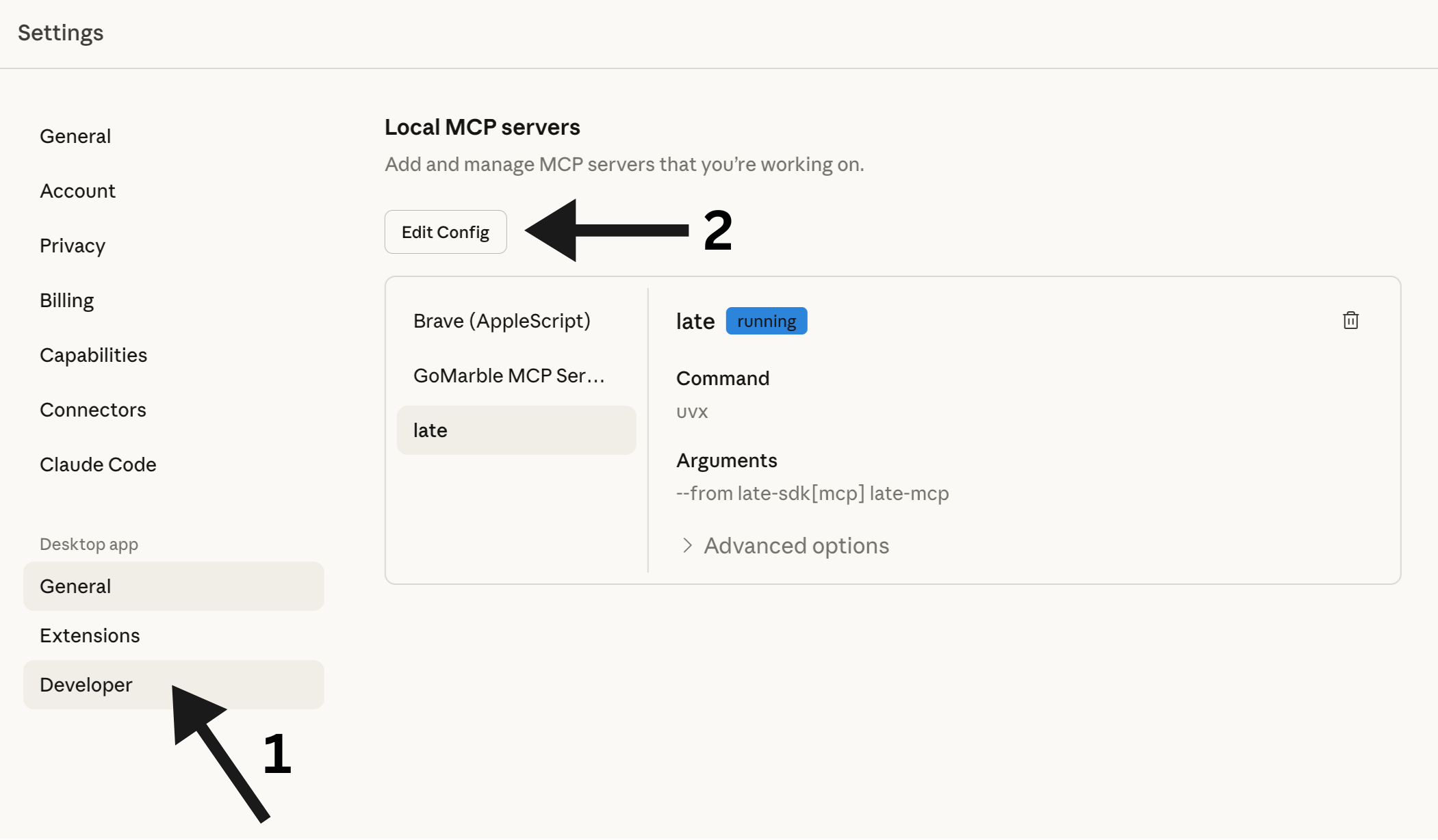
This will open the folder containing `claude_desktop_config.json`. Open this file with your favorite editor:
```
~/Library/Application Support/Claude/claude_desktop_config.json
```
```
%APPDATA%\Claude\claude_desktop_config.json
```
Add the Zernio MCP server:
```json
{
"mcpServers": {
"zernio": {
"command": "uvx",
"args": ["--from", "zernio-sdk[mcp]", "zernio-mcp"],
"env": {
"ZERNIO_API_KEY": "your_api_key_here"
}
}
}
}
```
Replace `your_api_key_here` with your actual API key from Step 2.
### Restart Claude Desktop
Close and reopen Claude Desktop. The Zernio integration will be available immediately.
## Alternative: Using pip
If you prefer pip over uvx:
```bash
pip install zernio-sdk[mcp]
```
```json
{
"mcpServers": {
"zernio": {
"command": "python",
"args": ["-m", "zernio.mcp"],
"env": {
"ZERNIO_API_KEY": "your_api_key_here"
}
}
}
}
```
## Available Commands
| Command | Description |
|---------|-------------|
| `accounts_list` | Show all connected social media accounts |
| `accounts_get` | Get account details for a specific platform |
| `profiles_list` | Show all profiles |
| `profiles_get` | Get details of a specific profile |
| `profiles_create` | Create a new profile |
| `profiles_update` | Update an existing profile |
| `profiles_delete` | Delete a profile |
| `posts_list` | List posts (optionally filter by status) |
| `posts_get` | Get details of a specific post |
| `posts_create` | Create a new post (draft, scheduled, or immediate) |
| `posts_publish_now` | Publish a post immediately |
| `posts_cross_post` | Post to multiple platforms at once |
| `posts_update` | Update an existing post |
| `posts_delete` | Delete a post |
| `posts_retry` | Retry a failed post |
| `posts_list_failed` | List all failed posts |
| `posts_retry_all_failed` | Retry all failed posts |
| `media_generate_upload_link` | Get a link to upload media files |
| `media_check_upload_status` | Check if media upload is complete |
## Tool Reference
Detailed parameters for each MCP tool.
### Accounts
#### `accounts_list`
List all connected social media accounts. Returns the platform, username, and account ID for each connected account. Use this to find account IDs needed for creating posts.
#### `accounts_get`
Get account details for a specific platform. Returns username and ID for the first account matching the platform.
| Parameter | Type | Description | Required | Default |
|-----------|------|-------------|----------|---------|
| `platform` | `string` | Platform name: twitter, instagram, linkedin, tiktok, bluesky, facebook, youtube, pinterest, threads, googlebusiness, telegram, snapchat | Yes | - |
### Profiles
#### `profiles_list`
List all profiles. Profiles group multiple social accounts together for easier management.
#### `profiles_get`
Get details of a specific profile including name, description, and color.
| Parameter | Type | Description | Required | Default |
|-----------|------|-------------|----------|---------|
| `profile_id` | `string` | The profile ID | Yes | - |
#### `profiles_create`
Create a new profile for grouping social accounts.
| Parameter | Type | Description | Required | Default |
|-----------|------|-------------|----------|---------|
| `name` | `string` | Profile name | Yes | - |
| `description` | `string` | Optional description | No | `""` |
| `color` | `string` | Optional hex color (e.g., '#4CAF50') | No | `""` |
#### `profiles_update`
Update an existing profile. Only provided fields will be changed.
| Parameter | Type | Description | Required | Default |
|-----------|------|-------------|----------|---------|
| `profile_id` | `string` | The profile ID to update | Yes | - |
| `name` | `string` | New name (leave empty to keep current) | No | `""` |
| `description` | `string` | New description (leave empty to keep current) | No | `""` |
| `color` | `string` | New hex color (leave empty to keep current) | No | `""` |
| `is_default` | `boolean` | Set as default profile | No | `false` |
#### `profiles_delete`
Delete a profile. The profile must have no connected accounts.
| Parameter | Type | Description | Required | Default |
|-----------|------|-------------|----------|---------|
| `profile_id` | `string` | The profile ID to delete | Yes | - |
### Posts
#### `posts_create`
Create a social media post. Can be saved as DRAFT, SCHEDULED, or PUBLISHED immediately.
**Choose the correct mode based on user intent:**
- **DRAFT MODE** (`is_draft=true`): Use when user says "draft", "save for later", "don't publish". Post is saved but NOT published.
- **IMMEDIATE MODE** (`publish_now=true`): Use when user says "publish now", "post now", "immediately". Post goes live right away.
- **SCHEDULED MODE** (default): Use when user says "schedule", "in X minutes/hours". Post is scheduled for future publication.
| Parameter | Type | Description | Required | Default |
|-----------|------|-------------|----------|---------|
| `content` | `string` | The post text/content | Yes | - |
| `platform` | `string` | Target platform: twitter, instagram, linkedin, tiktok, bluesky, facebook, youtube, pinterest, threads, googlebusiness, telegram, snapchat | Yes | - |
| `is_draft` | `boolean` | Set to true to save as DRAFT (not published, not scheduled) | No | `false` |
| `publish_now` | `boolean` | Set to true to publish IMMEDIATELY | No | `false` |
| `schedule_minutes` | `integer` | Minutes from now to schedule. Only used when is_draft=false AND publish_now=false | No | `60` |
| `media_urls` | `string` | Comma-separated URLs of media files to attach (images, videos) | No | `""` |
| `title` | `string` | Post title (required for YouTube, recommended for Pinterest) | No | `""` |
#### `posts_publish_now`
Publish a post immediately to a platform. The post goes live right away. This is a convenience wrapper around `posts_create` with `publish_now=true`.
| Parameter | Type | Description | Required | Default |
|-----------|------|-------------|----------|---------|
| `content` | `string` | The post text/content | Yes | - |
| `platform` | `string` | Target platform: twitter, instagram, linkedin, tiktok, bluesky, etc. | Yes | - |
| `media_urls` | `string` | Comma-separated URLs of media files to attach | No | `""` |
#### `posts_cross_post`
Post the same content to multiple platforms at once.
| Parameter | Type | Description | Required | Default |
|-----------|------|-------------|----------|---------|
| `content` | `string` | The post text/content | Yes | - |
| `platforms` | `string` | Comma-separated list of platforms (e.g., 'twitter,linkedin,bluesky') | Yes | - |
| `is_draft` | `boolean` | Set to true to save as DRAFT (not published) | No | `false` |
| `publish_now` | `boolean` | Set to true to publish IMMEDIATELY to all platforms | No | `false` |
| `media_urls` | `string` | Comma-separated URLs of media files to attach | No | `""` |
#### `posts_list`
List posts with optional filtering by status.
| Parameter | Type | Description | Required | Default |
|-----------|------|-------------|----------|---------|
| `status` | `string` | Filter by status: draft, scheduled, published, failed. Leave empty for all posts | No | `""` |
| `limit` | `integer` | Maximum number of posts to return | No | `10` |
#### `posts_get`
Get full details of a specific post including content, status, and scheduling info.
| Parameter | Type | Description | Required | Default |
|-----------|------|-------------|----------|---------|
| `post_id` | `string` | The post ID to retrieve | Yes | - |
#### `posts_update`
Update an existing post. Only draft, scheduled, and failed posts can be updated. Published posts cannot be modified.
| Parameter | Type | Description | Required | Default |
|-----------|------|-------------|----------|---------|
| `post_id` | `string` | The post ID to update | Yes | - |
| `content` | `string` | New content (leave empty to keep current) | No | `""` |
| `scheduled_for` | `string` | New schedule time as ISO string (leave empty to keep current) | No | `""` |
| `title` | `string` | New title (leave empty to keep current) | No | `""` |
#### `posts_delete`
Delete a post by ID. Published posts cannot be deleted.
| Parameter | Type | Description | Required | Default |
|-----------|------|-------------|----------|---------|
| `post_id` | `string` | The post ID to delete | Yes | - |
#### `posts_retry`
Retry publishing a failed post. Only works on posts with 'failed' status.
| Parameter | Type | Description | Required | Default |
|-----------|------|-------------|----------|---------|
| `post_id` | `string` | The ID of the failed post to retry | Yes | - |
#### `posts_list_failed`
List all failed posts that can be retried.
| Parameter | Type | Description | Required | Default |
|-----------|------|-------------|----------|---------|
| `limit` | `integer` | Maximum number of posts to return | No | `10` |
#### `posts_retry_all_failed`
Retry all failed posts at once.
### Media
#### `media_generate_upload_link`
Generate a unique upload URL for the user to upload files via browser.
Use this when the user wants to include images or videos in their post. The flow is:
1. Call this tool to get an upload URL
2. Ask the user to open the URL in their browser
3. User uploads files through the web interface
4. Call `media_check_upload_status` to get the uploaded file URLs
5. Use those URLs when creating the post with `posts_create`
#### `media_check_upload_status`
Check the status of an upload token and get uploaded file URLs.
Use this after the user has uploaded files through the browser upload page. Returns: pending (waiting for upload), completed (files ready), or expired (token expired).
| Parameter | Type | Description | Required | Default |
|-----------|------|-------------|----------|---------|
| `token` | `string` | The upload token from media_generate_upload_link | Yes | - |
## Uploading Images & Videos
Since Claude Desktop can't access files on your computer directly, we use a browser upload flow:
### Ask Claude to Create an Upload Link
Say something like: *"I want to post an image to Instagram"*
Claude will give you a unique upload URL.
### Upload Your File
Open the URL in your browser. You'll see a simple upload page where you can drag & drop your image or video.
### Tell Claude You're Done
Just say *"done"* or *"uploaded"*. Claude will check the status and create your post with the media attached.
**Supported file types:**
- Images: JPG, PNG, WebP, GIF
- Videos: MP4, MOV, WebM
- Documents: PDF
**Maximum file size:** 5GB
## Example Conversations
### Simple Post
> **You:** Post "Just launched our new feature! 🚀" to Twitter
>
> **Claude:** ✅ Published to Twitter (@yourhandle)
> Post ID: post_abc123
### Scheduled Post
> **You:** Schedule a LinkedIn post for tomorrow at 9am: "Excited to announce our Series A funding!"
>
> **Claude:** ✅ Scheduled for LinkedIn (@yourcompany)
> Post ID: post_xyz789
> Scheduled: 2024-12-12 09:00
### Cross-Posting
> **You:** Post "Big news coming soon..." to Twitter and LinkedIn
>
> **Claude:** ✅ Published to: twitter, linkedin
> Post ID: post_multi456
### Draft Post
> **You:** Create a draft post for Twitter with the text "Working on something exciting..."
>
> **Claude:** 📝 Draft saved for twitter (@yourhandle)
> Post ID: post_draft789
> Status: draft
### With Image
> **You:** I want to post a product photo to Instagram
>
> **Claude:** 📤 Upload link generated!
> Open this link in your browser to upload: http://...
>
> **You:** done
>
> **Claude:** ✅ Upload completed! 1 file uploaded.
> Now I'll create the post...
> ✅ Published to Instagram with 1 media file
## Troubleshooting
### "Command not found: uvx"
Make sure uv is installed and in your PATH:
```bash
# Check if installed
uvx --version
# If not, install it
curl -LsSf https://astral.sh/uv/install.sh | sh
```
You may need to restart your terminal or add uv to your PATH.
### "Invalid API key"
1. Check your API key at [zernio.com/dashboard/api-keys](https://zernio.com/dashboard/api-keys)
2. Make sure you copied it correctly (no extra spaces)
3. Verify the key is active
### "No accounts connected"
You need to connect social media accounts at [zernio.com](https://zernio.com) before you can post.
### Changes not taking effect
After editing `claude_desktop_config.json`, you must restart Claude Desktop completely.
## Links
- [Zernio Dashboard](https://zernio.com)
- [Get API Key](https://zernio.com/dashboard/api-keys)
- [ClawHub Repository](https://clawhub.ai/mikipalet/zernio-api)
- [SDKs](/resources/sdks)
- [MCP Protocol](https://modelcontextprotocol.io/)
---
# Open Source
Open-source projects and OpenAPI specifications built with and for the Zernio API
import { Cards, Card } from 'fumadocs-ui/components/card';
## Projects
}
title="Latewiz"
description="Your social media scheduling wizard - Open source scheduler powered by Zernio API"
href="https://github.com/zernio-dev/latewiz"
/>
}
title="Zernflow"
description="Open-source ManyChat alternative. Visual chatbot builder for Instagram, Facebook, Telegram, Twitter/X, Bluesky & Reddit."
href="https://github.com/zernio-dev/zernflow"
/>
## OpenAPI Specs
Free, downloadable OpenAPI specifications for all major social media platforms. Use these specs to generate SDKs, build API clients, or explore API capabilities in tools like Swagger UI or Postman.
All specs are maintained in our [public GitHub repository](https://github.com/zernio-dev/openapi-specs).
### Platform API Specifications
### Direct Download Links
| Platform | Download | Size |
|----------|----------|------|
| Twitter / X | [twitter.yaml](https://raw.githubusercontent.com/zernio-dev/openapi-specs/main/twitter.yaml) | 478 KB |
| Pinterest | [pinterest.yaml](https://raw.githubusercontent.com/zernio-dev/openapi-specs/main/pinterest.yaml) | 1.5 MB |
| Telegram | [telegram.yaml](https://raw.githubusercontent.com/zernio-dev/openapi-specs/main/telegram.yaml) | 111 KB |
| YouTube | [youtube.yaml](https://raw.githubusercontent.com/zernio-dev/openapi-specs/main/youtube.yaml) | 96 KB |
| Reddit | [reddit.yaml](https://raw.githubusercontent.com/zernio-dev/openapi-specs/main/reddit.yaml) | 71 KB |
| Google Business | [googlebusiness.yaml](https://raw.githubusercontent.com/zernio-dev/openapi-specs/main/googlebusiness.yaml) | 59 KB |
| LinkedIn | [linkedin.yaml](https://raw.githubusercontent.com/zernio-dev/openapi-specs/main/linkedin.yaml) | 54 KB |
| Snapchat | [snapchat.yaml](https://raw.githubusercontent.com/zernio-dev/openapi-specs/main/snapchat.yaml) | 51 KB |
| Threads | [threads.yaml](https://raw.githubusercontent.com/zernio-dev/openapi-specs/main/threads.yaml) | 50 KB |
| Bluesky | [bluesky.yaml](https://raw.githubusercontent.com/zernio-dev/openapi-specs/main/bluesky.yaml) | 45 KB |
| TikTok | [tiktok.yaml](https://raw.githubusercontent.com/zernio-dev/openapi-specs/main/tiktok.yaml) | 43 KB |
| Instagram | [instagram.yaml](https://raw.githubusercontent.com/zernio-dev/openapi-specs/main/instagram.yaml) | 39 KB |
| Facebook | [facebook.yaml](https://raw.githubusercontent.com/zernio-dev/openapi-specs/main/facebook.yaml) | 38 KB |
### Using These Specs
**Import into Postman:**
1. Copy the raw URL for your platform (e.g., `https://raw.githubusercontent.com/zernio-dev/openapi-specs/main/twitter.yaml`)
2. Open Postman and go to **File → Import**
3. Paste the URL or download and select the file
**Generate an SDK:**
```bash
# Download the spec
curl -O https://raw.githubusercontent.com/zernio-dev/openapi-specs/main/twitter.yaml
# Generate TypeScript SDK
openapi-generator-cli generate -i twitter.yaml -g typescript-fetch -o ./twitter-sdk
```
**View in Swagger UI:**
```bash
docker run -p 8080:8080 -e SWAGGER_JSON_URL=https://raw.githubusercontent.com/zernio-dev/openapi-specs/main/twitter.yaml swaggerapi/swagger-ui
```
Found an issue or want to improve a spec? Contributions are welcome on [GitHub](https://github.com/zernio-dev/openapi-specs).
---
# SDKs
Official Zernio API client libraries for Node.js, Python, Go, Ruby, Java, PHP, .NET, and Rust. Post to 14+ social platforms.
import { Cards, Card } from 'fumadocs-ui/components/card';
## Official SDKs
}
title="Node.js"
description="github.com/zernio-dev/zernio-node"
href="https://github.com/zernio-dev/zernio-node"
/>
}
title="Python"
description="github.com/zernio-dev/zernio-python"
href="https://github.com/zernio-dev/zernio-python"
/>
}
title="Go"
description="github.com/zernio-dev/zernio-go"
href="https://github.com/zernio-dev/zernio-go"
/>
}
title="Ruby"
description="github.com/zernio-dev/zernio-ruby"
href="https://github.com/zernio-dev/zernio-ruby"
/>
}
title="Java"
description="github.com/zernio-dev/zernio-java"
href="https://github.com/zernio-dev/zernio-java"
/>
}
title="PHP"
description="github.com/zernio-dev/zernio-php"
href="https://github.com/zernio-dev/zernio-php"
/>
}
title=".NET"
description="github.com/zernio-dev/zernio-dotnet"
href="https://github.com/zernio-dev/zernio-dotnet"
/>
}
title="Rust"
description="github.com/zernio-dev/zernio-rust"
href="https://github.com/zernio-dev/zernio-rust"
/>
## OpenAPI
}
title="OpenAPI Spec"
description="zernio.com/openapi.yaml"
href="https://zernio.com/openapi.yaml"
/>
---
# Create group
Creates a new account group with a name and a list of social account IDs.
{/* This file was generated by Fumadocs. Do not edit this file directly. Any changes should be made by running the generation command again. */}
---
# Delete group
Permanently deletes an account group. The accounts themselves are not affected.
{/* This file was generated by Fumadocs. Do not edit this file directly. Any changes should be made by running the generation command again. */}
---
# List groups
Returns all account groups for the authenticated user, including group names and associated account IDs.
{/* This file was generated by Fumadocs. Do not edit this file directly. Any changes should be made by running the generation command again. */}
---
# Update group
Updates the name or account list of an existing group. You can rename the group, change its accounts, or both.
{/* This file was generated by Fumadocs. Do not edit this file directly. Any changes should be made by running the generation command again. */}
---
# Delete IG ice breakers
Removes the ice breaker questions from an Instagram account's Messenger experience.
{/* This file was generated by Fumadocs. Do not edit this file directly. Any changes should be made by running the generation command again. */}
---
# Delete FB persistent menu
Removes the persistent menu from Facebook Messenger conversations for this account.
{/* This file was generated by Fumadocs. Do not edit this file directly. Any changes should be made by running the generation command again. */}
---
# Delete TG bot commands
Clears all bot commands configured for a Telegram bot account.
{/* This file was generated by Fumadocs. Do not edit this file directly. Any changes should be made by running the generation command again. */}
---
# Get IG ice breakers
Get the ice breaker configuration for an Instagram account.
{/* This file was generated by Fumadocs. Do not edit this file directly. Any changes should be made by running the generation command again. */}
---
# Get FB persistent menu
Get the persistent menu configuration for a Facebook Messenger account.
{/* This file was generated by Fumadocs. Do not edit this file directly. Any changes should be made by running the generation command again. */}
---
# Get TG bot commands
Get the bot commands configuration for a Telegram account.
{/* This file was generated by Fumadocs. Do not edit this file directly. Any changes should be made by running the generation command again. */}
---
# Set IG ice breakers
Set ice breakers for an Instagram account. Max 4 ice breakers, question max 80 chars.
{/* This file was generated by Fumadocs. Do not edit this file directly. Any changes should be made by running the generation command again. */}
---
# Set FB persistent menu
Set the persistent menu for a Facebook Messenger account. Max 3 top-level items, max 5 nested items.
{/* This file was generated by Fumadocs. Do not edit this file directly. Any changes should be made by running the generation command again. */}
---
# Set TG bot commands
Set bot commands for a Telegram account.
{/* This file was generated by Fumadocs. Do not edit this file directly. Any changes should be made by running the generation command again. */}
---
# Disconnect account
Disconnects and removes a connected social account.
{/* This file was generated by Fumadocs. Do not edit this file directly. Any changes should be made by running the generation command again. */}
---
# Check account health
Returns detailed health info for a specific account including token status, permissions, and recommendations.
{/* This file was generated by Fumadocs. Do not edit this file directly. Any changes should be made by running the generation command again. */}
---
# Check accounts health
Returns health status of all connected accounts including token validity, permissions, and issues needing attention.
{/* This file was generated by Fumadocs. Do not edit this file directly. Any changes should be made by running the generation command again. */}
---
# Get follower stats
Returns follower count history and growth metrics for connected social accounts.
Requires analytics add-on subscription. Follower counts are refreshed once per day.
{/* This file was generated by Fumadocs. Do not edit this file directly. Any changes should be made by running the generation command again. */}
---
# List accounts
Returns connected social accounts. Only includes accounts within the plan limit by default. Follower data requires analytics add-on.
{/* This file was generated by Fumadocs. Do not edit this file directly. Any changes should be made by running the generation command again. */}
---
# Update account
Updates a connected social account's display name or username override.
{/* This file was generated by Fumadocs. Do not edit this file directly. Any changes should be made by running the generation command again. */}
---
# Get post analytics
Returns analytics for posts. With postId, returns a single post. Without it, returns a paginated list with overview stats.
Accepts both Zernio Post IDs and External Post IDs (auto-resolved). fromDate defaults to 90 days ago if omitted, max range 366 days.
Single post lookups may return 202 (sync pending) or 424 (all platforms failed). For follower stats, use /v1/accounts/follower-stats.
{/* This file was generated by Fumadocs. Do not edit this file directly. Any changes should be made by running the generation command again. */}
---
# Get best times to post
Returns the best times to post based on historical engagement data.
Groups all published posts by day of week and hour (UTC), calculating average engagement per slot.
Use this to auto-schedule posts at optimal times. Requires the Analytics add-on.
{/* This file was generated by Fumadocs. Do not edit this file directly. Any changes should be made by running the generation command again. */}
---
# Get content performance decay
Returns how engagement accumulates over time after a post is published.
Each bucket shows what percentage of the post's total engagement had been reached by that time window.
Useful for understanding content lifespan (e.g. "posts reach 78% of total engagement within 24 hours").
Requires the Analytics add-on.
{/* This file was generated by Fumadocs. Do not edit this file directly. Any changes should be made by running the generation command again. */}
---
# Get daily aggregated metrics
Returns daily aggregated analytics metrics and a per-platform breakdown.
Each day includes post count, platform distribution, and summed metrics (impressions, reach, likes, comments, shares, saves, clicks, views).
Defaults to the last 180 days. Requires the Analytics add-on.
{/* This file was generated by Fumadocs. Do not edit this file directly. Any changes should be made by running the generation command again. */}
---
# Get follower stats
Returns follower count history and growth metrics for connected social accounts.
Requires analytics add-on subscription. Follower counts are refreshed once per day.
{/* This file was generated by Fumadocs. Do not edit this file directly. Any changes should be made by running the generation command again. */}
---
# Get LinkedIn aggregate stats
Returns aggregate analytics across all posts for a LinkedIn personal account. Org accounts should use /v1/analytics instead. Requires r_member_postAnalytics scope.
{/* This file was generated by Fumadocs. Do not edit this file directly. Any changes should be made by running the generation command again. */}
---
# Get LinkedIn post stats
Returns analytics for a specific LinkedIn post by URN. Works for both personal and organization accounts.
{/* This file was generated by Fumadocs. Do not edit this file directly. Any changes should be made by running the generation command again. */}
---
# Get LinkedIn post reactions
Returns individual reactions for a specific LinkedIn post, including reactor profiles
(name, headline/job title, profile picture, profile URL, reaction type).
Only works for **organization/company page** accounts. LinkedIn restricts reaction
data for personal profiles (r_member_social_feed is a closed permission).
{/* This file was generated by Fumadocs. Do not edit this file directly. Any changes should be made by running the generation command again. */}
---
# Get post analytics timeline
Returns a daily timeline of analytics metrics for a specific post, showing how impressions, likes,
and other metrics evolved day-by-day since publishing. Each row represents one day of data per platform.
For multi-platform Zernio posts, returns separate rows for each platform. Requires the Analytics add-on.
{/* This file was generated by Fumadocs. Do not edit this file directly. Any changes should be made by running the generation command again. */}
---
# Get posting frequency vs engagement
Returns the correlation between posting frequency (posts per week) and engagement rate, broken down by platform.
Helps find the optimal posting cadence for each platform. Each row represents a specific (platform, posts_per_week) combination
with the average engagement rate observed across all weeks matching that frequency.
Requires the Analytics add-on.
{/* This file was generated by Fumadocs. Do not edit this file directly. Any changes should be made by running the generation command again. */}
---
# Get YouTube daily views
Returns daily view counts for a YouTube video including views, watch time, and subscriber changes.
Requires yt-analytics.readonly scope (re-authorization may be needed). Data has a 2-3 day delay. Max 90 days, defaults to last 30 days.
{/* This file was generated by Fumadocs. Do not edit this file directly. Any changes should be made by running the generation command again. */}
---
# Create key
Creates a new API key with an optional expiry. The full key value is only returned once in the response.
{/* This file was generated by Fumadocs. Do not edit this file directly. Any changes should be made by running the generation command again. */}
---
# Delete key
Permanently revokes and deletes an API key.
{/* This file was generated by Fumadocs. Do not edit this file directly. Any changes should be made by running the generation command again. */}
---
# List keys
Returns all API keys for the authenticated user. Keys are returned with a preview only, not the full key value.
{/* This file was generated by Fumadocs. Do not edit this file directly. Any changes should be made by running the generation command again. */}
---
# Delete comment
Delete a comment on a post. Supported by Facebook, Instagram, Bluesky, Reddit, YouTube, and LinkedIn.
Requires accountId and commentId query parameters.
{/* This file was generated by Fumadocs. Do not edit this file directly. Any changes should be made by running the generation command again. */}
---
# Get post comments
Fetch comments for a specific post. Requires accountId query parameter.
{/* This file was generated by Fumadocs. Do not edit this file directly. Any changes should be made by running the generation command again. */}
---
# Hide comment
Hide a comment on a post. Supported by Facebook, Instagram, Threads, and X/Twitter.
Hidden comments are only visible to the commenter and page admin.
For X/Twitter, the reply must belong to a conversation started by the authenticated user.
{/* This file was generated by Fumadocs. Do not edit this file directly. Any changes should be made by running the generation command again. */}
---
# Like comment
Like or upvote a comment on a post. Supported platforms: Facebook, Twitter/X, Bluesky, Reddit.
For Bluesky, the cid (content identifier) is required in the request body.
{/* This file was generated by Fumadocs. Do not edit this file directly. Any changes should be made by running the generation command again. */}
---
# List commented posts
Returns posts with comment counts from all connected accounts. Aggregates data across multiple accounts.
{/* This file was generated by Fumadocs. Do not edit this file directly. Any changes should be made by running the generation command again. */}
---
# Reply to comment
Post a reply to a post or specific comment. Requires accountId in request body.
{/* This file was generated by Fumadocs. Do not edit this file directly. Any changes should be made by running the generation command again. */}
---
# Send private reply
Send a private message to the author of a comment. Supported on Instagram and Facebook only. One reply per comment, must be sent within 7 days, text only.
{/* This file was generated by Fumadocs. Do not edit this file directly. Any changes should be made by running the generation command again. */}
---
# Unhide comment
Unhide a previously hidden comment. Supported by Facebook, Instagram, Threads, and X/Twitter.
{/* This file was generated by Fumadocs. Do not edit this file directly. Any changes should be made by running the generation command again. */}
---
# Unlike comment
Remove a like from a comment. Supported platforms: Facebook, Twitter/X, Bluesky, Reddit.
For Bluesky, the likeUri query parameter is required.
{/* This file was generated by Fumadocs. Do not edit this file directly. Any changes should be made by running the generation command again. */}
---
# Check Telegram status
Poll this endpoint to check if a Telegram access code has been used to connect a channel/group. Recommended polling interval: 3 seconds.
Status values: pending (waiting for user), connected (channel/group linked), expired (generate a new code).
{/* This file was generated by Fumadocs. Do not edit this file directly. Any changes should be made by running the generation command again. */}
---
# Connect Bluesky account
Connect a Bluesky account using identifier (handle or email) and an app password.
To get your userId for the state parameter, call GET /v1/users which includes a currentUserId field.
{/* This file was generated by Fumadocs. Do not edit this file directly. Any changes should be made by running the generation command again. */}
---
# Connect WhatsApp via credentials
Connect a WhatsApp Business Account by providing Meta credentials directly.
This is the headless alternative to the Embedded Signup browser flow.
To get the required credentials:
1. Go to Meta Business Suite (business.facebook.com)
2. Create or select a WhatsApp Business Account
3. In Business Settings > System Users, create a System User
4. Assign it the `whatsapp_business_management` and `whatsapp_business_messaging` permissions
5. Generate a permanent access token
6. Get the WABA ID from WhatsApp Manager > Account Tools > Phone Numbers
7. Get the Phone Number ID from the same page (click on the number)
{/* This file was generated by Fumadocs. Do not edit this file directly. Any changes should be made by running the generation command again. */}
---
# Get OAuth connect URL
Initiate an OAuth connection flow. Returns an authUrl to redirect the user to.
Standard flow: Zernio hosts the selection UI, then redirects to your redirect_url. Headless mode (headless=true): user is redirected to your redirect_url with OAuth data for custom UI. Use the platform-specific selection endpoints to complete.
{/* This file was generated by Fumadocs. Do not edit this file directly. Any changes should be made by running the generation command again. */}
---
# List Facebook pages
Returns all Facebook pages the connected account has access to, including the currently selected page.
{/* This file was generated by Fumadocs. Do not edit this file directly. Any changes should be made by running the generation command again. */}
---
# List GBP locations
Returns all Google Business Profile locations the connected account has access to, including the currently selected location.
{/* This file was generated by Fumadocs. Do not edit this file directly. Any changes should be made by running the generation command again. */}
---
# List LinkedIn orgs
Returns LinkedIn organizations (company pages) the connected account has admin access to.
{/* This file was generated by Fumadocs. Do not edit this file directly. Any changes should be made by running the generation command again. */}
---
# Get pending OAuth data
Fetch pending OAuth data for headless mode using the pendingDataToken from the redirect URL. One-time use, expires after 10 minutes. No authentication required.
{/* This file was generated by Fumadocs. Do not edit this file directly. Any changes should be made by running the generation command again. */}
---
# List Pinterest boards
Returns the boards available for a connected Pinterest account. Use this to get a board ID when creating a Pinterest post.
{/* This file was generated by Fumadocs. Do not edit this file directly. Any changes should be made by running the generation command again. */}
---
# List subreddit flairs
Returns available post flairs for a subreddit. Some subreddits require a flair when posting.
{/* This file was generated by Fumadocs. Do not edit this file directly. Any changes should be made by running the generation command again. */}
---
# List Reddit subreddits
Returns the subreddits the connected Reddit account can post to. Use this to get a subreddit name when creating a Reddit post.
{/* This file was generated by Fumadocs. Do not edit this file directly. Any changes should be made by running the generation command again. */}
---
# Generate Telegram code
Generate an access code (valid 15 minutes) for connecting a Telegram channel or group. Add the bot as admin, then send the code + @yourchannel to the bot. Poll PATCH /v1/connect/telegram to check status.
{/* This file was generated by Fumadocs. Do not edit this file directly. Any changes should be made by running the generation command again. */}
---
# Complete OAuth callback
Exchange the OAuth authorization code for tokens and connect the account to the specified profile.
{/* This file was generated by Fumadocs. Do not edit this file directly. Any changes should be made by running the generation command again. */}
---
# Connect Telegram directly
Connect a Telegram channel/group directly using the chat ID. Alternative to the access code flow. The bot must already be an admin in the channel/group.
{/* This file was generated by Fumadocs. Do not edit this file directly. Any changes should be made by running the generation command again. */}
---
# List Facebook pages
Returns the list of Facebook Pages the user can manage after OAuth. Extract tempToken and userProfile from the OAuth redirect params and pass them here. Use the X-Connect-Token header if connecting via API key.
{/* This file was generated by Fumadocs. Do not edit this file directly. Any changes should be made by running the generation command again. */}
---
# List GBP locations
For headless flows. Returns the list of GBP locations the user can manage. Use X-Connect-Token if connecting via API key.
{/* This file was generated by Fumadocs. Do not edit this file directly. Any changes should be made by running the generation command again. */}
---
# List LinkedIn orgs
Fetch full LinkedIn organization details (logos, vanity names, websites) for custom UI. No authentication required, just the tempToken from OAuth.
{/* This file was generated by Fumadocs. Do not edit this file directly. Any changes should be made by running the generation command again. */}
---
# List Pinterest boards
For headless flows. Returns Pinterest boards the user can post to. Use X-Connect-Token from the redirect URL.
{/* This file was generated by Fumadocs. Do not edit this file directly. Any changes should be made by running the generation command again. */}
---
# List Snapchat profiles
For headless flows. Returns Snapchat Public Profiles the user can post to. Use X-Connect-Token from the redirect URL.
{/* This file was generated by Fumadocs. Do not edit this file directly. Any changes should be made by running the generation command again. */}
---
# Select Facebook page
Complete the headless flow by saving the user's selected Facebook page. Pass the userProfile from the OAuth redirect and use X-Connect-Token if connecting via API key.
{/* This file was generated by Fumadocs. Do not edit this file directly. Any changes should be made by running the generation command again. */}
---
# Select GBP location
Complete the headless flow by saving the user's selected GBP location. Include userProfile from the OAuth redirect (contains refresh token). Use X-Connect-Token if connecting via API key.
{/* This file was generated by Fumadocs. Do not edit this file directly. Any changes should be made by running the generation command again. */}
---
# Select LinkedIn org
Complete the LinkedIn connection flow. Set accountType to "personal" or "organization" to connect as a company page. Use X-Connect-Token if connecting via API key.
{/* This file was generated by Fumadocs. Do not edit this file directly. Any changes should be made by running the generation command again. */}
---
# Select Pinterest board
Complete the Pinterest connection flow. After OAuth, use this endpoint to save the selected board and complete the account connection. Use the X-Connect-Token header if you initiated the connection via API key.
{/* This file was generated by Fumadocs. Do not edit this file directly. Any changes should be made by running the generation command again. */}
---
# Select Snapchat profile
Complete the Snapchat connection flow by saving the selected Public Profile. Snapchat requires a Public Profile to publish content. Use X-Connect-Token if connecting via API key.
{/* This file was generated by Fumadocs. Do not edit this file directly. Any changes should be made by running the generation command again. */}
---
# Update Facebook page
Switch which Facebook Page is active for a connected account.
{/* This file was generated by Fumadocs. Do not edit this file directly. Any changes should be made by running the generation command again. */}
---
# Update GBP location
Switch which GBP location is active for a connected account.
{/* This file was generated by Fumadocs. Do not edit this file directly. Any changes should be made by running the generation command again. */}
---
# Switch LinkedIn account type
Switch a LinkedIn account between personal profile and organization (company page) posting.
{/* This file was generated by Fumadocs. Do not edit this file directly. Any changes should be made by running the generation command again. */}
---
# Set default Pinterest board
Sets the default board used when publishing pins for this account.
{/* This file was generated by Fumadocs. Do not edit this file directly. Any changes should be made by running the generation command again. */}
---
# Set default subreddit
Sets the default subreddit used when publishing posts for this Reddit account.
{/* This file was generated by Fumadocs. Do not edit this file directly. Any changes should be made by running the generation command again. */}
---
# Upload photo
Creates a media item (photo) for a location from a publicly accessible URL.
Categories determine where the photo appears: COVER, PROFILE, LOGO, EXTERIOR, INTERIOR, FOOD_AND_DRINK, MENU, PRODUCT, TEAMS, ADDITIONAL.
{/* This file was generated by Fumadocs. Do not edit this file directly. Any changes should be made by running the generation command again. */}
---
# Create action link
Creates a place action link for a location.
Available action types: APPOINTMENT, ONLINE_APPOINTMENT, DINING_RESERVATION, FOOD_ORDERING, FOOD_DELIVERY, FOOD_TAKEOUT, SHOP_ONLINE.
{/* This file was generated by Fumadocs. Do not edit this file directly. Any changes should be made by running the generation command again. */}
---
# Delete photo
Deletes a photo or media item from a GBP location.
{/* This file was generated by Fumadocs. Do not edit this file directly. Any changes should be made by running the generation command again. */}
---
# Delete action link
Deletes a place action link (e.g. booking or ordering URL) from a GBP location.
{/* This file was generated by Fumadocs. Do not edit this file directly. Any changes should be made by running the generation command again. */}
---
# Get attributes
Returns GBP location attributes (amenities, services, accessibility, payment types). Available attributes vary by business category.
{/* This file was generated by Fumadocs. Do not edit this file directly. Any changes should be made by running the generation command again. */}
---
# Get food menus
Returns food menus for a GBP location including sections, items, pricing, and dietary info. Only for locations with food menu support.
{/* This file was generated by Fumadocs. Do not edit this file directly. Any changes should be made by running the generation command again. */}
---
# Get location details
Returns detailed GBP location info (hours, description, phone, website, categories, services). Use readMask to request specific fields.
{/* This file was generated by Fumadocs. Do not edit this file directly. Any changes should be made by running the generation command again. */}
---
# Get reviews
Returns reviews for a GBP account including ratings, comments, and owner replies. Use nextPageToken for pagination.
{/* This file was generated by Fumadocs. Do not edit this file directly. Any changes should be made by running the generation command again. */}
---
# List media
Lists media items (photos) for a Google Business Profile location.
Returns photo URLs, descriptions, categories, and metadata.
{/* This file was generated by Fumadocs. Do not edit this file directly. Any changes should be made by running the generation command again. */}
---
# List action links
Lists place action links for a Google Business Profile location.
Place actions are the booking, ordering, and reservation buttons that appear on your listing.
{/* This file was generated by Fumadocs. Do not edit this file directly. Any changes should be made by running the generation command again. */}
---
# Update attributes
Updates location attributes (amenities, services, etc.).
The attributeMask specifies which attributes to update (comma-separated).
{/* This file was generated by Fumadocs. Do not edit this file directly. Any changes should be made by running the generation command again. */}
---
# Update food menus
Updates food menus for a GBP location. Send the full menus array. Use updateMask for partial updates.
{/* This file was generated by Fumadocs. Do not edit this file directly. Any changes should be made by running the generation command again. */}
---
# Update location details
Updates GBP location details. The updateMask field is required and specifies which fields to update.
This endpoint proxies Google's Business Information API locations.patch, so any valid updateMask field is supported.
Common fields: regularHours, specialHours, profile.description, websiteUri, phoneNumbers, categories, serviceItems.
{/* This file was generated by Fumadocs. Do not edit this file directly. Any changes should be made by running the generation command again. */}
---
# Create invite token
Generate a secure invite link to grant team members access to your profiles.
Invites expire after 7 days and are single-use.
{/* This file was generated by Fumadocs. Do not edit this file directly. Any changes should be made by running the generation command again. */}
---
# Resolve LinkedIn mention
Converts a LinkedIn profile or company URL to a URN for @mentions in posts. Person mentions require org admin access. Use the returned mentionFormat in post content.
{/* This file was generated by Fumadocs. Do not edit this file directly. Any changes should be made by running the generation command again. */}
---
# Get post logs
Retrieve all publishing logs for a specific post. Shows the complete history
of publishing attempts for that post across all platforms.
{/* This file was generated by Fumadocs. Do not edit this file directly. Any changes should be made by running the generation command again. */}
---
# List connection logs
Retrieve connection event logs showing account connection and disconnection history. Event types: connect_success, connect_failed, disconnect, reconnect_success, reconnect_failed.
Logs are automatically deleted after 7 days.
{/* This file was generated by Fumadocs. Do not edit this file directly. Any changes should be made by running the generation command again. */}
---
# List publishing logs
Retrieve publishing logs for all posts with detailed information about each publishing attempt. Filter by status, platform, or action. Logs are automatically deleted after 7 days.
{/* This file was generated by Fumadocs. Do not edit this file directly. Any changes should be made by running the generation command again. */}
---
# Get presigned upload URL
Get a presigned URL to upload files directly to cloud storage (up to 5GB). Returns an uploadUrl and publicUrl. PUT your file to the uploadUrl, then use the publicUrl in your posts.
{/* This file was generated by Fumadocs. Do not edit this file directly. Any changes should be made by running the generation command again. */}
---
# Edit message
Edit the text and/or reply markup of a previously sent Telegram message.
Only supported for Telegram. Returns 400 for other platforms.
{/* This file was generated by Fumadocs. Do not edit this file directly. Any changes should be made by running the generation command again. */}
---
# List messages
Fetch messages for a specific conversation. Requires accountId query parameter.
{/* This file was generated by Fumadocs. Do not edit this file directly. Any changes should be made by running the generation command again. */}
---
# Get conversation
Retrieve details and metadata for a specific conversation. Requires accountId query parameter.
{/* This file was generated by Fumadocs. Do not edit this file directly. Any changes should be made by running the generation command again. */}
---
# List conversations
Fetch conversations (DMs) from all connected messaging accounts in a single API call. Supports filtering by profile and platform. Results are aggregated and deduplicated.
Supported platforms: Facebook, Instagram, Twitter/X, Bluesky, Reddit, Telegram.
{/* This file was generated by Fumadocs. Do not edit this file directly. Any changes should be made by running the generation command again. */}
---
# Send message
Send a message in a conversation. Supports text, attachments, quick replies, buttons, and message tags. Attachment and interactive message support varies by platform.
{/* This file was generated by Fumadocs. Do not edit this file directly. Any changes should be made by running the generation command again. */}
---
# Update conversation status
Archive or activate a conversation. Requires accountId in request body.
{/* This file was generated by Fumadocs. Do not edit this file directly. Any changes should be made by running the generation command again. */}
---
# Bulk upload from CSV
Create multiple posts by uploading a CSV file. Use dryRun=true to validate without creating posts.
{/* This file was generated by Fumadocs. Do not edit this file directly. Any changes should be made by running the generation command again. */}
---
# Create post
Create and optionally publish a post. Immediate posts (publishNow: true) include platformPostUrl in the response.
Content is optional when media is attached or all platforms have customContent. See each platform's schema for media constraints.
{/* This file was generated by Fumadocs. Do not edit this file directly. Any changes should be made by running the generation command again. */}
---
# Delete post
Delete a draft or scheduled post from Zernio. Published posts cannot be deleted; use the Unpublish endpoint instead. Upload quota is automatically refunded.
{/* This file was generated by Fumadocs. Do not edit this file directly. Any changes should be made by running the generation command again. */}
---
# Get post
Fetch a single post by ID. For published posts, this returns platformPostUrl for each platform.
{/* This file was generated by Fumadocs. Do not edit this file directly. Any changes should be made by running the generation command again. */}
---
# List posts
Returns a paginated list of posts. Published posts include platformPostUrl with the public URL on each platform.
{/* This file was generated by Fumadocs. Do not edit this file directly. Any changes should be made by running the generation command again. */}
---
# Retry failed post
Immediately retries publishing a failed post. Returns the updated post with its new status.
{/* This file was generated by Fumadocs. Do not edit this file directly. Any changes should be made by running the generation command again. */}
---
# Unpublish post
Deletes a published post from the specified platform. The post record in Zernio is kept but its status is updated to cancelled.
Not supported on Instagram, TikTok, or Snapchat. Threaded posts delete all items. YouTube deletion is permanent.
{/* This file was generated by Fumadocs. Do not edit this file directly. Any changes should be made by running the generation command again. */}
---
# Update post
Update an existing post. Only draft, scheduled, failed, and partial posts can be edited.
Published, publishing, and cancelled posts cannot be modified.
{/* This file was generated by Fumadocs. Do not edit this file directly. Any changes should be made by running the generation command again. */}
---
# Create profile
Creates a new profile with a name, optional description, and color.
{/* This file was generated by Fumadocs. Do not edit this file directly. Any changes should be made by running the generation command again. */}
---
# Delete profile
Permanently deletes a profile by ID.
{/* This file was generated by Fumadocs. Do not edit this file directly. Any changes should be made by running the generation command again. */}
---
# Get profile
Returns a single profile by ID, including its name, color, and default status.
{/* This file was generated by Fumadocs. Do not edit this file directly. Any changes should be made by running the generation command again. */}
---
# List profiles
Returns profiles sorted by creation date. Use includeOverLimit=true to include profiles that exceed the plan limit.
{/* This file was generated by Fumadocs. Do not edit this file directly. Any changes should be made by running the generation command again. */}
---
# Update profile
Updates a profile's name, description, color, or default status.
{/* This file was generated by Fumadocs. Do not edit this file directly. Any changes should be made by running the generation command again. */}
---
# Create schedule
Create an additional queue for a profile. The first queue created becomes the default.
Subsequent queues are non-default unless explicitly set.
{/* This file was generated by Fumadocs. Do not edit this file directly. Any changes should be made by running the generation command again. */}
---
# Delete schedule
Delete a queue from a profile. Requires queueId to specify which queue to delete.
If deleting the default queue, another queue will be promoted to default.
{/* This file was generated by Fumadocs. Do not edit this file directly. Any changes should be made by running the generation command again. */}
---
# Get next available slot
Returns the next available queue slot for preview purposes. To create a queue post, use POST /v1/posts with queuedFromProfile instead of scheduledFor.
{/* This file was generated by Fumadocs. Do not edit this file directly. Any changes should be made by running the generation command again. */}
---
# List schedules
Returns queue schedules for a profile. Use all=true for all queues, or queueId for a specific one. Defaults to the default queue.
{/* This file was generated by Fumadocs. Do not edit this file directly. Any changes should be made by running the generation command again. */}
---
# Preview upcoming slots
Returns the next N upcoming queue slot times for a profile as ISO datetime strings.
{/* This file was generated by Fumadocs. Do not edit this file directly. Any changes should be made by running the generation command again. */}
---
# Update schedule
Create a new queue or update an existing one. Without queueId, creates/updates the default queue. With queueId, updates a specific queue. With setAsDefault=true, makes this queue the default for the profile.
{/* This file was generated by Fumadocs. Do not edit this file directly. Any changes should be made by running the generation command again. */}
---
# Get subreddit feed
Fetch posts from a subreddit feed. Supports sorting, time filtering, and cursor-based pagination.
{/* This file was generated by Fumadocs. Do not edit this file directly. Any changes should be made by running the generation command again. */}
---
# Search posts
Search Reddit posts using a connected account. Optionally scope to a specific subreddit.
{/* This file was generated by Fumadocs. Do not edit this file directly. Any changes should be made by running the generation command again. */}
---
# Delete review reply
Delete a reply to a review (Google Business only). Requires accountId in request body.
{/* This file was generated by Fumadocs. Do not edit this file directly. Any changes should be made by running the generation command again. */}
---
# List reviews
Fetch reviews from all connected Facebook Pages and Google Business accounts. Aggregates data with filtering and sorting options.
Supported platforms: Facebook, Google Business.
{/* This file was generated by Fumadocs. Do not edit this file directly. Any changes should be made by running the generation command again. */}
---
# Reply to review
Post a reply to a review. Requires accountId in request body.
{/* This file was generated by Fumadocs. Do not edit this file directly. Any changes should be made by running the generation command again. */}
---
# Check IG hashtag bans
Check if Instagram hashtags are banned, restricted, or safe to use.
Rate limits: Build (50/day), Accelerate (500/day), Unlimited (unlimited).
{/* This file was generated by Fumadocs. Do not edit this file directly. Any changes should be made by running the generation command again. */}
---
# Download Bluesky media
Download videos from Bluesky posts.
Rate limits: Build (50/day), Accelerate (500/day), Unlimited (unlimited).
{/* This file was generated by Fumadocs. Do not edit this file directly. Any changes should be made by running the generation command again. */}
---
# Download Facebook video
Download videos and reels from Facebook.
Rate limits: Build (50/day), Accelerate (500/day), Unlimited (unlimited).
{/* This file was generated by Fumadocs. Do not edit this file directly. Any changes should be made by running the generation command again. */}
---
# Download Instagram media
Download Instagram reels, posts, or photos.
Rate limits: Build (50/day), Accelerate (500/day), Unlimited (unlimited).
{/* This file was generated by Fumadocs. Do not edit this file directly. Any changes should be made by running the generation command again. */}
---
# Download LinkedIn video
Download videos from LinkedIn posts.
Rate limits: Build (50/day), Accelerate (500/day), Unlimited (unlimited).
{/* This file was generated by Fumadocs. Do not edit this file directly. Any changes should be made by running the generation command again. */}
---
# Download TikTok video
Download TikTok videos with or without watermark.
Rate limits: Build (50/day), Accelerate (500/day), Unlimited (unlimited).
{/* This file was generated by Fumadocs. Do not edit this file directly. Any changes should be made by running the generation command again. */}
---
# Download Twitter/X media
Download videos from Twitter/X posts.
Rate limits: Build (50/day), Accelerate (500/day), Unlimited (unlimited).
{/* This file was generated by Fumadocs. Do not edit this file directly. Any changes should be made by running the generation command again. */}
---
# Download YouTube video
Download YouTube videos or audio. Returns available formats or direct download URL.
Rate limits: Build (50/day), Accelerate (500/day), Unlimited (unlimited).
{/* This file was generated by Fumadocs. Do not edit this file directly. Any changes should be made by running the generation command again. */}
---
# Get YouTube transcript
Extract transcript/captions from a YouTube video.
Rate limits: Build (50/day), Accelerate (500/day), Unlimited (unlimited).
{/* This file was generated by Fumadocs. Do not edit this file directly. Any changes should be made by running the generation command again. */}
---
# Bookmark a tweet
Bookmark a tweet by ID.
Requires the bookmark.write OAuth scope.
Rate limit: 50 requests per 15-min window.
{/* This file was generated by Fumadocs. Do not edit this file directly. Any changes should be made by running the generation command again. */}
---
# Follow a user
Follow a user on X/Twitter.
Requires the follows.write OAuth scope.
For protected accounts, a follow request is sent instead (pending_follow will be true).
{/* This file was generated by Fumadocs. Do not edit this file directly. Any changes should be made by running the generation command again. */}
---
# Remove bookmark
Remove a bookmark from a tweet.
{/* This file was generated by Fumadocs. Do not edit this file directly. Any changes should be made by running the generation command again. */}
---
# Retweet a post
Retweet (repost) a tweet by ID.
Rate limit: 50 requests per 15-min window. Shares the 300/3hr creation limit with tweet creation.
{/* This file was generated by Fumadocs. Do not edit this file directly. Any changes should be made by running the generation command again. */}
---
# Undo retweet
Undo a retweet (un-repost a tweet).
{/* This file was generated by Fumadocs. Do not edit this file directly. Any changes should be made by running the generation command again. */}
---
# Unfollow a user
Unfollow a user on X/Twitter.
{/* This file was generated by Fumadocs. Do not edit this file directly. Any changes should be made by running the generation command again. */}
---
# Get plan and usage stats
Returns the current plan name, billing period, plan limits, and usage counts.
{/* This file was generated by Fumadocs. Do not edit this file directly. Any changes should be made by running the generation command again. */}
---
# Get user
Returns a single user's details by ID, including name, email, and role.
{/* This file was generated by Fumadocs. Do not edit this file directly. Any changes should be made by running the generation command again. */}
---
# List users
Returns all users in the workspace including roles and profile access. Also returns the currentUserId of the caller.
{/* This file was generated by Fumadocs. Do not edit this file directly. Any changes should be made by running the generation command again. */}
---
# Validate media URL
Check if a media URL is accessible and return metadata (content type, file size) plus per-platform size limit comparisons.
Performs a HEAD request (with GET fallback) to detect content type and size. Rejects private/localhost URLs for SSRF protection.
Platform limits are sourced from each platform's actual upload constraints.
{/* This file was generated by Fumadocs. Do not edit this file directly. Any changes should be made by running the generation command again. */}
---
# Validate post character count
Check weighted character count per platform and whether the text is within each platform's limit.
Twitter/X uses weighted counting (URLs = 23 chars via t.co, emojis = 2 chars). All other platforms use plain character length.
Returns counts and limits for all 15 supported platform variants.
{/* This file was generated by Fumadocs. Do not edit this file directly. Any changes should be made by running the generation command again. */}
---
# Validate post content
Dry-run the full post validation pipeline without publishing. Catches issues like missing media for Instagram/TikTok/YouTube, hashtag limits, invalid thread formats, Facebook Reel requirements, and character limit violations.
Accepts the same body as `POST /v1/posts`. Does NOT validate accounts, process media, or track usage. This is content-only validation.
Returns errors for failures and warnings for near-limit content (>90% of character limit).
{/* This file was generated by Fumadocs. Do not edit this file directly. Any changes should be made by running the generation command again. */}
---
# Check subreddit existence
Check if a subreddit exists and return basic info (title, subscriber count, NSFW status, post types allowed).
Uses Reddit's public JSON API (no Reddit auth needed). Returns `exists: false` for private, banned, or nonexistent subreddits.
{/* This file was generated by Fumadocs. Do not edit this file directly. Any changes should be made by running the generation command again. */}
---
# Create webhook
Create a new webhook configuration. Maximum 10 webhooks per user.
Webhooks are automatically disabled after 10 consecutive delivery failures.
{/* This file was generated by Fumadocs. Do not edit this file directly. Any changes should be made by running the generation command again. */}
---
# Delete webhook
Permanently delete a webhook configuration.
{/* This file was generated by Fumadocs. Do not edit this file directly. Any changes should be made by running the generation command again. */}
---
# Get delivery logs
Retrieve webhook delivery history. Logs are automatically deleted after 7 days.
{/* This file was generated by Fumadocs. Do not edit this file directly. Any changes should be made by running the generation command again. */}
---
# List webhooks
Retrieve all configured webhooks for the authenticated user. Supports up to 10 webhooks per user.
{/* This file was generated by Fumadocs. Do not edit this file directly. Any changes should be made by running the generation command again. */}
---
# Send test webhook
Send a test webhook to verify your endpoint is configured correctly. The test payload includes event: "webhook.test" to distinguish it from real events.
{/* This file was generated by Fumadocs. Do not edit this file directly. Any changes should be made by running the generation command again. */}
---
# Update webhook
Update an existing webhook configuration. All fields except _id are optional; only provided fields will be updated.
Webhooks are automatically disabled after 10 consecutive delivery failures.
{/* This file was generated by Fumadocs. Do not edit this file directly. Any changes should be made by running the generation command again. */}
---
# Add recipients
Add recipients to a draft broadcast. Maximum 1000 recipients per request.
Duplicate phone numbers are automatically skipped.
{/* This file was generated by Fumadocs. Do not edit this file directly. Any changes should be made by running the generation command again. */}
---
# Bulk delete contacts
Permanently delete multiple contacts at once (max 500 per request).
{/* This file was generated by Fumadocs. Do not edit this file directly. Any changes should be made by running the generation command again. */}
---
# Bulk update contacts
Perform bulk operations on multiple contacts (max 500 per request). Supported actions:
addTags, removeTags, addGroups, removeGroups, optIn, optOut, block, unblock.
{/* This file was generated by Fumadocs. Do not edit this file directly. Any changes should be made by running the generation command again. */}
---
# Cancel scheduled broadcast
Cancel a scheduled broadcast and return it to draft status. Only broadcasts in
scheduled status can be cancelled.
{/* This file was generated by Fumadocs. Do not edit this file directly. Any changes should be made by running the generation command again. */}
---
# Create broadcast
Create a new draft broadcast. Optionally include initial recipients.
After creation, add recipients and then send or schedule the broadcast.
{/* This file was generated by Fumadocs. Do not edit this file directly. Any changes should be made by running the generation command again. */}
---
# Create contact
Create a new WhatsApp contact. Phone number must be unique per account
and in E.164 format (e.g., +1234567890).
{/* This file was generated by Fumadocs. Do not edit this file directly. Any changes should be made by running the generation command again. */}
---
# Create template
Create a new message template. Supports two modes:
**Custom template:** Provide `components` with your own content. Submitted to Meta for review (can take up to 24h).
**Library template:** Provide `library_template_name` instead of `components` to use a pre-built template
from Meta's template library. Library templates are **pre-approved** (no review wait). You can optionally
customize parameters and buttons via `library_template_body_inputs` and `library_template_button_inputs`.
Browse available library templates at: https://business.facebook.com/wa/manage/message-templates/
{/* This file was generated by Fumadocs. Do not edit this file directly. Any changes should be made by running the generation command again. */}
---
# Delete broadcast
Delete a broadcast. Only draft or cancelled broadcasts can be deleted.
{/* This file was generated by Fumadocs. Do not edit this file directly. Any changes should be made by running the generation command again. */}
---
# Delete contact
Permanently delete a WhatsApp contact.
{/* This file was generated by Fumadocs. Do not edit this file directly. Any changes should be made by running the generation command again. */}
---
# Delete group
Delete a contact group. This removes the group from all contacts but does not delete the contacts themselves.
{/* This file was generated by Fumadocs. Do not edit this file directly. Any changes should be made by running the generation command again. */}
---
# Delete template
Permanently delete a message template by name.
{/* This file was generated by Fumadocs. Do not edit this file directly. Any changes should be made by running the generation command again. */}
---
# List recipients
List recipients of a broadcast with their delivery status. Supports filtering
by delivery status and pagination.
{/* This file was generated by Fumadocs. Do not edit this file directly. Any changes should be made by running the generation command again. */}
---
# Get broadcast
Retrieve detailed information about a single broadcast including delivery statistics.
{/* This file was generated by Fumadocs. Do not edit this file directly. Any changes should be made by running the generation command again. */}
---
# List broadcasts
List all WhatsApp broadcasts for an account. Returns broadcasts sorted by creation date
(newest first) without the full recipients list for performance.
{/* This file was generated by Fumadocs. Do not edit this file directly. Any changes should be made by running the generation command again. */}
---
# Get business profile
Retrieve the WhatsApp Business profile for the account (about, address, description, email, websites, etc.).
{/* This file was generated by Fumadocs. Do not edit this file directly. Any changes should be made by running the generation command again. */}
---
# Get contact
Retrieve a single WhatsApp contact by ID with full details.
{/* This file was generated by Fumadocs. Do not edit this file directly. Any changes should be made by running the generation command again. */}
---
# List contacts
List WhatsApp contacts for an account. Supports filtering by tags, groups, opt-in status,
and text search. Returns contacts sorted by name with available filter options.
{/* This file was generated by Fumadocs. Do not edit this file directly. Any changes should be made by running the generation command again. */}
---
# Get display name and review status
Fetch the current display name and its Meta review status for a WhatsApp Business account.
Display name changes require Meta approval and can take 1-3 business days.
{/* This file was generated by Fumadocs. Do not edit this file directly. Any changes should be made by running the generation command again. */}
---
# List contact groups
List all contact groups for a WhatsApp account with contact counts.
Groups are derived from the groups field on contacts, not stored as separate documents.
{/* This file was generated by Fumadocs. Do not edit this file directly. Any changes should be made by running the generation command again. */}
---
# Get template
Retrieve a single message template by name.
{/* This file was generated by Fumadocs. Do not edit this file directly. Any changes should be made by running the generation command again. */}
---
# List templates
List all message templates for the WhatsApp Business Account (WABA) associated with the given account.
Templates are fetched directly from the WhatsApp Cloud API.
{/* This file was generated by Fumadocs. Do not edit this file directly. Any changes should be made by running the generation command again. */}
---
# Bulk import contacts
Import up to 1000 contacts at once. Each contact requires a phone number and name.
Duplicates are skipped by default. Supports default tags and groups applied to all imported contacts.
{/* This file was generated by Fumadocs. Do not edit this file directly. Any changes should be made by running the generation command again. */}
---
# Remove recipients
Remove recipients from a draft broadcast by phone number.
{/* This file was generated by Fumadocs. Do not edit this file directly. Any changes should be made by running the generation command again. */}
---
# Rename group
Rename a contact group. This updates the group name on all contacts that belong to the group.
{/* This file was generated by Fumadocs. Do not edit this file directly. Any changes should be made by running the generation command again. */}
---
# Schedule broadcast
Schedule a draft broadcast for future sending. The scheduled time must be in the future
and no more than 30 days in advance. The broadcast must be in draft status and have recipients.
{/* This file was generated by Fumadocs. Do not edit this file directly. Any changes should be made by running the generation command again. */}
---
# Send broadcast
Start sending a broadcast immediately. The broadcast must be in draft or scheduled status
and have at least one recipient. Messages are sent sequentially with rate limiting.
{/* This file was generated by Fumadocs. Do not edit this file directly. Any changes should be made by running the generation command again. */}
---
# Bulk send template messages
Send a template message to multiple recipients in a single request. Maximum 100 recipients per request.
Only template messages are supported for bulk sending (not free-form text).
Each recipient can have optional per-recipient template variables for personalization.
Returns detailed results for each recipient.
{/* This file was generated by Fumadocs. Do not edit this file directly. Any changes should be made by running the generation command again. */}
---
# Update business profile
Update the WhatsApp Business profile. All fields are optional; only provided fields will be updated.
Constraints: about max 139 chars, description max 512 chars, max 2 websites.
{/* This file was generated by Fumadocs. Do not edit this file directly. Any changes should be made by running the generation command again. */}
---
# Update contact
Update an existing WhatsApp contact. All fields are optional; only provided fields will be updated.
Custom fields are merged with existing values. Set a custom field to null to remove it.
{/* This file was generated by Fumadocs. Do not edit this file directly. Any changes should be made by running the generation command again. */}
---
# Request display name change
Submit a display name change request for the WhatsApp Business account.
The new name must follow WhatsApp naming guidelines (3-512 characters, must represent your business).
Changes require Meta review and approval, which typically takes 1-3 business days.
{/* This file was generated by Fumadocs. Do not edit this file directly. Any changes should be made by running the generation command again. */}
---
# Update template
Update a message template's components. Only certain fields can be updated depending on
the template's current approval state. Approved templates can only have components updated.
{/* This file was generated by Fumadocs. Do not edit this file directly. Any changes should be made by running the generation command again. */}
---
# Upload profile picture
Upload a new profile picture for the WhatsApp Business Profile.
Uses Meta's resumable upload API under the hood: creates an upload session,
uploads the image bytes, then updates the business profile with the resulting handle.
{/* This file was generated by Fumadocs. Do not edit this file directly. Any changes should be made by running the generation command again. */}
---
# Get phone number
Retrieve the current status of a purchased phone number. Used to poll for
Meta pre-verification completion after purchase.
{/* This file was generated by Fumadocs. Do not edit this file directly. Any changes should be made by running the generation command again. */}
---
# List phone numbers
List all WhatsApp phone numbers purchased by the authenticated user.
By default, released numbers are excluded.
{/* This file was generated by Fumadocs. Do not edit this file directly. Any changes should be made by running the generation command again. */}
---
# Purchase phone number
Initiate purchasing a WhatsApp phone number. Payment-first flow: the user does not pick
a specific number. The system either creates a Stripe Checkout Session (first number)
or increments the existing subscription quantity and provisions inline (subsequent numbers).
Requires a paid plan. The maximum number of phone numbers is determined by the user's plan.
{/* This file was generated by Fumadocs. Do not edit this file directly. Any changes should be made by running the generation command again. */}
---
# Release phone number
Release a purchased phone number. This will:
1. Disconnect any linked WhatsApp social account
2. Decrement the Stripe subscription quantity (or cancel if last number)
3. Release the number from Telnyx
4. Mark the number as released
{/* This file was generated by Fumadocs. Do not edit this file directly. Any changes should be made by running the generation command again. */}
---
# Integrations
Automate social media posting via n8n, Make.com, Zapier, or OpenClaw. Schedule and cross-post to Twitter, Instagram, LinkedIn, TikTok & 10 more.
import { Cards, Card } from 'fumadocs-ui/components/card';
import { Callout } from 'fumadocs-ui/components/callout';
Connect Late API with your favorite automation platforms to build powerful social media workflows without writing code.
## Automation Platforms
## How It Works
Late has official, native integrations for n8n, Make, and Zapier — with dedicated nodes and modules that handle authentication and API formatting for you. OpenClaw connects via a custom skill.
| Platform | Integration Type | Auth Setup | Best For |
|----------|-----------------|------------|----------|
| n8n | Verified node (`n8n-nodes-late`) | API Key credential | Self-hosted, complex workflows |
| Make | Native app (20+ modules) | API Key connection | Visual scenarios, webhook triggers |
| Zapier | Native app (OAuth) | OAuth account linking | Simple automations, 7,000+ app triggers |
| OpenClaw | ClawHub skill (`late-api`) | Environment variable | AI-driven posting, natural language |
## Prerequisites
Before setting up any integration, you need:
1. A Late API key from [getlate.dev/dashboard/api-keys](https://getlate.dev/dashboard/api-keys)
2. At least one [connected social media account](/guides/connecting-accounts)
3. An account on your chosen automation platform
All integrations use the same API endpoints documented in the [API Reference](/api). The guides below show platform-specific setup and configuration.
---
# Make
Native Make.com app for social media automation. 20+ modules for Twitter, Instagram, LinkedIn, TikTok, YouTube, Pinterest, Reels & Stories.
import { Callout } from 'fumadocs-ui/components/callout';
import { Step, Steps } from 'fumadocs-ui/components/steps';
Automate social media publishing across 14+ platforms using the official Late app on Make.com. Build visual scenarios with dedicated modules for each platform — no HTTP configuration required.
## Quick Reference
| Detail | Value |
|--------|-------|
| **Make App Name** | Late (Make Nodes Late) |
| **App Directory** | [make.com/en/integrations/make-nodes-late](https://www.make.com/en/integrations/make-nodes-late) |
| **Module Count** | 20+ dedicated modules |
| **Auth Method** | API Key connection |
## Available Modules
### Content Creation
| Module | Description |
|--------|-------------|
| **Add Post to Twitter/X** | Publish or schedule a tweet |
| **Add Post to LinkedIn** | Publish or schedule a LinkedIn post |
| **Add Post to Facebook** | Publish or schedule a Facebook post |
| **Add Post to Instagram** | Publish or schedule an Instagram post |
| **Add Instagram Stories** | Create an Instagram Story |
| **Add Instagram Reels** | Create an Instagram Reel |
| **Add Post to TikTok** | Publish or schedule a TikTok video |
| **Add Post to Threads** | Publish or schedule a Threads post |
| **Add Post to Bluesky** | Publish or schedule a Bluesky post |
| **Upload YouTube Video** | Upload and publish a YouTube video |
| **Upload Pinterest Image Pin** | Create an image pin |
| **Upload Pinterest Video Pin** | Create a video pin |
### Management
| Module | Description |
|--------|-------------|
| **Get Social Accounts** | List all connected social accounts |
| **Get Post List** | List posts with filtering by status |
| **Get Post by ID** | Retrieve a specific post's details |
| **List Profiles** | List all profiles |
| **List Pinterest Boards** | List boards for a Pinterest account |
| **Update a Post** | Edit draft or scheduled posts |
| **Delete a Post** | Remove draft, scheduled, or failed posts |
| **Delete a Social Account** | Disconnect a social account |
| **Retry Adding a Post** | Republish a failed post |
| **Make an API Call** | Custom request for any Late API endpoint |
You need a Late API key and at least one connected social media account before setting up this integration. Get your key at [getlate.dev/dashboard/api-keys](https://getlate.dev/dashboard/api-keys).
## Setup
### Find the Late App
In your Make scenario editor, click the **+** button to add a module. Search for **"Late"** in the app picker.
Select any Late module to get started (e.g., **Add Post to Twitter/X**).
### Create a Connection
When prompted, click **Add** to create a new connection:
1. Give the connection a name (e.g., "My Late Account")
2. Paste your API key from [getlate.dev/dashboard/api-keys](https://getlate.dev/dashboard/api-keys)
3. Click **Save**
The connection is reusable across all Late modules in your scenarios.
Treat your API key like a password. If compromised, regenerate it immediately from the Late dashboard.
### Test the Connection
Select the **Get Social Accounts** module, choose your connection, and click **Run once**. You should see your connected social media accounts.
## Create a Post
1. Add a Late module for your target platform (e.g., **Add Post to Twitter/X**)
2. Select your **Connection**
3. Select a **Profile** from the dropdown
4. Select a **Social Account** from the dropdown
5. Enter the **Text** content
6. Optionally add **Media URLs** (image or video links)
7. Optionally set a **Scheduled Date** for future publishing
Click **Run once** to test. The post will be published or scheduled based on your configuration.
### Using Dynamic Data
Map data from previous modules into Late module fields:
- Click into any field and select values from the module mapping panel
- Example: Map `{{1.title}}` from a Google Sheets trigger into the Text field
- Example: Map `{{2.imageUrl}}` from a media module into Media URLs
## Schedule a Post
Set the **Scheduled Date** field to a future ISO 8601 timestamp. If left empty, the post is published immediately.
Use Make's built-in date functions for dynamic scheduling:
| Function | Result |
|----------|--------|
| `{{addDays(now; 1)}}` | Tomorrow, same time |
| `{{formatDate(addDays(now; 1); "YYYY-MM-DD")}}T09:00:00Z` | Tomorrow at 9 AM UTC |
| `{{addHours(now; 3)}}` | 3 hours from now |
## Cross-Post to Multiple Platforms
Use Make's **Router** module to split a scenario into parallel paths, each targeting a different platform:
1. **Trigger** (Google Sheets, Webhook, Schedule, etc.)
2. **Router** → Split into paths
3. **Path A** → Late: Add Post to Twitter/X
4. **Path B** → Late: Add Post to LinkedIn
5. **Path C** → Late: Add Post to Bluesky
Each path can have its own content formatting — shorter text for Twitter, longer for LinkedIn, etc.
## Scenario Examples
### Google Sheets Content Calendar
1. **Google Sheets → Watch Rows** — Trigger when a new row is added
2. **Late → Add Post to Twitter/X** — Map the row's content and schedule date
### Webhook-Triggered Posting
1. **Webhooks → Custom Webhook** — Receive POST requests from your app
2. **Late → Add Post to LinkedIn** — Post the incoming content
Send content to the webhook URL:
```bash
curl -X POST "https://hook.make.com/YOUR_WEBHOOK_URL" \
-H "Content-Type: application/json" \
-d '{"text": "Hello from my app!", "platform": "linkedin"}'
```
### RSS Feed to Social Media
1. **RSS → Watch RSS Feed Items** — Check for new blog posts
2. **Text Parser → Match Pattern** — Extract title and link
3. **Router** → Split into platform paths
4. **Late → Add Post to Twitter/X** — Short post with link
5. **Late → Add Post to LinkedIn** — Longer post with context
### Retry Failed Posts
1. **Schedule → Every Hour** — Check periodically
2. **Late → Get Post List** — Filter by `failed` status
3. **Iterator** — Loop through failed posts
4. **Late → Retry Adding a Post** — Retry each failed post
## Custom API Requests
For operations not covered by dedicated modules, use **Make an API Call**:
| Field | Value |
|-------|-------|
| **URL** | `/v1/analytics` (relative to base URL) |
| **Method** | GET |
This sends an authenticated request to any Late API endpoint. See the [API Reference](/api) for all available endpoints.
## Error Handling
### Error Handler Routes
Right-click any Late module and select **Add error handler**:
| Handler | When to Use |
|---------|-------------|
| **Break** | Rate limits (429) — store for manual retry |
| **Ignore** | Non-critical failures — skip and continue |
| **Rollback** | Critical failures — stop the scenario |
| **Resume** | Provide a fallback value and continue |
### Rate Limits
Late API has [rate limits by plan](/guides/rate-limits). For high-volume scenarios:
- Use the **Sleep** module between Late modules to space out requests
- Set your scenario schedule to an appropriate interval
- Monitor for 429 responses and use Break handlers
## Operations Cost
Each Late module execution consumes one Make operation:
| Schedule | Operations/Day | Operations/Month |
|----------|-----------------|-------------------|
| Every 15 min | 96 | ~2,880 |
| Every hour | 24 | ~720 |
| Every day | 1 | ~30 |
| Webhook (on demand) | Varies | Only when triggered |
## Links
- [Late on Make.com](https://www.make.com/en/integrations/make-nodes-late)
- [App Documentation](https://apps.make.com/make-nodes-late)
- [Get API Key](https://getlate.dev/dashboard/api-keys)
- [API Reference](/api)
---
# n8n
Verified n8n node for social media automation. Post to Twitter, Instagram, LinkedIn, TikTok & more with scheduling, media uploads, webhooks, and cross-posting.
import { Callout } from 'fumadocs-ui/components/callout';
import { Step, Steps } from 'fumadocs-ui/components/steps';
Automate social media posting across 14+ platforms using the official Late node for n8n. No HTTP configuration needed — the node handles authentication, request formatting, and response parsing.
## Quick Reference
| Detail | Value |
|--------|-------|
| **Node Package** | `n8n-nodes-late` |
| **Version** | 0.0.12+ |
| **Source** | [github.com/getlate-dev/n8n-nodes-late](https://github.com/getlate-dev/n8n-nodes-late) |
| **npm** | [npmjs.com/package/n8n-nodes-late](https://www.npmjs.com/package/n8n-nodes-late) |
| **License** | MIT |
| **Works On** | n8n Cloud and self-hosted |
## Available Operations
| Resource | Operations |
|----------|------------|
| **Posts** | Create and schedule posts to Twitter/X, Instagram, Facebook, LinkedIn, TikTok, YouTube, Threads, Bluesky |
| **Profiles** | Create profiles, connect social media platforms |
| **Media** | Upload files, presign large files (>4MB) |
| **Webhooks** | Receive `post.published` and `post.failed` events |
| **Usage** | Monitor usage statistics |
You need a Late API key and at least one connected social media account before setting up this integration. Get your key at [getlate.dev/dashboard/api-keys](https://getlate.dev/dashboard/api-keys).
## Setup
### Install the Late Node
The Late node is a verified n8n node — search for **"Late"** in the n8n node palette and it will appear directly. No community node installation required.
On self-hosted instances, install via npm:
```
npm install n8n-nodes-late
```
Restart n8n after installation. The Late node will appear in the node palette.
### Add Your API Key
When you first add a Late node to a workflow, n8n will prompt you to create a **Late API** credential.
1. Click **Create New Credential**
2. Paste your API key from [getlate.dev/dashboard/api-keys](https://getlate.dev/dashboard/api-keys)
3. Click **Save**
The credential is reusable across all Late nodes in your workflows.
### Test the Connection
Add a Late node, select **Profiles** → **List Profiles**, and click **Execute Node**. You should see your Late profiles in the output.
## Create a Post
1. Add a **Late** node to your workflow
2. Set **Resource** to **Posts**
3. Set **Operation** to the target platform (e.g., **Add Post to Twitter/X**)
4. Select your **Profile** and **Social Account** from the dropdowns
5. Enter your post **Content**
6. Optionally set a **Scheduled Date** for future publishing
The node handles all the API formatting — just fill in the fields.
### Platform-Specific Operations
Each platform has its own operation with relevant fields:
| Operation | Platform-Specific Fields |
|-----------|--------------------------|
| Add Post to Twitter/X | Content, Media URLs |
| Add Post to Instagram | Content, Media URLs |
| Add Instagram Stories | Content, Image URL |
| Add Instagram Reels | Content, Video URL, Thumbnail |
| Add Post to LinkedIn | Content, Media URLs |
| Add Post to Facebook | Content, Media URLs |
| Add Post to TikTok | Content, Video URL |
| Upload YouTube Video | Content, Video URL, Thumbnail |
| Add Post to Threads | Content, Media URLs |
| Add Post to Bluesky | Content, Media URLs |
| Upload Pinterest Image Pin | Content, Image URL, Board, Link |
| Upload Pinterest Video Pin | Content, Video URL, Board, Cover Image, Link |
### Using Dynamic Data
Map fields from previous nodes directly into the Late node fields using n8n expressions:
- **Content**: `{{ $json.postText }}` — from a Google Sheets, RSS, or Code node
- **Scheduled Date**: `{{ $json.publishDate }}` — ISO 8601 timestamp
- **Media URLs**: `{{ $json.imageUrl }}` — from a media source
## Schedule a Post
Set the **Scheduled Date** field to a future timestamp. The post will be queued and published at that time.
To compute the date dynamically, use a **Code** node before the Late node:
```javascript
const tomorrow = new Date();
tomorrow.setDate(tomorrow.getDate() + 1);
tomorrow.setHours(9, 0, 0, 0);
return [{ json: { scheduledFor: tomorrow.toISOString() } }];
```
Then map `{{ $json.scheduledFor }}` into the Late node's Scheduled Date field.
## Upload Media
For files under 4MB:
1. Set **Resource** to **Media**
2. Set **Operation** to **Upload**
3. Provide the file from a previous node (e.g., HTTP Request, Google Drive, or Read Binary File)
For files over 4MB, use the **Presign** operation first to get a pre-signed upload URL, upload the file, then reference the media URL when creating a post.
## Webhooks
Set up real-time notifications for post and account events:
1. Add a Late node with **Resource** → **Webhooks**
2. Configure the webhook URL (your n8n webhook endpoint)
3. Select the events you want to receive
Available events:
| Event | Description |
|-------|-------------|
| `post.scheduled` | Post scheduled for future publishing |
| `post.published` | Post successfully published |
| `post.failed` | Post failed on all platforms |
| `post.partial` | Post published to some platforms, failed on others |
| `account.connected` | Social account connected |
| `account.disconnected` | Social account disconnected |
Use a **Webhook** trigger node to receive these events and trigger follow-up actions (e.g., send a Slack notification on failure).
## Workflow Examples
### Scheduled Daily Posting from Google Sheets
1. **Schedule Trigger** → Run every day at 9:00 AM
2. **Google Sheets** → Read the next row from your content calendar
3. **Late** → Create post with the row's content, platform, and optional media
### RSS Feed to Social Media
1. **Schedule Trigger** → Check every hour
2. **RSS Feed Read** → Read your blog RSS feed
3. **IF** → Check if there are new items
4. **Late** → Post new articles to Twitter/X and LinkedIn
### AI Content Generation Pipeline
1. **Schedule Trigger** → Run daily
2. **HTTP Request** → Fetch trending topics or RSS items
3. **OpenAI** → Generate platform-optimized post content
4. **Late** → Post to multiple platforms with tailored content
Pre-built workflow templates are available at [getlate.dev/n8n-templates](https://getlate.dev/n8n-templates), including RSS-to-social pipelines with AI content generation and Google Sheets auto-posting.
## Error Handling
### Retry on Failure
On the Late node, go to **Settings** → **Retry on Fail**:
| Setting | Recommended Value |
|---------|-------------------|
| **Max Tries** | 3 |
| **Wait Between Tries (ms)** | 2000 |
### Webhook Monitoring
Set up a webhook for `post.failed` events to get notified instantly when a post fails to publish. Combine with a Slack or email node for alerts.
### Error Workflow
Set up an **Error Workflow** in your workflow settings:
1. Create a separate workflow with an **Error Trigger** node
2. Add notification actions (email, Slack, etc.)
3. In your main workflow, go to **Settings** → **Error Workflow** and select it
## Rate Limits
The Late node respects the same [rate limits](/guides/rate-limits) as direct API calls. For high-volume workflows, space out executions using the Schedule Trigger interval or add Wait nodes between batches.
## Links
- [Late Node on n8n](https://n8n.io/integrations/late/)
- [npm Package](https://www.npmjs.com/package/n8n-nodes-late)
- [Source Code](https://github.com/getlate-dev/n8n-nodes-late)
- [Workflow Templates](https://getlate.dev/n8n-templates)
- [Get API Key](https://getlate.dev/dashboard/api-keys)
- [API Reference](/api)
---
# OpenClaw
ClawHub skill for social media automation via natural language. Post to Twitter, Instagram, LinkedIn & 11 more platforms. Scheduling, cross-posting & analytics.
import { Callout } from 'fumadocs-ui/components/callout';
import { Step, Steps } from 'fumadocs-ui/components/steps';
Post to 14+ social media platforms directly from OpenClaw using natural language. Install the official Zernio skill from ClawHub and start scheduling content with conversational commands.
## Quick Reference
| Detail | Value |
|--------|-------|
| **Skill Name** | `late-api` |
| **ClawHub** | [clawhub.ai/mikipalet/late-api](https://clawhub.ai/mikipalet/late-api) |
| **Install Command** | `npx clawhub@latest install mikipalet/late-api` |
| **Auth Method** | Bearer token via `LATE_API_KEY` environment variable |
| **Base URL** | `https://zernio.com/api/v1` |
## What the Skill Covers
The Zernio skill provides OpenClaw with comprehensive API knowledge across these areas:
| Area | Capabilities |
|------|-------------|
| **Profiles** | Create and manage brand profiles |
| **Account Connections** | OAuth flows for connecting social accounts |
| **Posts** | Create, schedule, bulk upload, and retry posts |
| **Media** | Presigned URL uploads for images and video |
| **Queue Management** | Manage queue slots for scheduled publishing |
| **Webhooks** | Delivery/status event notifications, webhook verification |
| **Analytics** | Post performance data |
Supported platforms: Twitter/X, Instagram, Facebook, LinkedIn, TikTok, YouTube, Pinterest, Reddit, Bluesky, Threads, Google Business, Telegram, Snapchat, WhatsApp.
You need a Zernio API key, at least one connected social media account, and a working OpenClaw installation. Get your key at [zernio.com/dashboard/api-keys](https://zernio.com/dashboard/api-keys).
## Setup
### Install the Skill from ClawHub
```bash
npx clawhub@latest install mikipalet/late-api
```
This downloads the skill and its rule files (`authentication.md`, `posts.md`, `accounts.md`, `connect.md`, `platforms.md`, `webhooks.md`, `media.md`) into your local skills directory.
### Add Your API Key
Add your Zernio API key to your OpenClaw environment file:
```bash
echo 'LATE_API_KEY=sk_your_api_key_here' >> ~/.openclaw/.env
```
Replace `sk_your_api_key_here` with your actual key from [zernio.com/dashboard/api-keys](https://zernio.com/dashboard/api-keys).
### Restart OpenClaw
Restart your OpenClaw session so it picks up the new skill:
```bash
openclaw restart
```
## Using the Skill
Once installed, you can use natural language to manage your social media through OpenClaw:
### Publishing Posts
> **You:** Post "Just shipped a new feature!" to Twitter
>
> **OpenClaw:** I'll post that to Twitter for you. Let me first check your connected accounts... Done! Posted successfully.
### Scheduling
> **You:** Schedule a LinkedIn post for tomorrow at 9am: "Excited to share our Q1 results"
>
> **OpenClaw:** Scheduled your LinkedIn post for 2026-03-17 at 09:00 UTC.
### Cross-Posting
> **You:** Cross-post "Big announcement coming soon" to Twitter, LinkedIn, and Bluesky
>
> **OpenClaw:** Posted to all three platforms successfully.
### Managing Posts
> **You:** Show me my recent posts
>
> **OpenClaw:** Here are your recent posts: [lists posts with status, platform, and content]
> **You:** Retry all my failed posts
>
> **OpenClaw:** Found 2 failed posts. Retrying... Both posts published successfully.
### Connecting Accounts
> **You:** Connect my Instagram account
>
> **OpenClaw:** I'll start the OAuth flow for Instagram. Open this URL to authorize: [auth URL]
### Analytics
> **You:** How did my last Twitter post perform?
>
> **OpenClaw:** Your last tweet got 1,234 impressions, 56 likes, and 12 retweets.
## Webhook Integration
OpenClaw can receive webhook events from external services to trigger Zernio API posts.
### Configure an Incoming Webhook
Add a webhook endpoint to your OpenClaw configuration (`~/.openclaw/openclaw.json`):
```json
{
"webhooks": {
"late-post": {
"path": "/webhooks/late-post",
"secret": "your_webhook_secret",
"action": "Run the late-api skill to publish the post content from the payload"
}
}
}
```
External services can POST to `http://your-openclaw-host:port/webhooks/late-post` with a JSON body:
```json
{
"text": "Hello from a webhook!",
"platform": "twitter"
}
```
OpenClaw will invoke the Zernio skill to publish the post.
## Advanced Workflows
### Blog-to-Social Pipeline
1. OpenClaw watches your blog RSS feed (via a scheduled skill or webhook)
2. When a new post is detected, it summarizes the content using AI
3. It crafts platform-appropriate versions (short for Twitter, longer for LinkedIn)
4. It calls Zernio API to post to each platform
### Content Calendar
1. Store your content calendar in Apple Notes, Notion, or a local file
2. Set up a scheduled OpenClaw task to check for posts due today
3. OpenClaw reads the entry and posts via Zernio API
### Media Uploads
> **You:** Post this product photo to Instagram with the caption "New arrivals!"
>
> **OpenClaw:** I'll generate a presigned upload URL for the image, upload it, and create the Instagram post.
The skill knows how to use presigned URLs for media uploads, handling the multi-step flow automatically.
## Troubleshooting
### "Skill not found"
Verify the skill is installed:
```bash
ls ~/.openclaw/skills/late-api/
```
You should see `SKILL.md` and the rule files. If not, reinstall:
```bash
npx clawhub@latest install mikipalet/late-api
```
### "LATE_API_KEY not set"
Verify the environment variable is in your `.env` file:
```bash
grep LATE_API_KEY ~/.openclaw/.env
```
Make sure it starts with `sk_` and has no extra spaces or quotes around the value.
### Authentication Errors (401)
1. Check your API key at [zernio.com/dashboard/api-keys](https://zernio.com/dashboard/api-keys)
2. Verify the key is active and not expired
3. Restart OpenClaw after any `.env` changes
### Rate Limits (429)
Zernio API has [rate limits by plan](/guides/rate-limits). If you hit limits:
- Space out automated posts
- Upgrade your Zernio plan for higher limits
- Check the `Retry-After` header in the response
## Links
- [Zernio Skill on ClawHub](https://clawhub.ai/mikipalet/late-api)
- [Get API Key](https://zernio.com/dashboard/api-keys)
- [API Reference](/api)
---
# Zapier
Native Zapier app for social media automation. Trigger posts from Google Sheets, Notion, RSS, Ghost & 7,000+ apps. Scheduling, Reels, Stories & Pinterest.
import { Callout } from 'fumadocs-ui/components/callout';
import { Step, Steps } from 'fumadocs-ui/components/steps';
Automate social media publishing across 14+ platforms using the official Late app on Zapier. Connect Late with 7,000+ apps to trigger posts from Google Sheets, Notion, RSS feeds, CRMs, and more.
## Quick Reference
| Detail | Value |
|--------|-------|
| **Zapier App** | [Late](https://zapier.com/apps/late/integrations) |
| **Auth Method** | OAuth (connect your Late account) |
| **Role** | Action app (receives content, publishes posts) |
| **Popular Triggers** | Schedule, Notion, Google Sheets, Ghost, RSS, Gmail |
## Available Actions
### Create Content
| Action | Required Fields | Optional Fields |
|--------|----------------|-----------------|
| **Create Post** | Platform, Account ID, Content | Scheduled For, Media URLs |
| **Create Instagram Reel** | Account ID, Video URL | Content, Thumbnail, Scheduled For |
| **Create Instagram Story** | Account ID, Image URL | Content, Scheduled For |
| **Create YouTube Video** | Account ID, Content, Video URL | Thumbnail, Scheduled For |
| **Add Pinterest Image Pin** | Account ID, Board ID, Link, Content, Image | — |
| **Add Pinterest Video Pin** | Account ID, Board ID, Content, Link, Cover Image, Video | — |
### Manage Posts
| Action | Description |
|--------|-------------|
| **Update Post** | Edit draft or scheduled posts |
| **Delete Post** | Remove draft, scheduled, or failed posts |
| **Retry Add Post** | Republish a failed post |
### Search & Lookup
| Action | Description |
|--------|-------------|
| **Get Post by ID** | Retrieve a specific post's details |
| **Get Posts** | List posts with filtering (status, profile, date, pagination) |
| **Get Profiles** | List all profiles |
| **Get Social Accounts** | List connected accounts for a profile |
| **Get Pinterest Board List** | List boards for a Pinterest account |
### Account Management
| Action | Description |
|--------|-------------|
| **Delete Social Account** | Disconnect a social account |
You need a Late account with at least one connected social media account before setting up this integration. Connect accounts at [getlate.dev](https://getlate.dev).
## Setup
### Find the Late App
Go to [zapier.com](https://zapier.com) and create a new Zap. When adding an action step, search for **"Late"** in the app picker.
Make sure you select **Late** (getlate.dev), not "Later" — they are different products.
### Connect Your Account
Click **Sign in** when prompted. You'll be redirected to Late's OAuth flow:
1. Log in to your Late account
2. Authorize Zapier to access your Late data
3. You'll be redirected back to Zapier
The connection is reusable across all Zaps.
### Select a Profile and Account
When configuring a Late action:
1. Select a **Profile** from the dropdown
2. Select a **Social Account** from the dropdown (filtered to the chosen profile)
3. Fill in the content fields
Click **Test step** to verify the connection works.
## Create a Post
1. Add a trigger (see [Popular Triggers](#popular-triggers) below)
2. Add **Late** as the action app
3. Choose **Create Post** as the action event
4. Select your **Profile** and **Social Account**
5. Enter the post **Content** (or map from the trigger step)
6. Optionally set **Scheduled For** to delay publishing
Leave **Scheduled For** empty to publish immediately.
### Mapping Dynamic Content
Click into any field and select values from your trigger step:
- **Content**: Map a Google Sheets column, Notion property, or RSS title
- **Media URLs**: Map a file URL from Google Drive, Dropbox, or Airtable
- **Scheduled For**: Map a date column from your content calendar
## Popular Triggers
Late is an action-only app — it receives content from other apps. These are the most popular trigger combinations:
### Schedule by Zapier
Post on a recurring schedule:
| Schedule | Use Case |
|----------|----------|
| Every day at 9 AM | Daily content from a spreadsheet |
| Every Monday | Weekly roundup post |
| Every hour | High-frequency updates |
| First of month | Monthly recap |
Schedule triggers do not count toward task usage.
### Google Sheets
Post when a new row is added to your content calendar:
1. **Google Sheets → New Spreadsheet Row** — Trigger on new rows
2. **Late → Create Post** — Map columns to post fields
| Sheet Column | Late Field |
|-------------|------------|
| Content | Content |
| Platform | Platform |
| Image URL | Media URLs |
| Publish Date | Scheduled For |
### Notion
Post when a Notion database entry changes status:
1. **Notion → Updated Database Item** — Trigger when status changes to "Ready"
2. **Filter by Zapier** — Only continue if status = "Ready"
3. **Late → Create Post** — Map Notion properties to post fields
### RSS Feed
Auto-post new blog articles:
1. **RSS by Zapier → New Item in Feed** — Enter your blog feed URL
2. **Late → Create Post** — Map title and link to content
### Ghost / CMS
Post when a new article is published:
1. **Ghost → Published Post** — Trigger on new publications
2. **Late → Create Post** — Share the article across social platforms
## Schedule a Post
Set the **Scheduled For** field to a future date. Accepts ISO 8601 timestamps.
To compute dates dynamically, add a **Code by Zapier** step (JavaScript) before the Late action:
```javascript
const tomorrow = new Date();
tomorrow.setDate(tomorrow.getDate() + 1);
tomorrow.setHours(9, 0, 0, 0);
output = [{ scheduledFor: tomorrow.toISOString() }];
```
Map `scheduledFor` from the Code step into Late's **Scheduled For** field.
## Cross-Post to Multiple Platforms
### Option A: Multiple Actions
Add multiple Late actions in a single Zap, each targeting a different platform:
1. **Trigger** → Your content source
2. **Late → Create Post** → Twitter/X
3. **Late → Create Post** → LinkedIn
4. **Late → Create Post** → Bluesky
### Option B: Paths (Paid Plans)
Use **Paths by Zapier** to send different content to each platform:
1. **Trigger** → Content source
2. **Paths by Zapier**
- **Path A** (Twitter) → Late: Create Post with short content
- **Path B** (LinkedIn) → Late: Create Post with long-form content
- **Fallback** → Late: Create Post to all remaining platforms
## Zap Examples
### Content Calendar Automation
1. **Google Sheets → New Row** — Content calendar with columns: Content, Platform, Image URL, Publish Date
2. **Filter** — Only continue if "Status" column is "Ready"
3. **Late → Create Post** — Map all fields
### Blog-to-Social Pipeline
1. **RSS by Zapier → New Item** — Your blog feed
2. **Code by Zapier** — Format the post: `New: ${title}\n\n${link}`
3. **Late → Create Post** → Twitter/X
4. **Late → Create Post** → LinkedIn (with longer excerpt)
### Failed Post Recovery
1. **Schedule by Zapier → Every Hour**
2. **Late → Get Posts** — Filter by status = "failed"
3. **Filter** — Only continue if results exist
4. **Late → Retry Add Post** — Retry the failed post
## Error Handling
### Common Errors
| Issue | Cause | Fix |
|-------|-------|-----|
| "Account not found" | Profile or account ID mismatch | Re-select from the dropdowns |
| "Content too long" | Exceeds platform character limit | Shorten content or use a Code step to truncate |
| "Rate limit exceeded" | Too many requests | Space out Zap executions |
| "Cannot delete published post" | Post already published | Only draft/scheduled/failed posts can be deleted |
### Auto-Replay
Zapier automatically retries certain failures. For persistent errors:
1. Go to **Zap History** → find the failed run
2. Review the error details
3. Fix the issue
4. Click **Replay** to retry
### Filters as Guards
Add **Filter by Zapier** before Late actions to prevent bad API calls:
- Only continue if content is not empty
- Only continue if platform is a valid value
- Only continue if publish date is in the future
## Task Usage
Each successful Late action counts as one Zapier task:
| Pattern | Tasks/Day | Tasks/Month |
|---------|-----------|-------------|
| Daily post to 1 platform | 1 | ~30 |
| Daily post to 3 platforms | 3 | ~90 |
| Hourly check + post | 24 | ~720 |
| Webhook-triggered | Varies | Only when triggered |
## Links
- [Late on Zapier](https://zapier.com/apps/late/integrations)
- [Get API Key](https://getlate.dev/dashboard/api-keys)
- [API Reference](/api)
---
# Migrate from Ayrshare
Step-by-step guide to migrate from Ayrshare to Zernio API
import { Tab, Tabs } from 'fumadocs-ui/components/tabs';
import { Callout } from 'fumadocs-ui/components/callout';
import { Step, Steps } from 'fumadocs-ui/components/steps';
This guide walks you through migrating from Ayrshare to Zernio. Choose the path that fits your situation:
| Path | Best for | Effort |
|------|----------|--------|
| **[Drop-in SDK](#drop-in-sdk-replacement)** | Already using the Ayrshare `social-media-api` npm package | ~5 minutes |
| **[Full API migration](#quick-reference)** | Using raw HTTP calls or a custom client | 1–2 hours |
---
## Drop-in SDK Replacement
If you're using the Ayrshare `social-media-api` npm package, the fastest way to migrate is our **drop-in replacement SDK**. All method signatures are identical - just swap the package and API key.
### Install
```bash
npm uninstall social-media-api
npm install @zernio/social-media-api
```
### Update your import
```diff
- import SocialMediaAPI from 'social-media-api';
+ import SocialMediaAPI from '@zernio/social-media-api';
const social = new SocialMediaAPI('your_zernio_api_key');
```
That's it. All existing calls (`post`, `history`, `upload`, `createProfile`, etc.) work without changes.
### Supported methods
All core Ayrshare SDK methods are fully supported:
| Category | Methods |
|----------|---------|
| Posts | `post`, `delete`, `getPost`, `retryPost`, `updatePost` |
| History | `history` |
| User | `user` |
| Profiles | `createProfile`, `deleteProfile`, `updateProfile`, `getProfiles` |
| Media | `upload`, `media`, `mediaUploadUrl`, `verifyMediaExists` |
| Analytics | `analyticsPost`, `analyticsSocial` |
| Comments | `postComment`, `getComments`, `deleteComments`, `replyComment` |
| Webhooks | `registerWebhook`, `unregisterWebhook`, `listWebhooks` |
| Scheduling | `setAutoSchedule`, `deleteAutoSchedule`, `listAutoSchedule` |
| Reviews | `reviews`, `review`, `replyReview`, `deleteReplyReview` |
**Not yet available:** AI generation (`generatePost`, `generateRewrite`, etc.), RSS feeds, URL shortening, and a few media/analytics utilities return `501` for now. See the [full compatibility list](https://github.com/zernio-dev/social-media-api#not-yet-available) for details.
### Multi-profile support
If you use Ayrshare Profile Keys, the SDK supports the same pattern:
```typescript
social.setProfileKey('your_profile_key');
// All subsequent requests are scoped to this profile
const history = await social.history({ lastRecords: 10 });
```
Find your profile keys via `social.getProfiles()`.
**Source code & issues:** [github.com/zernio-dev/social-media-api](https://github.com/zernio-dev/social-media-api)
---
## Full API Migration
If you're making raw HTTP calls or want to use Zernio's native API directly, follow the steps below.
## Quick Reference
The main differences at a glance:
| What | Ayrshare | Zernio |
|------|----------|------|
| Base URL | `api.ayrshare.com/api` | `zernio.com/api/v1` |
| Content field | `post` | `content` |
| Platforms | `["twitter", "facebook"]` | `[{platform, accountId}]` |
| Media | `mediaUrls: ["url"]` | `mediaItems: [{type, url}]` |
| Schedule | `scheduleDate` | `scheduledFor` |
| Publish now | Omit `scheduleDate` | `publishNow: true` |
| Multi-user | `Profile-Key` header | Profiles as resources |
---
## Before You Start
**What you'll need:**
- Your Ayrshare API key and Profile Keys
- A Zernio account ([sign up here](https://zernio.com))
- A Zernio API key from your dashboard
### How Zernio organizes accounts
Zernio uses a two-level structure:
```
Profile: "Acme Corp"
├── Twitter (@acmecorp)
├── LinkedIn (Acme Corp Page)
└── Facebook (Acme Corp)
Profile: "Side Project"
├── Twitter (@sideproject)
└── Instagram (@sideproject)
```
**Profiles** group social accounts together (like brands or clients). Each **Account** is a connected social media account with its own `accountId`.
---
## Step 1: Set Up Zernio Profiles
For each Ayrshare Profile Key, create a corresponding Zernio profile:
```bash
curl -X POST https://zernio.com/api/v1/profiles \
-H "Authorization: Bearer YOUR_ZERNIO_API_KEY" \
-H "Content-Type: application/json" \
-d '{"name": "My Brand"}'
```
Save the returned `_id` - you'll need it to connect accounts.
---
## Step 2: Connect Social Accounts
Initiate OAuth for each platform you had connected in Ayrshare:
```bash
curl -X GET "https://zernio.com/api/v1/connect/{platform}?profileId=PROFILE_ID&redirect_url=https://yourapp.com/callback" \
-H "Authorization: Bearer YOUR_ZERNIO_API_KEY"
```
**Supported platforms:** `twitter` `instagram` `facebook` `linkedin` `tiktok` `youtube` `pinterest` `reddit` `bluesky` `threads` `googlebusiness` `telegram` `snapchat`
**Platform name change:** Ayrshare uses `gmb` for Google My Business. Zernio uses `googlebusiness` (no underscore).
The response includes an `authUrl` - redirect your user there to complete authorization.
---
## Step 3: Get Your Account IDs
After connecting, fetch the account IDs:
```bash
curl -X GET "https://zernio.com/api/v1/accounts?profileId=PROFILE_ID" \
-H "Authorization: Bearer YOUR_ZERNIO_API_KEY"
```
```json
{
"accounts": [
{
"_id": "abc123",
"platform": "twitter",
"username": "@yourhandle",
"displayName": "Your Name"
}
]
}
```
**Store this mapping** in your database - you'll need the `_id` values when creating posts.
---
## Step 4: Update Your Post Calls
Here's how the API calls change:
**Ayrshare:**
```bash
curl -X POST https://api.ayrshare.com/api/post \
-H "Authorization: Bearer API_KEY" \
-H "Profile-Key: PROFILE_KEY" \
-d '{
"post": "Hello world!",
"platforms": ["twitter", "linkedin"]
}'
```
**Zernio:**
```bash
curl -X POST https://zernio.com/api/v1/posts \
-H "Authorization: Bearer API_KEY" \
-d '{
"content": "Hello world!",
"platforms": [
{"platform": "twitter", "accountId": "abc123"},
{"platform": "linkedin", "accountId": "def456"}
],
"publishNow": true
}'
```
**Ayrshare:**
```bash
curl -X POST https://api.ayrshare.com/api/post \
-d '{
"post": "See you tomorrow!",
"platforms": ["twitter"],
"scheduleDate": "2025-01-15T10:00:00Z"
}'
```
**Zernio:**
```bash
curl -X POST https://zernio.com/api/v1/posts \
-d '{
"content": "See you tomorrow!",
"platforms": [
{"platform": "twitter", "accountId": "abc123"}
],
"scheduledFor": "2025-01-15T10:00:00Z"
}'
```
Omit `publishNow` for scheduled posts - it defaults to `false`.
**Ayrshare:**
```bash
curl -X POST https://api.ayrshare.com/api/post \
-d '{
"post": "Check this out!",
"platforms": ["twitter"],
"mediaUrls": ["https://example.com/image.jpg"]
}'
```
**Zernio:**
```bash
curl -X POST https://zernio.com/api/v1/posts \
-d '{
"content": "Check this out!",
"platforms": [
{"platform": "twitter", "accountId": "abc123"}
],
"mediaItems": [
{"type": "image", "url": "https://example.com/image.jpg"}
],
"publishNow": true
}'
```
### Key changes summary
| Ayrshare | Zernio |
|----------|------|
| `post` | `content` |
| `platforms: ["twitter"]` | `platforms: [{platform: "twitter", accountId: "..."}]` |
| `mediaUrls: ["url"]` | `mediaItems: [{type: "image", url: "..."}]` |
| `scheduleDate` | `scheduledFor` |
| Omit scheduleDate to publish | `publishNow: true` |
| `Profile-Key` header | Not needed (use `accountId` in platforms) |
---
## Step 5: Update Media Uploads
Zernio uses presigned URLs for uploads (supports files up to 5GB):
### Request a presigned URL
```bash
curl -X POST https://zernio.com/api/v1/media/presign \
-H "Authorization: Bearer API_KEY" \
-d '{"filename": "photo.jpg", "contentType": "image/jpeg"}'
```
Response:
```json
{
"uploadUrl": "https://storage.../presigned-url",
"publicUrl": "https://media.zernio.com/temp/photo.jpg"
}
```
### Upload your file
```bash
curl -X PUT "https://storage.../presigned-url" \
-H "Content-Type: image/jpeg" \
--data-binary "@photo.jpg"
```
### Use the public URL in your post
```json
{
"mediaItems": [
{"type": "image", "url": "https://media.zernio.com/temp/photo.jpg"}
]
}
```
**Already have public URLs?** Skip the upload - just pass your URLs directly in `mediaItems`.
**Supported types:** `image/jpeg` `image/png` `image/webp` `image/gif` `video/mp4` `video/quicktime` `video/webm` `application/pdf`
---
## Step 6: Migrate Scheduled Posts
Don't lose your queued content! Export scheduled posts from Ayrshare and recreate them in Zernio.
**Export from Ayrshare:**
```bash
curl -X GET https://api.ayrshare.com/api/history \
-H "Authorization: Bearer AYRSHARE_KEY" \
-H "Profile-Key: PROFILE_KEY"
```
**Recreate in Zernio** for each post with a future `scheduleDate`:
```bash
curl -X POST https://zernio.com/api/v1/posts \
-d '{
"content": "...",
"platforms": [{"platform": "twitter", "accountId": "..."}],
"scheduledFor": "2025-01-20T14:00:00Z"
}'
```
Then delete or pause the Ayrshare posts to avoid duplicates.
---
## Cutover Strategy
**Don't switch all at once.** Use a gradual rollout to catch issues early.
| Phase | Actions |
|-------|---------|
| **Prep** | Create Zernio profiles, connect accounts, build integration |
| **Pilot** | Test with internal users for a few days |
| **Rollout** | Enable for 10% → 50% → 100% of users |
| **Cutoff** | Disable Ayrshare, keep keys for 30 days as fallback |
---
## Troubleshooting
| Error | Cause | Fix |
|-------|-------|-----|
| Invalid accountId | Using Ayrshare profile key | Use Zernio account `_id` from `/v1/accounts` |
| Platform not supported | Wrong platform name | Use `googlebusiness` not `gmb` |
| Media not found | URL inaccessible | Ensure HTTPS and publicly accessible |
| Post not publishing | Wrong date format | Use ISO 8601 UTC: `2025-01-15T10:00:00Z` |
---
## Code Example: Node.js
```javascript
// Zernio post function
const createPost = async (content, accounts, media = [], scheduledFor = null) => {
const response = await fetch('https://zernio.com/api/v1/posts', {
method: 'POST',
headers: {
'Authorization': `Bearer ${process.env.ZERNIO_API_KEY}`,
'Content-Type': 'application/json',
},
body: JSON.stringify({
content,
platforms: accounts, // [{platform: "twitter", accountId: "..."}]
mediaItems: media.map(url => ({
type: url.match(/\.(mp4|mov|webm)$/i) ? 'video' : 'image',
url
})),
...(scheduledFor ? { scheduledFor } : { publishNow: true })
}),
});
const data = await response.json();
return data.post._id;
};
```
---
## Need Help?
- **Zernio API Docs:** [docs.zernio.com](https://docs.zernio.com)
- **Support:** miki@zernio.com
- **Rate Limits:** 60-1200 req/min depending on plan
---